Intuitive controls play a key role in creating a positive user experience in games. They allow players to get comfortable with a game quickly and easily, which fosters deeper immersion and greater enjoyment of the gameplay. Controls are not just buttons and joysticks. They are the invisible thread connecting the player to the virtual world. How immersive and enjoyable the gaming experience will be depends on how intuitive and convenient these controls are. In this lecture, we will look at how to create controls that not only let the player interact with the game, but also make that process feel natural and pleasant.
Why are intuitive controls so important?
- Immersion in the game: When controls are intuitive, the player is less distracted by technical aspects and becomes more deeply immersed in the game world.
- Reduced learning curve: Intuitive controls shorten the time a player needs to master the game.
- Increased enjoyment of the game: When a player has no trouble with the controls, they get more enjoyment out of the game.
- Fewer errors: Intuitive controls reduce the likelihood of making mistakes, which is especially important in complex gaming situations.
Principles for creating intuitive controls
-
Core principles of intuitive controls
-
Simplicity
- Controls should be simple and clear at first glance.
- Avoid complex button combinations and gestures.
-
Consistency
- Use the same control schemes for similar actions.
- This helps players memorize and master the controls faster.
-
Feedback
- Provide instant feedback to the player's actions (visual, audio, tactile).
- This helps players understand that their actions have consequences.
-
Accessibility
- Controls should be accessible to all players, including those with physical limitations.
- Allow for the ability to customize controls to individual needs.
-
Contextuality
- Controls should be logically tied to the actions they perform.
- Use metaphors and patterns familiar to players.
- Correspondence to real-world actions: Controls should correspond to the actions the player performs in the real world. For example, to move a character forward, you can use the W key or the left stick on a gamepad.
- Simplicity and clarity: Controls should be simple and clear to the player. Avoid complex key combinations and non-standard assignments.
- Consistency: Controls should be consistent throughout the entire game. Avoid situations where the same button performs different functions in different parts of the game.
- Flexibility: Give the player the ability to customize the controls to suit themselves.
- Feedback: Give the player clear feedback about what actions they are performing. For example, pressing a button should trigger a corresponding animation or sound effect.
Types of intuitive controls
- Keyboard and mouse: The classic option for PC games.
- Gamepad: Allows for more natural movements and actions.
- Touchscreens: Used in mobile games and some console games.
- Body movements: Used in VR games and some other genres.
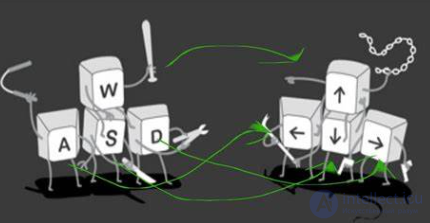
- WASD for movement (The WASD keys, used by default in most video games for moving the player via the keyboard.): The standard control scheme in computer games, which has become so familiar that players don't even notice it.
- Mouse for aiming and interaction: Allows precise control of the camera and interaction with objects in the game world.
- Joystick for console games: Intuitive controls for games on gaming consoles.
- Touchscreens for mobile games: Allow control of the game through gestures and taps.
- Voice commands and sounds: Some games use voice commands to perform certain actions, or, for example, simply sounds - blowing out a candle, etc.
- Body gestures: In VR games, motion sensors are used to track the player's movements and control the game.
Examples of intuitive controls
-
Controllers and keyboards
- Example: Using analog sticks for movement and buttons for actions.
- Should be ergonomic and easily accessible.
-
Touchscreens
- Example: Gestures for zooming and scrolling.
- Should be responsive and precise.
-
VR and AR
- Example: Using hand gestures and head movement to interact with the virtual environment.
- Should be natural and intuitive.
Examples of good and bad controls
- Good examples: The Legend of Zelda: Breath of the Wild, Dark Souls, Super Mario Odyssey.
- Bad examples: Games with illogical control schemes, complex key combinations, or a lack of feedback.
Tips for creating intuitive controls
- Start simple: Don't overload the player with a large number of buttons and functions all at once.
- Test with different players: Ask other people to try your game and give feedback.
- Use prototypes: Create prototypes of controls and test them in the early stages of development.
- Analyze popular games: Study how controls are implemented in successful games.
- Correspondence to the real world: Controls should correspond to the player's real actions. For example, to open a door, the player should press a button, not some random key.
- Simplicity: Controls should be simple and clear. The player shouldn't have to memorize long key combinations.
- Consistency: Controls should be consistent throughout the entire game world. For example, if opening one door requires pressing a button, then opening another door should use the same action.
- Feedback: The player should receive clear feedback about their actions. For example, pressing a button should show an animation of the door opening.
- Testing: Controls should be thoroughly tested with different players in order to identify and fix all shortcomings.
The connection between intuitive controls in games and ergonomics
Ergonomics is the science of adapting objects and environments to humans in order to optimize their interaction. In the context of games, ergonomics is aimed at creating comfortable conditions for the player, minimizing physical and mental strain.
Intuitive controls are one of the key aspects of ergonomics in games. When controls match our intuitive expectations, we spend less time learning and more time enjoying the game. This reduces cognitive load and physical strain, which has a positive effect on the gaming experience.
How are intuitive controls and ergonomics connected?
- Correspondence to natural movements: When the buttons on a gamepad match the placement of the fingers on the hand, or when mouse movement corresponds to eye movement, this minimizes muscle strain and fatigue.
- Interface clarity: A clear and understandable interface reduces cognitive load, allowing the player to get comfortable with the game faster.
- Absence of unnecessary actions: When performing an action requires a minimal number of manipulations, it saves the player time and effort.
- Thoughtful feedback: Visual and audio feedback helps the player understand what is happening in the game and how their actions affect the game world.
Examples of ergonomic solutions in games:
- Customizable controls: The ability to customize controls to suit yourself allows players with various physical characteristics to adapt the game to their needs.
- Left-handed mode: A special left-handed mode allows players who prefer to use their left hand to play comfortably.
- Visual cues: Cues that point to active interface elements or indicate that you can interact with a particular object make gameplay easier.
- Adaptive interface: An interface that automatically adjusts to screen size and resolution ensures comfortable play on various devices.
Why is it important to consider ergonomics when developing games?
- Increased engagement: When a player feels comfortable, they are more likely to keep playing.
- Reduced fatigue: Ergonomic controls help reduce physical and mental fatigue, which allows players to play longer.
- Increased accessibility: Ergonomic games are accessible to a wider range of players, including people with disabilities.
- Improved reputation of the game: Games with well-thought-out ergonomics receive more positive reviews from players.
Conclusion
Intuitive controls are one of the key factors determining a game's success. Remember that well-designed controls not only make gameplay easier, but also create deeper immersion in the game world. Intuitive controls are the foundation of a good user experience in games. They allow players to focus on the gameplay rather than on learning the controls, which makes the game more engaging and accessible.
Self-assessment questions:
- Which games, in your opinion, have the most convenient controls?
- What mistakes do developers often make when creating controls?
- How can controls be used to create a unique gaming experience?
Independent work assignments:
- Analyze the controls in several games of different genres.
- Create a prototype of controls for your own game.
- Study various approaches to adapting controls to different platforms.
-


Comments