
Lecture
Interface design in games – is not just about creating pretty buttons and menus. It is a key element that determines how easily and intuitively a player can interact with the game. A well-thought-out interface not only conveys information but also creates a certain mood and atmosphere. Interface design (UI) plays a key role in game design, providing players with intuitive and enjoyable interaction with the game. A well-designed interface can significantly improve the gaming experience, making it more engaging and accessible.
A game interface – is the totality of all the visual and interactive elements that allow the player to interact with the game.
Developing an interface for a game – is a complex process that requires balancing functionality, intuitiveness, and aesthetics. It is important to understand how different types of interfaces affect the player's perception and gaming experience.
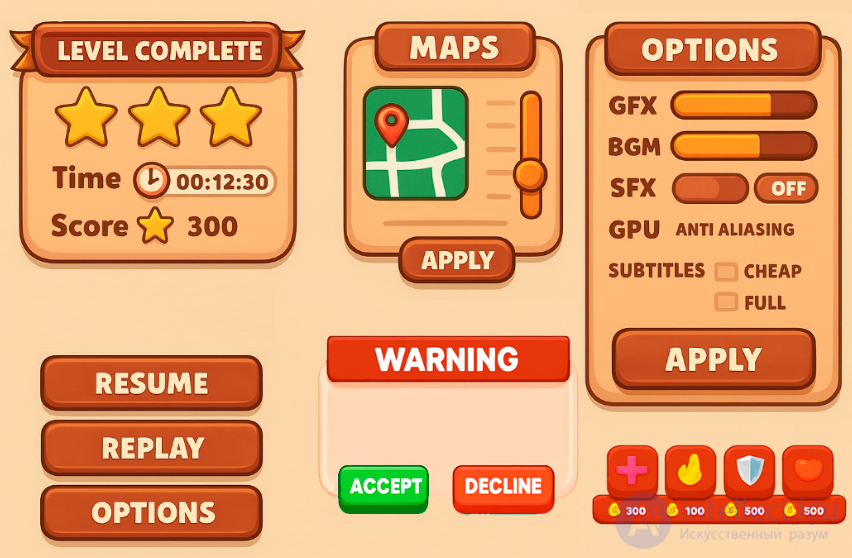
These can be:
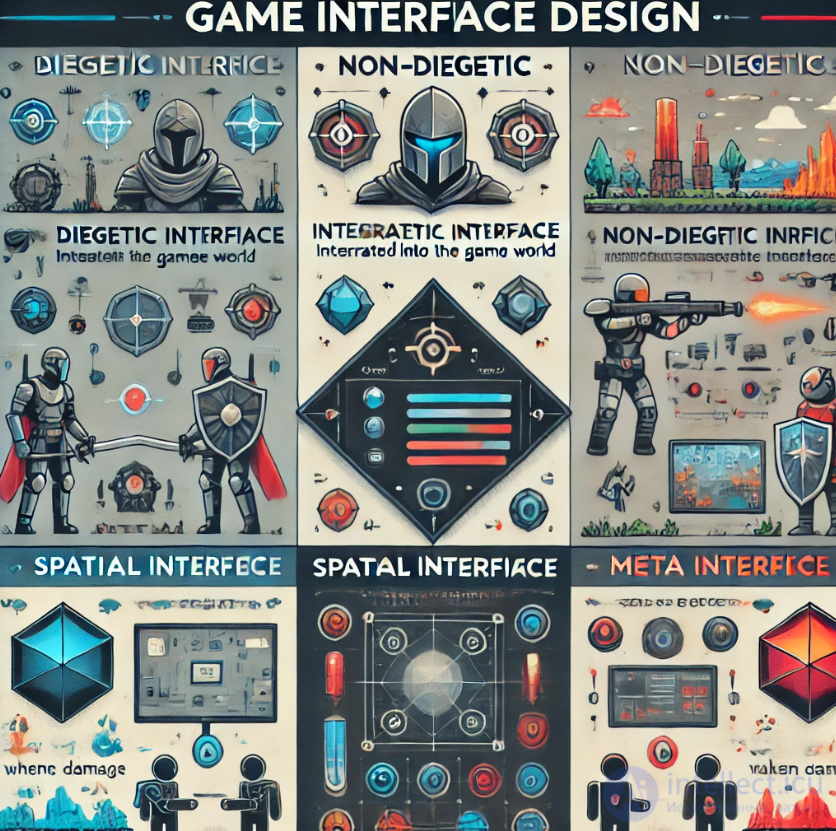
Here is a more detailed explanation based on key aspects:
This type of interface is built into the game world and is perceived as its natural part. Diegesis – is the functional reality constructed within the boundaries of the film.
In other words – the entire fullness of the world of a work of art and all of its reality.
For example, interface elements can be part of the character's equipment (a helmet with a data display), or information can be embedded in the surrounding environment (for example, holograms or displays on walls). This approach minimizes distraction from gameplay, since the player does not feel a disconnect between what is happening in the game and the information they receive. Dead Space uses an innovative approach to the HUD, making it part of the game world. The character's health indicators are displayed on his back, and the map is projected onto the ground. This helps maintain immersion in the game without distracting with traditional 2D interface elements. This approach enhances the atmosphere of horror, allowing players to focus on what is happening and feel the tension in moments of vulnerability.
Diegetic theory includes two concepts: narrative and the fourth wall.
Narrative — is the message that conveys to the player information about the action, occurrence, or development of events in the game world. It is the story that the designer wants to convey; whether it be the story of blocks falling from the sky that need to be landed on the ground in the right place [Tetris] or a journey through a foreign land [Machinarium]. Not all elements of a game are part of the narrative. For example, the game menu and HUD [Heads-Up Display], because the game's characters are not aware of these elements. This does not mean that these components do not support the game's narrative. For example, a futuristic game usually has interface elements that are also designed in a futuristic style.
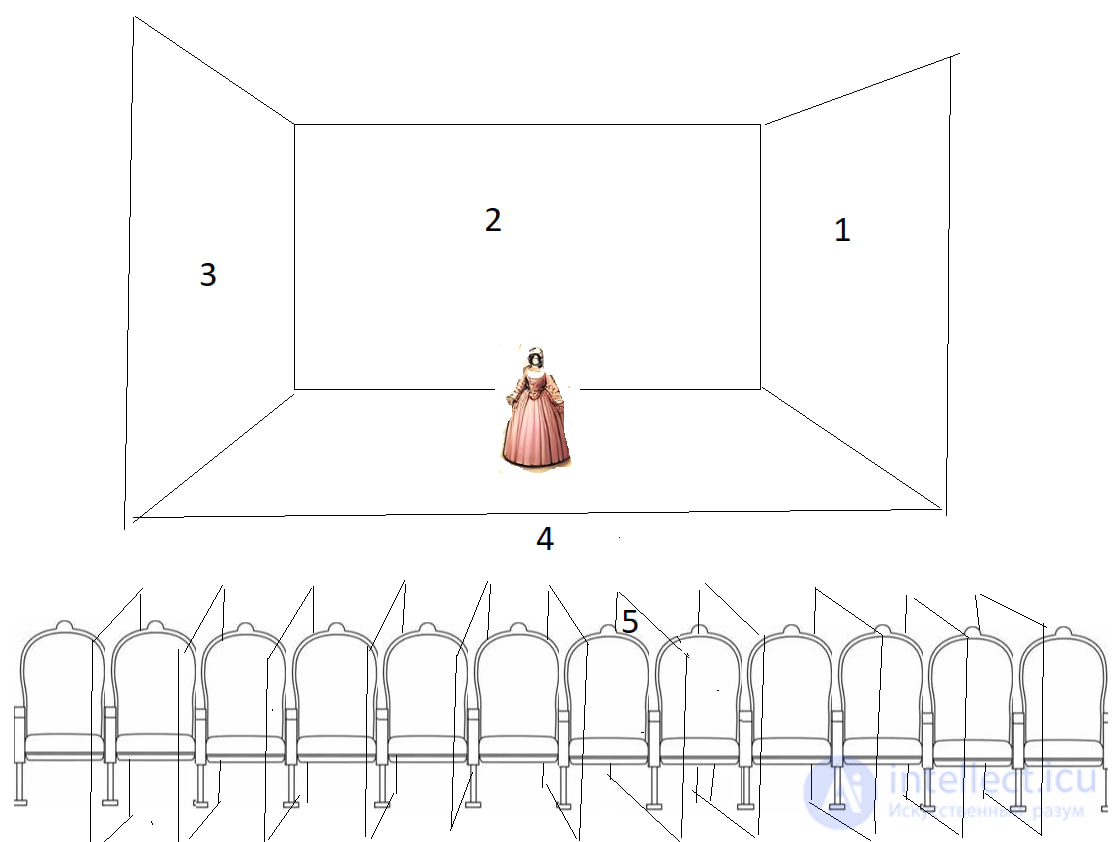
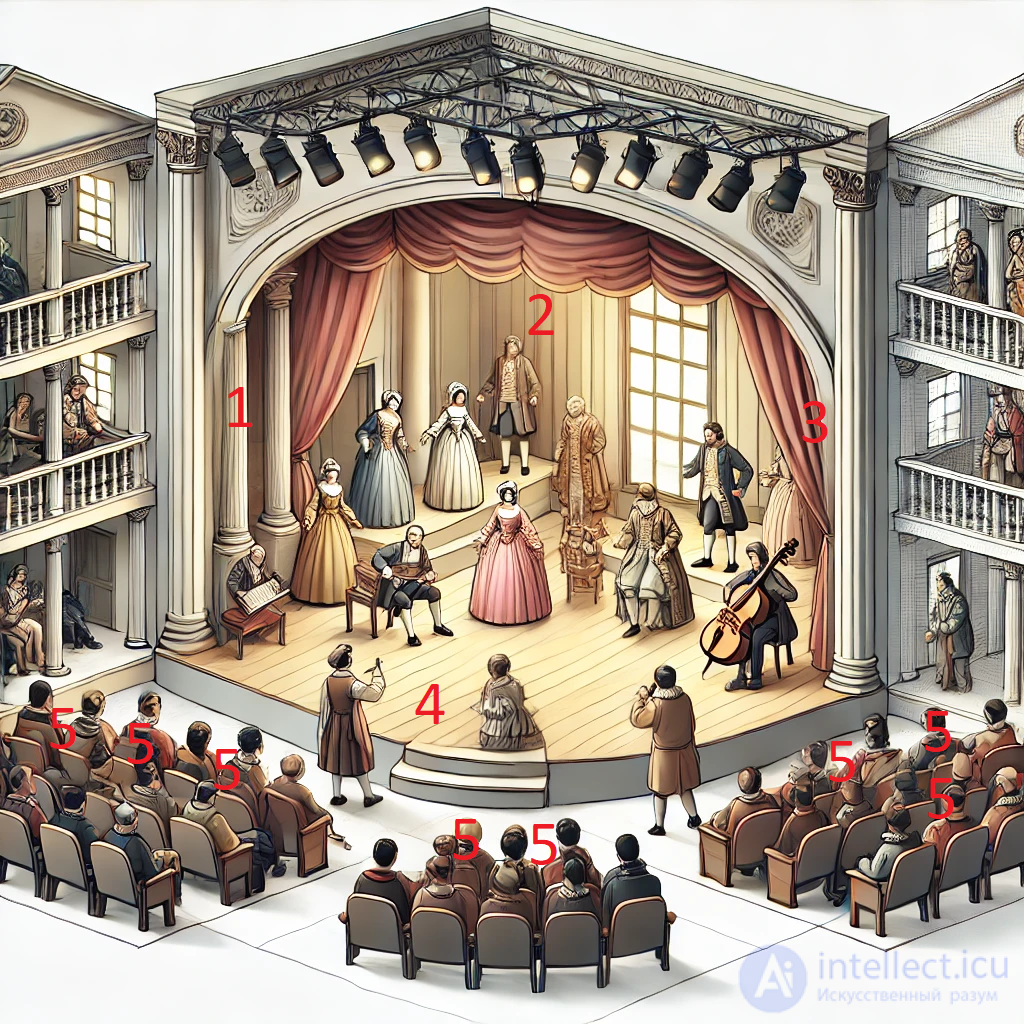
The fourth wall — is the imaginary wall between the actors and the audience in a traditional «three-walled» theater. The term was coined by Denis Diderot in the 18th century but only came into use in the 19th century with the emergence of so-called «theatrical realism». Later the term came to be used not only in theater but also in other art forms to denote the imaginary boundary between any fictional world and its audience: in literature, cinema, comics, computer games, etc. In theater, the fourth wall refers to the invisible wall of thoughts, sensations, and feelings that separates the stage from the audience. When an actor addresses the audience directly, he breaks the imaginary wall and draws those around him as deeply as possible into the performance.
In games it is more complicated: not only the fourth but also the other three walls are here in question, and the quality of the show often depends on the player's skill. In order for a player to immerse themselves in the game world, they must pass through the fourth wall. The ease with which a player moves between the real world and the game world depends on how the interface developer ensures the delivery of information to the player.
The interactive nature of video games in itself implies the active involvement of the player in the action, and video games often address the player (with a prompt to enter a character's name, the name of a settlement, etc.; with a request to press a certain button on the keyboard or joystick). However, these operations do not constitute breaking the fourth wall until the game's characters begin to address the player directly or show awareness that they are in a game. In the role-playing game «Mother 2», during the final battle with the alien invader Giygas, a girl with psionic abilities addresses the player with a request to pray for the heroes.
The term «fifth wall» was introduced into use later and denotes the invisible boundary between critics (readers) and the fictional world[33]. It may also refer to the wall between the viewers themselves during viewing. There also exists the problem of «breaking the fifth wall»
narrative is storytelling not from the developer's point of view, but from the player's point of view; it is the gaming experience that a person gains while playing through the game.
the fourth wall the character does not know about the fictional nature of their world and behaves accordingly.
Breaking the fourth wall is the direct address of the hero of a work of art to the author or the audience.
in three-dimensional games without boundaries, the first three walls were also broken.
In games like Dead Space, the diegetic interface is presented in the form of indicators on the main character's suit – health level and other parameters are displayed on his armor. This helps the player stay immersed in the game world.
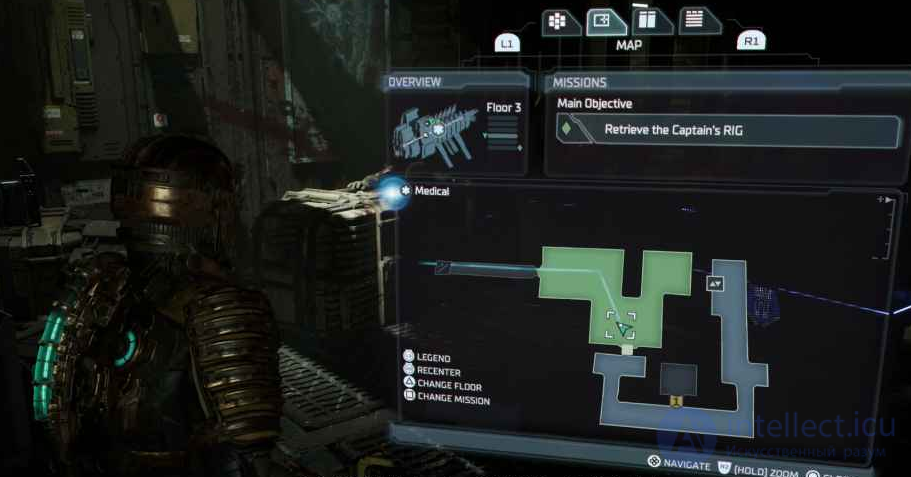
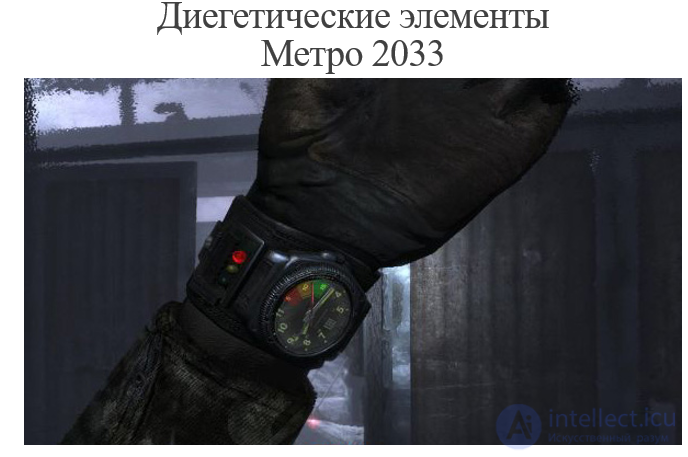
Always keep the theory of diegesis in mind. Maximize its application when you need to fully immerse the user in the virtual world (interactive storytelling, virtual reality). Minimize it if there is no need for it (3D editors).
The most common type, in which the interface is "above" the game world and available only to the player. These can be elements such as health bars, mini-maps, quest indicators, which have no direct relation to the game world but are important for controlling the gameplay.
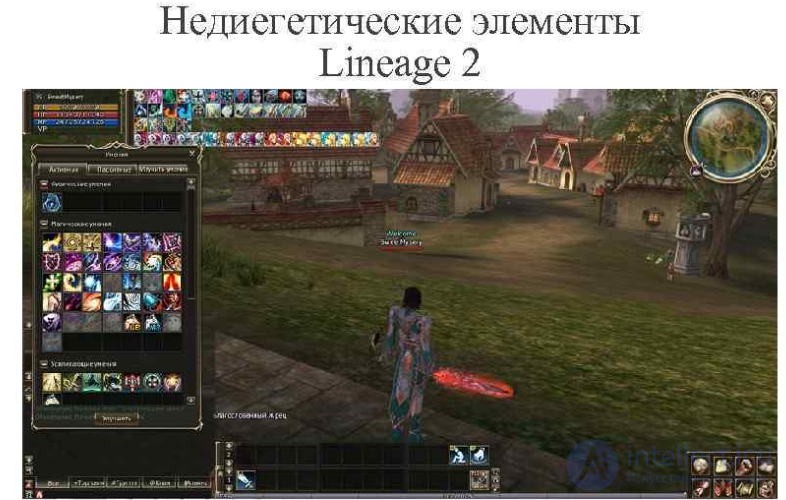
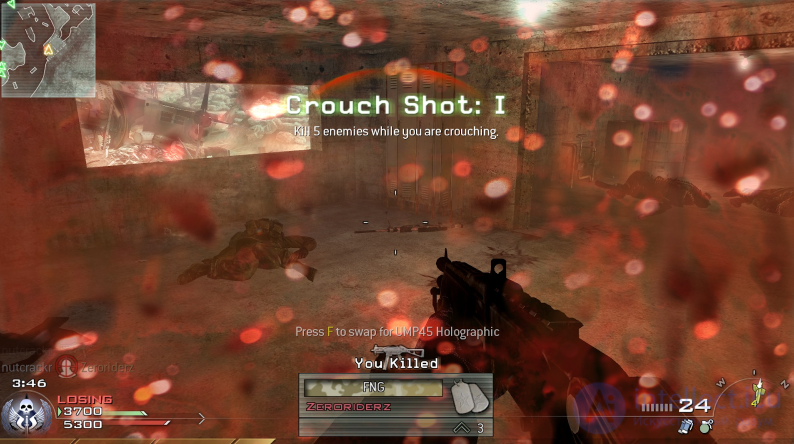
In shooters such as Call of Duty, the player sees non-diegetic interface elements such as the ammo panel, health status, timers, which exist solely to assist the player.
In this case, the interface elements are not tied to a static display but are located in the game space. This can be the use of markers in a three-dimensional world that show direction or a target, but are not displayed as separate parts of a menu.
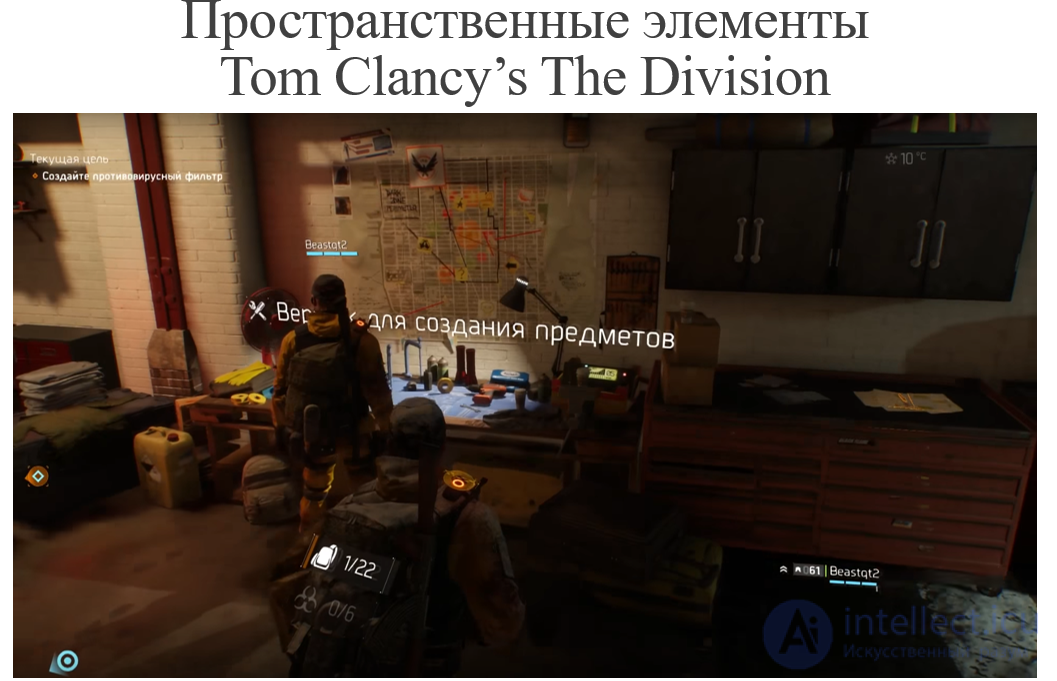
In the Assassin’s Creed series, highlighted routes or information about enemies are displayed directly in the game world rather than on a static interface. This creates a sense of integration of UI elements into the game space, even though they are not part of the game world.
An interface based on visual effects, such as the screen turning a certain color when taking damage, changes in order to convey information. In this case, the UI does not present information directly through text or indicators, but uses visual and color signals to convey information to the player.
When a character in the game takes damage, the screen may turn red, which signals the need for caution. This allows the player to instantly understand the situation without being distracted by text messages or other graphic elements.
This is the newest trend in UI design, where the interface becomes practically invisible and integrated into the gameplay. Minimizing explicit controls and buttons contributes to a smoother gaming process, which is especially popular in mobile games.
In mobile games such as FIFA, the player controls characters using simple gestures or taps, which helps avoid overloading the screen with buttons and interface elements.
Color coding: Color plays an important role in the interface. Red, as a rule, signals danger, which is intuitively understandable to most players. In games such as RPGs, spells are often divided by color: green – for healing, red – for attack, blue – for support actions.
Focus on the central part of the screen: The player's attention is usually concentrated on the center of the display, so it is important to place the most important interface elements closer to the center. Additional elements that are used less often are better placed at the edges of the screen.
Minimizing elements in the HUD: It is recommended to place no more than seven elements in the HUD (head-up display) interface at the same time, so as not to overwhelm the player. Also, when possible, it is better to replace text elements with graphic icons for faster and more intuitive conveying of information.
Before the final release, it is important to test the interface on real users. They will help identify inconvenient moments, and this will allow the necessary adjustments to be made. If there are non-standard solutions, for example unique interface "features", it is worth evaluating how players perceive them before replacing them with standard UI elements. Innovative elements can turn out to be successful if they are understandable and convenient.
Thus, creating a good game interface requires a balanced approach: you need to take into account both design traditions and the possibilities of implementing new solutions, constantly focusing on feedback from users.
Simplicity and clarity
Consistency
Feedback
Accessibility
Intuitiveness
HUD (Heads-Up Display)
Menus and navigation
Contextual tooltips
Interface design — is both an art and a science, requiring attention to detail and an understanding of players' needs. A well-designed interface can make a game more engaging and accessible to a wide audience. Interface design plays an important role in creating a successful game. A well-thought-out interface not only facilitates the player's interaction with the game but also increases their immersion in the game world.
Assignments for independent work:
Questions for discussion:

Comments