
Lecture
Game testing is an integral part of the development process. It allows you to identify and fix bugs, improve the gameplay experience, and overall raise the quality of the product. In this lecture, we will look at various types of testing, as well as the methods and tools used to ensure high game quality. Game testing is an important stage of development aimed at identifying bugs and improving gameplay. Quality testing helps create a stable and engaging product that will meet players' expectations.
For testing video games, as in other fields, there are both universal and unique approaches to solving various tasks. Let's break them down!
Playtesting is one of the game testing methods, aimed at studying what kind of gameplay experience and emotions a player gets during the process. To conduct playtests, participants are given access to an early version of the game (testing is carried out before the official release of the game or its features). Most often, playtests involve not QA specialists but ordinary gamers, friends, relatives, or any other people who can look at the product with a fresh eye. They share feedback based on their impressions and gameplay experience, while observing the terms of the NDA signed before the start of testing.
There are different opinions about whether developers, including the QA team, should be involved in playtesting. Since they know the game inside out, their feedback may be less valuable than the opinion of representatives of the target audience. The goal of playtesting is to understand how interesting the game is to your target audience. The decision about whether to conduct playtests within the company or involve external participants depends on the capabilities and preferences of your team.

Sometimes it makes sense to think even about the game's meta, but this is more of an additional bonus, and such tasks clearly do not fall within the QA specialist's area of responsibility. However, QA can make notes and share their observations with the team.
Level Design Testing implies checking the game levels. Even a visually impressive level can turn out to be impassable due to, for example, invisible walls (when there is a model but textures are missing), holes in the floor (for example, due to incorrect joining of surfaces or models), or so-called Stuck points, places where the character gets stuck and cannot move further.
Fun Factor Testing is a fairly abstract type of testing that some single out separately, while others consider it part of Playtesting. Here the emphasis is on the "fun factor" of the gameplay. Even a perfectly balanced game can turn out to be boring, which will drive players away. At this stage, game mechanics are also checked: navigation, aiming, interaction with items, NPCs, and so on. Unsuccessful mechanics or unappealing art are usually revealed precisely here. If nothing irritates you during gameplay, then you are moving in the right direction.
We move on to the discussion of Visual Components Testing, which includes testing 3D models and scenes, 2D elements (sprites), and 2.5D objects.
3D Models Testing covers checking models (high-poly and low-poly) for compliance with visual requirements and the acceptable polygon count specified in the specifications. It also assesses the presence and use of all necessary texture maps, the correct display of the inner side of models (if they are visible), and the model's behavior during animation, including rigging and skinning.
Such checks allow you to detect possible problems in advance, for example, with texture maps, and, if necessary, bake new textures to eliminate the identified shortcomings.
2D and 2.5D Testing covers testing graphics for 2D and 2.5D games. This includes working with sprites (2D), as well as checking sprites or 3D models used in 2.5D projects, which are often applied in fighting games, side-scrollers, and roguelikes.
Examples of testing include identifying problems with the draw order of objects, such as the world and characters in isometric games, or the correct operation of the "window" showing the main character behind a wall (as in Fallout 1 and 2). There are also often nuances with transparent objects, which can interact with 3D elements or complex effects related to transparency.
One of the common problem scenarios is when an object consisting of several sprites dissolves or appears through an alpha effect, but the transparency of each sprite is processed separately. As a result, instead of a single whole, the player sees disjointed elements. To avoid such situations, the object can be pre-rendered into a texture and that texture used for the effect, preserving visual integrity.
When we talk about characters, we are talking not only about playable heroes and their models. This also includes NPCs and enemies with their artificial intelligence (AI). This opens up an extensive field for AI Testing, which covers such aspects as Pathfinding, AI Spawning, AI Reaction, Detection Range (for example, an NPC's vision cone), and other elements. After all, it is much more pleasant when the crowd behaves realistically, does not get stuck in objects, and enemies appear in logical places rather than right behind or in front of the player.
At this stage, the correct operation of impostors is also checked, that is, simplified models used for optimization. Impostors can be represented as 2D sprites in a 3D environment or low-poly models that offload system resources. For example, their use can be seen in the final battle of Serious Sam 4. However, impostors are used not only for AI but also for rendering distant elements of the game world, such as cities, forests, or mountains that the player sees at a distance. These objects are replaced with impostors until the player gets closer, which is known as a billboard sprite.
It is also important to test the Navigation Mesh (Nav Mesh) to make sure that NPCs and enemies do not collide with items or walls while moving.
You can learn more about the mechanics of interacting with crowds of NPCs here.
The use of tricks, such as replacing high-quality (high-poly) models with simplified (low-poly) ones or impostors, optimizing the balance and speed of polygon rendering in busy scenes, as well as processing effects, can significantly affect game performance and reduce FPS (frames per second). These aspects are checked as part of Performance Testing.
This category can also include Soak Testing, which helps identify memory leaks, and Stability Testing, aimed at detecting problems such as freezes, crashes, black screens, the inability to load a level, save corruption, and other errors.
However, a decrease in performance can occur not only due to a large number of models on the screen but also due to a high load with a large number of online players. Even with a small number of players, problems can arise if you have not tested the network code as part of Network Testing. This type of testing allows you to identify lags, connection drops, matchmaking problems, connection stability, input lag, and other nuances.
Special attention should be paid to bugs that arise with a poor internet connection. If your testing is carried out with a good internet connection, it is important to emulate low network quality conditions.
You can learn more about network code and connection types here.
Everything listed above already looks like a complex and cumbersome system. But this is only the tip of the iceberg, since we were mostly talking about the front-end part (the client). However, no one has canceled the back-end, and along with it Back-End Testing.
The back-end covers such important elements as databases, APIs (for example, REST API), telemetry, and many other aspects that ensure the functionality and stability of the application. Testing this part of the system helps make sure that the server logic works correctly, data is stored and processed without errors, and the interaction between the client and the server takes place efficiently and reliably.
We talked about testing hardware performance, but did not specify which exactly. After all, games need to be optimized and adapted for various devices and platforms: PlayStation 4/5, Xbox Series X/S, Nintendo Switch, Steam Deck, and a multitude of unique configurations of your personal computer. Compatibility Testing is responsible for this task.
Many platforms support different operating modes, for example, 4K 30FPS with Raytracing or 1080p 120FPS. The Nintendo Switch, in turn, operates in two modes: handheld (720p) and docked (1080p).
In addition, given the "gamepads everywhere and anywhere" trend, it is important to test the game's operation with a variety of controllers. This includes standard gamepads, a wheel and pedals for racing sims, joysticks, music controllers, and other devices. All of them must correctly display the corresponding icons when switching and work without errors on PC or console.
Separately, it is worth mentioning the actively developing market of VR and AR games and applications. VR and AR Testing deserve a separate approach, since these devices have many unique features. For example, one of the difficulties in developing and testing for VR is the effect of motion sickness, which can occur when using headsets. This "physical" limitation makes VR testing inaccessible to all specialists.
Functional testing
Regression testing
Performance testing
Usability Testing
Compatibility testing


Planning
Preparation
Executing tests
Analysis and reporting
Fixing and retesting

Automated testing
Manual testing
Bug tracking systems
I think many people have seen this bug from Assassin's Creed. The reasons can be different: the mesh did not load or the material is simply wrong. And one should also not rule out the possibility of a LOD mesh being enabled that is not installed.
It would be strange if such a complex system as video games had no bugs. They exist, occur often, and this bestiary here is extremely diverse. Having familiarized yourself with the above-mentioned types of testing for games, I think you can guess that bugs in video games are far from only "404 not found" and "game crashed." Let's run through the most frequently encountered ones in the game industry!
The category of Visual bugs will include: any visible artifacts (Visible Artefacts), missing textures, Clipping, Culling, Screen tearing, Z-fighting.
You can see examples of visual bugs below:
Visual Artefacts - any visual bugs that do not fall under other types.
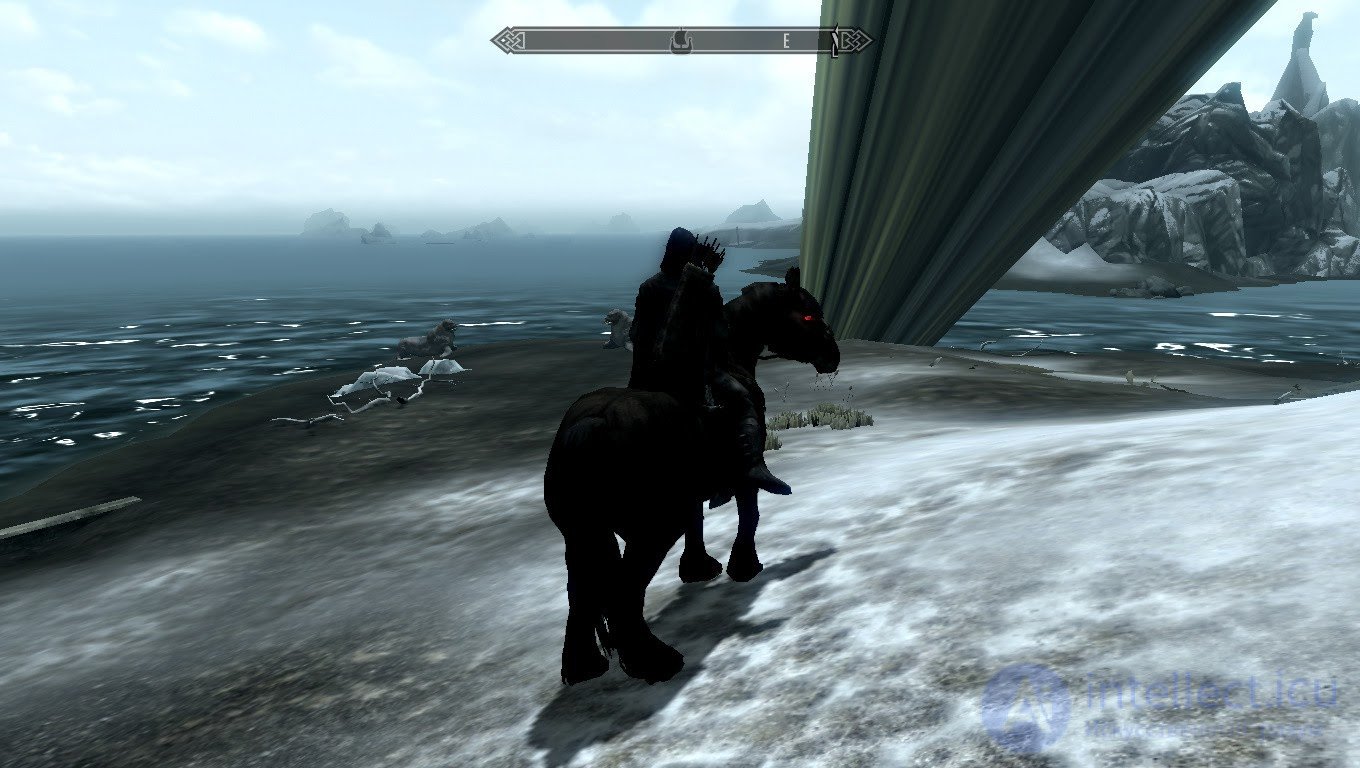
Whoops... Something went wrong
Missing Textures - missing/disappeared textures. Usually, in their place they try to put a "placeholder" in the form of a bright default texture shaped like a checkerboard. This is not mandatory, but thanks to this approach, missing textures are visible to the naked eye.
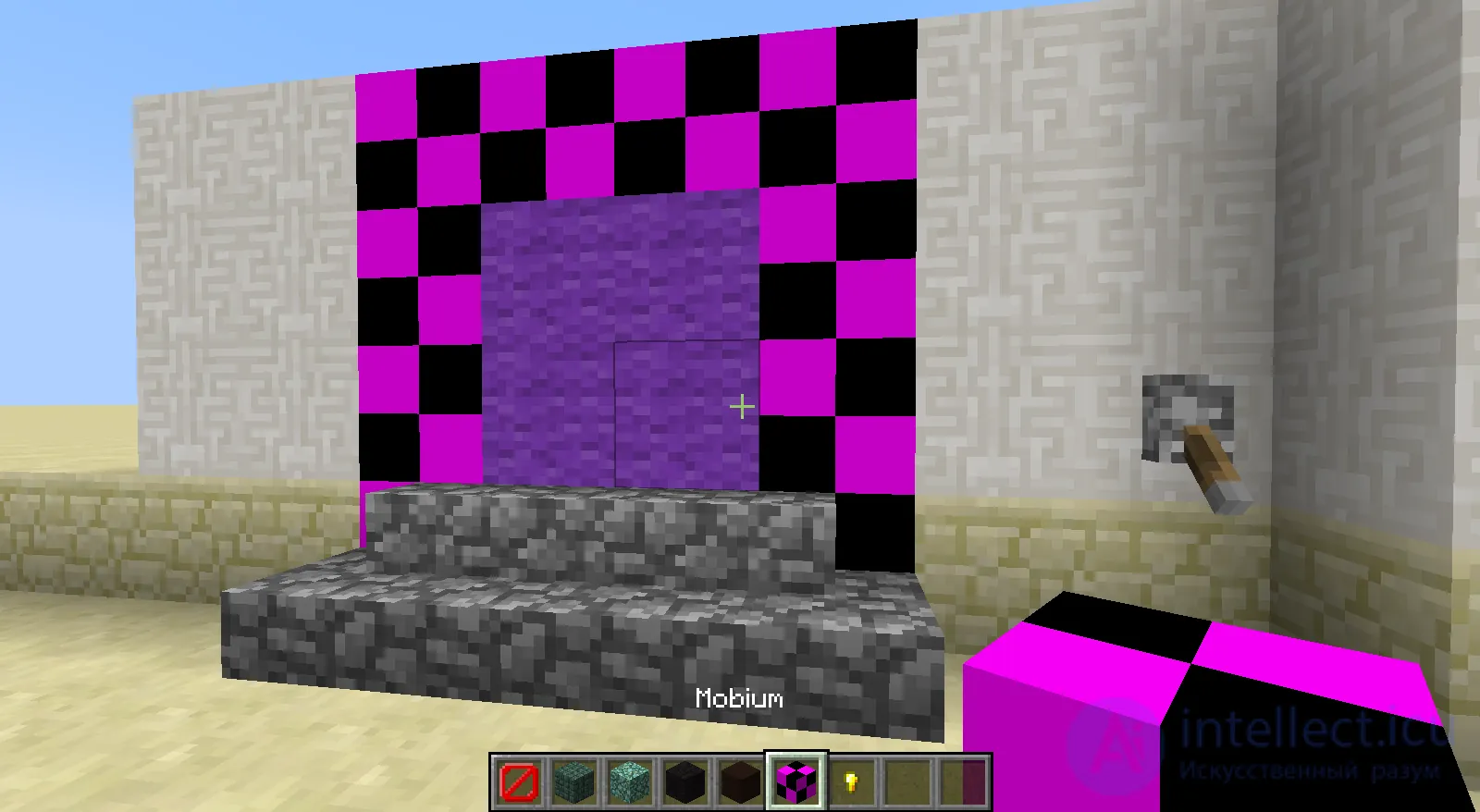
A missing texture and a good example of the "checkerboard" instead of the lost file
Z-fighting - this bug appears when several primitives are located at approximately the same distance from the camera and they have practically the same values in the Z-buffer, which tracks depth. Because of this, primitives may be partially displayed one over another.
Z-fighting, also called stitching or planefighting, is a phenomenon in 3D rendering that occurs when two or more primitives are at very close distances from the camera. This causes them to have almost equal or close values in the z-buffer, which tracks depth. This means that when rendering a certain pixel, it is ambiguous which of the two primitives is drawn in that pixel, since the z-buffer cannot accurately distinguish which one is farther from the other. [ 1 ] If one pixel were unambiguously closer, the less close one could be discarded. This is especially common with coplanar polygons, where two faces occupy essentially the same space, and neither is in front. As a result, the affected pixels are rendered with fragments from one polygon or the other arbitrarily, in a manner determined by the precision of the z-buffer. It can also change when the scene or camera changes, causing one polygon to "win" the z-test, then the other, and so on. The overall effect is a flickering, noisy rasterization of two polygons that "fight" for the color of the screen pixels. This problem is usually caused by limited subpixel precision, rounding errors of floating- and fixed-point.
The higher the precision of the z-buffer, the less likely z-fighting is to occur. But for coplanar polygons, the problem is inevitable unless corrective action is taken.
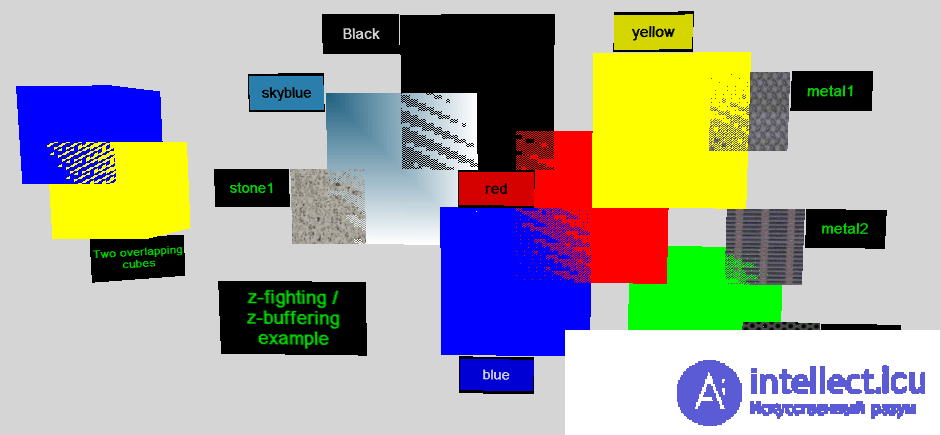
A demonstration of z-fighting with several colors and textures on a gray background
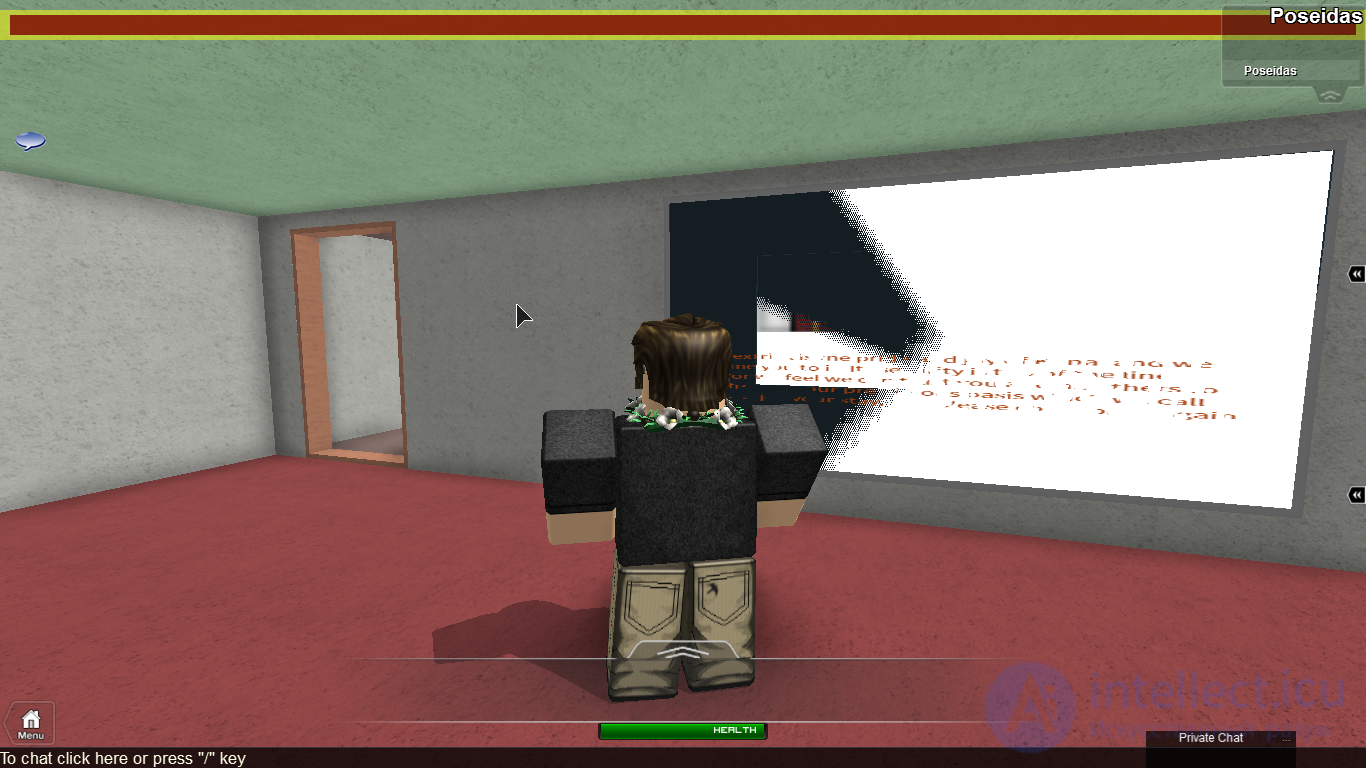
Screen Tearing, or "screen tear," is a visual artifact in which information from several frames is displayed in one image.
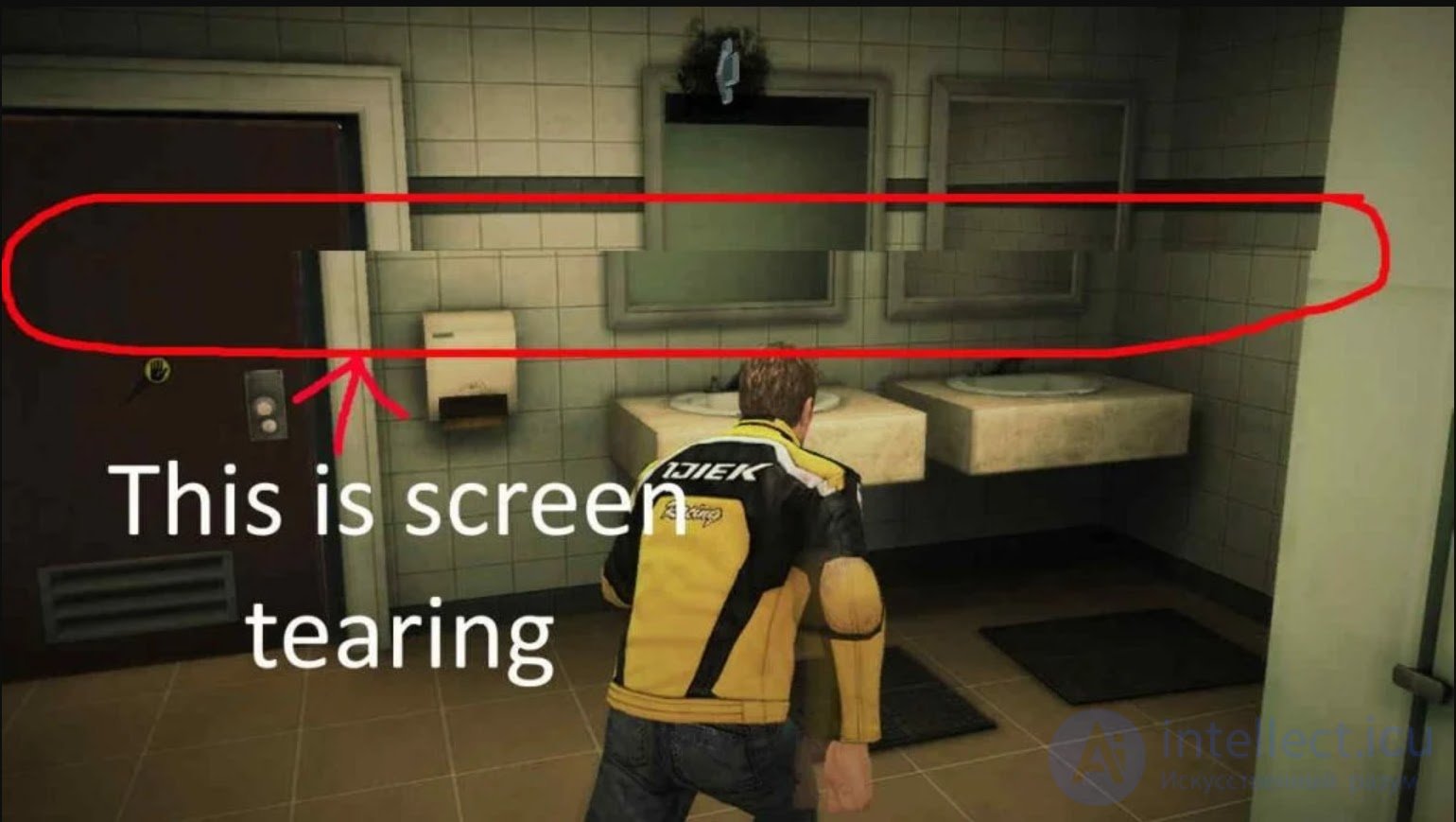
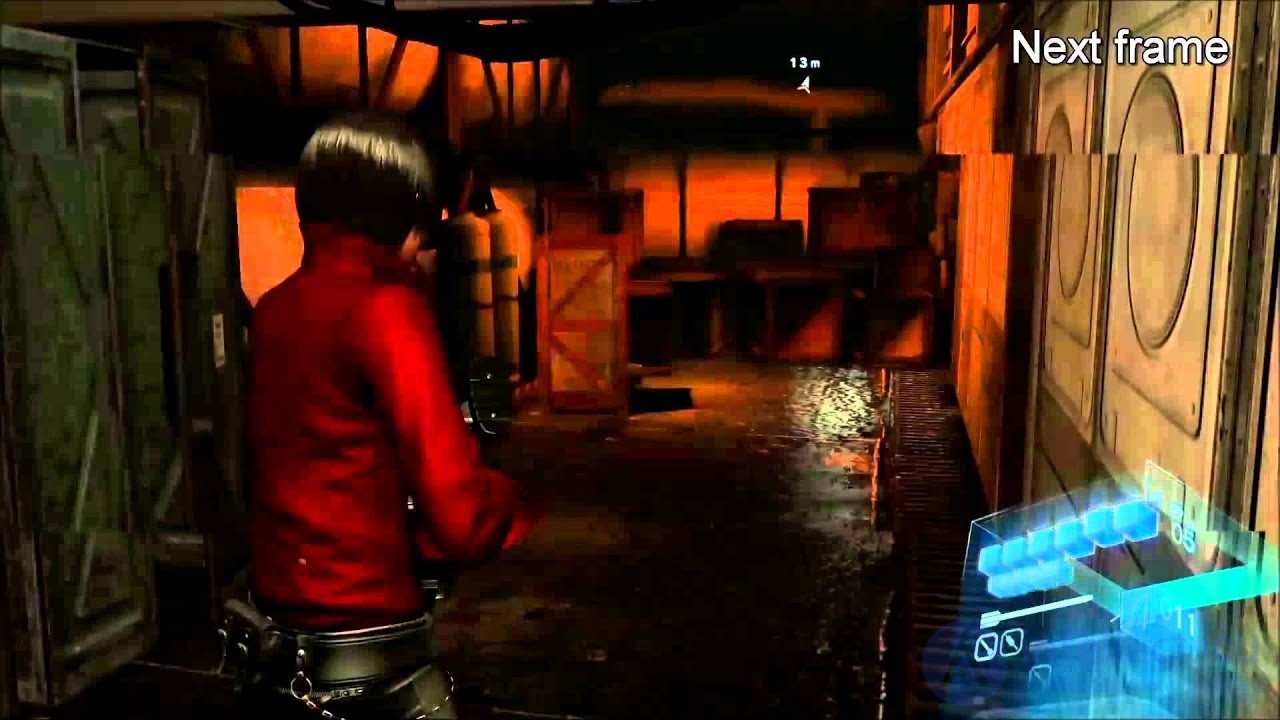
Culling and Clipping - bugs related to the operation of the renderer and the graphics pipeline. Often it is the intersection of two objects, in which one covers the geometry of the other, hiding it from view. If we delve a little deeper, then Culling is the discarding of what is known to be invisible. In that case, the game will not even try to render this segment. Culling comes in different types, and here are its examples: frustum culling - discarding based on the view frustum, backface culling - discarding "back" faces, occlusion culling - discarding faces due to the fact that they are covered by other geometry, depth culling - the overlapping of one geometry by another that has already been drawn, but based on the depth buffer. And when a fairly large polygon is drawn and everything that is known to be outside the screen is cut off from it, that is already Clipping.
Also, it is worth singling out separately a similar but essentially different bug: collision problems. In video games, culling can be associated with a set of algorithms that respond to the interaction of two adjacent or overlapping geometries (collision detection). And to identify such bugs, there are special view modes, but I will talk about that in the next article.
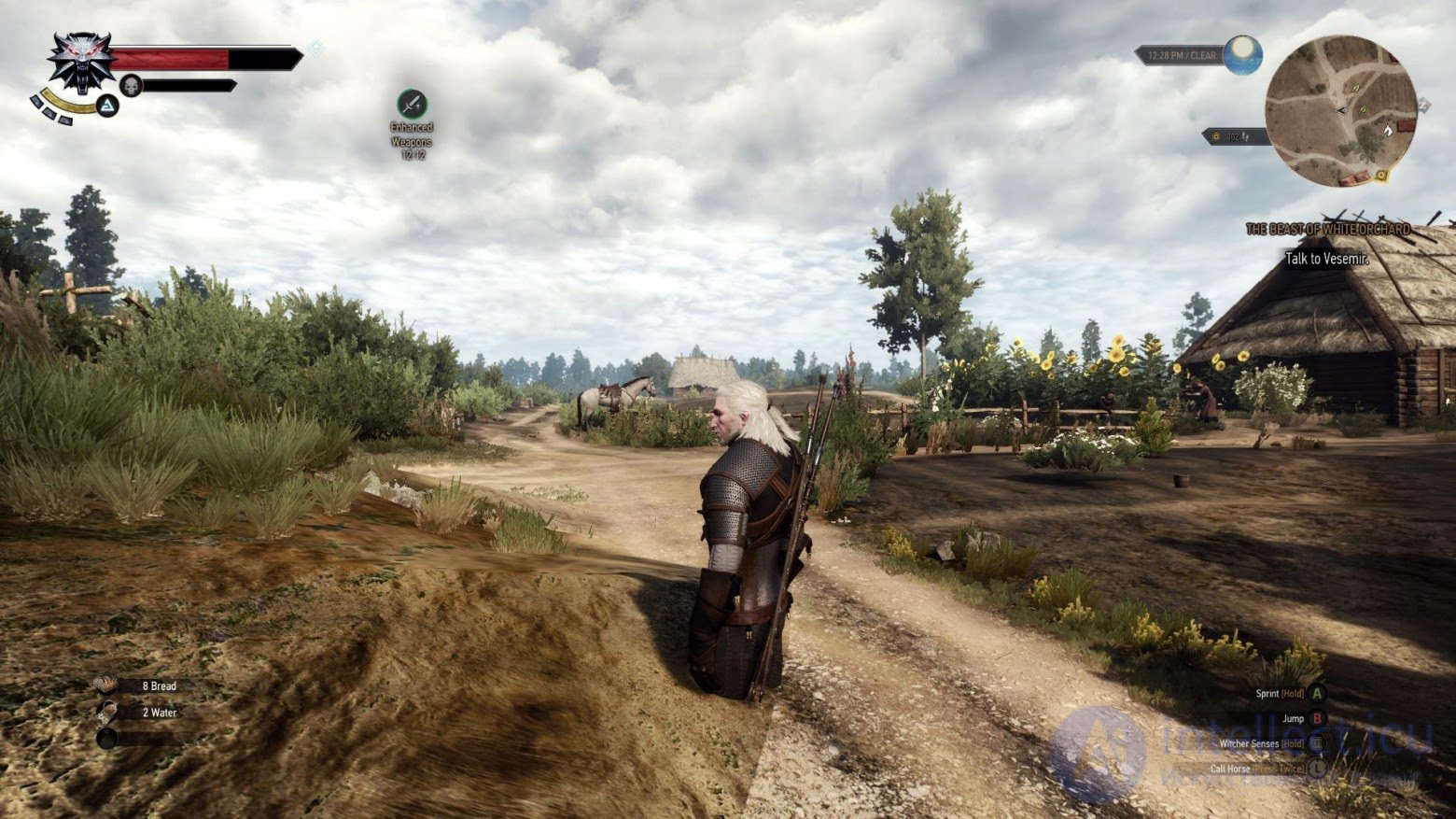
This is how you can easily "enter" an object with a broken collision (or without one at all)
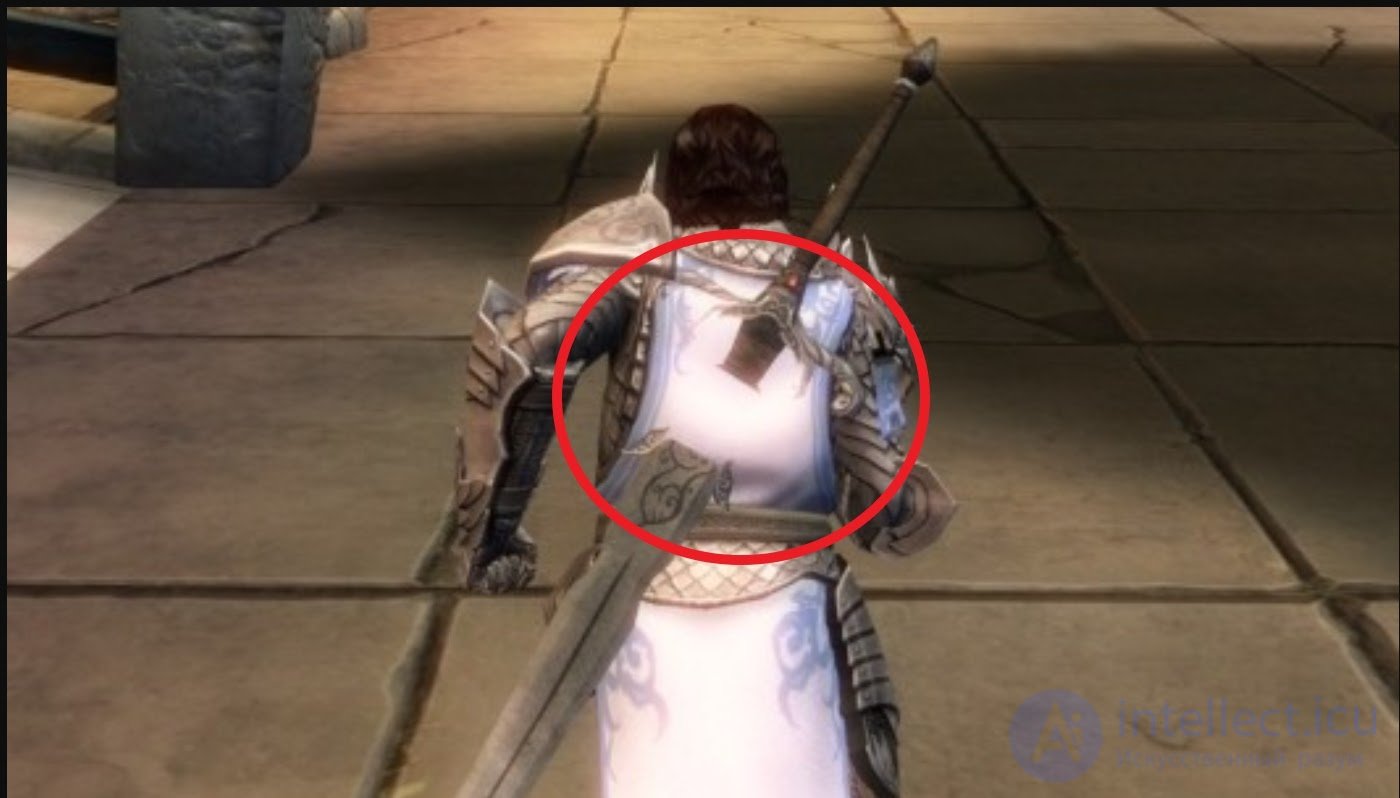
A bug of this kind can also be described with the term occlusion, i.e. the overlapping of one object by another not as intended.
Within the Audio bugs group, I will single out fairly basic but no less annoying things: the inability to play SFX/music/dialogue, a missed (triggered) playback, poor mixing (the sound is too quiet or too loud), distortions, drops.
Level design bugs - invisible walls, map holes, stuck spots, and so on. I would also classify bugs related to the nav mesh (Navigation Mesh) as level design bugs. Below I will give a few examples of level design bugs:
Invisible Walls can be either a bug or a feature. Previously, this was how the player character's movement was restricted, preventing them from going further than needed. Now, however, they try not to create "invisible obstacles," but rather to restrict "passability" using level design, for example, by placing an impassable barrier, a barricade, mountains, city gates, and so on. Showing the player that there is something ahead while using invisible walls to keep the character out of that zone are signs of bad level design. Now this is almost never done, and invisible walls can often be a consequence of level reconstruction: for example, some model might have been forgotten to be removed, or an invisible element was added as a temporary placeholder.
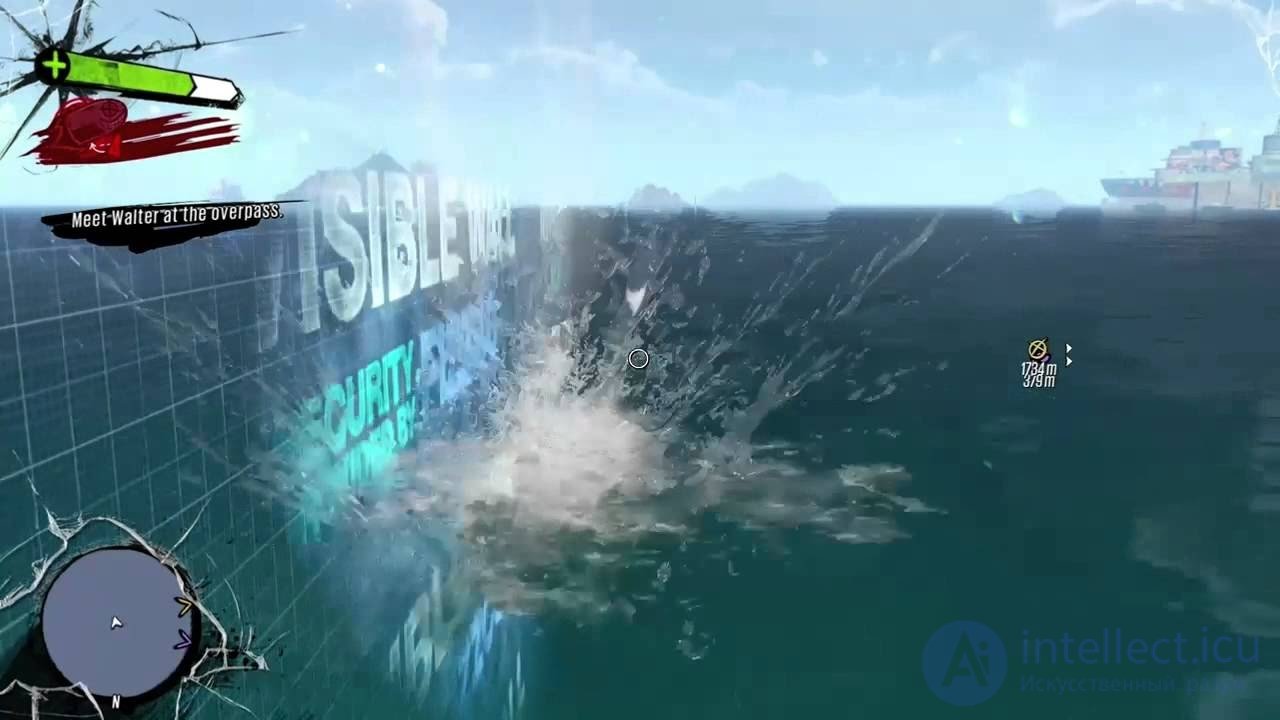
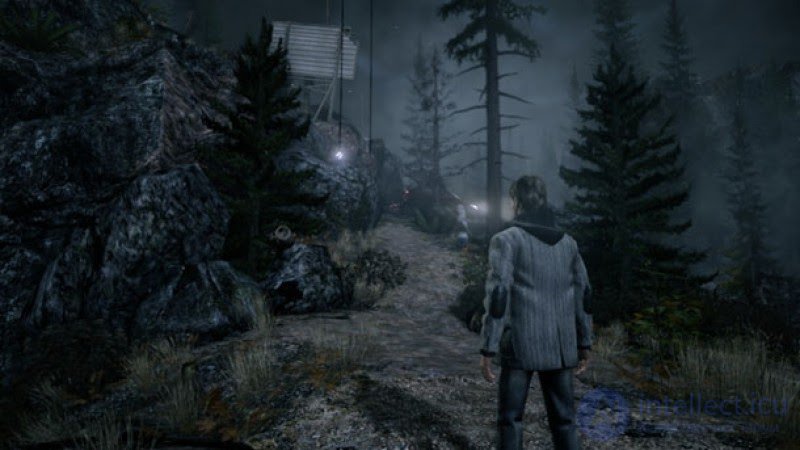
The hero cannot go further because of an invisible wall, yet the road never ends...
Map Holes are most often caused by the loose fitting of the planes of objects (floor, walls, etc.). These are places where the user can, unplanned by the developers, get outside the boundaries of the game zone. Such bugs are also often called Out of Bounds.
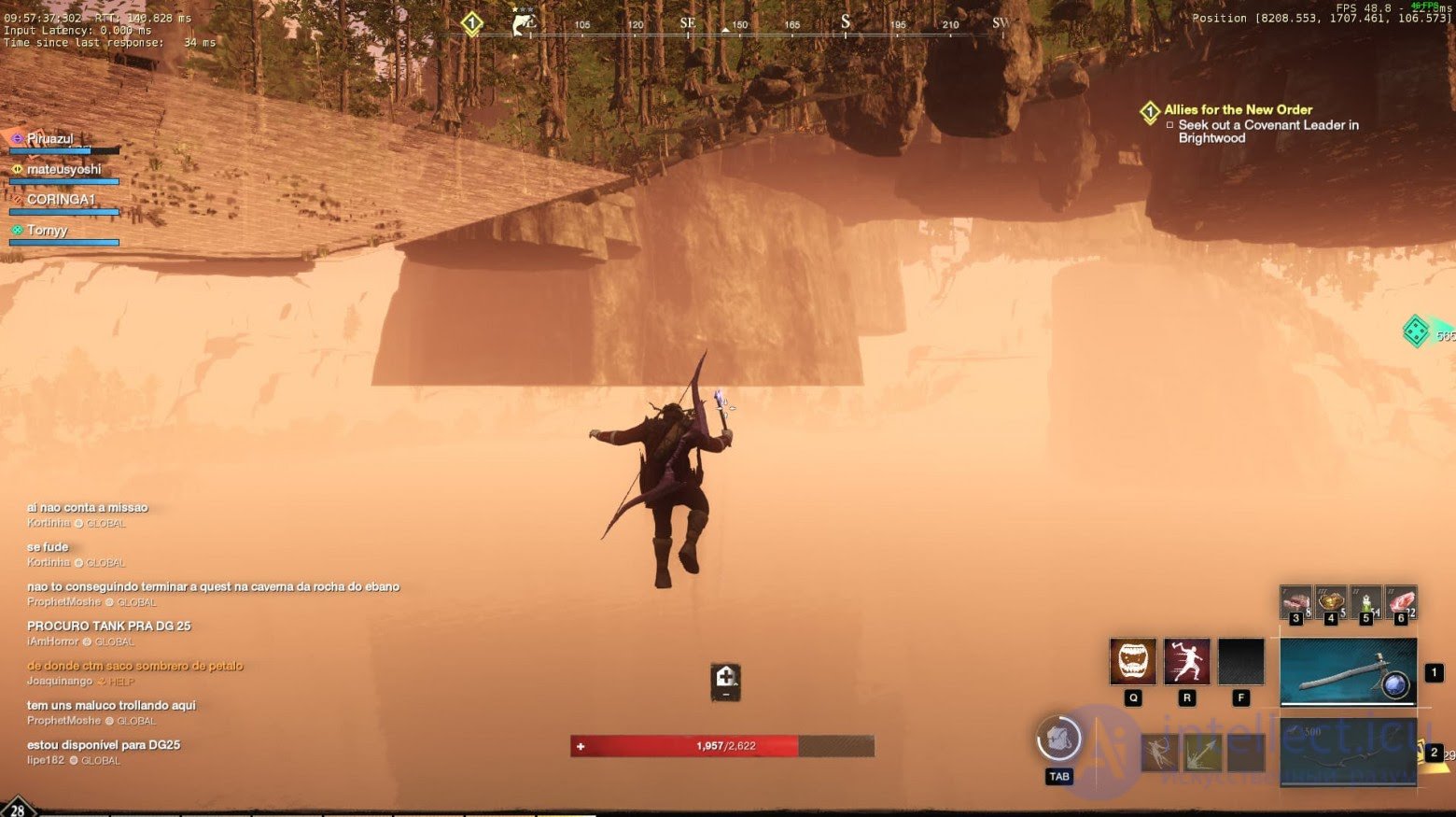
And this is what your game looks like "from the inside"
Navigation Mesh bugs are often related to level rebuilding or automatic mesh generation. For example, you moved objects, but the navigation mesh remained the old one. As a result, your NPCs may "walk into a wall" or any other object that they cannot go around, and they get stuck there (one of the cases of Stuck Points).
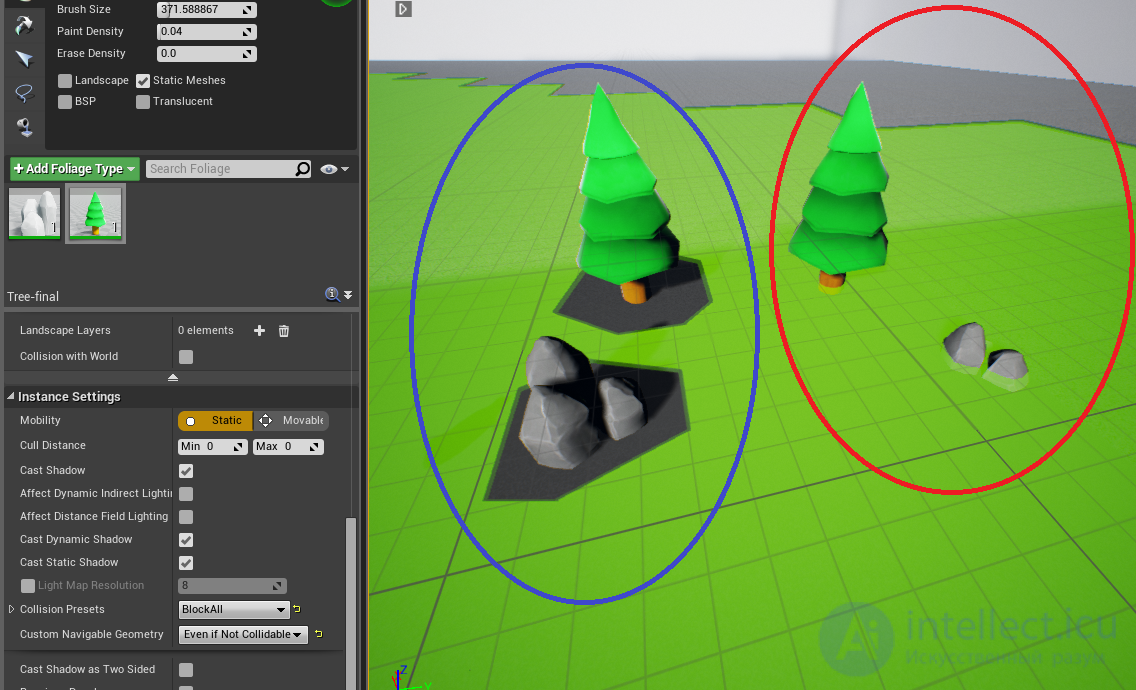
Here the Nav Mesh passes through the objects in the red circle
Artificial intelligence (AI) errors: NPCs do not move, get stuck, do not follow the player, the expected interaction with items does not work, getting stuck, NPCs do what was not intended initially, and so on.
Since we also have the part of the engine responsible for physics, it would be strange if there were no bugs with physics. Here there can be almost anything: levitating objects, unrealistic physics, acceleration beyond the norm, as well as objects soaring "into space" due to the addition of vectors when processing contacts. You could have seen bugs of this kind in memes of the most varied games, for example GTA 5 or, from the current hot topic, Cyberpunk 2077. A good breakdown of many bugs from Cyberpunk 2077, including the ones just described, can be watched here.
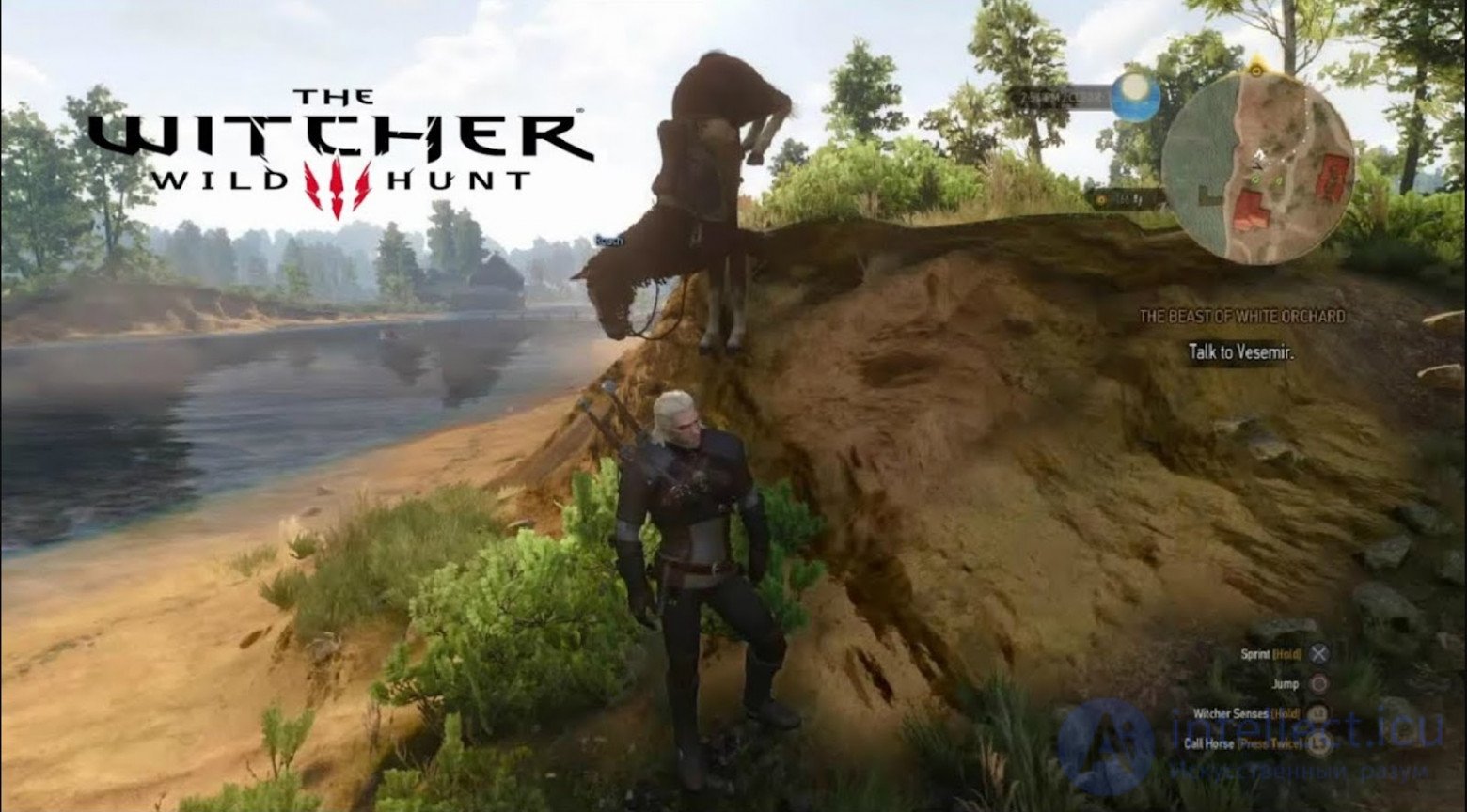
Roach, what are you doing???
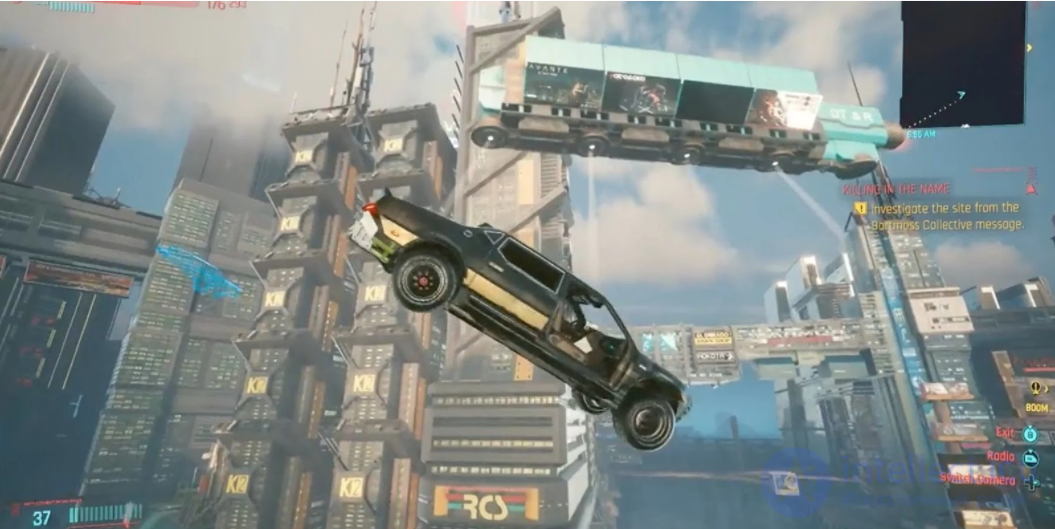
Flying cars in Cyberpunk 2077 are not a rare sight
Stability and performance bugs include freezes, crashes, black screens, the inability to load a level, user-visible loading of high-poly models or of any objects at all, FPS drops, loooooooong loading, as well as micro-freezes (loading hitches). Here I will also add an overly long game installation, as well as the inability to run the game on a PC with the minimum acceptable requirements.
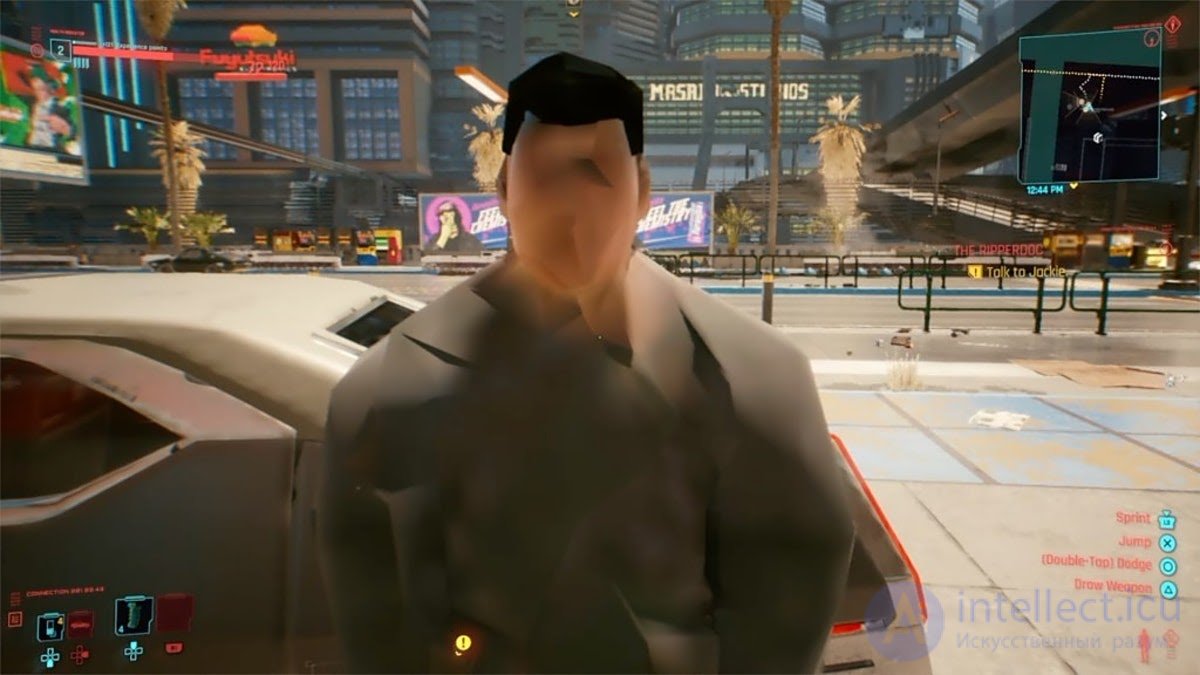
Sorry, I didn't recognize you... Your face didn't load
Compatibility bugs are also not uncommon. Especially frequent examples look as follows: on some video cards, crashes may occur (for example, at the minimum possible requirements or on new video cards on the market), controllers of one brand or another do not work, the game does not launch on some specific OS version, a wireless headset outputs sound in mono, and so on.
Everyone has heard about the problems of online games. A poor connection, lags, "invisible players," or "I went around the corner and got killed," scoring errors, the inability to reconnect (if such a feature exists), packet loss during the game, discrepancies in the tallying of information between the client, the dedicated server, and the back-end. Also, with a poor connection, some interface elements can be used several times, something might not load and "disappear," and so on, but, as a rule, these are UI bugs and do not greatly affect the player's user experience.
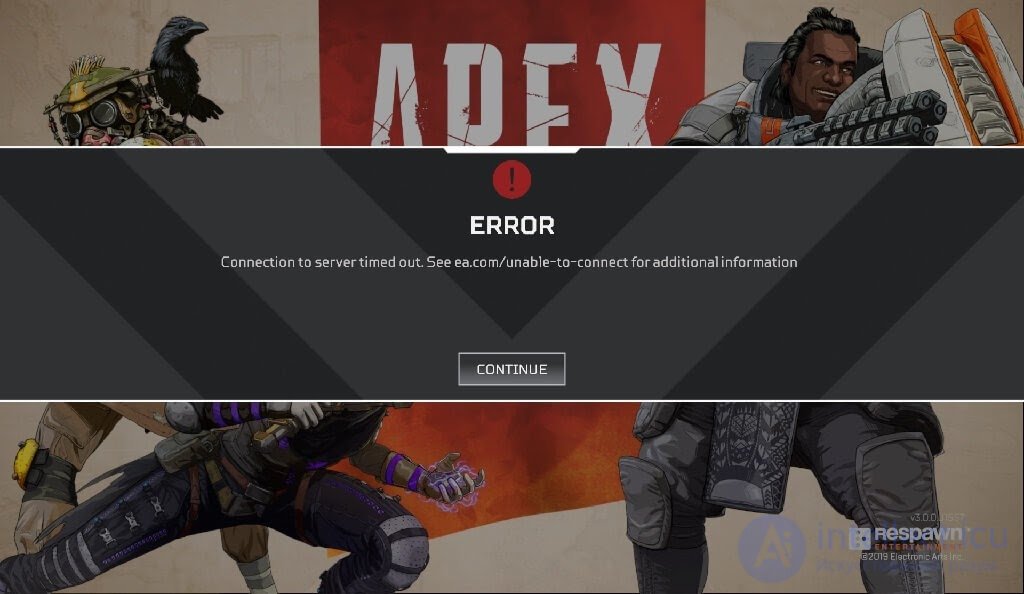
With this many repetitions, this is apparently no longer a bug but a feature. Time to introduce queues like in Diablo 2
Under localization and compliance bugs, from the non-trivial ones, we can include localization of advertising, placing different materials in the same spots in different regions and countries (for example, in one country something is prohibited from being shown, but in another it is not prohibited, or the age rating under which the game falls may not allow something to be shown in one region or another). I would also classify manipulations with the date on your device and a failure in the client's operation with the server here. And of course, no one has canceled the "classic" localization and internationalization bugs. You can read more about them and about approaches to their correct and complete testing in my article.
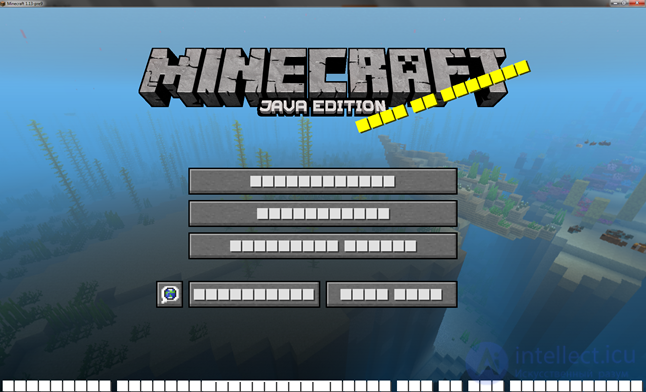
Why do I need text? It's clear enough where to click!
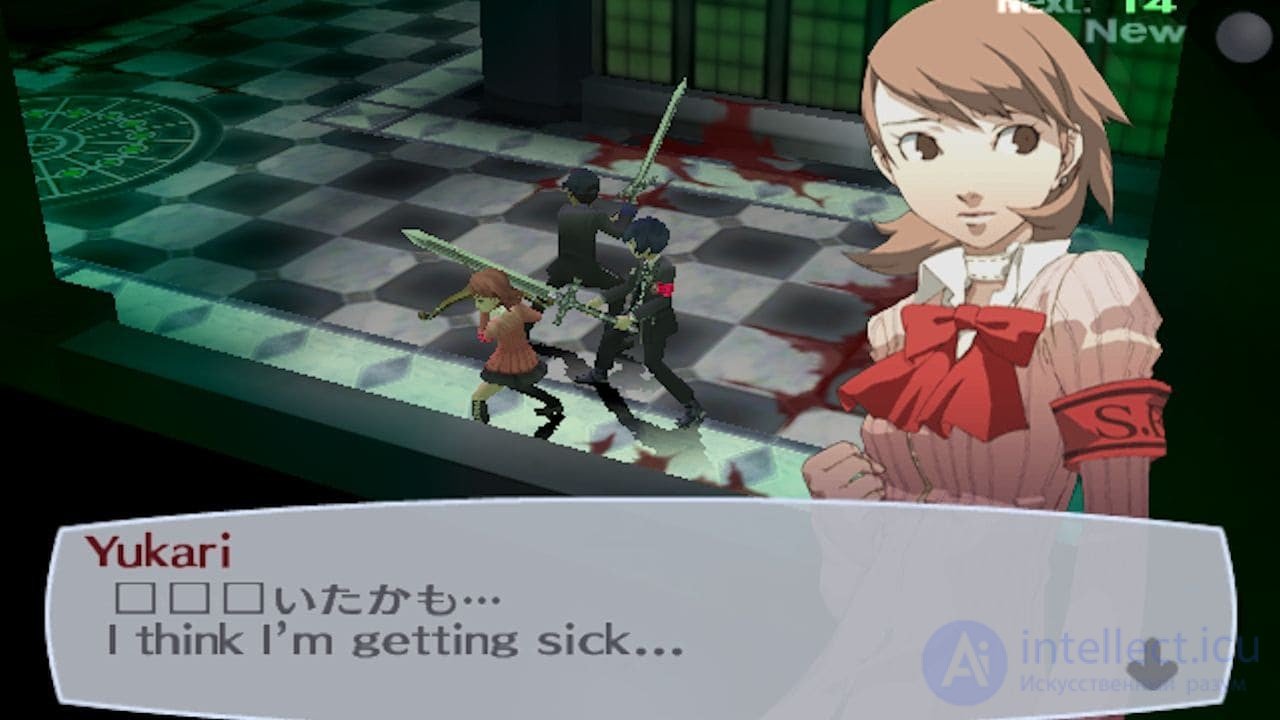
People, and horses, and everything all mixed together here
These are far from all the varieties of game bugs, but they are, perhaps, the most frequently encountered. Here I did not touch upon inconsistency bugs, such as "an element is recorded in blueprints one way, on the back-end another way, an object or its attributes (ID, description, etc.) were forgotten to be added somewhere," and so on. And I did not touch upon them because this is no longer about the specifics of games, but rather about malfunctions in general that can occur in many programs.
Game testing is a continuous process that begins at the early stages of development and continues right up to release. Quality testing allows you to create games that not only work stably but also bring enjoyment to players. Game testing is a comprehensive process that requires attention to detail and a systematic approach. Quality testing helps create a stable and engaging product that will meet players' expectations and ensure success in the market.
And what bugs have you encountered while playing or working on a game? I would be glad to chat with you about this and other relevant topics in the comments!

Comments