
Lecture
1. Introduction to animation
2. Main types of animation
3. Basic principles of animation (the classic 12 Disney principles, adapted for games)
4. Animation as part of gameplay
5. Animation Pipeline
6. Animation Systems in game engines
Examples:
7. Integrating animation and code
8. Procedural and dynamic animation
9. Optimizing animation
10. Mistakes and anti-patterns
11. Case studies from games
Examples:
13. The future of animation in games
14. Conclusion
12. Practical part
Build a simple FSM:
Idle → Walk → Run → Attack → Idle
Let's go through the introduction to animation in games the way it's usually explained in a lecture, but with an emphasis on practical understanding.
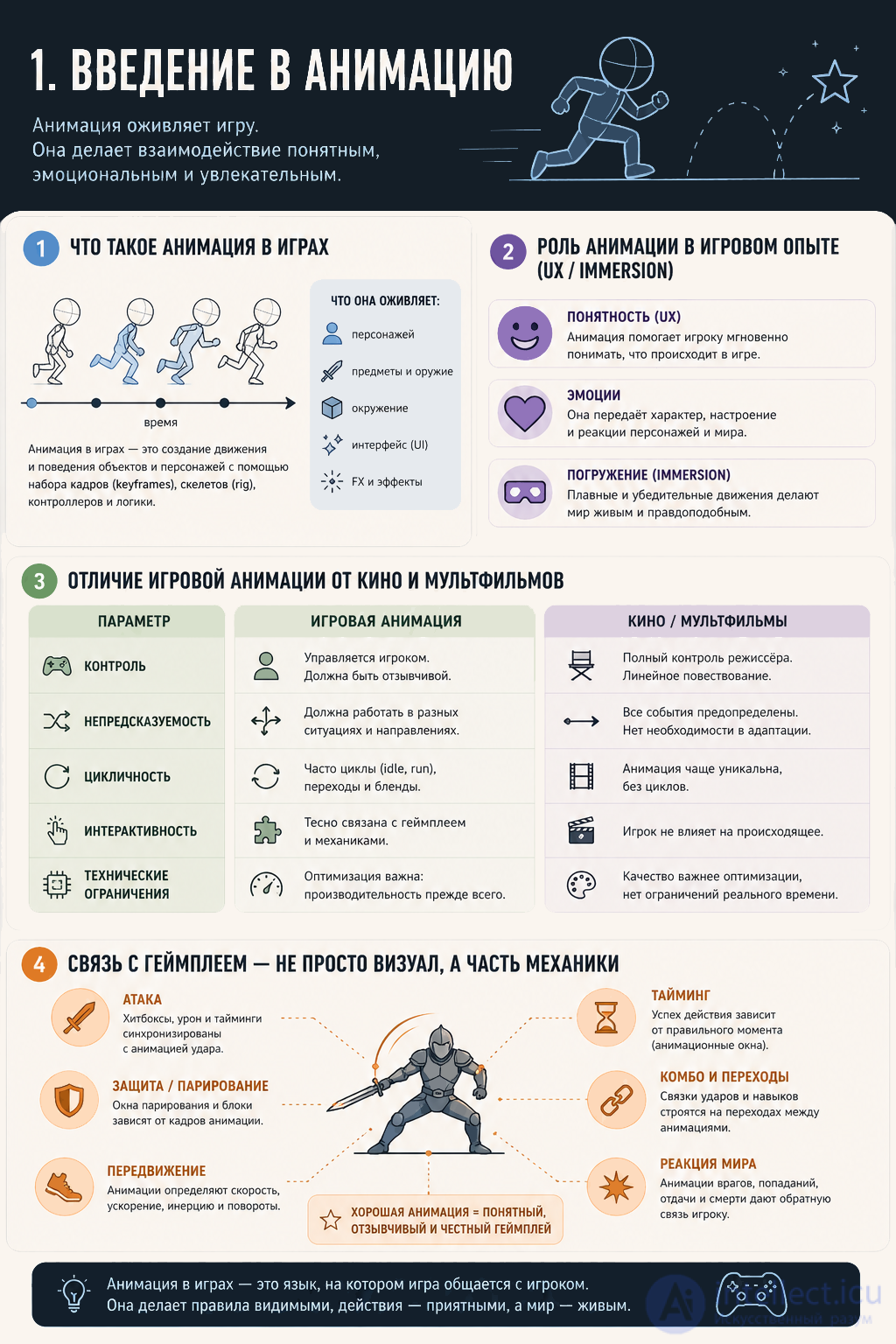
Animation in games — is the change of an object's state over time that visually conveys actions, reactions, and processes in the game world.
Important:
in games, animation is not just «movement for the sake of beauty», but a system controlled by the player and the game's logic.
Examples:
Key idea:
animation = the visual representation of game logic
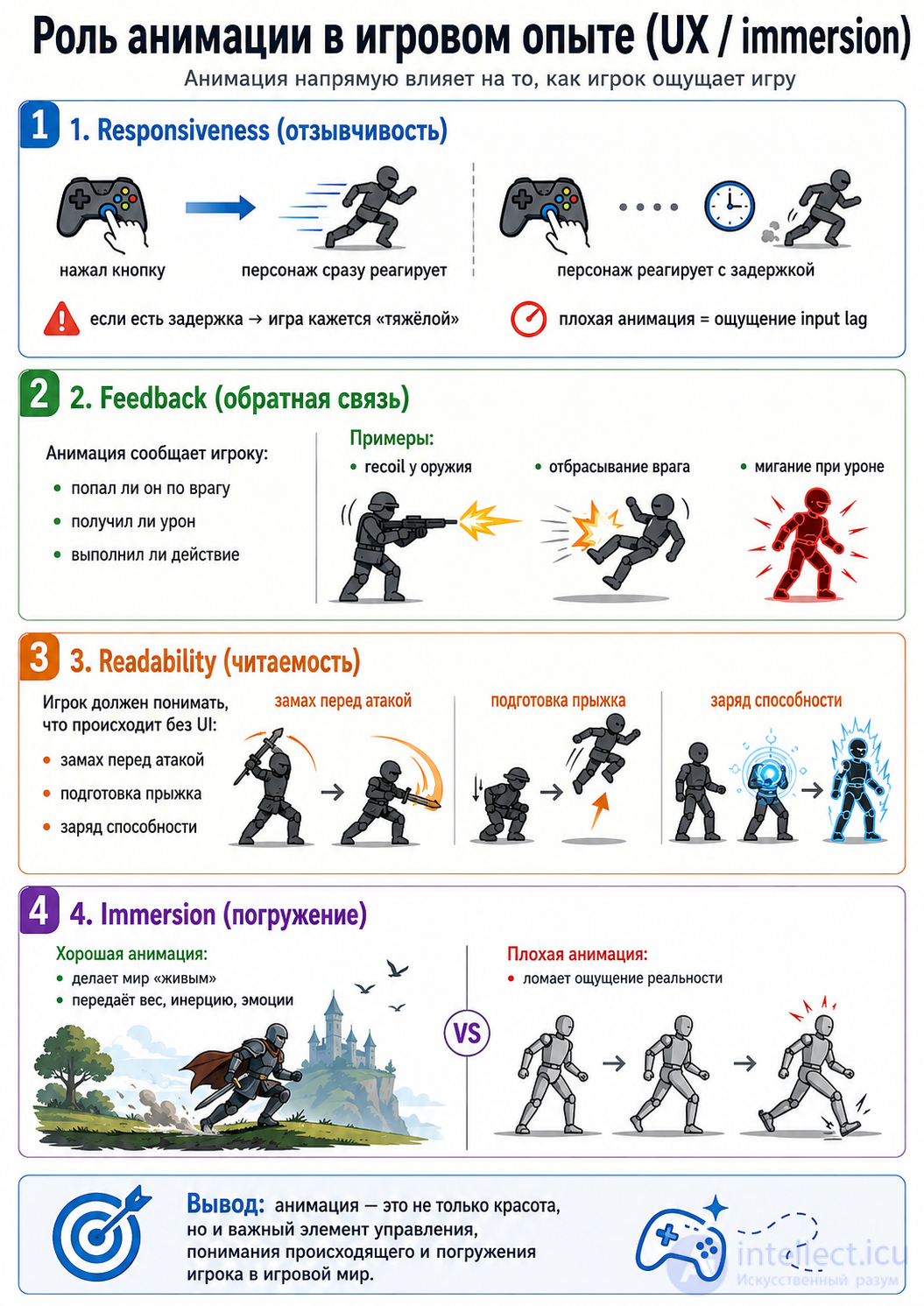
Animation directly affects how the player feels the game.
bad animation = a feeling of input lag
Animation tells the player:
Examples:
The player should understand what is happening without the UI:
Good animation:
Bad animation:
Here is the key difference:
| Criterion | Games | Film / cartoons |
|---|---|---|
| Control | The player | The director |
| Time | Unpredictable | Fixed |
| Logic | Interactive | Linear |
| Interruption | Possible (cancel) | Not possible |
| Goal | Gameplay | Visual storytelling |
The main difference
In film:
animation = storytelling
In a game:
animation = a control tool
An important point
In film you can:
In a game:
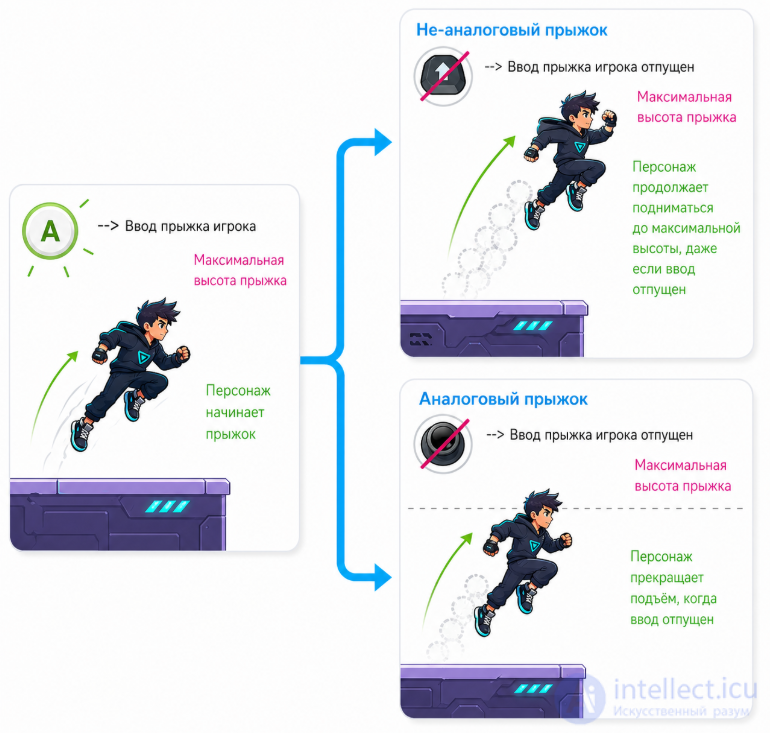
1. Animation = timing
Every action has phases:
this is the foundation of combat systems (for example, in Dark Souls)
2. Telegraphing (pre-signal)
Animation warns the player:
without this, the game feels «unfair»
3. Hitboxes and synchronization
4. Cancel and control
The player can:
5. Game Feel
Animation creates the «feel of the game»:
Animation = visualization of gameplay + feedback + control
Animation in games is:
not just visuals
not just «pretty»
It's:
Let's go through the main types of animation in games — with a practical understanding of where and why each is used.
Animation in games can be roughly divided into several major categories:
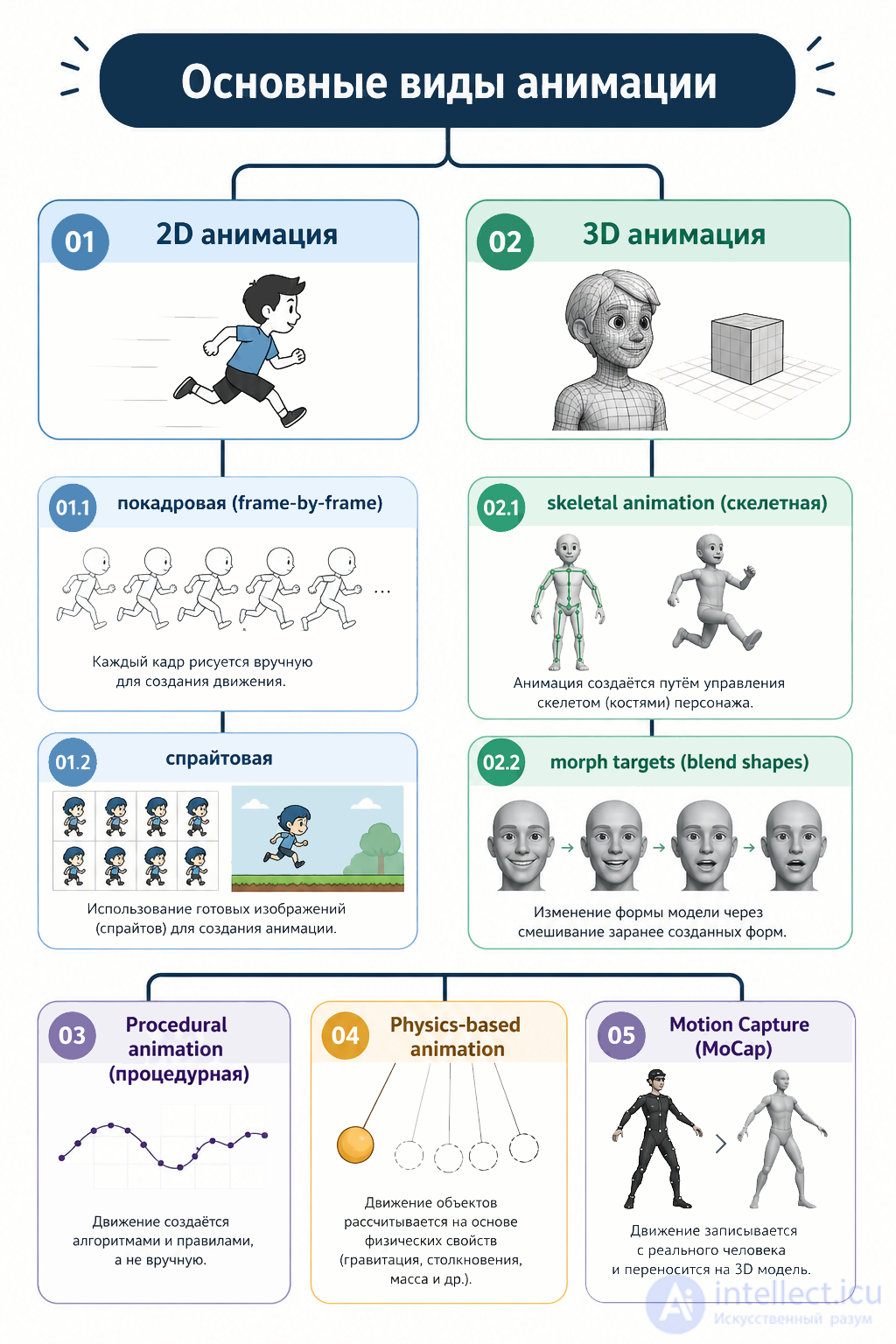
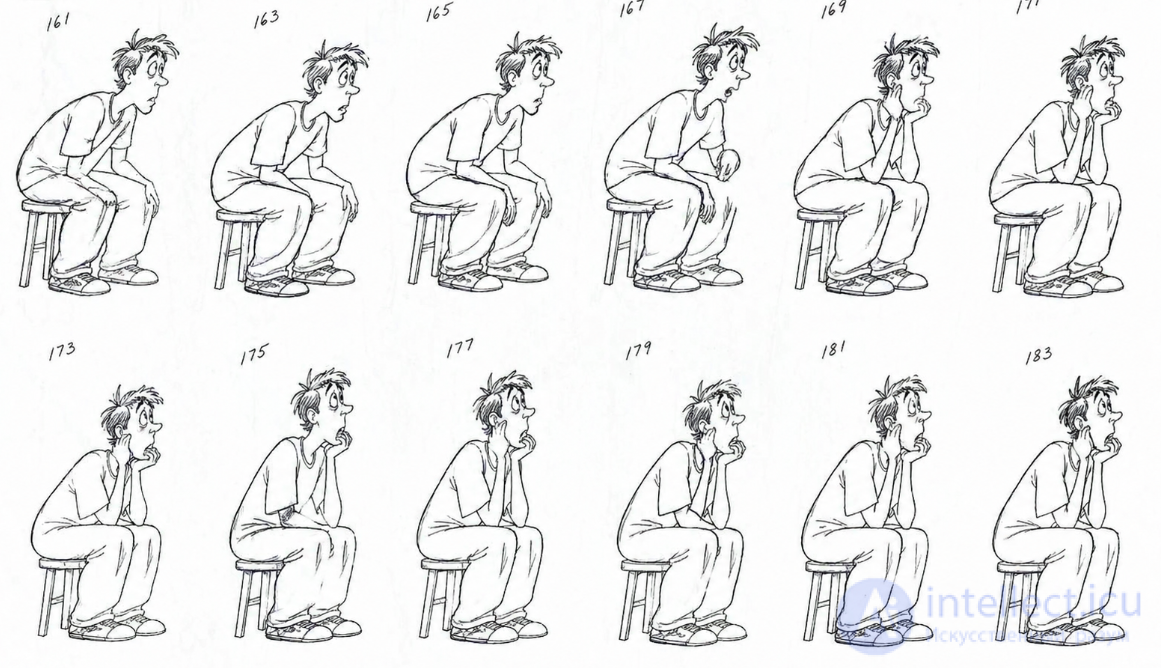
Essence:
Each frame is drawn separately.
like a cartoon, only in a game
Essence:
A sprite sheet is used — a set of frames in a single texture.
the game simply switches between frames quickly
Example:
Pros:
Cons:
Skeletal animation
Essence:
The model has bones (a rig) → they move → they pull the mesh.
the main standard in games
Example:
Pros:
Cons:
Essence:
The model stores several shape variants → they are smoothly blended.
mesh deformation
Example:
Pros:
Cons:
Examples:
Pros:
Cons:
Examples:
Pros:
Cons:
Examples:
Used in games like The Last of Us
Pros:
Cons:
This is the next step after procedural animation.
Essence:
The animation is generated once during development, and then used like a regular one.
How it's used:
Pros:
Cons:
Essence:
The animation is created right during gameplay, depending on the situation.
Specific technologies:
Pros:
Cons:
Comparison of the two approaches
| Type | When it's used |
|---|---|
| Offline AI | speeding up development |
| Runtime AI | dynamics and adaptation |
Where it's already being used
Connection to other types
AI animation doesn't replace everything; it enhances existing approaches:
An important thought
Before:
animation = pre-recorded clips
Now:
animation = data + algorithms + AI
Overall classification
| Type | Where it's used |
|---|---|
| 2D frame-by-frame | indie, pixel-art |
| 2D sprite-based | mobile, UI |
| Skeletal 3D | almost all 3D games |
| Blend shapes | faces |
| Procedural | IK, adaptation |
| Physics | ragdoll, destruction |
| MoCap | AAA realism |
In real games, a combination is almost always used:
A short formula
Modern animation = keyframes + code + physics
The future of animation = procedural + physics + AI
Let's go through the basic principles of animation (from the classic 12 Disney principles) and, most importantly — how they are adapted for games, where there are controls and gameplay.
Important: in games, the principles are used not for the sake of beauty, but for the sake of
readability, responsiveness, and game feel
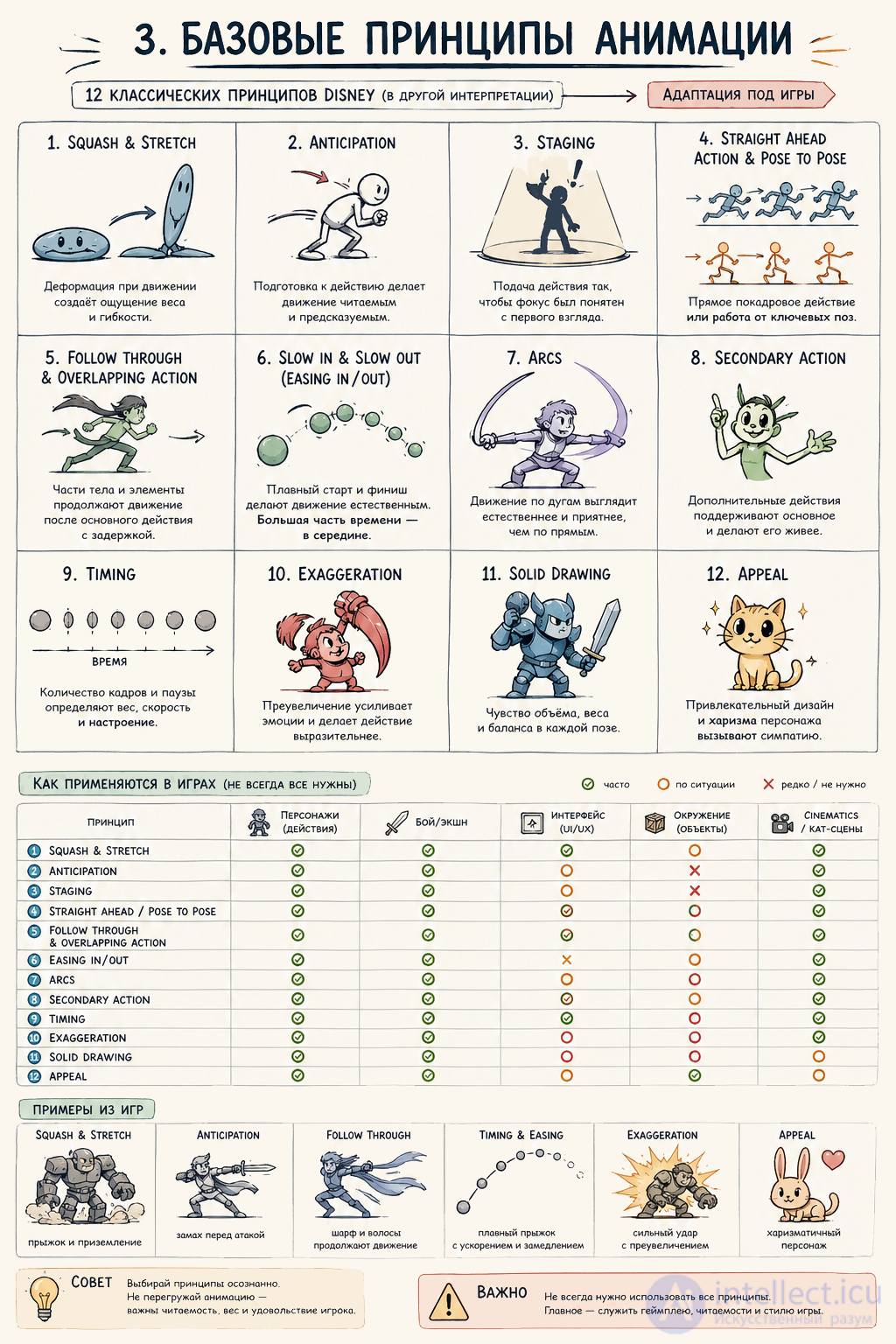
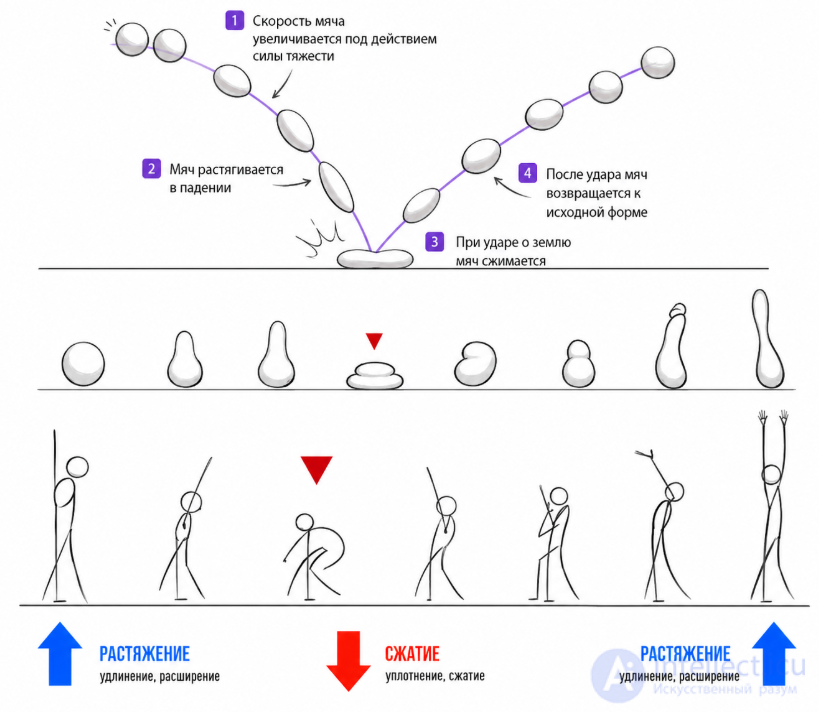
Essence:
the object deforms as it moves (compresses/stretches)
in realistic games it's used very subtly or imperceptibly
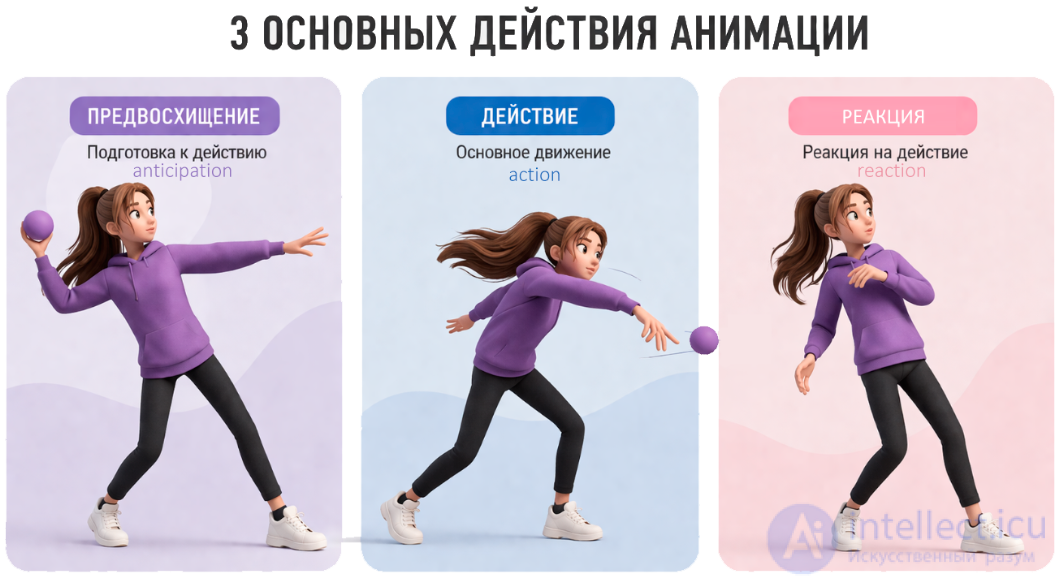
In games:
Why:
Balance:
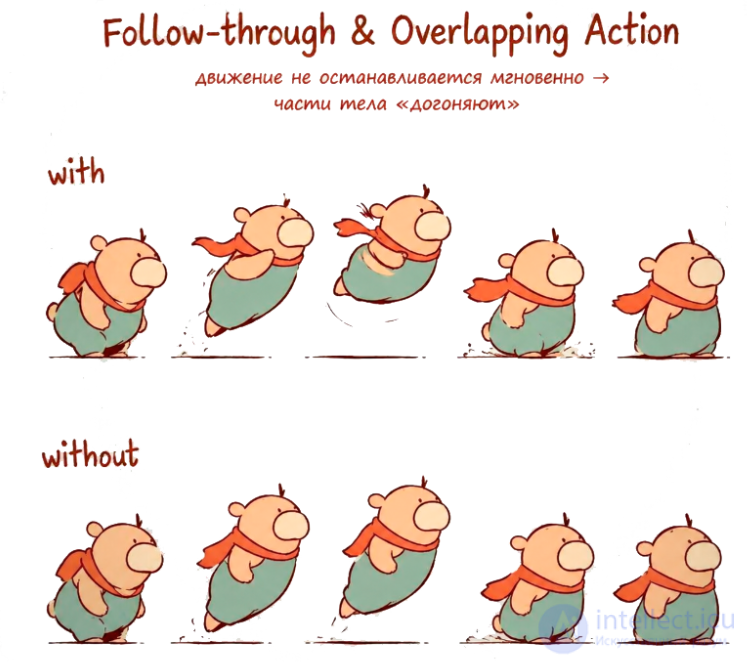
Essence:
movement doesn't stop instantly → body parts «catch up»
In games:
Why:
In games:
this is often done through:
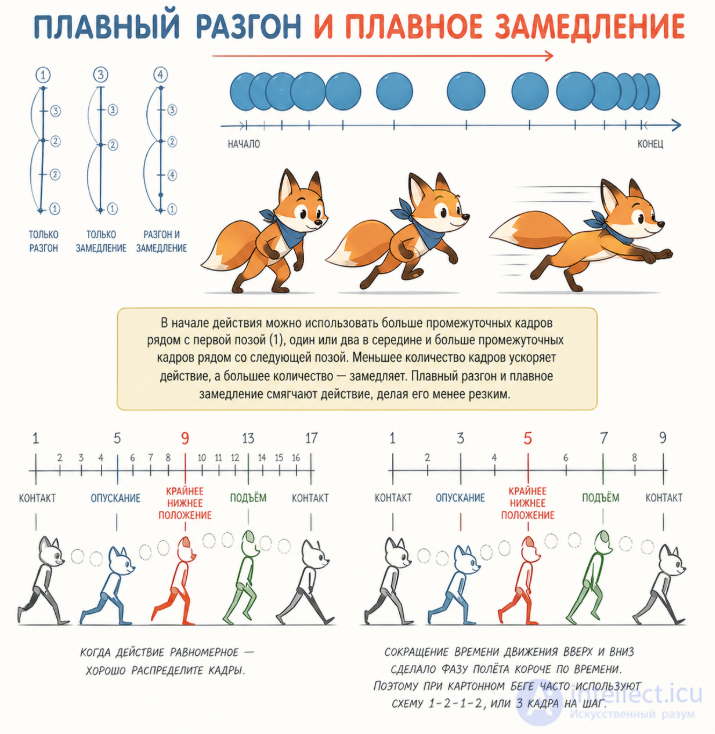
Essence:
how many frames a movement lasts
In games (a CRITICAL principle):
Why:
Example:
in Dark Souls:
Important:
timing = not just animation
it's part of the mechanics
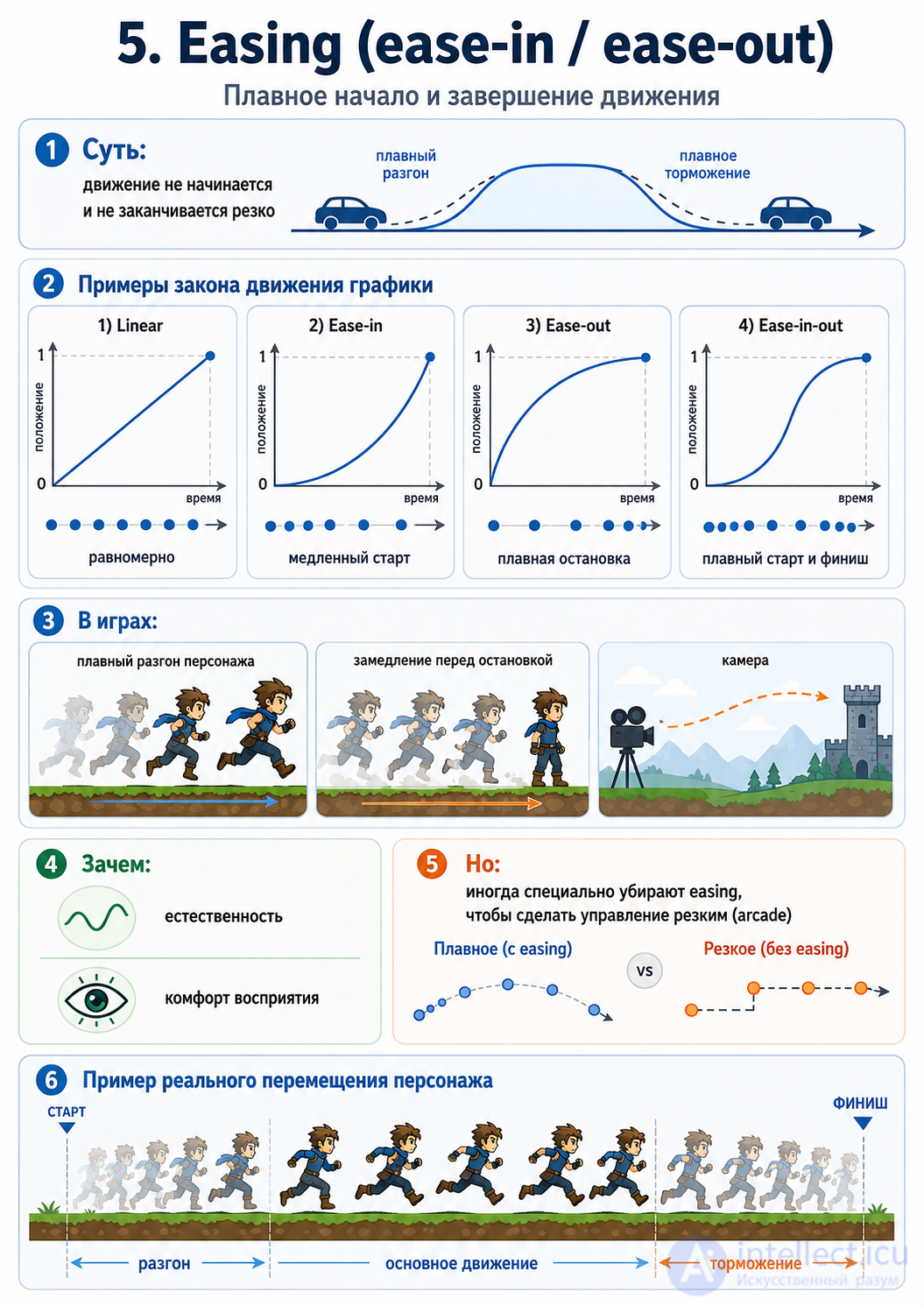
In games:
Why:
But:
sometimes easing is deliberately removed:
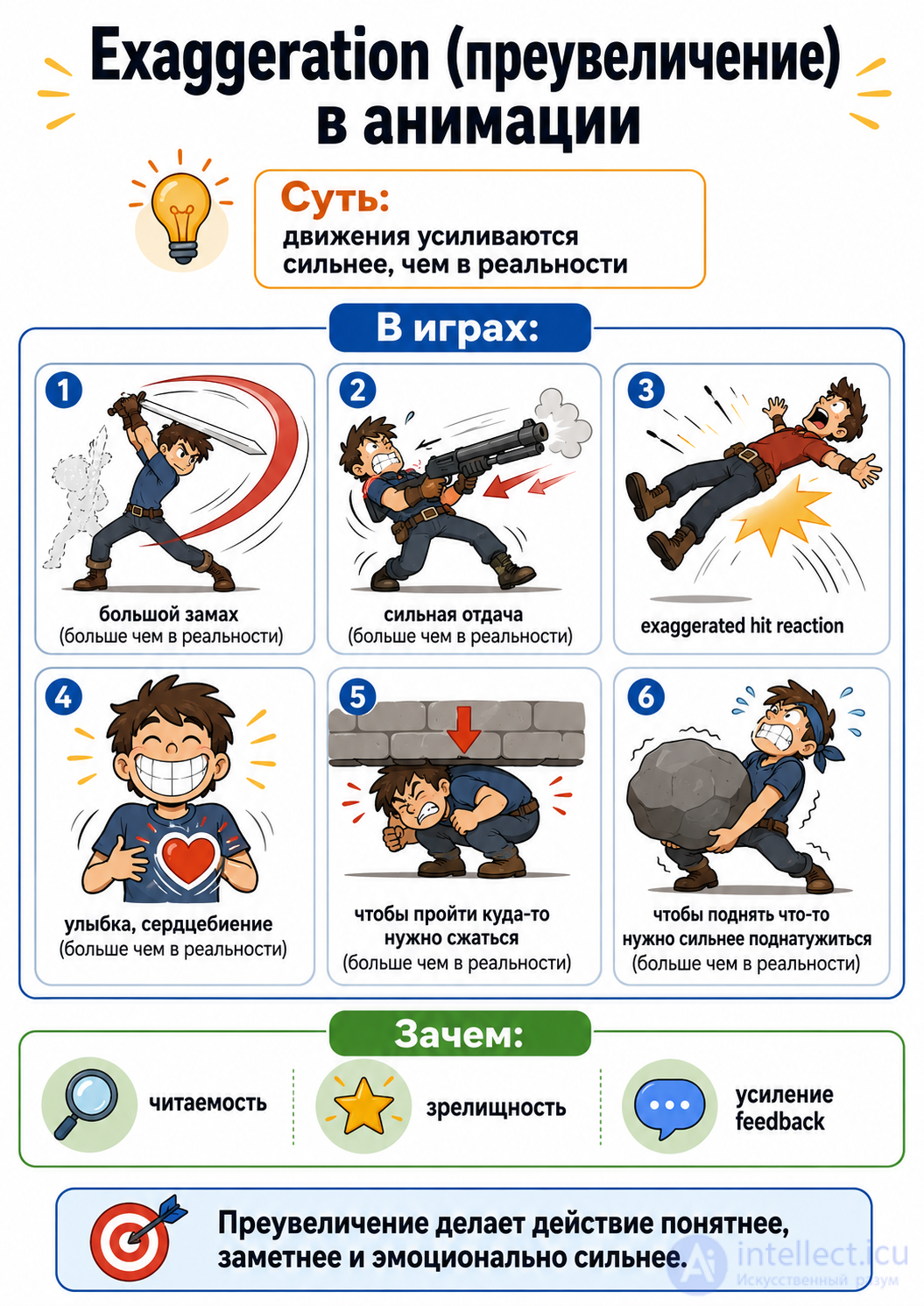
Essence:
movements are amplified more than in reality
In games:
Why:
Example:
in Overwatch:
How this is applied in games
The main difference from classic animation
in cartoons:
in games:
Balancing the principles
| Principle | Importance in games |
|---|---|
| Timing | critical |
| Anticipation | critical |
| Exaggeration | very important |
| Easing | depends on the genre |
| Follow-through | secondary |
| Squash & Stretch | rare (in realism) |
A practical rule
if a principle interferes with the controls — it's removed
An example of a conflict
The principles of animation in games are:
A short formula
Animation principles → Game Feel → Gameplay
If you'd like, I can go further:
Let's go through animation as part of gameplay — this is a key topic, where game design directly intersects with animation.
In games, animation is not decoration,
but a tool for control and communication with the player
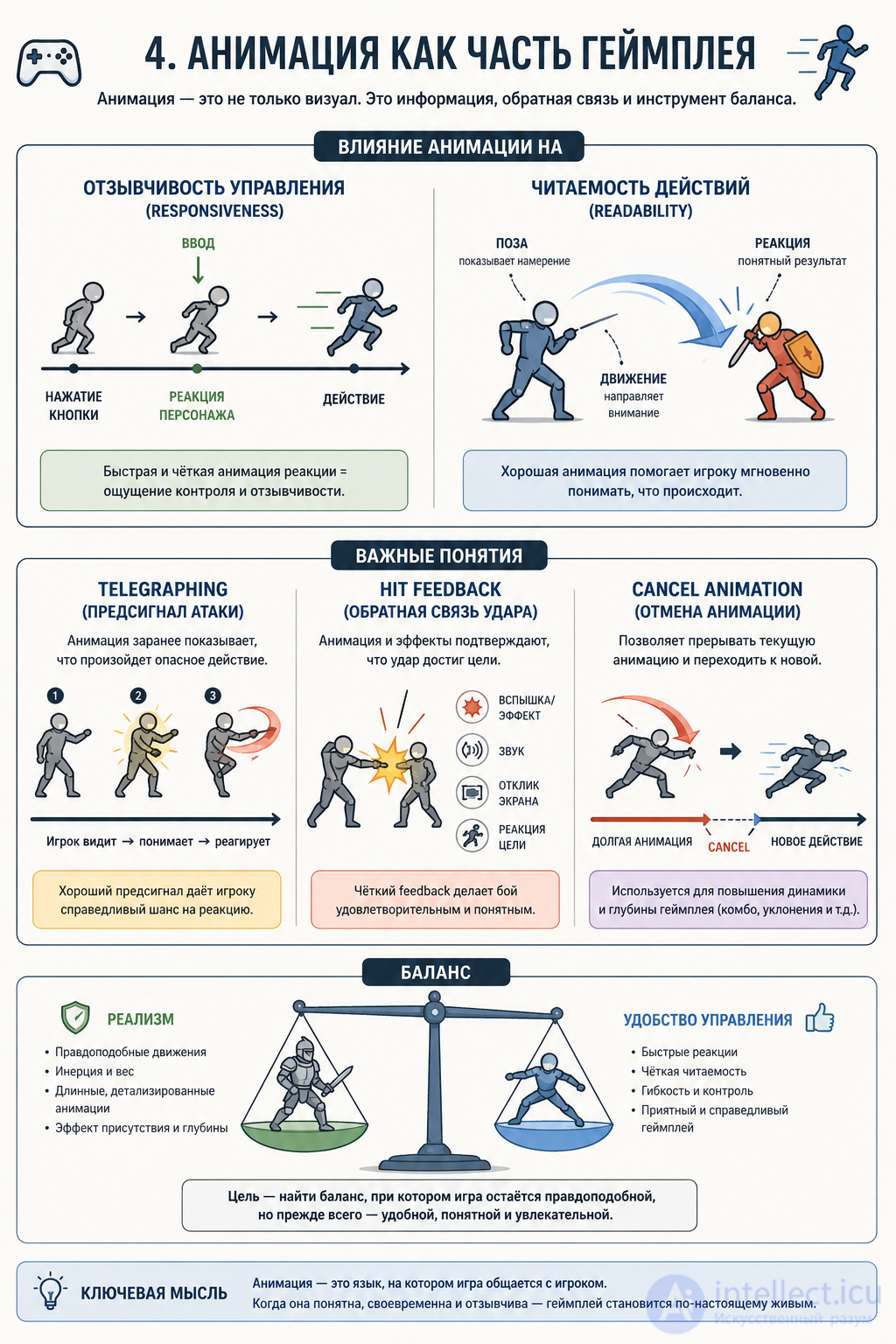
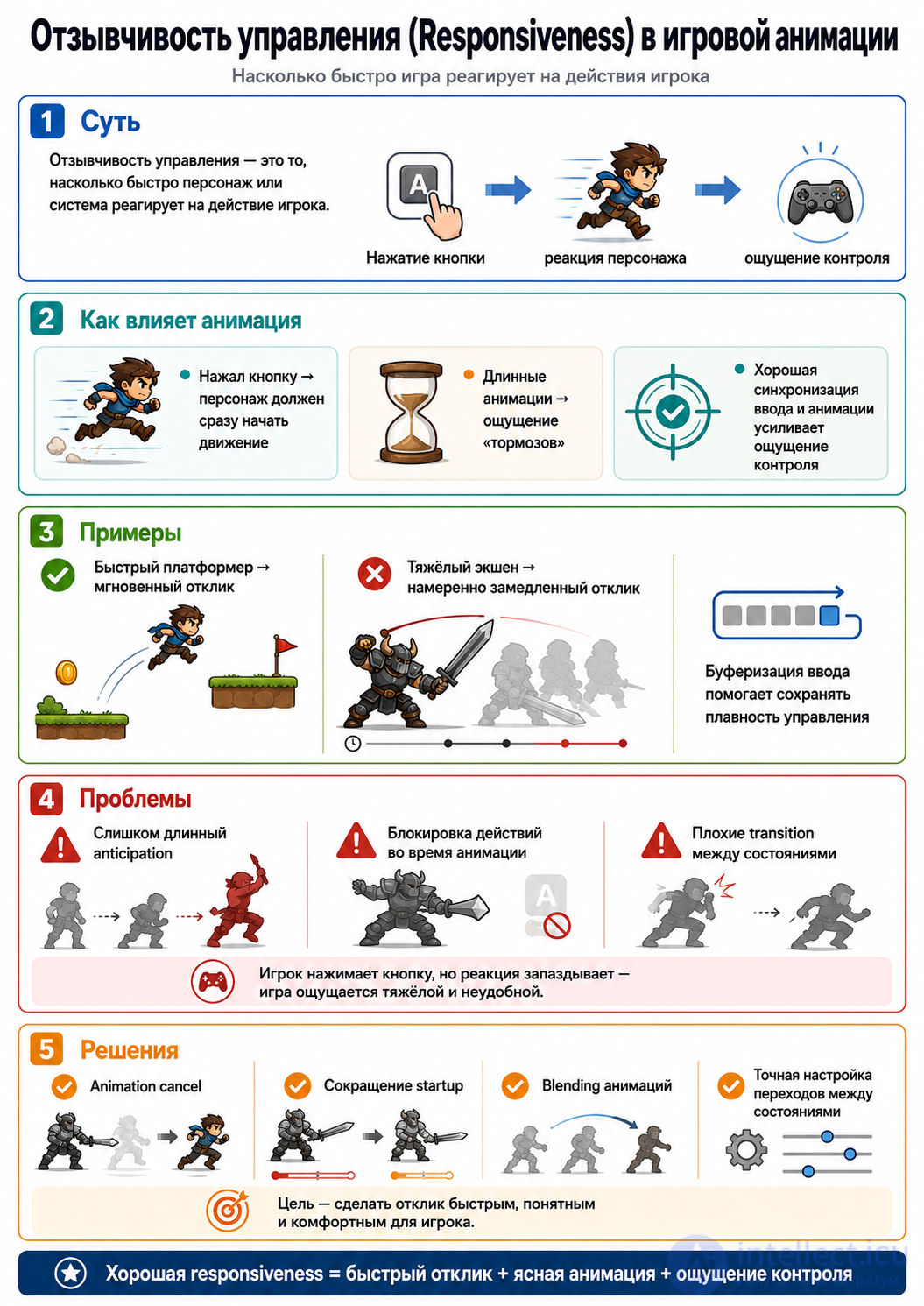
How animation affects it:
Examples:
Problems:
Solutions:
What matters:
Examples:
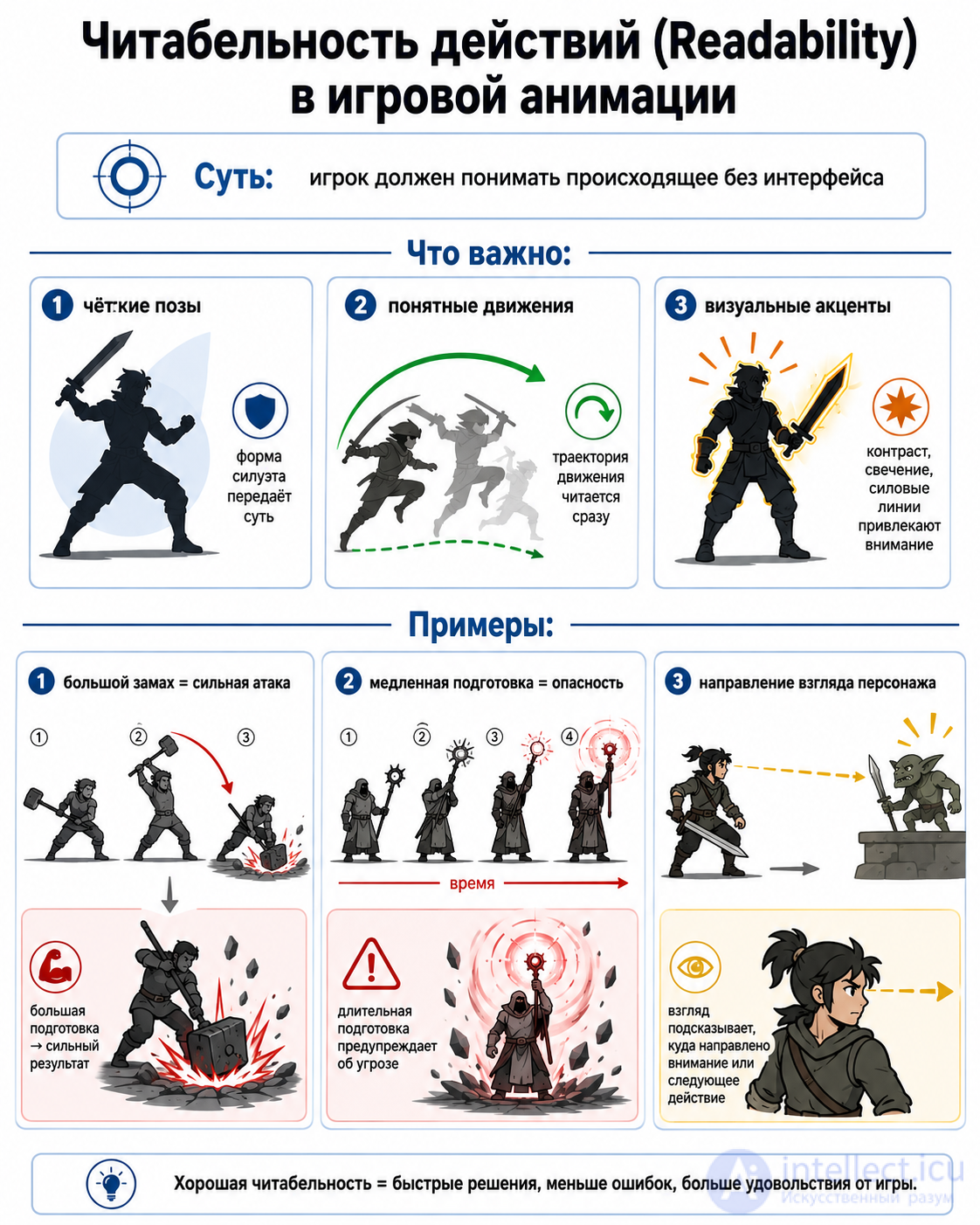
Example:
in Overwatch
every character is readable by silhouette and animation
Essence:
the animation warns the player about an action
Examples:
Why:
A classic:
in Dark Souls
the game is built on telegraphing attacks
Mistakes:
Elements:
the hit feels «empty»
Examples:
Why:
Balance:
Realism:
downside: slow and less responsive
Convenience:
downside: less realistic
Examples:
Animation affects:
The main idea
The player feels the game through animation
A short formula
Animation → Feedback → Control → Game Feel
Let's go through the Animation Pipeline — how animation travels from an idea to a working mechanic in the game.
The pipeline is the chain of stages that an animation goes through
from concept → to working in the game engine
The general scheme
Concept → Rigging → Animation → Import → Setup → Gameplay
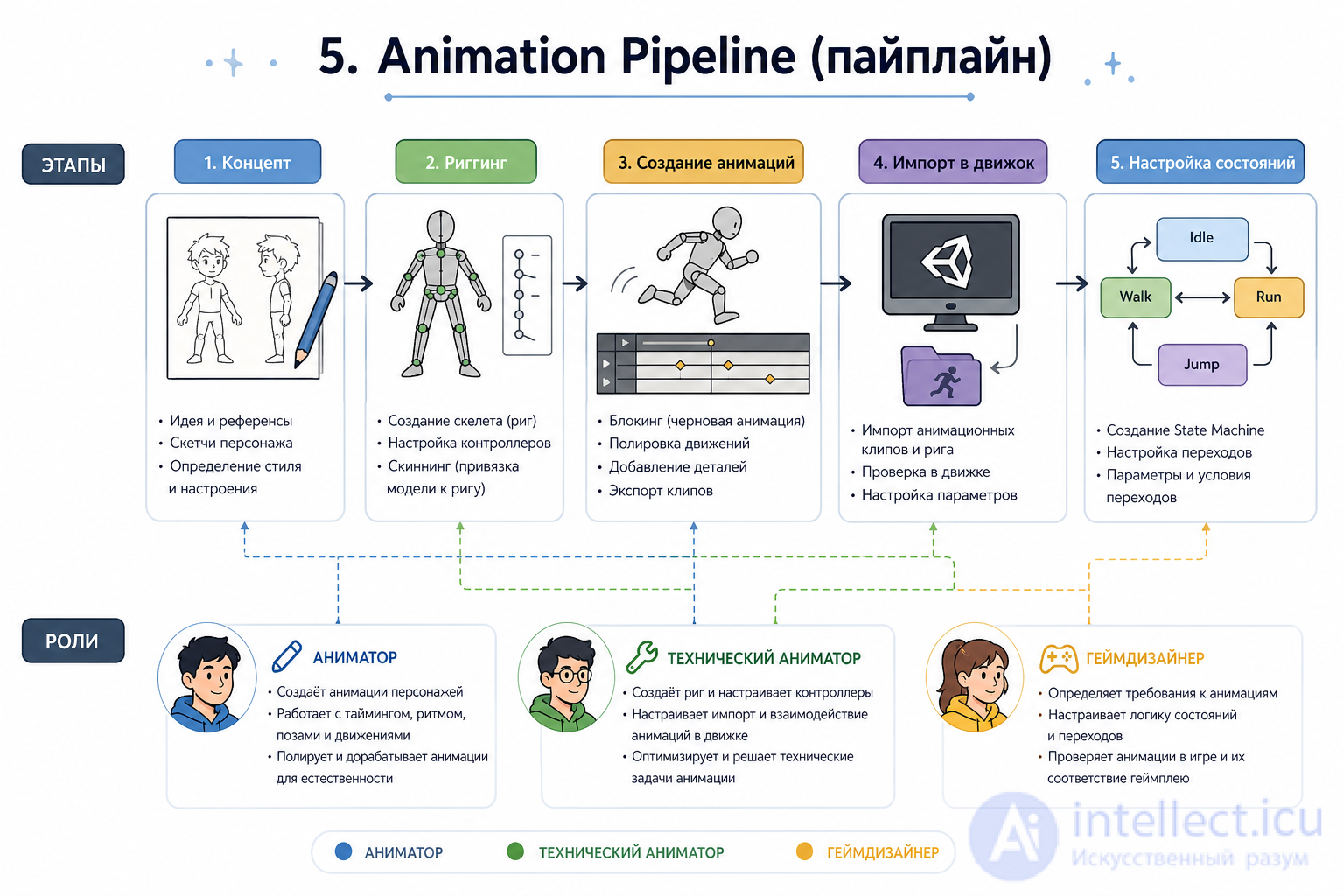
Essence:
defining how the character should move
What's done:
The role of game design:
if the concept is weak → everything gets redone later
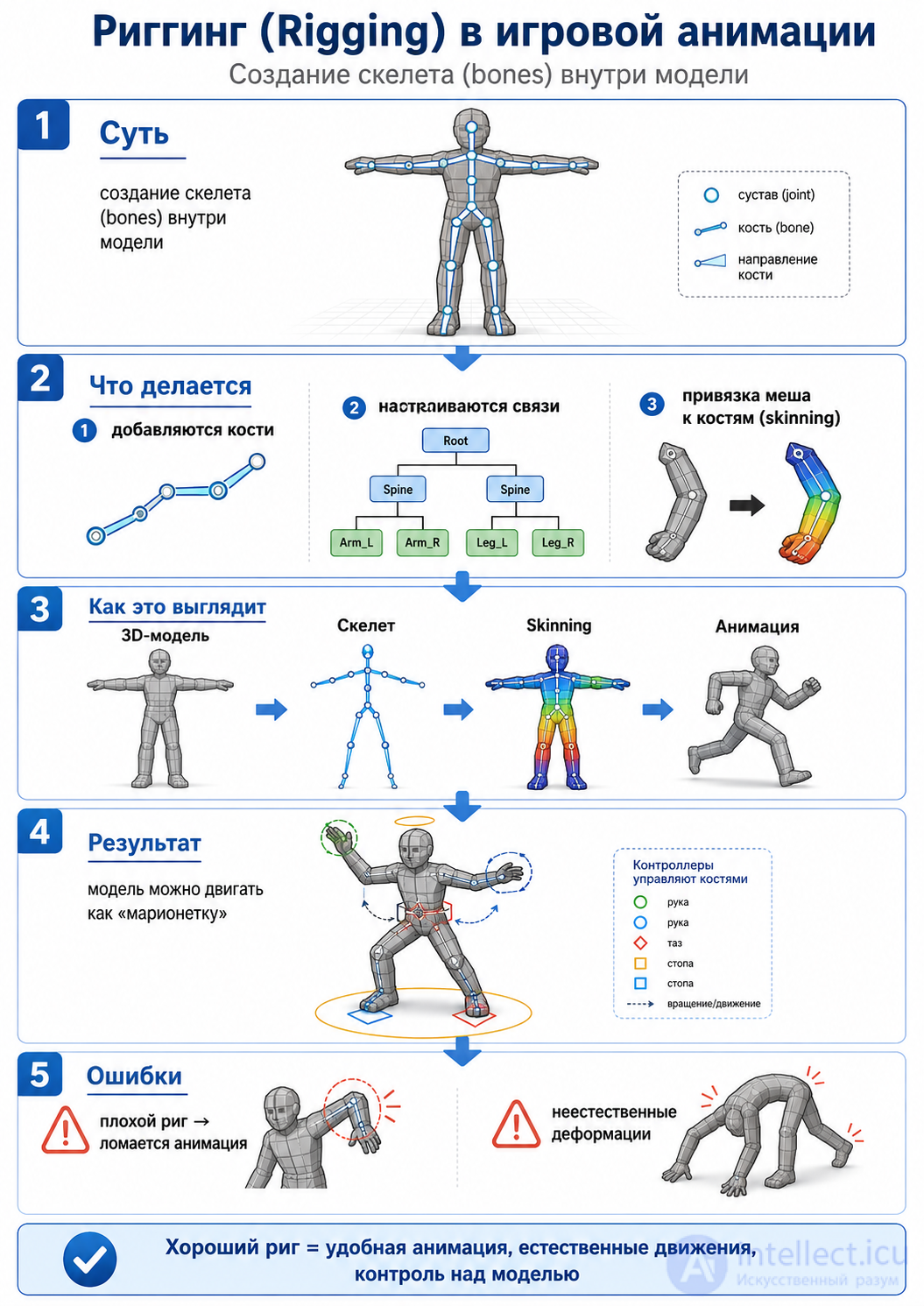
Essence:
creating a skeleton (bones) inside the model
What's done:
Result:
the model can be moved like a «puppet»
Mistakes:
Essence:
creating the character's movements
Methods:
A typical set:
Important:
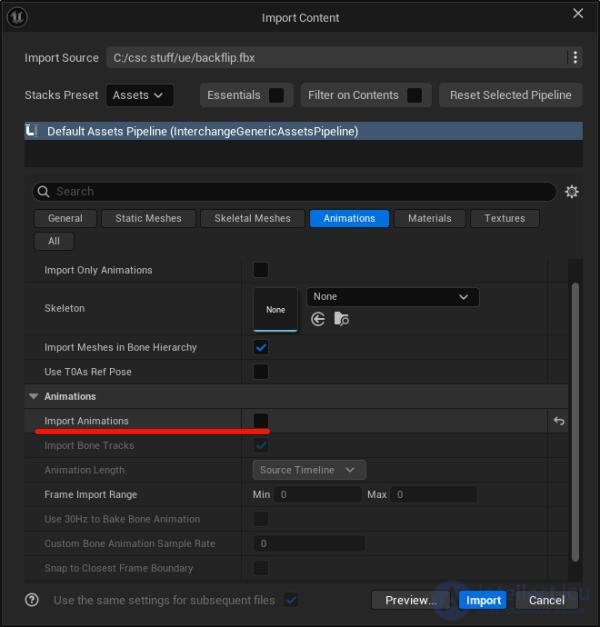
Essence:
transferring the animation into the game engine
Tools:
What's configured:
Common problems:
Essence:
tying the animations into a system
Main elements:
State Machine
Idle → Walk → Run → Jump → Attack
Transitions
Blend Tree
This is where the magic happens:
the animation becomes gameplay
Animator
Responsible for:
Technical Animator (Tech Animator)
Responsible for:
Game Designer
Responsible for:
Important:
the game designer says:
Where problems most often arise
The pipeline is:
not just producing animation
but turning it into a game system
A short formula
Concept → Rig → Animate → Import → System → Gameplay
A practical tip (important for development)
If you're making a game (especially with UI/logic like you have):
think not «animation», but:
Input → State → Animation → Gameplay effect
Let's go through Animation Systems in game engines — this is the layer where a «set of clips» turns into a controllable system of character behavior.
The system's job: based on input (input, speed, flags)
choose, blend, and play the right animation at the right moment
A typical flow:
Input / AI → parameters (speed, isJump, attack) → Animation System → pose/movement
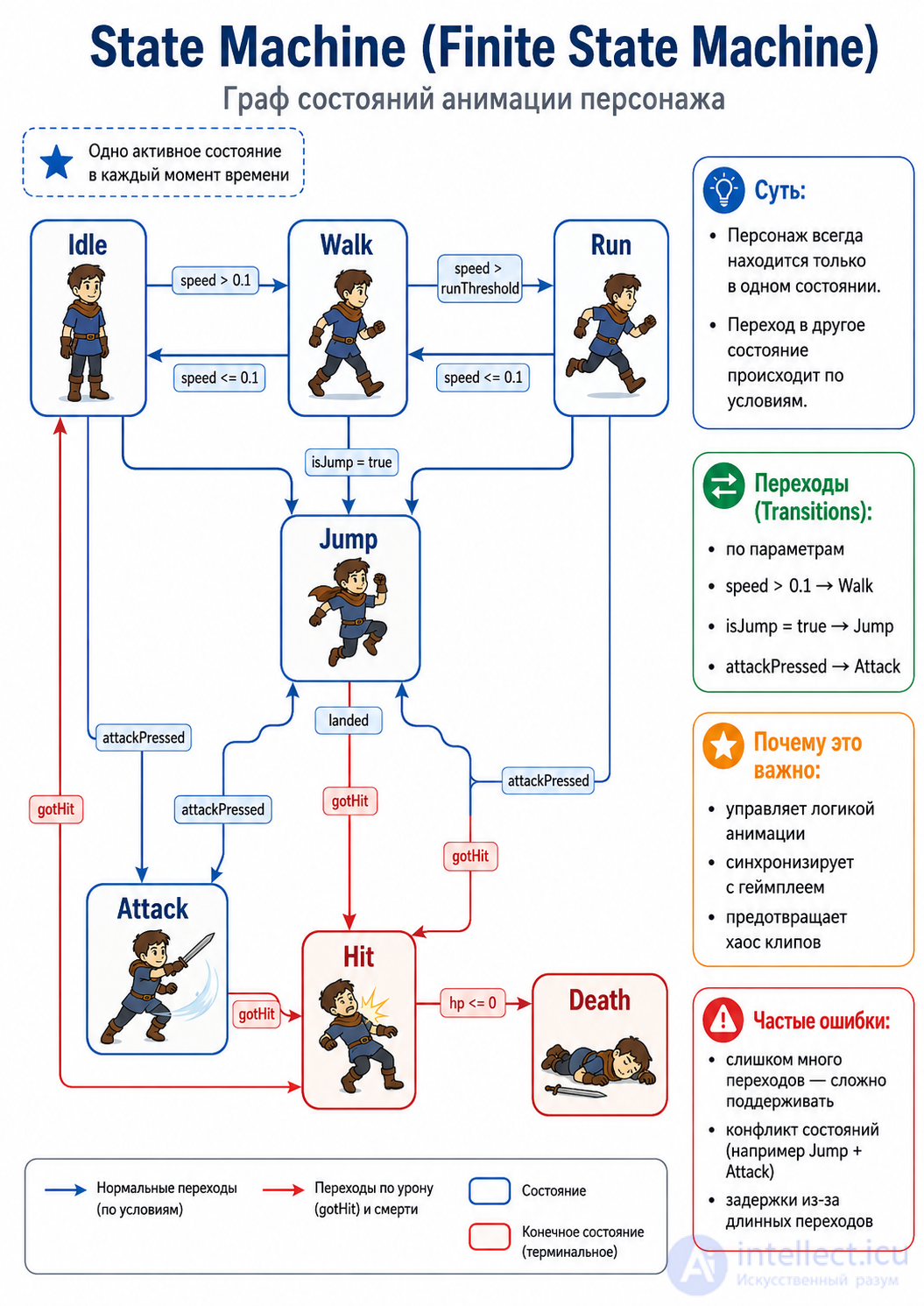
Essence:
the character is always in one state, and transitions between them based on conditions.
Example states
Idle → Walk → Run → Jump → Attack → Hit → Death
speed > 0.1 → WalkisJump = true → JumpattackPressed → AttackWhy this matters
Common mistakes
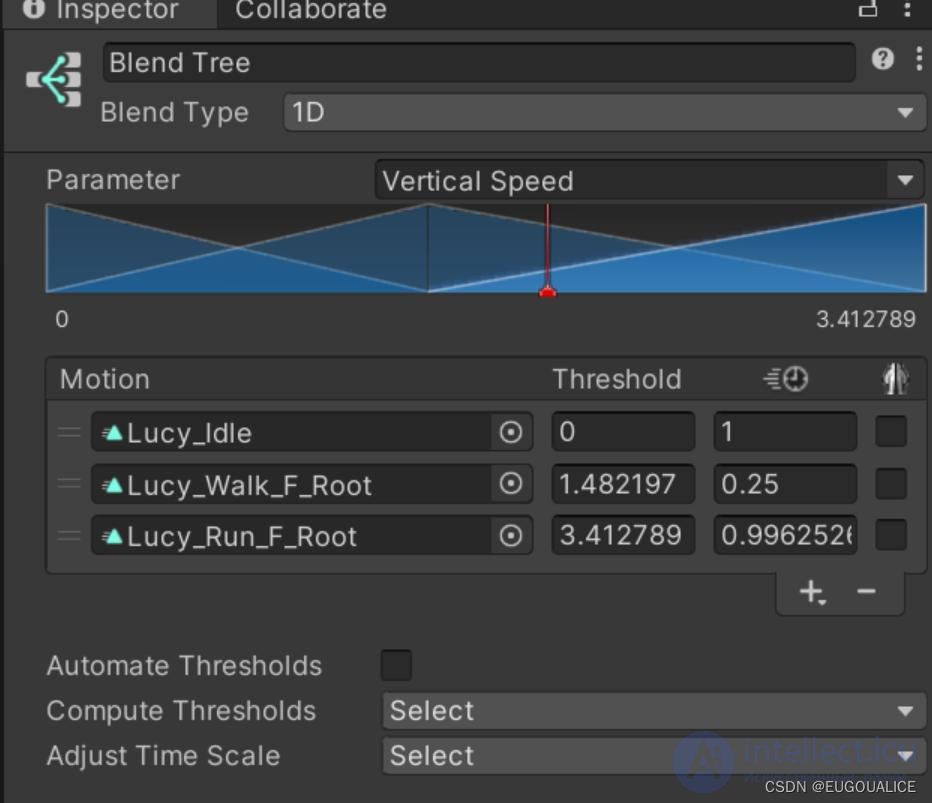
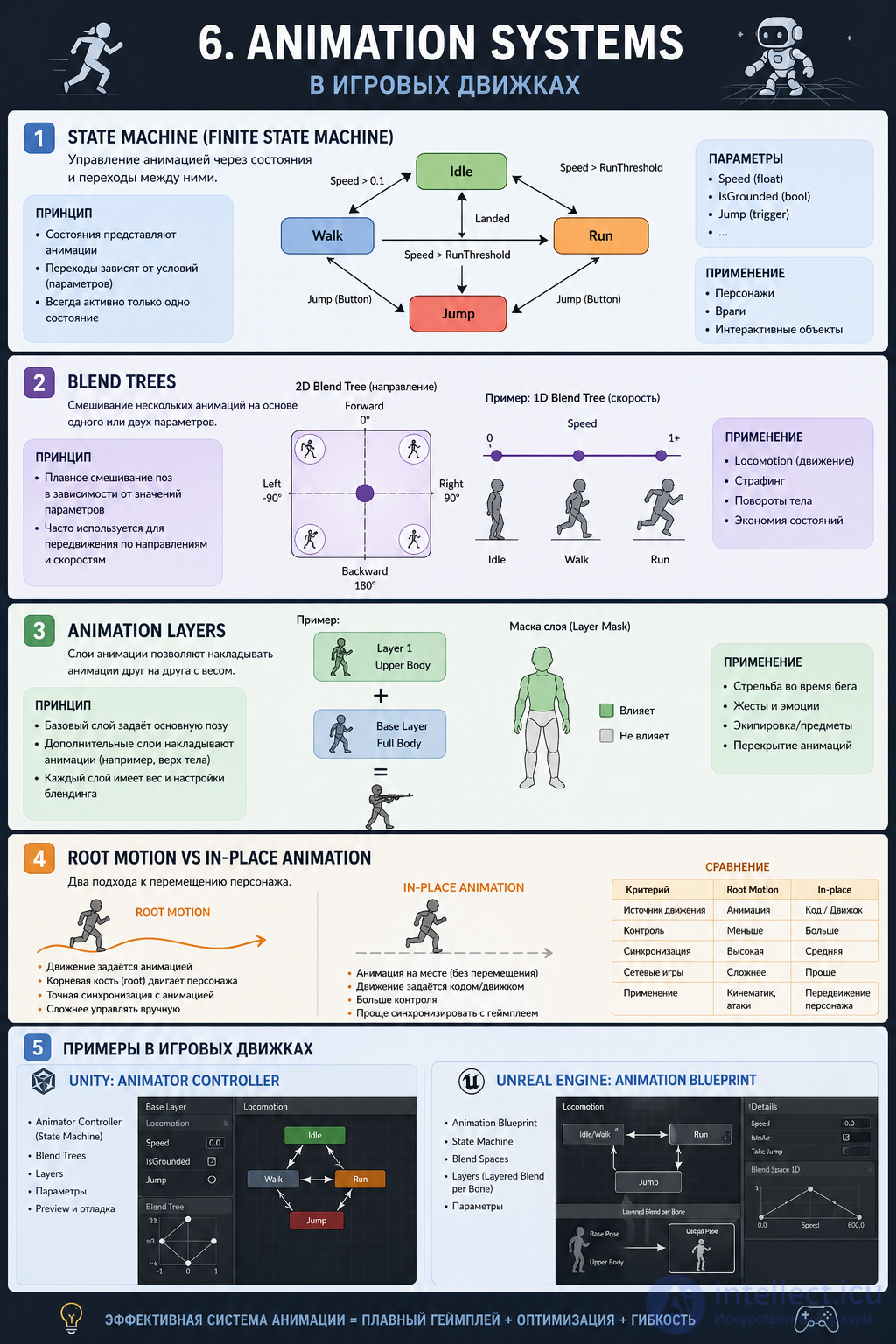
Example (speed)
a smooth blend happens between them
Example (2D movement)
Why:
Mistakes:
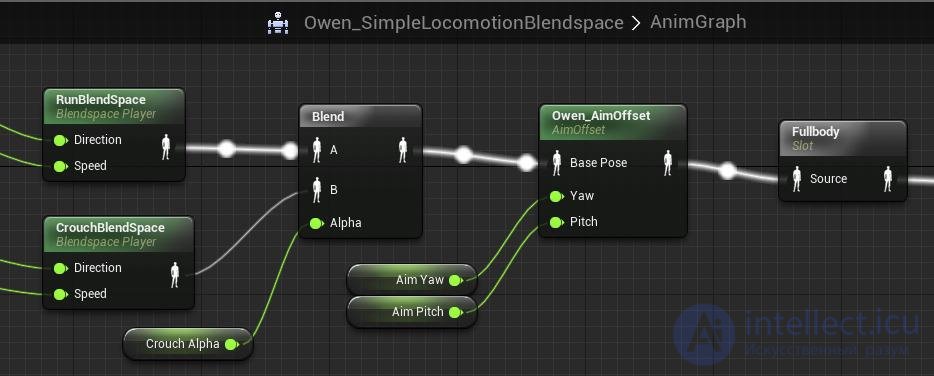
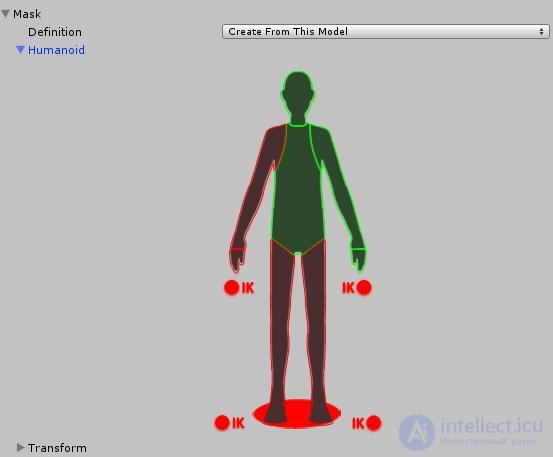
Essence:
splitting the animation up by body parts.
Example:
they work at the same time
Mechanic:
Why:
Mistakes:
Root Motion
Essence:
the character's movement comes from the animation
the animation «moves» the character
Pros:
Cons:
Essence:
the animation plays «in place», and code handles the movement
the gameplay logic changes the position
Pros:
Cons:
Practice:
Unity Animator Controller
a classic system
Unreal Engine Animation Blueprint
more powerful, but more complex
Input (buttons / AI)
        ↓
Parameters (speed, jump, attack)
        ↓
State Machine (choosing the state)
        ↓
Blend Tree (blending)
        ↓
Layers (combining body parts)
        ↓
Root / In-place (movement)
        ↓
Final animation
The Animation System is:
not just playing clips
but the engine for the character's movement logic
The key idea
Animation System = FSM + Blend + Layers + Movement logic
When you build a system (even in JS / a local engine):
think like this:
state = Idle | Walk | Run | Attack
params = {speed, isJump, attack}
render(animation(state, params))
An animation shouldn't just play
it should trigger events, change state, and synchronize with physics
A typical flow:
Input → State → Animation → Event → Gameplay (damage/effect)
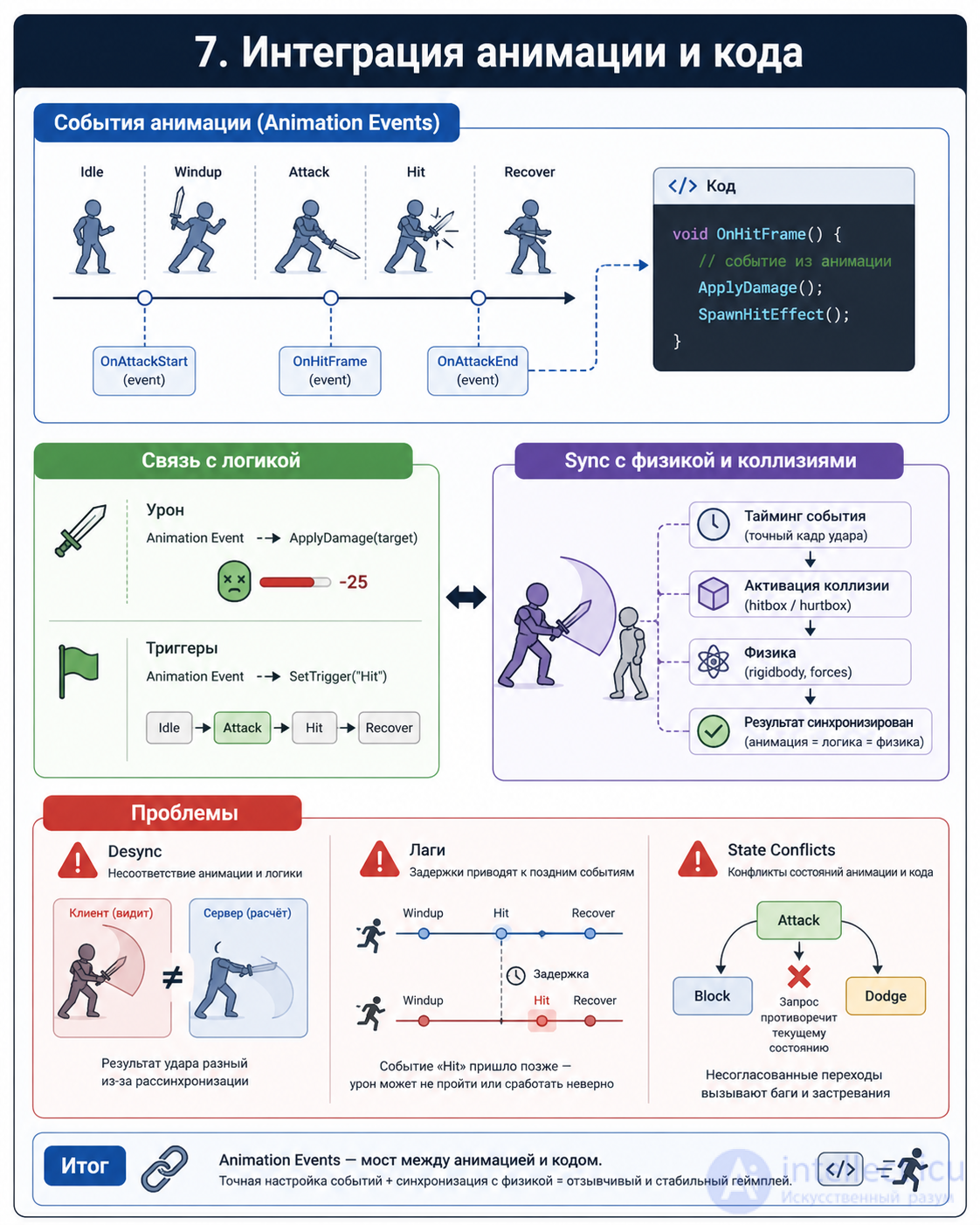
Essence:
an event is inserted at a specific animation frame, which calls code.
Examples:
dealDamage()Why this matters:
gameplay is tied to the moment of the movement, not to time «in the code»
Mistake:
In engines:
Damage
Attack phases:
Implementation:
Essence:
the animation triggers other events:
Examples:
Important:
animation = part of the scenario
Essence:
the animation must line up with:
Examples:
Options:
Problems:
Essence:
animation ≠ gameplay
Examples:
Causes:
Essence:
delay between the action and the result
Causes:
Solutions:
Essence:
the character is simultaneously in incompatible states
Examples:
Solutions:
Integrating animation and code is:
synchronizing:
The main idea
The player doesn't see the code
they see the animation
and judge from it whether the game works correctly
A short formula
Animation Event → Gameplay Action → Feedback
A practical tip (very important)
Even in a simple project:
// pseudocode
if (animationFrame === "hit") {
    dealDamage();
}
Let's go through Procedural and dynamic animation — this is what makes movements adaptive and “alive” rather than just played back from a template.
Unlike keyframe animation (pre-recorded),
procedural is created or adjusted in real time
The general idea
Keyframe animation + Procedural logic + Physics → Final movement
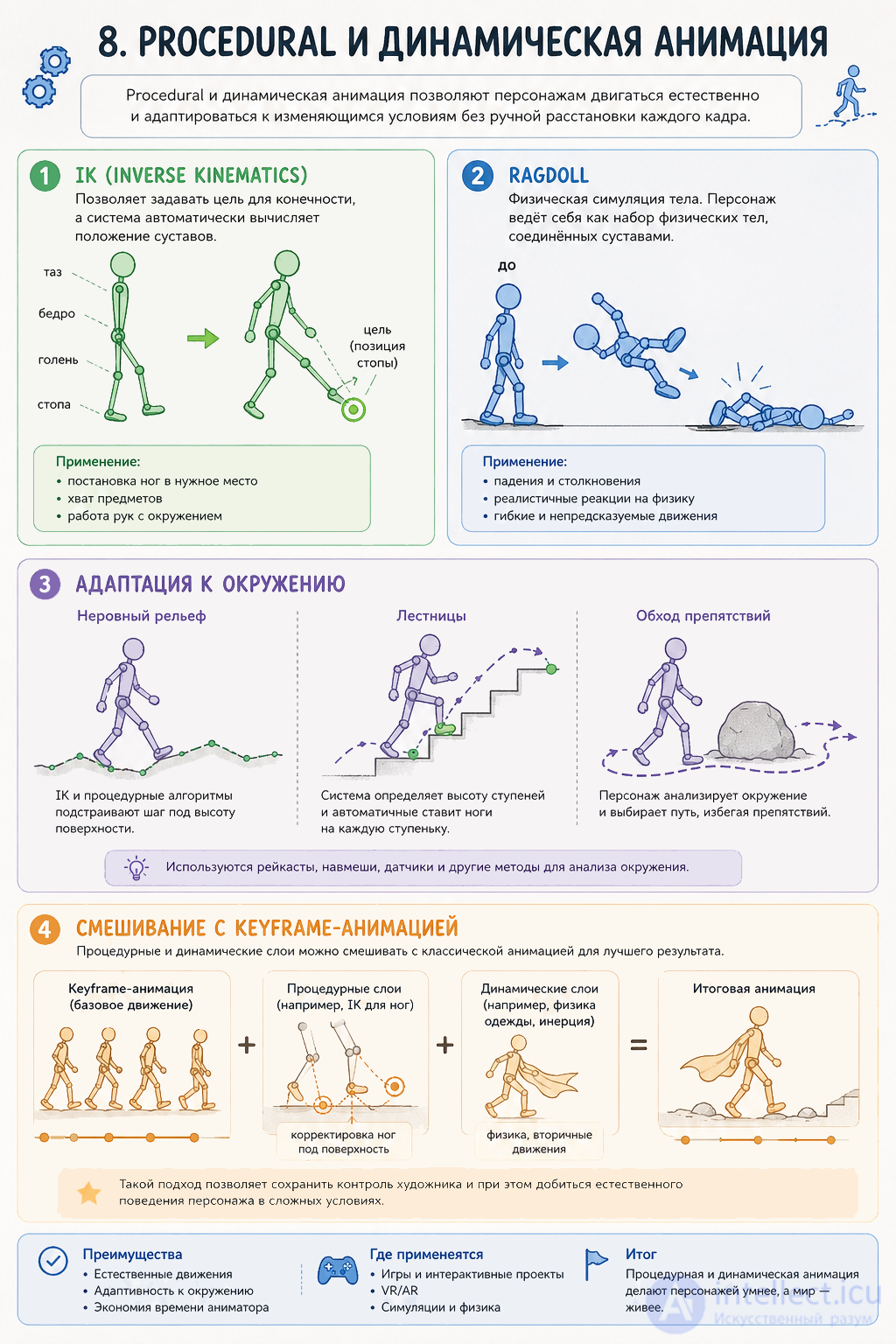
Essence:
we set an end point (for example, the foot) → the system calculates the position of the bones itself.
Examples:
Why this matters:
without IK:
How it works:
Cons:
Essence:
the character becomes a physical object with joints
Examples:
Pros:
Cons:
Often used:
the transition:
animation → ragdoll → back to animation
Uneven terrain
Without this:
Stairs
Problem:
a normal animation doesn't line up with the steps
Solution:
Result:
the feet land precisely on the steps
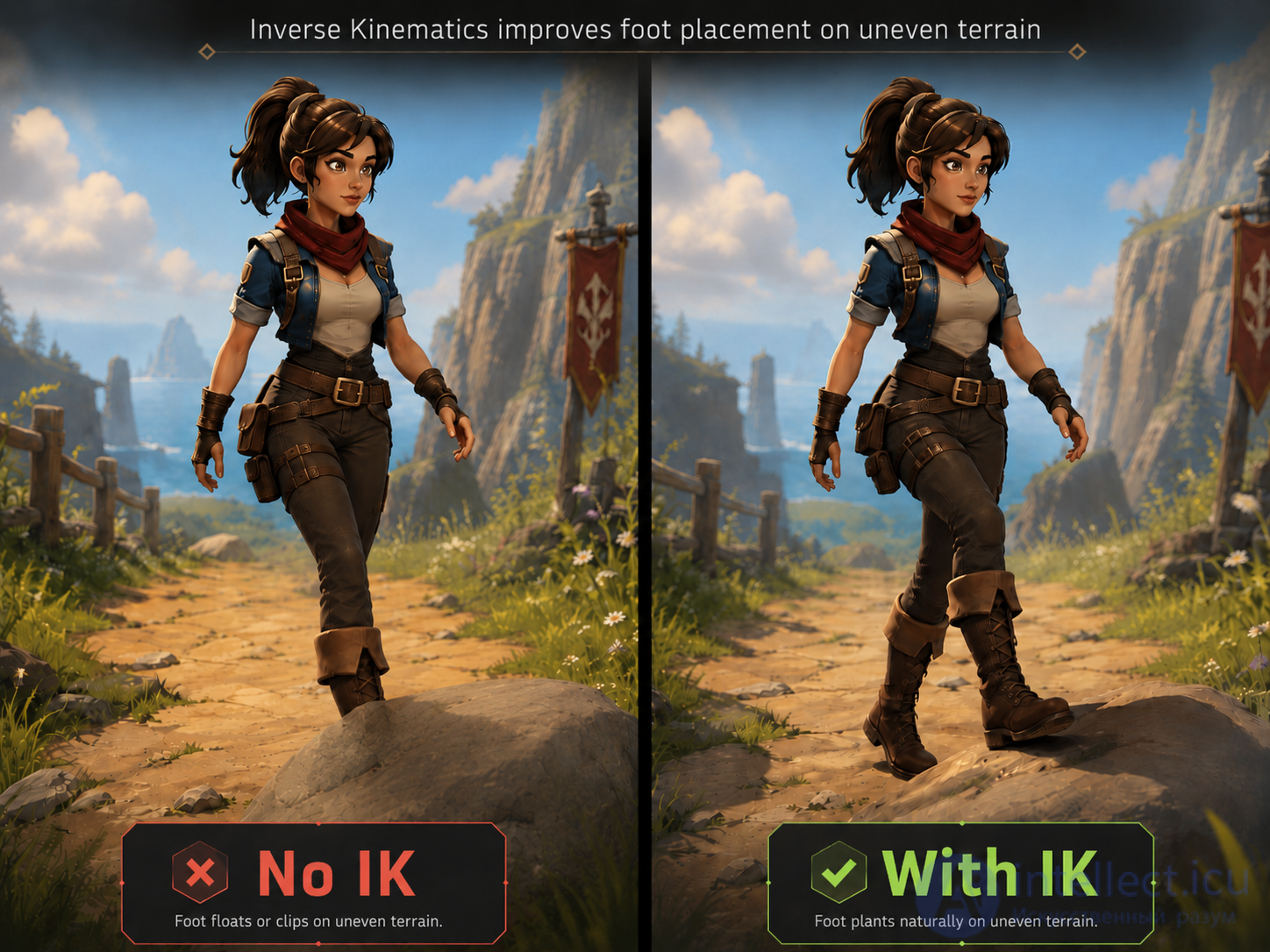
Essence:
procedural animation doesn't replace the regular one, it complements it
Example:
Formula:
Final pose = keyframe + IK + physics + corrections
Use cases:
Main problems
Artifacts
Performance
Complexity
Procedural animation:
makes movements adaptive
removes the «stiffness» of keyframe animation
improves realism and game feel
The main idea
without procedural:
with procedural:
A short formula
Keyframe + IK + Physics = Modern animation
If you'd like, I can go further:
Let's go through Optimizing animation — how to preserve movement quality without «killing» the FPS. In real projects this is a constant trade-off between visuals, memory, and performance.
Goal: reduce the load (CPU/GPU/memory),
without losing readability and «game feel»
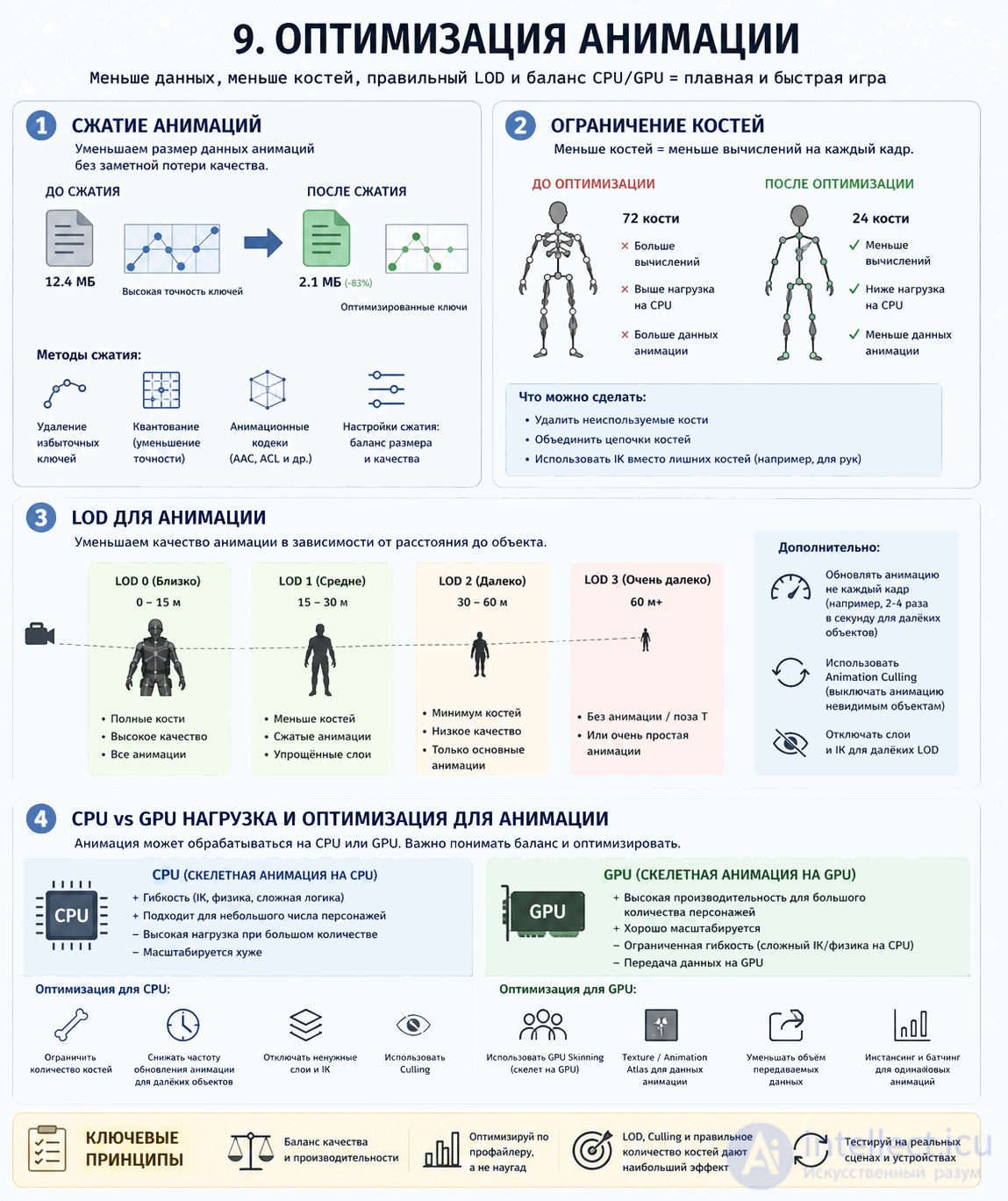
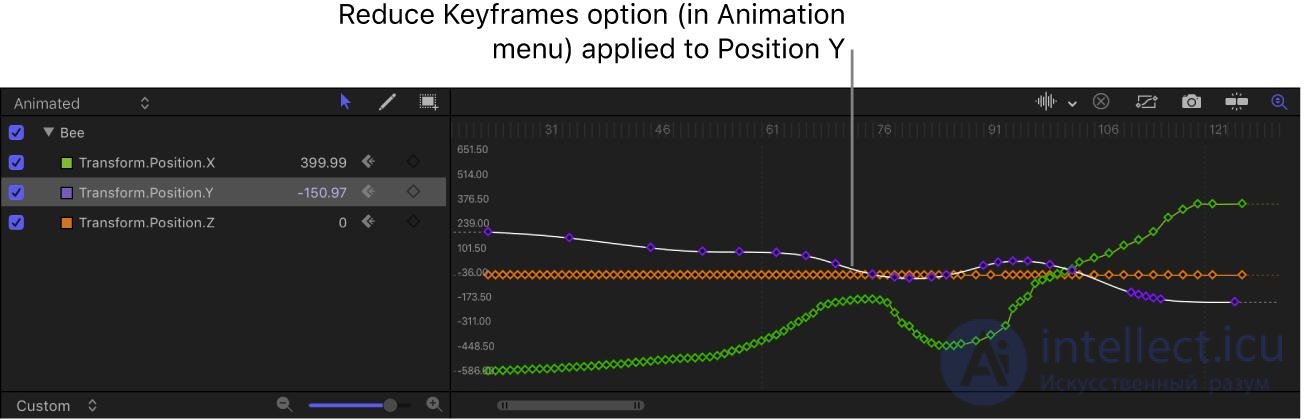
Essence:
we reduce the volume of animation data.
How:
Example:
was:
1000 frames
became:
200 frames + interpolation
Pros:
Cons:
Practice:
for the background you can compress heavily
for the hero — carefully
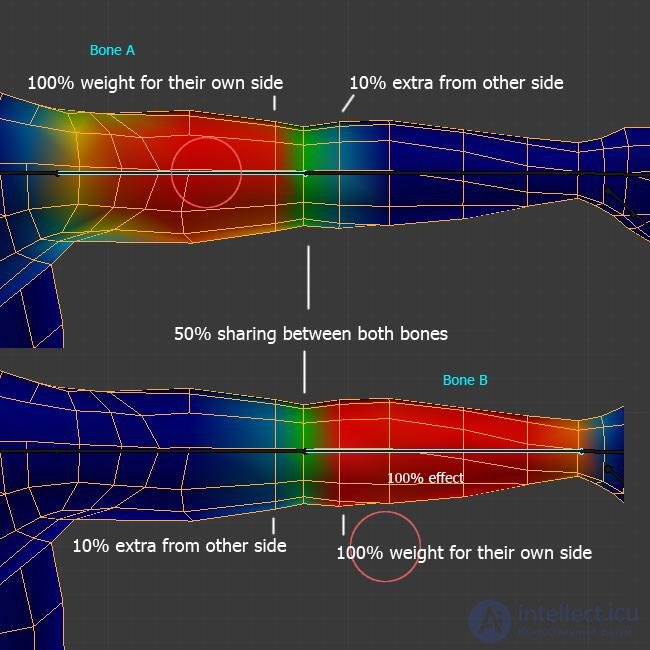
Essence:
we reduce the number of bones and their influence.
Methods:
Why this matters:
each bone = computation
Pros:
Cons:
Practice:
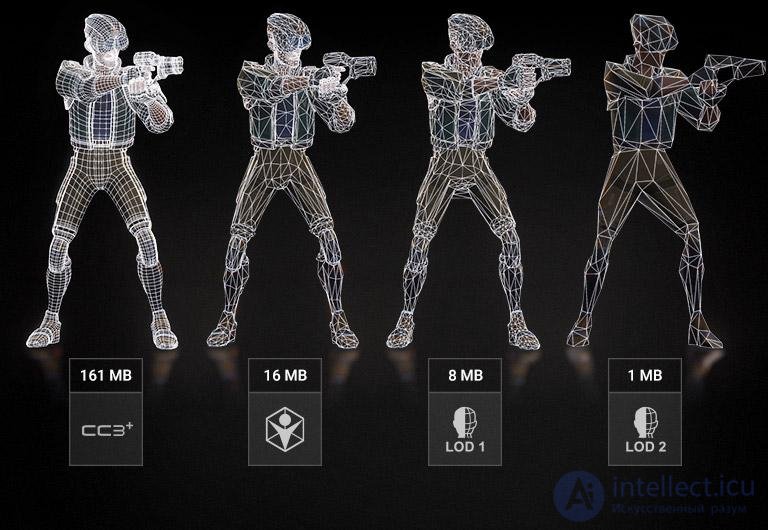
Essence:
the farther the object — the simpler its animation.
Examples:
Methods:
Important:
the player doesn't notice the simplification at a distance
Pros:
Cons:
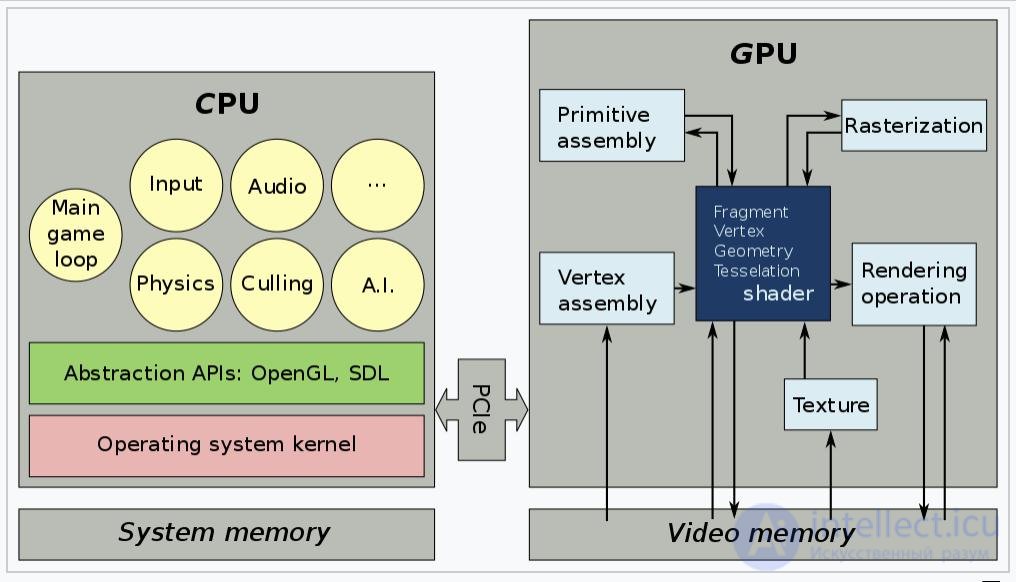
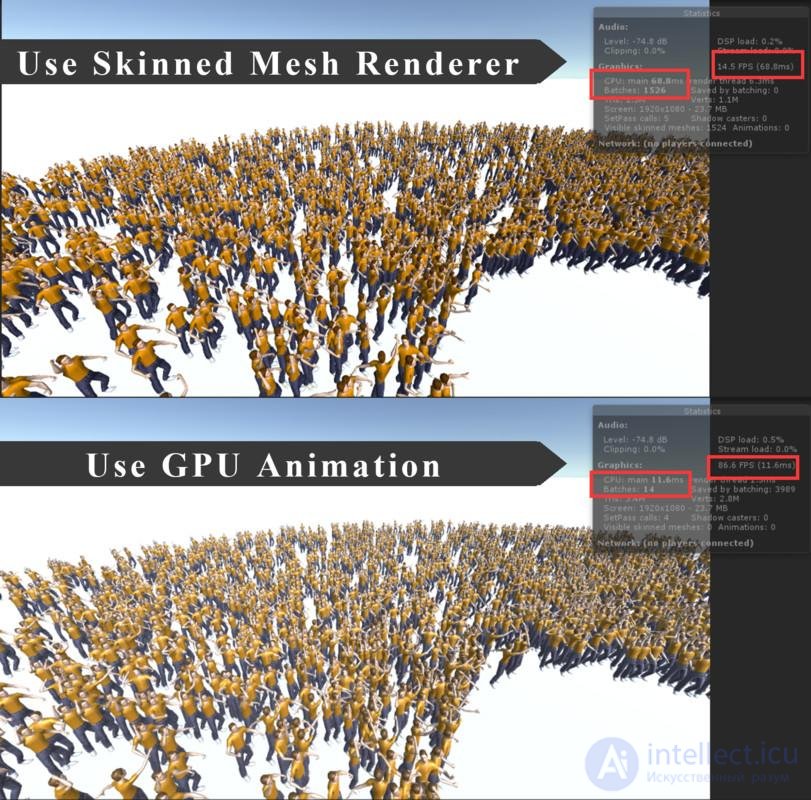
CPU (logic)
Handles:
GPU (rendering)
Handles:
Balance:
| CPU | GPU |
|---|---|
| logic | visuals |
| IK | skinning |
| FSM | rendering |
Problems:
CPU bottleneck
FPS drops due to logic
GPU bottleneck
FPS drops due to graphics
Solutions:
Optimizing animation = a balance of:
The main idea
A short formula
Less data + smart processing = good performance
A practical tip (very important)
If you're building a system:
hero → maximum quality
nearby enemies → medium
distant enemies → minimum
Let's go through Mistakes and anti-patterns in animation — these are the things that make a game «break» in how it feels, even if the graphics look good.
The main problem:
animation starts to interfere with gameplay instead of helping it
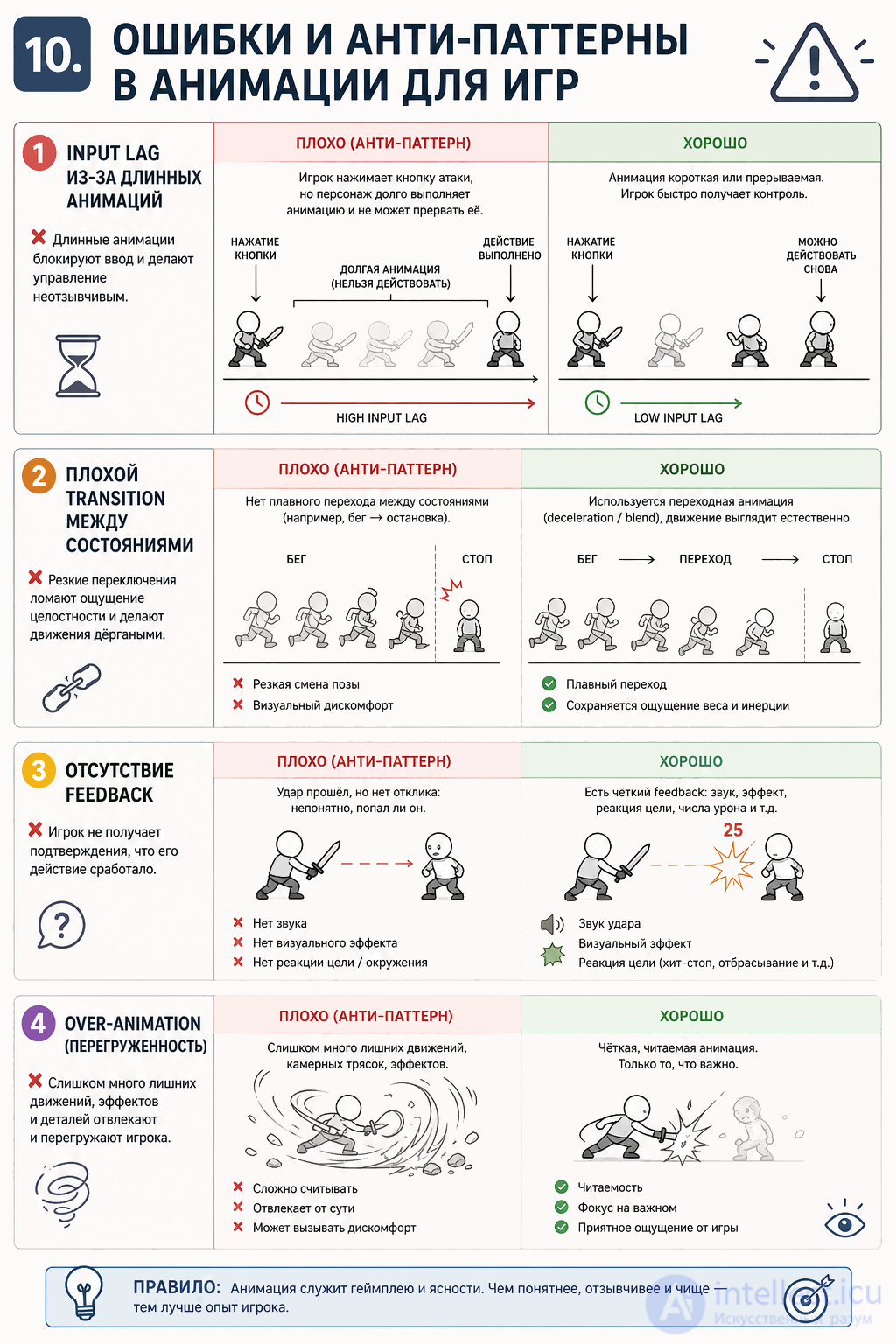
Essence:
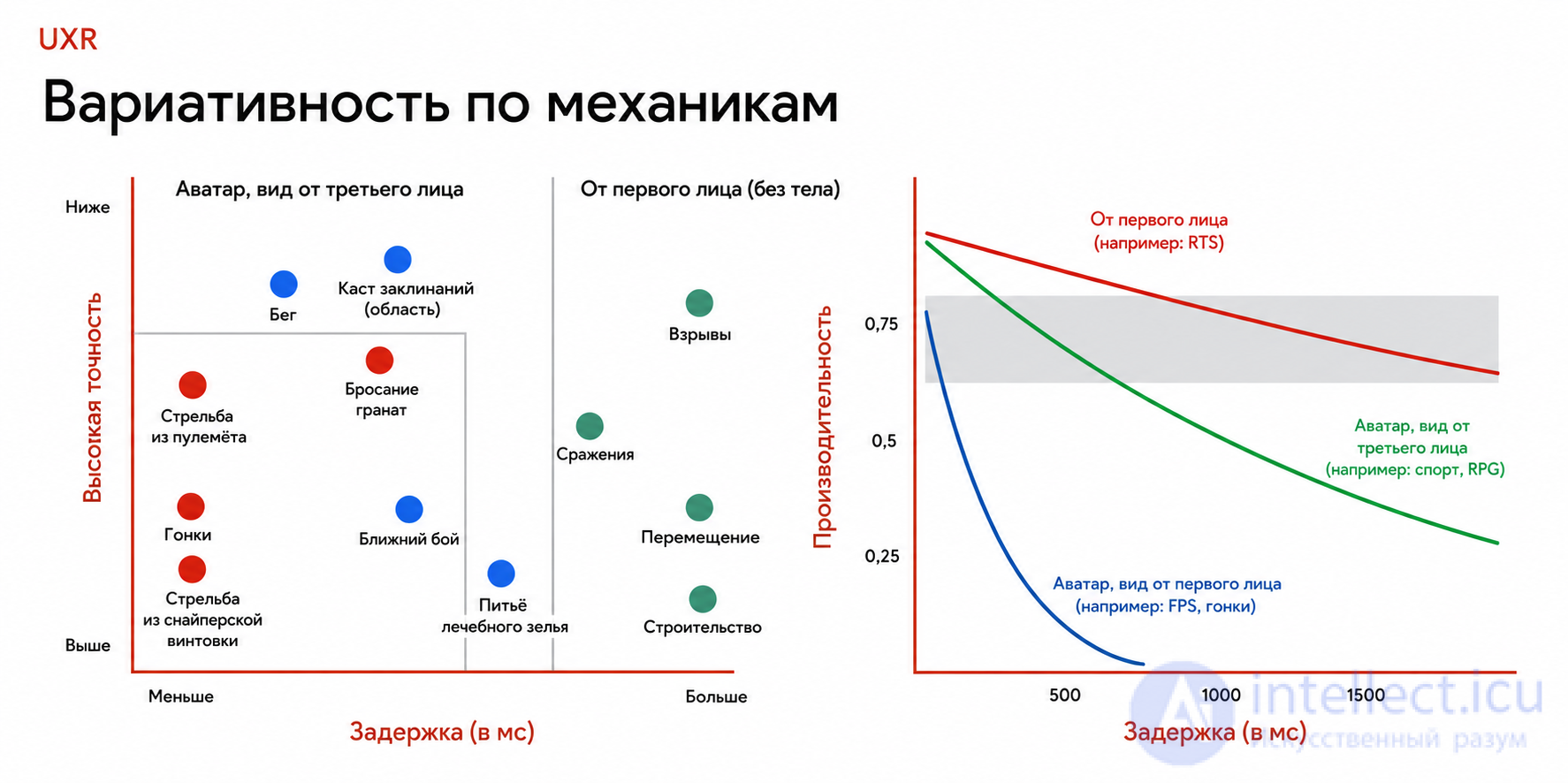
the player pressed a button → the character reacts with a delay
Causes:
How it feels:
Example:
Solutions:
Essence:
animations switch abruptly or incorrectly
Examples:
Causes:
Consequences:
Solutions:
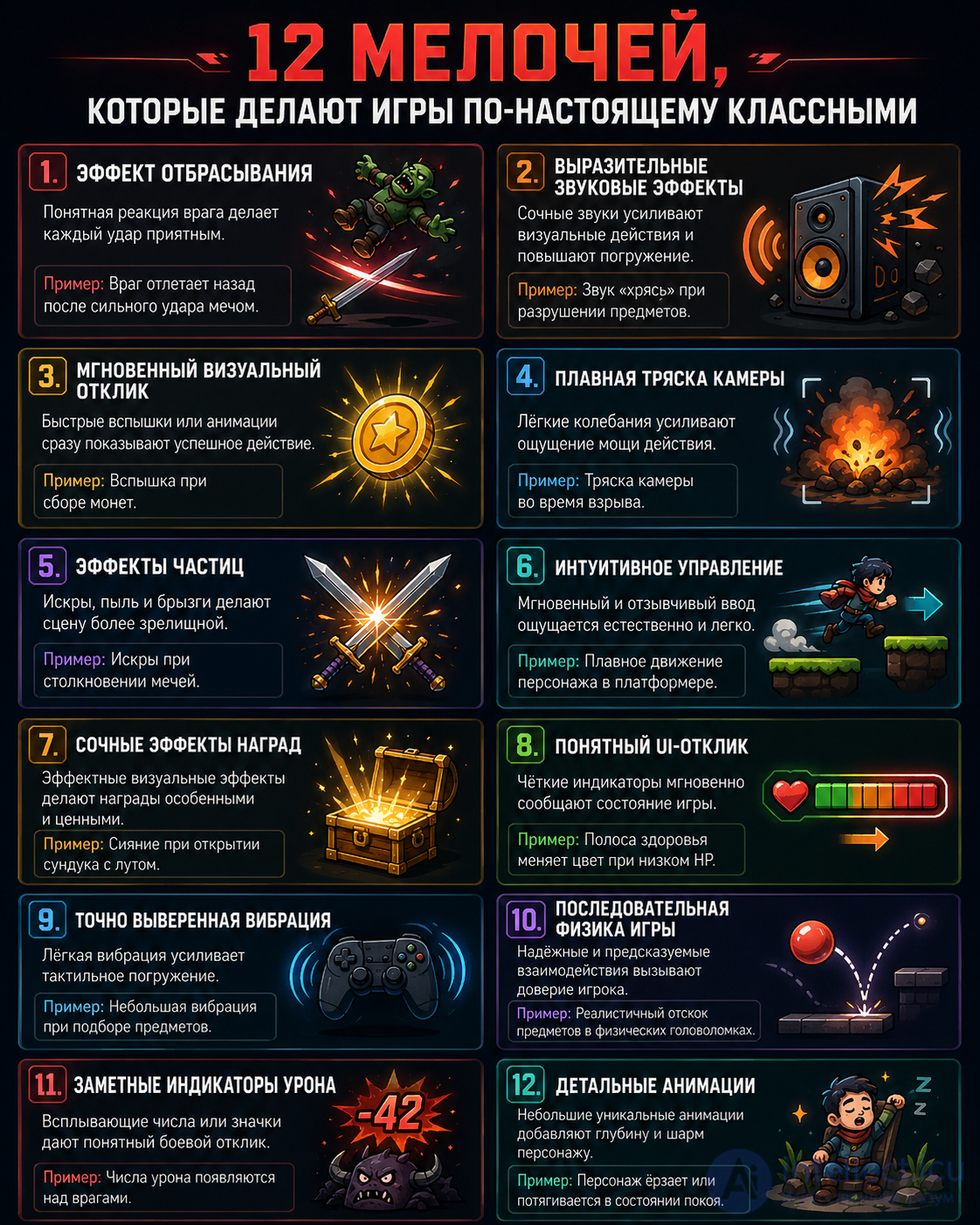
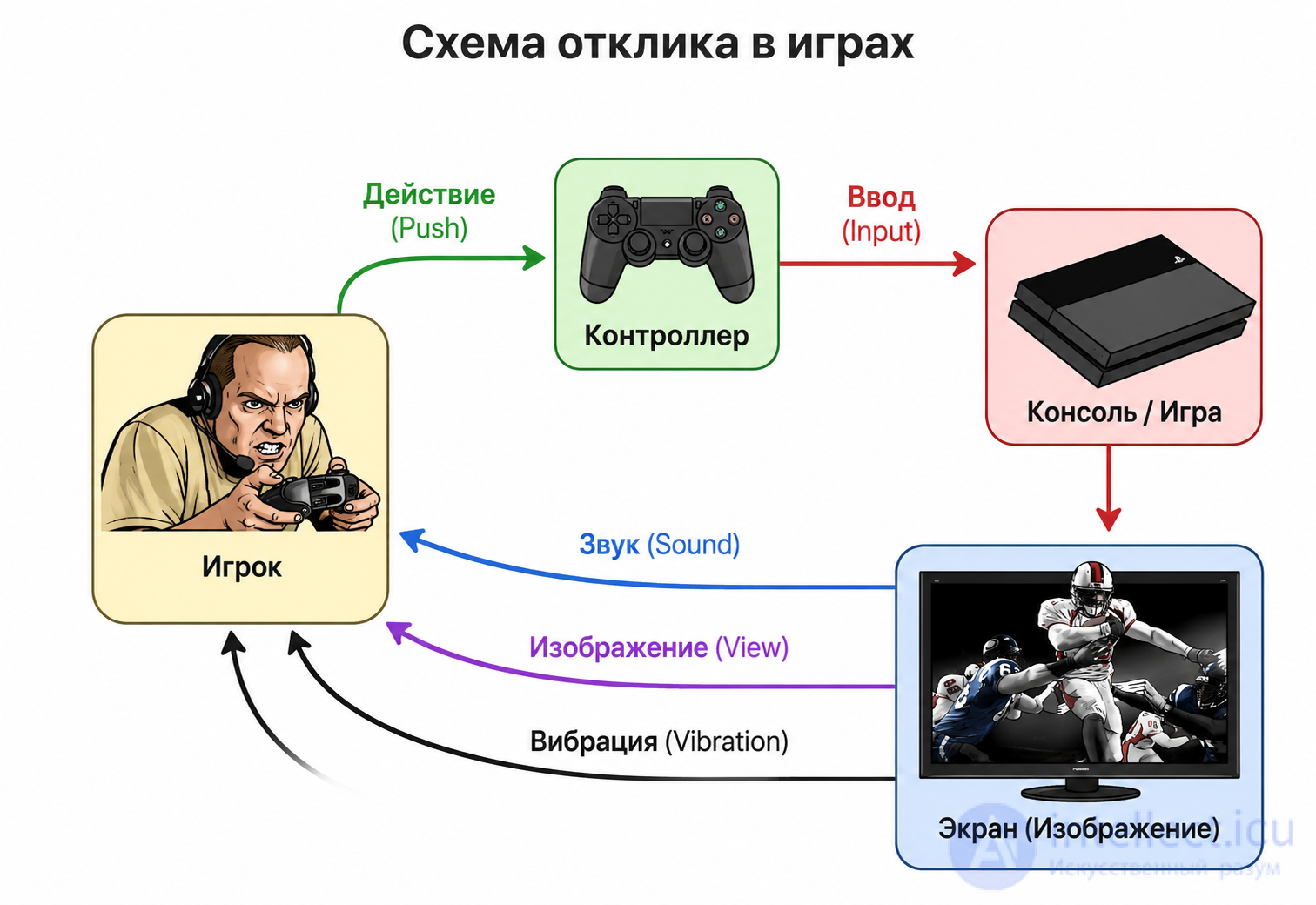
Essence:
the player doesn't feel the result of their actions
Examples:
How it feels:
In good games (for example Overwatch):
Solutions:
Examples:
Problem:
Especially critical:
Solutions:
Summary of all the mistakes
| Mistake | What it breaks |
|---|---|
| Input lag | control |
| Poor transitions | visual integrity |
| No feedback | the feel of actions |
| Over-animation | readability |
The main idea
bad animation = bad gameplay
even if everything looks beautiful
The golden rule
Gameplay first → then beauty
A short formula
Clarity + Responsiveness > Realism + Beauty
A practical checklist
Before release, check:
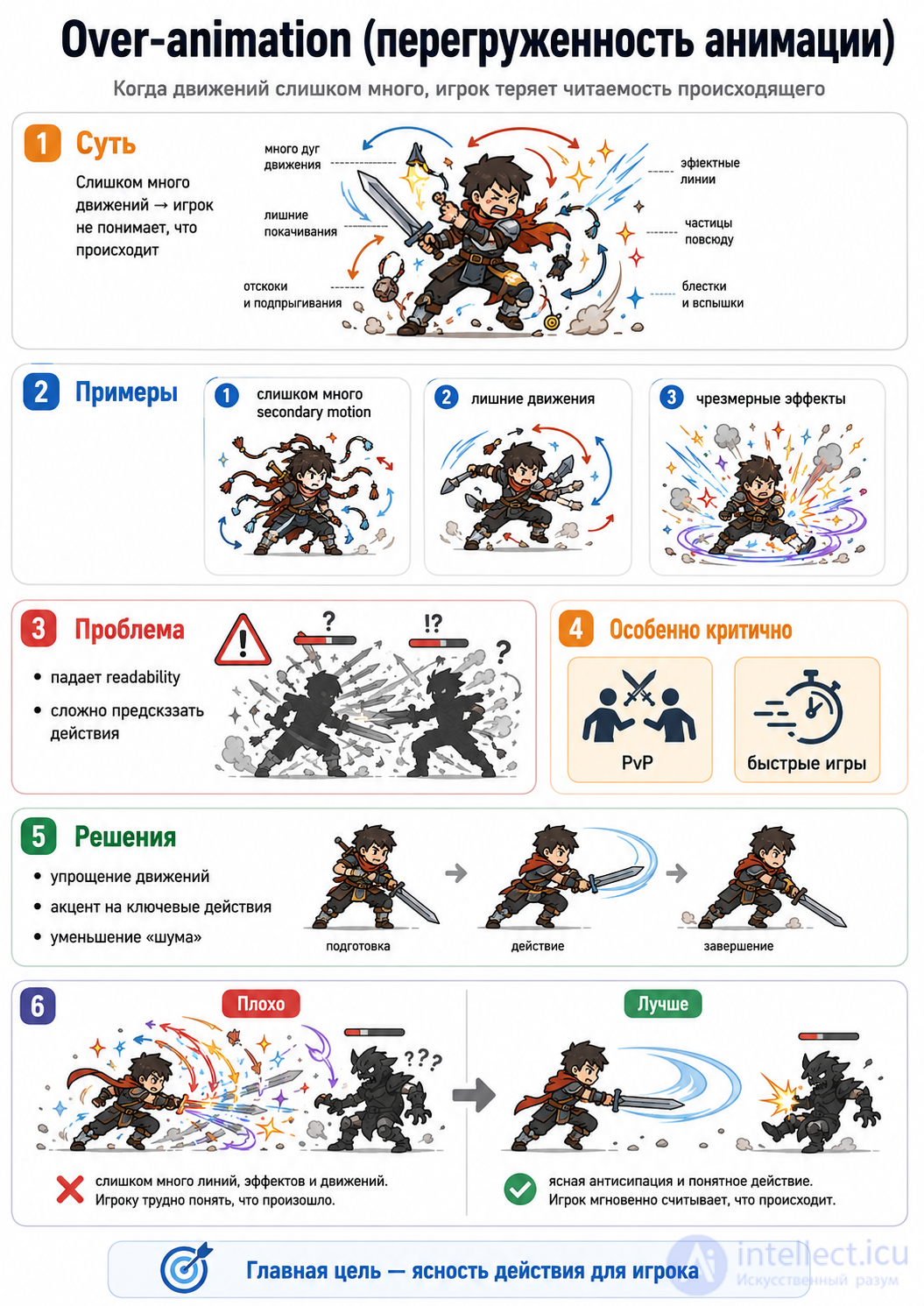
Let's go through Case studies from games — how different genres use animation not «for beauty», but as the foundation of mechanics and feel.
In each genre, animation solves different game-design problems
The main role of animation:
Example: Dark Souls
Key idea: Telegraphing
Why this works:
Important:
Fighting games (for example Street Fighter)
Key elements:
The role of animation:
animation = frame data
Example:
Conclusion:
in fighting games, animation = math + timing
The main role:
Example: Overwatch
Why animation matters:
The player feels:
Mistakes:
A feature of the genre:
priority = responsiveness
animation shouldn't interfere with shooting
The main role:
What matters:
Animation affects:
Techniques:
Mistakes:
Comparison of genres
| Genre | The role of animation |
|---|---|
| Souls-like | telegraphing + timing |
| Fighting | frame data + cancel |
| Shooter | feedback + responsiveness |
| Platformer | precision + control |
The main idea
animation adapts to the genre
there's no universal solution
A deeper conclusion
A short formula
Genre → Animation Role → Game Feel
A practical tip
When you design a mechanic, ask:
what should the player feel?
and based on that:
Let's go through The future of animation in games — this is one of the fastest-developing areas of game dev. Right now there's a shift from «recorded movements» to generated and adaptive systems.
The main trend:
from static animations → to living ones, generated in real time
Essence:
the animation is created or supplemented using machine learning
What the AI does:
Example:
instead of:
idle → walk → run
the system builds the movement between them itself
Technologies:
Result:
Essence:
the animation isn't stored as clips, but assembled at the moment of gameplay
Examples:
Difference from a Blend Tree:
Where it's used:
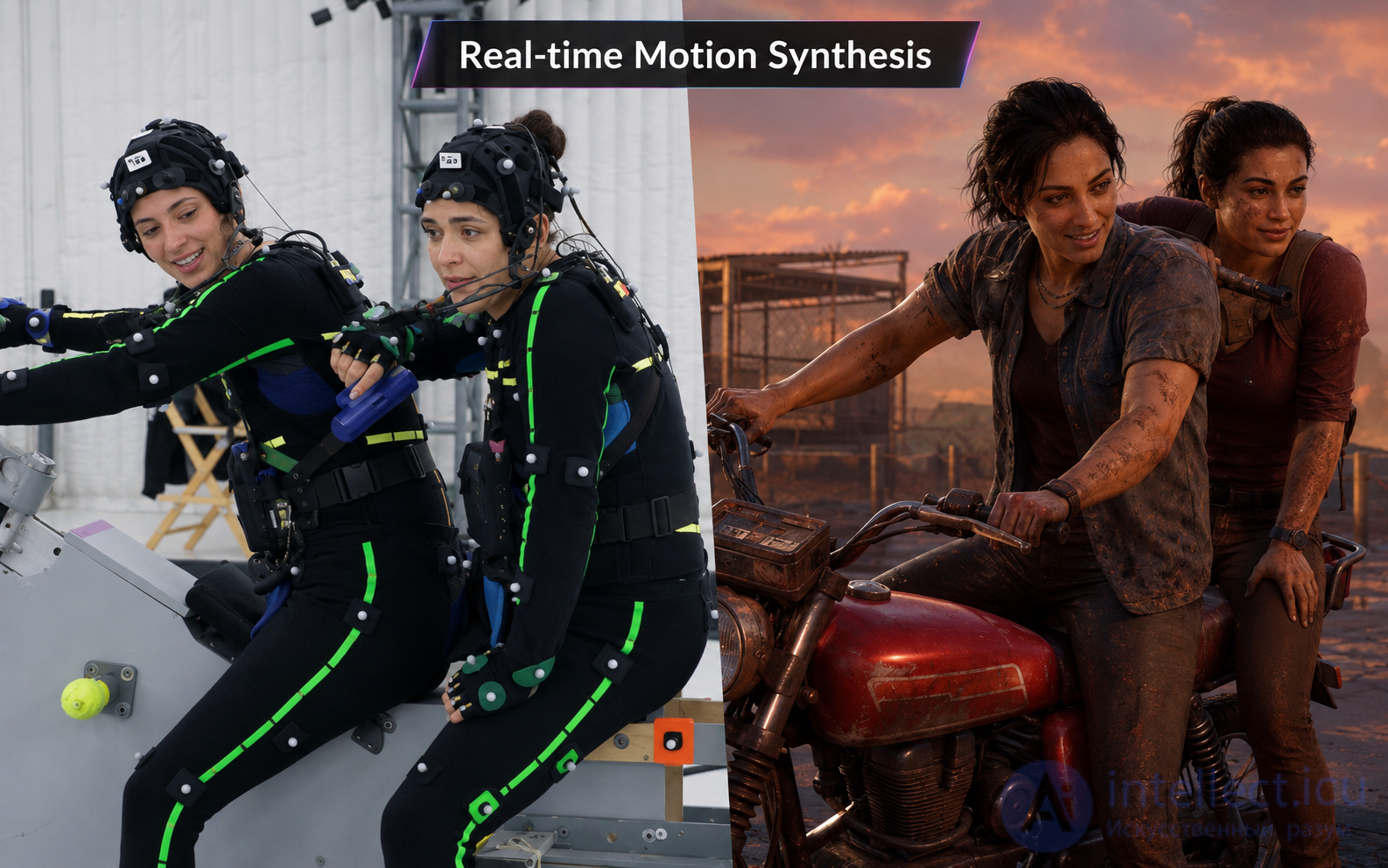
Essence:
the character is fully or partially controlled by algorithms rather than animations.
Capabilities:
Example:
The shift:
from «character animation»
to behavior simulation
Essence:
neural networks directly control the character's movement.
Capabilities:
An example of the future:
"the character is tired and wounded"
→ the animation changes automatically
Limitations:
How it all comes together
AI + Physics + Procedural + Keyframe
            ↓
   Fully adaptive animation
Before:
the animator creates every movement
Now:
the animator + algorithms create a movement system
The future:
the system creates the movement itself
Pros and risks
Pros:
Cons:
The future of animation is:
not clips
but behavior
A short formula
Animation → Simulation → Intelligence
A practical conclusion (important)
Even now:
the best systems are a hybrid of:
Animation = part of game design, not just graphics
The main idea of the whole topic:
Animation in games is not about “pretty”, but about “how the game works”
Why this matters
Unlike film:
Connection to gameplay
Input → Animation → Logic → Feedback → The feel of the game
How exactly:
Example:
Conclusion:
animation = part of the mechanics
What it provides:
The player feels:
If the animation is bad:
Through what:
Examples:
Real cases:
Takeaway
Animation in games is:
The main idea of the course
The player feels the game through animation
A short formula
Animation = Gameplay + Feedback + Control
When you make a game:
don't think:
make a beautiful animation
what should the player feel?
The final conclusion
Good animation is the kind the player “doesn't notice”,
but through which they perfectly feel the game.
I'll go through this as a practical lab assignment: what the student should do, which files/components are needed in Unity, which Animator parameters to create, and how to connect animations to code.
Build a simple character with 4 states:
Idle → Walk → Run → Attack → Idle
In Unity this is done through the Animator Controller: it stores animation clips, states, and the transitions between them. Unity describes the Animator Controller as a system that manages clips and transitions through a state machine.
The character should:
stand → walk → run → attack → return to idle
Approximate controls:
You need 4 animation clips:
Idle.anim
Walk.anim
Run.anim
Attack.anim
You can take a ready-made character from Mixamo or the Unity Asset Store.
In Unity:
Project → Right Click → Create → Animator Controller
Name it, for example:
PlayerAnimator.controller
Then assign it to the character:
Player → Animator → Controller → PlayerAnimator
Open the Animator window:
Window → Animation → Animator
Drag the 4 clips into it:
Make Idle the starting state:
Right Click on Idle → Set as Layer Default State
The Parameters tab:
Float Speed
Trigger Attack
Unity Animation Parameters are variables of the Animator Controller that can be changed from a script and used to control the state machine.
Unity transitions let you switch between states and define transition conditions through Animator Controller parameters.
Idle → Walk
Condition: Speed > 0.1

Walk → Idle
Condition: Speed < 0.1

Walk → Run
Condition: Speed > 0.6

Run → Walk
Condition: Speed < 0.6

Any State → Attack
Condition: Attack trigger

Attack → Idle
Has Exit Time: true
For Attack it's better to enable:
Has Exit Time = true
So that the attack plays out to the end and then returns to Idle.
using UnityEngine;

public class PlayerAnimationController : MonoBehaviour
{
    [SerializeField] private Animator animator;

    private void Reset()
    {
        animator = GetComponent<Animator>();
    }

    private void Update()
    {
        float speed = 0f;

        if (Input.GetKey(KeyCode.W) || Input.GetKey(KeyCode.UpArrow))
        {
            speed = Input.GetKey(KeyCode.LeftShift) ? 1f : 0.4f;
        }

        animator.SetFloat("Speed", speed);

        if (Input.GetMouseButtonDown(0))
        {
            animator.SetTrigger("Attack");
        }
    }

    // This method will be called via an Animation Event
    public void OnAttackHit()
    {
        Debug.Log("Attack hit frame: deal damage to the enemy");
    }
}
Open the Attack clip.
Find the frame where the weapon should hit the enemy.
Add an event:
Function: OnAttackHit
In Unity, an Animation Event is added at a specific moment of the clip and calls a function by name; the event can be added by double-clicking on the Event Line or with the Event button.
Idle
The character does nothing, but is alive: it breathes, moves a little.
Walk
Slow movement. Speed roughly 0.4.
Run
Fast movement. Speed roughly 1.0.
Attack
A separate state, triggered by the Attack trigger.
The main scheme
Input
  ↓
Script
  ↓
Animator Parameters
  ↓
FSM
  ↓
Animation Clip
  ↓
Animation Event
  ↓
Gameplay Logic
Checking the assignment
The student should demonstrate:
The main idea of the practical:
animation doesn't just play,
it's controlled by code and affects gameplay

Comments