
Lecture
Amid the rapid development of the gaming industry and the growing complexity of digital interactive products, the user interface (UI) is taking on a key role as a tool of interaction between the player and the virtual environment. The UI not only conveys information but also shapes the user experience, influencing engagement, convenience, and the efficiency of gameplay. Modern game development practice shows a trend toward increasingly complex interface solutions, which calls for their systematic analysis, classification, and evaluation. This article aims to structure the main components of the user interface in video games, identify their functions, and examine the specifics of their use depending on genre and gameplay tasks.
The UI can also often be used to immediately tell the genre of a game, since different genres require the presence of different UI elements.
User interface (UI) elements in games can be divided into several categories depending on their purpose.
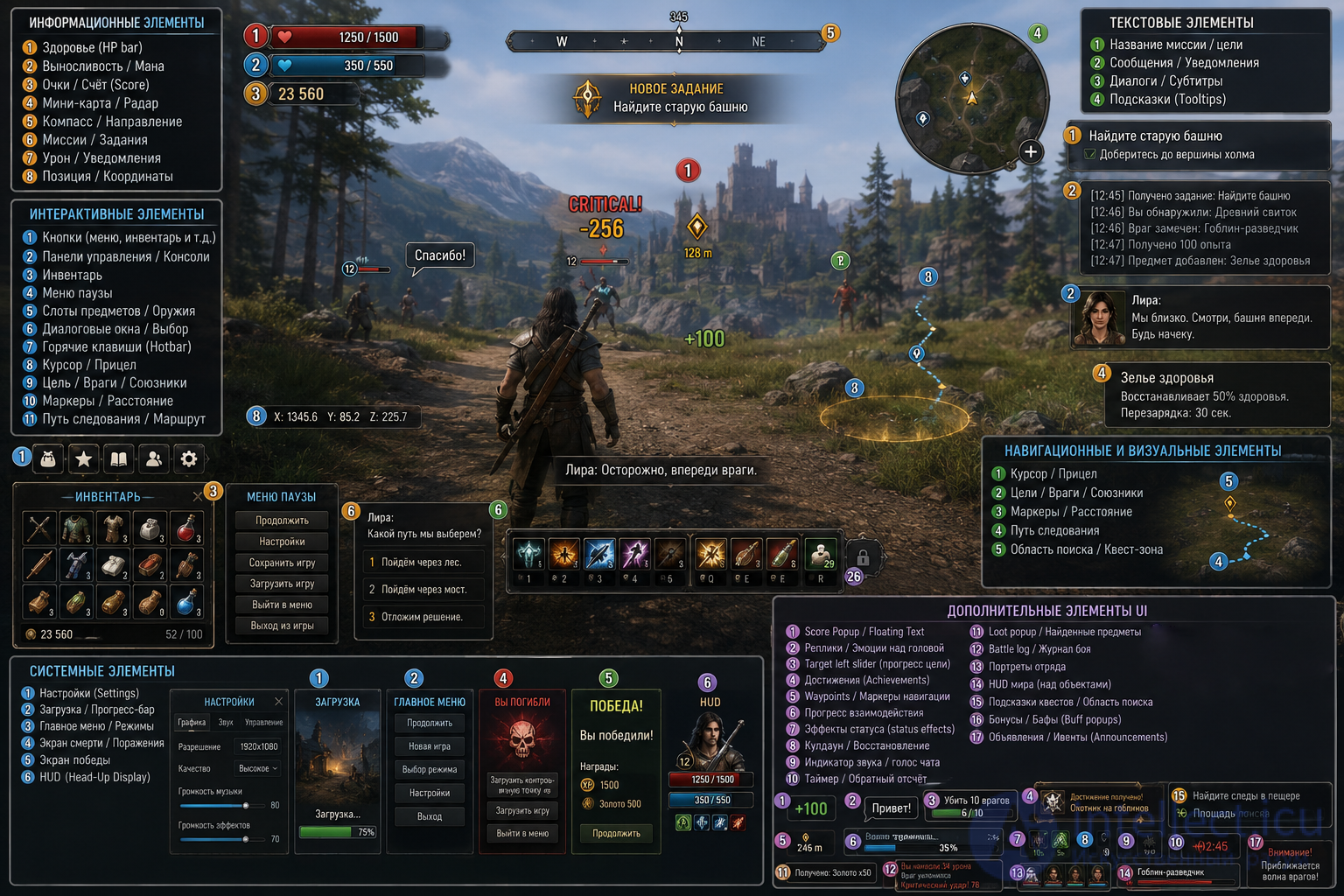
Below is an extensive list with explanations:
Health indicator (HP bar) — shows the character's life level. 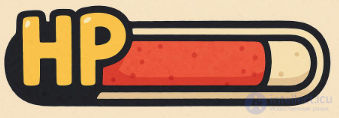
Endurance / mana / energy / stamina indicator (endurance, reserve of strength, resilience) — for displaying the character's resources.
Points / score (Score) — the number of points earned by the player. 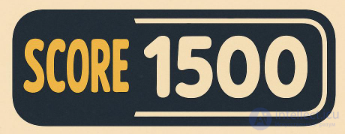
Minimap / radar — a map of the terrain indicating the position of the player and objectives.
Compass / direction — indicates where to go. 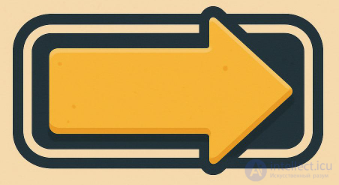
Mission / quest indicators — objectives, progress, hints for tasks.
Damage indicators / hit notifications — often in the form of flashes or numbers.
Current position / coordinates — sometimes used in strategy and survival games.
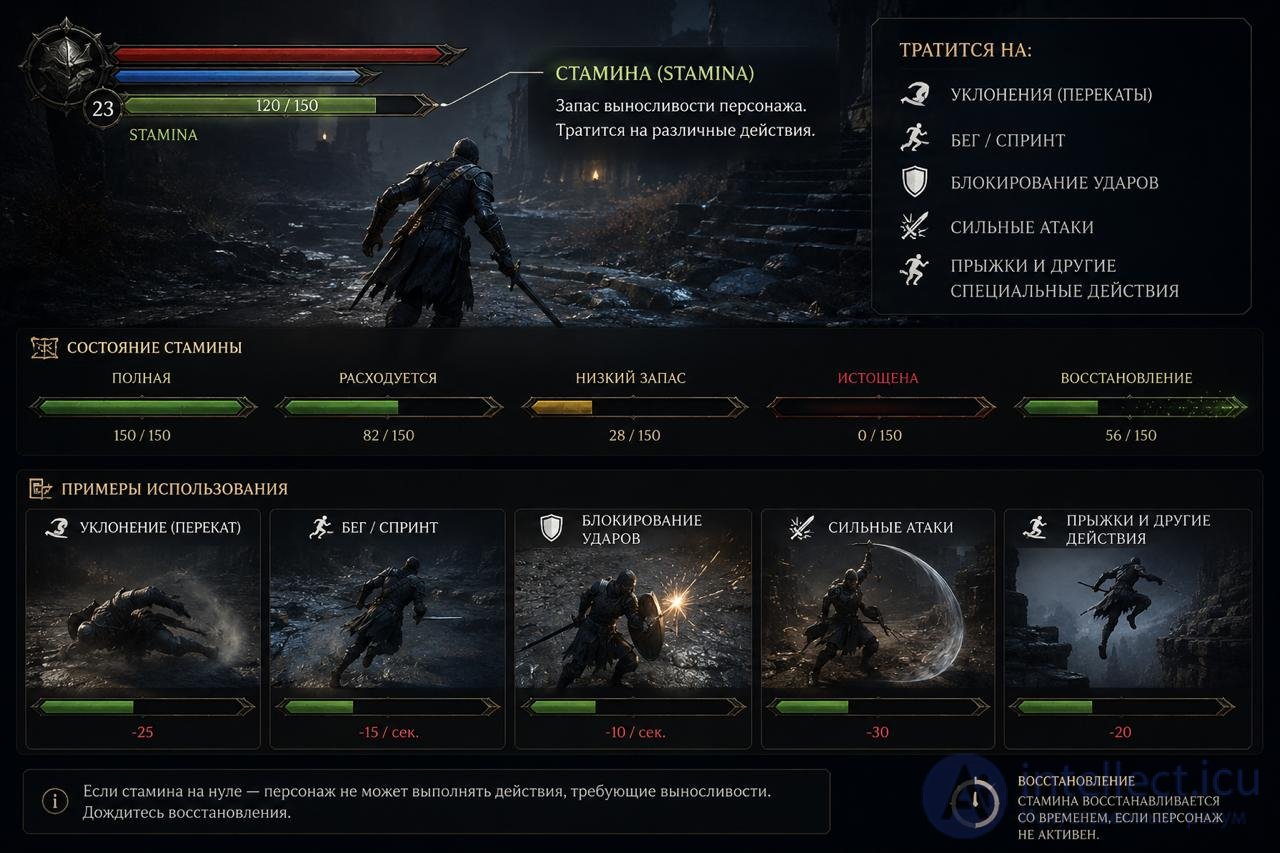
Stamina — this is the character's endurance reserve. It is usually spent on:
In the interface, this is often a green bar that gradually regenerates.
Games often have various character «resources»:
For example, in Dark Souls:
And in The Witcher 3: Wild Hunt there is:
Therefore:
| Resource | What it is used for |
|---|---|
| Stamina | Physical actions |
| Mana | Magic and abilities |
| Energy | Any game resource, depends on the game |
Buttons — for interacting with menus, the inventory, etc.
Control panels / consoles — for example, an ability panel, weapon panel.
Inventory — viewing and using items.
Pause menu — access to settings, exit, saving.
Item / weapon / equipment slots — displaying gear. 
Dialogue windows / answer selection — in role-playing games.
Hotkeys (Hotbar) — quick access to functions.
Mission / objective title — the player's current task.
Messages / notifications / event logs — information about what is happening.
Titles / subtitles / dialogue — especially in story-driven games.
Tooltips — when hovering over elements.
Crosshair / reticle / cursor — for aiming.
Target / enemy / ally indicators — icons, arrows, highlighting.
Direction / distance markers — the distance to a point of interest.
Path / route — visualization of the path (for example, in RTS or RPG games).
Settings — graphics, sound, controls.
Loading screen / progress bar — waiting for the game to start.
Main menu / mode selection screen — the starting point of the game.
Death / defeat / victory screen — the end of a round or game.
HUD (Head-Up Display) — all the permanent elements on the screen.
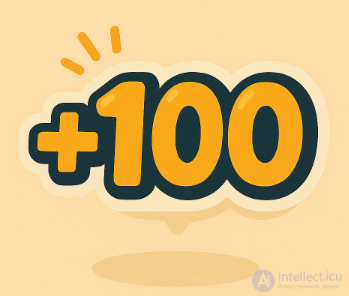
Score Popup / Floating Text
Pop-up points for actions: kills, hits, combos, bonuses, etc.
(For example, +100 for a hit, "CRITICAL!" on a critical strike)
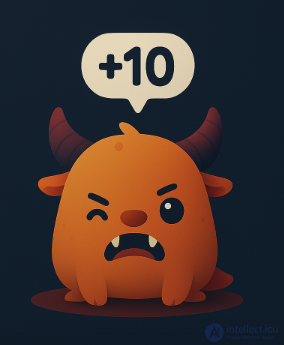
Character emotes / lines / lines above the head
Often used in online games — expressions like "Hi!" or "Thanks!".
Target left slider. This is a progress indicator showing how much is left to do before completing a level or a task.

Achievement notifications (Achievements)
A pop-up window about completing an achievement or trophy.
Waypoints / navigation markers
Arrows or icons indicating where to go, even through obstacles.
Capture indicator / interaction progress
For example, when hacking a terminal or capturing a point.
Status effects
Icons for poison, freezing, fire, buffs — usually next to the character portrait.
Cooldown / recharge indicator
Visualization of the recharge of skills, items, weapons.
Sound / speech / voice chat indicator
Shows who is speaking in voice chat.
Timer / countdown
For missions, bombs, timed battles.
Loot popup / discovered items
Small windows showing what the player has picked up (gold, an item, a resource).
Battle log / combat log
A text feed with messages about events: "Enemy dodged", "You hit for 34".
Character portraits / party
Displaying team members, their health, condition.
World-space UI
UI "attached" to objects — for example, a health bar above an enemy.
Quest hints / search area
Marking the area where the quest objective should be sought.
Bonuses / buffs (Buff popups)
For example, «+10% Damage for 30 sec» with an icon.
Announcements
A pop-up message about the start of an enemy wave, the approach of a boss, etc.
Racing: tachometer, speed, track map, race position.
FPS/shooters: ammunition, reload indicator, kill feed.
RPG: character levels, experience, skill tree.
Strategy: building panel, unit list, resources.
Sandbox / survival: temperature, hunger, fatigue, crafting.
a table of the most common elements found across different genres.
| UI element | What it shows | Where it appears |
|---|---|---|
| HP (Health Bar) | Character health | Almost all genres |
| Stamina Bar | Endurance | Souls-like, RPG, action games |
| Mana Bar (MP) | Magical energy | RPG, MMORPG |
| Energy Bar | Energy for abilities | MOBA, shooters, RPG |
| Shield Bar | Shields | Sci-fi shooters |
| Experience Bar (XP) | Experience to the next level | RPG, MMORPG |
| Level Indicator | Character level | RPG |
| Ammo Counter | Amount of ammunition | Shooters |
| Reload Indicator | Reloading | Shooters |
| Crosshair | Reticle | FPS, TPS |
| Minimap | Minimap | RPG, MMO, strategy |
| Compass | Compass | Open World |
| Quest Tracker | Active quests | RPG |
| Objective Marker | Objective marker | Action games |
| Skill Bar | Skill panel | MMORPG, MOBA |
| Cooldown Timer | Skill cooldown | MOBA, MMORPG |
| Buff Icons | Positive effects | RPG |
| Debuff Icons | Negative effects | RPG |
| Status Effects | Poison, stun, etc. | RPG, action games |
| Inventory UI | Inventory | RPG, Survival |
| Equipment Screen | Equipment | RPG |
| Crafting Menu | Item crafting | Survival |
| Currency Counter | Money | RPG, simulators |
| Resource Counter | Resources | Strategy |
| Unit Panel | Unit information | RTS |
| Build Menu | Construction | RTS, City Builder |
| Population Counter | Population | Strategy |
| Wave Counter | Wave number | Tower Defense |
| Score Counter | Points | Arcades |
| Timer | Timer | Racing, arcades |
| Lap Counter | Race laps | Racing |
| Speedometer | Speed | Racing |
| Gear Indicator | Gear | Simulators |
| Radar | Radar | Simulators, shooters |
| Threat Meter | Threat level | Stealth |
| Visibility Meter | Character visibility | Stealth |
| Noise Meter | Noise level | Stealth |
| Detection Indicator | Detection indicator | Stealth |
| Hunger Meter | Hunger | Survival |
| Thirst Meter | Thirst | Survival |
| Temperature Meter | Temperature | Survival |
| Oxygen Meter | Oxygen | Underwater games |
| Sanity Meter | Sanity | Horror games |
| Fear Meter | Fear | Horror games |
| Relationship Meter | Relationships with NPCs | Simulators |
| Reputation Meter | Reputation | RPG |
| Morality Meter | Karma/morality | RPG |
| Dialogue UI | Dialogue windows | RPG |
| Subtitle UI | Subtitles | Any genre |
| Chat Window | Chat | MMO |
| Party/Raid Frames | Player group | MMORPG |
| Ping Indicator | Network latency | Online games |
| FPS Counter | Frame rate | Any game |
| Notification Feed | Notifications | Any game |
| Kill Feed | Kill feed | Online shooters |
| Scoreboard | Scoreboard | PvP games |
| UI | How common it is |
|---|---|
| Health bar | ★★★★★ |
| Minimap | ★★★★★ |
| Resource/ammo counter | ★★★★★ |
| Ability indicators | ★★★★☆ |
| Stamina bar | ★★★☆☆ |
| Mana bar | ★★★☆☆ |
| Hunger/thirst indicator | ★★☆☆☆ |
| Sanity indicator | ★☆☆☆☆ |
It is important to understand that the absence of some element does not define the genre. For example, a game can be souls-like without a visible stamina bar, and an RPG — without mana. The genre is defined by the combination of mechanics, not by a single interface element.
For Metroidvanias there are their own characteristic interface elements. They partly overlap with RPGs and platformers, but there are also specific ones.
| UI element | What it shows | How typical it is for Metroidvanias |
|---|---|---|
| Health Bar / Hearts | Health | ★★★★★ |
| Energy/Magic Bar | Ability energy | ★★★★☆ |
| Minimap | World map | ★★★★★ |
| Room Map | Explored rooms | ★★★★★ |
| Completion % | Completion percentage | ★★★★☆ |
| Collectibles Counter | Collected items | ★★★★☆ |
| Ability Icons | Acquired abilities | ★★★★☆ |
| Key Item List | Key items | ★★★★☆ |
| Boss Health Bar | Boss health | ★★★★☆ |
| Currency Counter | Currency | ★★★☆☆ |
| Fast Travel Menu | Fast travel points | ★★★☆☆ |
| Quest Log | Quest journal | ★★☆☆☆ |
| Stamina Bar | Endurance | ★☆☆☆☆ |
| XP / Level Bar | Experience and levels | ★★☆☆☆ |
The user interface acts as a fundamental element that determines the quality of the player's interaction with a digital game. The analyzed UI elements demonstrate diversity both in form and in functional purpose — from basic status indicators to dynamically adapting feedback systems. The classification proposed in this article makes it possible to gain a deeper understanding of the logic of interface architecture and can serve as a basis for further research in the fields of ergonomics, game design, and user experience. Looking ahead, particularly relevant issues include UI adaptivity, personalization of visual display, and integration of interface elements with the context of the game environment.

Comments