
Lecture
Image scaling — changing the size of a digital image while preserving its proportions. Scaling refers to both increasing («upscaling») and decreasing («downscaling») the resolution of an image. It is widely used in computer graphics and video processing, and in particular is implemented at the hardware level in televisions and video players.
Depending on the type of graphics (raster or vector), scaling is performed using different algorithms. Vector images can be scaled without any loss of quality, while enlarging raster images may lead to quality loss: significant distortions of the geometry of fine details and the appearance of false patterns on textures are possible. For this reason, specialized algorithms that smooth out these undesirable effects are used when scaling raster images.
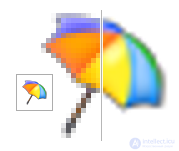
Resampling in signal processing — changing the sampling rate of a discrete (most often digital) signal. Resampling algorithms are widely used in the processing of audio signals, radio signals, and images (resampling of a raster image means changing its resolution in pixels).
Signal samples corresponding to the new sampling rate are calculated from the existing samples and contain no new information.
Increasing the sampling rate is called interpolation, decreasing it — decimation.[
If an image contains small high-contrast details, it is important to convert it to a linear color space — otherwise (if the source is in sRGB), the resulting «mush» of light and dark areas in the downscaled image will be darker than it should be.
The window of the resampling filter is equal to the size of the source or target pixel — whichever is larger .
Many algorithms require virtual pixels beyond the edge of the frame buffer. Depending on the purpose of the algorithm, one can either physically make the image a few pixels larger or take data from another location using an if-then method. Data can be taken from the edges (if dealing with a finished image), taken as empty pixels (if the image is a sprite), or taken from the opposite side of the image (if the image is meant to tile seamlessly) .
For upscaling, general-purpose resampling filters are usually not used; instead, a special case — interpolation — is applied.
The simplest way to double the resolution is the nearest-pixel copying method, which replaces each pixel with four pixels of the same color; while this preserves the details of the original, it produces an undesirable «staircase effect». The same method can be applied for finer resolution changes — for example, for a scale of 99% or 101%, every hundredth dot is respectively removed or duplicated.
The bilinear interpolation method provides some preservation of the smoothness of the drawing's contours, but sometimes causes undesirable smoothing effects on details and still produces a fairly noticeable «staircase effect». A more advanced method is the use of bicubic interpolation.
To downscale images, convolution with one kernel function or another is used. The nearest-neighbor method corresponds to a narrow rectangle, bilinear interpolation — to a triangular kernel… The Lanczos filter, which produces subjective sharpness, and the rectangular filter (box filter), which blurs the image, are often used for downscaling photographs.
A small reduction (down to 0.5×) is often performed by interpolation. At larger factors, information loss begins — hence the recommendation, dating back to the days of the first photo editors, to reduce images in stages, by no more than half at a time.
Nearest-neighbor and bilinear interpolation, being the simplest, are used when real-time scaling is needed, in games and graphics software. MIP texturing is based on taking a well-downscaled texture of a suitable size — and then scaling it by interpolation with a factor close to one.
The kernel convolution method used for downscaling, when used for upscaling (if the correct window width — 1 source pixel — is set) does not harm quality, but may produce unnecessary computational work. Some kernels (for example, the Lanczos filter) introduce their own artifacts when enlarging by more than a factor of two.
The rectangular filter is used by modern (2010s and later) pixel-art games to enlarge an image by a factor of two or more, including with a non-integer factor .
For enlarging low-color images at small resolutions, special algorithms developed specifically for raster graphics work best, allowing sharp contours and fine details to be preserved and emphasized with minimal distortion of shape accuracy. There are also smoothing algorithms suitable for processing photographs and multicolor raster images with a staircase effect, collectively known as «supersampling methods».
The table below shows a comparison of scaling algorithms performed using the freely distributed program 2dimagefilter.
| Algorithm | Image |
|---|---|
| (Source images) |   |
| Super-xBR 4x | 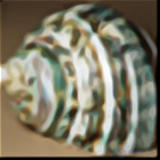  |
| Eagle 3x | 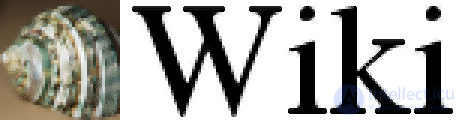 |
| hq3x | 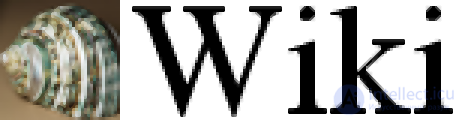 |
| Scale 3x | 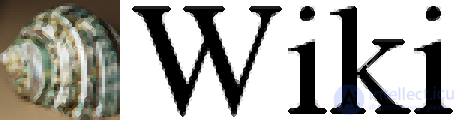 |
| XBR 3x | 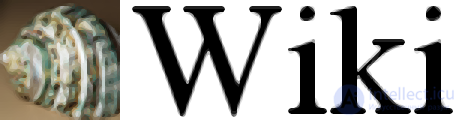 |
| SuperEagle |  |
| SuperSaI |  |
| SaI 2x |  |
| Scale 2x |  |
Vector graphics can be rendered at any resolution needed. But there are nuances.
A separate task is scaling an image that is known to originally be vector/graphic but has been rendered to raster and possibly distorted by compression algorithms (for example, for restoring cartoons). This task is not as constrained as raster tracing — if, for example, a gradient fill is detected, it does not need to be converted into vector primitives. For this purpose, there is, for example, the neural-network algorithm waifu2x.
Thanks to the powerful hardware of modern computers, it is possible to use image scaling algorithms in real time for video games. Highly optimized algorithms produce a sharp and detailed picture with minimal blurring while not requiring significant system resources. They are used in many console emulators, such as HqMAME, DOSBox, and ScummVM.
Image scaling algorithms are used in the commercial emulators Xbox Live, Virtual Console, and PlayStation Network, and allow gamers — fans of games from the 1980s and 1990s created in low resolution — to get a new gaming experience on HD screens. Such algorithms are used in Sonic's Ultimate Genesis Collection, Castlevania: The Dracula X Chronicles, Castlevania: Symphony of the Night, and Akumajō Dracula X Chi no Rondo.
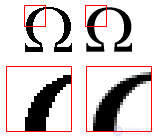
When upscaling images, the most common problem is the «jagged edges» effect, to eliminate which anti-aliasing algorithms are used. In this case, pixels adjacent to the boundary pixel of the image take on an intermediate value between the color of the image and the color of the background, creating a gradient and blurring the edge.
Scaling an image with anti-aliasing depends on the color model used in it. The standard model for screens is considered to be sRGB with a piecewise-polynomial response curve, which is well approximated by the power curve  . However, most graphics libraries treat sRGB as a linear space. The problem is less noticeable for photographs and more so for line drawings.
There is a simple algorithm for enlarging pixel graphics (the «advanced nearest neighbor») with a fractional factor of 2 or more, but there is no similar algorithm with a factor between 1 and 2. This is why modern (2010s) games with pixel graphics tend to be made at a resolution at least half that of the target machine .
Historians are seriously concerned about neural-network algorithms that automatically invent details — since they invent things that were not present in the original image. It may turn out that the most widely circulated image will be one of technically higher quality — but inauthentic. Or, after running it through such a service, the owner may delete the «low-quality» original .

Comments