
Lecture
Real-time computer graphics, or real-time rendering, is a subfield of computer graphics focused on creating and analyzing images in real time. The term can refer to anything from rendering an application's graphical user interface (GUI) to real-time image analysis, but it is most often used in relation to interactive 3D computer graphics, typically using a graphics processing unit (GPU). One example of this concept is a video game, which rapidly renders changing 3D environments to create the illusion of motion.
Computers have been capable of generating 2D images, such as simple lines, images, and polygons, in real time since their invention. However, rapidly rendering detailed 3D objects is a challenging task for traditional systems based on the von Neumann architecture. An early solution to this problem was the use of sprites, 2D images that could imitate 3D graphics.
Various rendering methods now exist, such as ray tracing and rasterization. Using these methods and advanced hardware, computers can now render images quickly enough to create the illusion of motion while simultaneously accepting user input. This means the user can respond to the rendered images in real time, creating an interactive experience.
The goal of computer graphics is to generate computer-generated images or frames using certain desired metrics. One such metric is the number of frames generated per given second. Real-time computer graphics systems differ from traditional (i.e., non-real-time) rendering systems in that non-real-time graphics typically rely on ray tracing. In this process, millions or billions of rays are traced from the camera into the world for detailed rendering — this expensive operation can take hours or days to render a single frame.
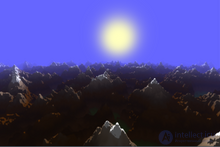
Landscape rendering created in 2014.
Real-time graphics systems must render each image in less than 1/30 of a second. Ray tracing is too slow for these systems; instead, they use the z-buffer triangle rasterization technique. In this technique, each object is decomposed into individual primitives, usually triangles. Each triangle is positioned, rotated, and scaled on the screen, and rasterizer hardware (or a software emulator) generates pixels within each triangle. These triangles are then decomposed into atomic units called fragments, which are suitable for display on a screen. Fragments are drawn on screen using a color that is computed in several stages. For example, a texture can be used to «paint» a triangle based on a stored image, and then shading can alter the colors of that triangle based on the line of sight to light sources.
Real-time graphics optimizes image quality given time and hardware constraints. GPUs and other advances have improved the image quality that real-time graphics can produce. GPUs are capable of processing millions of triangles per frame, and modern DirectX/OpenGL-class hardware is capable of generating complex effects such as shadow volumes, motion blur, and triangle generation in real time. The advancement of real-time graphics is confirmed by the progressive improvements between actual gameplay graphics and the pre-rendered cutscenes traditionally found in video games. [1] Cutscenes are now typically rendered in real time and can be interactive. Although the quality gap between real-time graphics and traditional offline graphics is narrowing, offline rendering remains far more accurate.
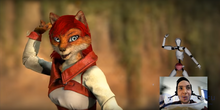
Real-time full-body and facial tracking
Real-time graphics is typically used when interactivity (such as feedback to the player) is critical. When real-time graphics are used in films, the director has full control over what should be drawn in each frame, which can sometimes require lengthy decision-making. Teams of people are usually involved in making these decisions.
In real-time computer graphics, the user typically operates an input device to influence what is drawn on the display. For example, when the user wants to move a character on screen, the system updates the character's position before drawing the next frame. Display response time is usually much slower than that of the input device — this is justified by the enormous difference between the (fast) response time of human motion and the (slow) perceptual speed of the human visual system. This difference has other effects as well: since input devices must be very fast to keep up with human reaction to motion, advances in input devices (such as the current Wii remote) generally take much longer to achieve than comparable advances in display devices.
Another important factor governing real-time computer graphics is the combination of physics and animation. These methods largely dictate what should be drawn on screen, particularly where to draw objects in the scene. These methods help realistically simulate real-world behavior (the temporal dimension, rather than the spatial dimensions), adding a degree of realism to computer graphics.
A real-time preview using graphics software, especially when setting up lighting effects, can increase workflow speed. Some parameter settings in fractal-generation software can be adjusted while viewing the changes to the image in real time.
The graphics rendering pipeline (the «rendering pipeline» or simply the «pipeline») is the foundation of real-time graphics. Its main function is to render a two-dimensional image relative to a virtual camera, three-dimensional objects (objects having width, length, and depth), light sources, lighting models, textures, and much more.
The architecture of the real-time rendering pipeline can be divided into conceptual stages: application, geometry, and rasterization.
The application stage is responsible for generating the «scenes» or 3D setups that are displayed on the 2D screen. This stage is implemented in software, which developers optimize for performance. This stage can perform processing such as collision detection, acceleration techniques, animation, and force feedback, in addition to handling user input.
Collision detection is an example of an operation performed at the application stage. Collision detection uses algorithms to detect and respond to collisions between (virtual) objects. For example, the application may compute new positions for colliding objects and provide feedback through a force-feedback device, such as a vibrating game controller.
The application stage also prepares graphics data for the next stage. This includes texture animation, 3D model animation, animation via transformations, and geometry morphing. Finally, it creates primitives (points, lines, and triangles) based on scene information and passes these primitives to the geometry stage of the pipeline.
The geometry stage manipulates polygons and vertices to calculate what to draw, how to draw it, and where to draw it. These operations are typically performed by specialized hardware or GPUs. Differences in graphics hardware mean that the «geometry stage» may actually be implemented as several sequential steps.
Before the final model is displayed on an output device, it is transformed into several spaces, or coordinate systems. Transformations move and manipulate objects by changing their vertices. Transformation is a general term for four specific ways of manipulating the shape or position of a point, line, or figure.
To give the model a more realistic appearance, one or more light sources are typically set up during transformation. However, this stage cannot be achieved without first transforming the 3D scene into view space. In view space, the observer (camera) is usually located at the origin of the coordinate system. When using a right-handed coordinate system (which is considered standard), the observer looks in the direction of the negative z-axis, with the y-axis pointing up and the x-axis pointing to the right.
Projection is a transformation used to represent a three-dimensional model in two-dimensional space. The two main types of projection are orthographic projection (also called parallel projection) and perspective projection. The main characteristic of orthographic projection is that parallel lines remain parallel after transformation. Perspective projection uses the concept that as the distance between the observer and the model increases, the model appears smaller than before. Essentially, perspective projection mimics human vision.
Clipping is the process of removing primitives that lie outside the viewing area to ease the rasterization stage. After these primitives are removed, the remaining primitives are drawn into new triangles, which proceed to the next stage.
The purpose of screen mapping is to determine the coordinates of the primitives from the clipping stage.
At the rasterization stage, color is applied and graphical elements are converted into pixels, or picture elements.

Comments