
Practice
So, we have a device called the D-Link DFL-800 or something similar. We start configuring this device and discover that the familiar "Be a DNS server" checkbox from home models isn't here. So how do we enable DNS Relay?
In this example:
Of course, these parameters are for example purposes only.
So,
1) Log in to the D-Link via the web interface;
2) Go to "Objects -> Address Book -> InterfaceAddresses";
3) Click on "Add -> IP address";
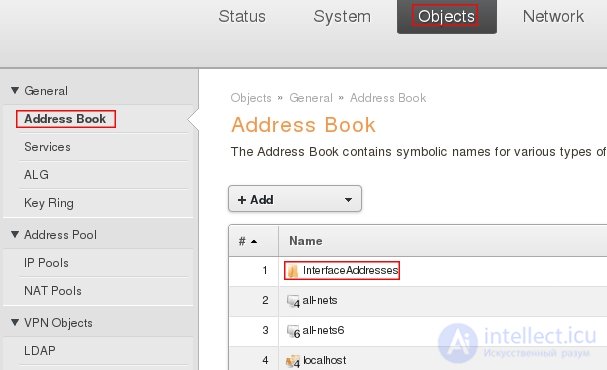
4) Enter the name of the constant and the IP of the external DNS server:
With this, we've created a constant with the IP address of the external DNS server, which we'll use below. Now we need to create a pair of rules in the firewall of the SAT and NAT types.
5) Go to "Rules -> IP rules";
6) Click "Add -> IP rule" and add a rule for SAT.
6a) On the first tab, enter:
6b) Switch to the SAT tab and enter:
So, the SAT rule has been created. Notice that we used the constant dns_server we created earlier here?
7) Click "Add -> IP rule" again and add a rule for NAT.
That's it, there's no need to even go into the NAT tab.
8) Now both rules need to be moved to the very top of the list, otherwise the firewall simply won't reach them, stopping at the nearest Allow.
To do this, right-click the rule and select "Move to top". Both rules need to be moved.
9) Save the settings and activate them.
The downside in our case is that we can only specify one external DNS server for the relay. But even that is already something.

Comments