Advantages of Greenfield
- Customizability - the Greenfield migration method makes it easy to tailor any requirement. You can address the problems that existed in the previous architecture, remove all persistent constraints, and improve performance and usability. Reassessing existing process flows makes it easier to work without errors.
- Scalability - the benefit of cloud scalability further increases the advantages of Greenfield. Because applications are built from scratch, businesses can bake in the ability to scale up and down when developing applications. This way, they can meet demand as it rises and falls, and pay for cloud resources only when they are used. As a result, organizations are always ready to grow and can even downsize when necessary.
- Compatibility - the compatibility of old legacy systems with cloud infrastructure is often a persistent source of concern for businesses. This is completely eliminated with Greenfield, because you are not bringing in anything that has to be mixed and matched. Compatibility issues can be time-consuming, and you can avoid them entirely with this methodology.
- Innovative - your team can innovate far better with the Greenfield method, because they don't need to worry about conforming to the old architecture. They have complete freedom to use the capabilities the cloud provides, and in the cloud innovation happens on a regular basis, so every time they can come up with something special in their application.
- Optimization - with a from-scratch migration, your IT team doesn't need to be constantly at work. They get more free time to innovate, take on other tasks, and contribute to the growth of the business. The strategy will help you optimize your infrastructure and processes far better.
Disadvantages of Greenfield
Of course, migration can't be a bed of roses, because you have to reckon with the thorns while enjoying the fragrance. Let's look at the disadvantages of Greenfield.
- Steep learning curve - the learning curve is a serious challenge. If your employees are used to the legacy system, it may take some time to get accustomed to cloud capabilities. You'll have to go through growing pains before you reap the real benefits.
- Affects the whole organization - moving to the cloud is serious business. It affects your operating model, and your company's employees will have different responsibilities. The support and security of the cloud will be managed by the cloud provider, but you'll need to develop new strategies for storing and handling compute resources. You must proceed carefully and set up a CCoE, or Cloud Center of Excellence, with the goal of optimizing costs.
- Costly - although costs may be lower after migration, the migration process itself can be expensive. You need experienced staff to help you with the process, their expertise in choosing the right cloud strategy, the right infrastructure, their advice on scaling, and so on. If you have a limited budget, the Greenfield strategy can become a minefield if you don't tread carefully.
Advantages of Brownfield
- Familiar - since you're already using legacy components, you'll be familiar with a significant part of how the infrastructure works. This way, you're not stepping entirely into difficult terrain. This clear advantage of familiarity will make your work move faster, using fewer resources and less time.
- Affordable. Moving everything to the cloud at once can be a huge cost option. But when you migrate only certain operations while keeping part of your legacy systems, you don't have to spend as much.
- Simple - Brownfield is definitely much simpler than Greenfield. If there are certain elements you need to study by spending a lot of time and money, you can skip them for now by using your existing on-premises infrastructure. True, before the move, everything that moves to the cloud must work within its infrastructure, so you need to verify this.
Disadvantages of Brownfield
- Limitations of the original infrastructure - one of the advantages of Brownfield can also turn out to be a disadvantage, especially if you plan to use certain elements in on-premises solutions. If the original infrastructure has certain limitations, the migration task may not proceed according to plan.
- Rigidity - the biggest advantage of the cloud is that you can scale it at will. The ability to build up and cut back compute capacity depending on the enterprise's requirements is what justifies the effort. The biggest limitation of on-premises systems is that you have to buy when you need more compute power, but when you don't need as much, the resources stay underutilized.
What you can conclude from all of this
Moving to Brownfield or Greenfield is an important decision that has to be made, and choosing one or the other makes it even more difficult. For example, if you look at it from a business-process perspective, it turns out to be a risky implementation if you plan to migrate a fully customized environment to the cloud. The existing environment may have been in place and in use for several years, and you may have to face a number of problems.
And the stakeholders have to be happy too. At first, they may not fully agree with it. They may first ask for a technical upgrade so that you can identify problems during the move and fix them precisely.
Startups like to go the Greenfield route, because they don't have a complex environment with interdependencies. Even if they have a system, they can easily move it into archive mode and then start over with a cloud provider. SAP systems could be an example of such a step.
You may consider adopting the Brownfield option if you plan to keep existing business processes, old data, existing enterprise structures, and you have a mature process template with minimal need for process redesign. If you prefer to leverage existing investments and adopt the new innovations that come along from time to time, then this would be a good fit. Consequently, it's important to stay objective when choosing between them.
And that's not all. You need to consider one more factor. Do you plan to develop new cloud migrations during the migration, or will migrating the current application into the existing infrastructure entail major changes? If you go with the latter decision, remember that you are moving through uncharted waters, and you'll have to make a lot of changes and adjustments.
Thus, you should think about whether to remove the existing system or continue with the same one and simply redevelop the applications. If you're just looking for an upgrade, Brownfield would be more suitable.
But the problem is that the development process can become complex and difficult and requires careful analysis, design, and testing - things many novice developers lack the patience for.
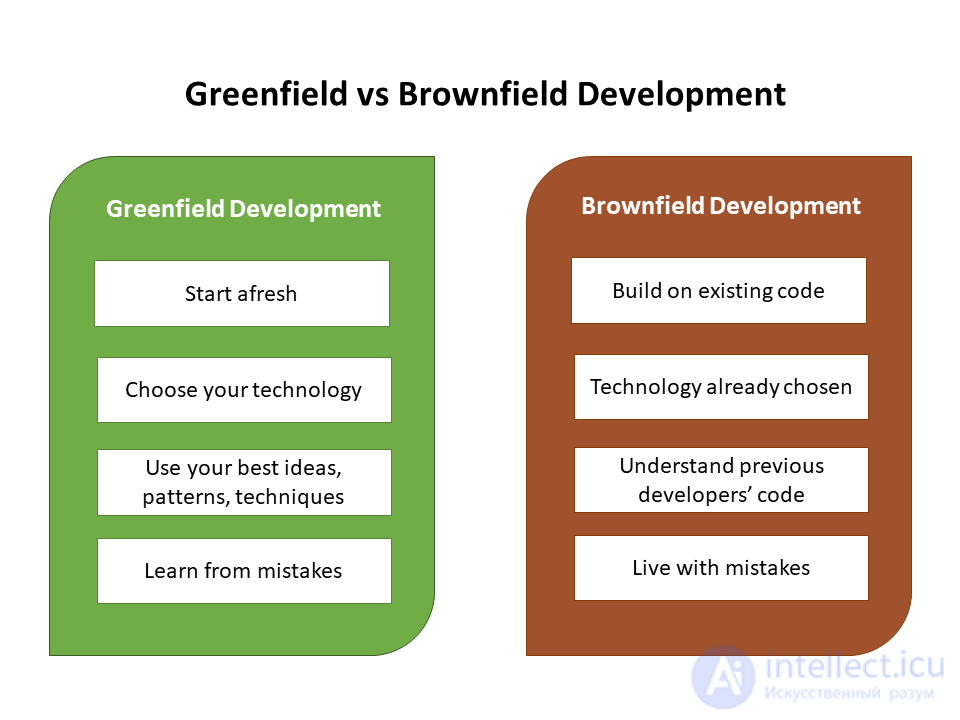
Consider what you'll gain by choosing Brownfield
Which one suits you better? You might think about removing the entire system and building a completely new one, or you could take the existing application and rework a new one. If you're not planning anything major, but simply want to make a few changes to the old one, then Brownfield for sure.
However, there's a catch here too. The development process can be more complex and difficult compared to starting from scratch. That's why you really need to have top-class developers on your team who can handle complex tasks and carry out the painstaking work of design and testing.
Legacy code - "outdated" software code that hasn't been updated or maintained by developers for a long time, but still provides part of the functionality. This is often found in highly specialized software in the banking sector and among telecom operators, whose software was written back in the early 2000s. Rewriting it is expensive and time-consuming, so often only a refactoring of this code is carried out.
Legacy code is perfectly functional, but it is often written in an outdated programming language (for example, hardly anyone writes in Objective-C anymore, or uses the Zend framework, Delphi, or Pascal), which makes it harder to maintain and update the entire product. That's why an important step for a company is to eliminate or minimize such software code
See also
- microservice
- software support
- Legacy code
- refactoring


Comments