
Lecture
Deployment — the process of releasing a new version of a website onto a server (or servers). This process can be quite complex and heavily depends on the technologies used. During deployment, the following tasks are performed (below is just one of the possible options, and a rather primitive one at that):
Strange as it may seem, in many companies right now this entire process is performed by hand. A programmer logs into the server, runs git pull, and then goes through the list above. This is the worst way to deploy.
Deploy -- the task of deploying an application on a new machine, or on the same machine but a new version of it.
In other words, deployment is the process (organized one way or another) of bringing your project's code into a working state on a specific machine; as a result, deployment may include (in this or another order):
Today it is common practice to carry out deployment in as automated a way as possible -- that is, to write scripts (or use ready-made tools) that automate:
Despite the variety of deployment methods, there is one important rule common to all of them — you can only deploy forward! Deployment cannot be «rolled back» (this applies first and foremost to migrations, but we are not talking about databases yet). If something goes wrong after or during a deployment, the correct approach is to deploy again, but the previous version.
In addition, deployments can be classified by their method of updating and rollback:
One of the biggest challenges in application development today is speeding up deployment. With the microservices approach, developers already work with fully modular applications and design them in a way that allows different teams to write code and make changes to the application simultaneously.
Shorter and more frequent deployments have the following advantages:
But as the frequency of releases increases, so do the chances of negatively affecting the reliability of the application or the user experience. This is exactly why it is important for operations and DevOps teams to build processes and manage deployment strategies in a way that minimizes risk to the product and users. (You can learn more about automating the CI/CD pipeline here.)
In this article we will discuss the various deployment strategies and their variations.
There are several different types of deployment strategies you can use depending on your goal. For example, you may need to make changes to a certain environment for further testing, or to a subset of users/customers, or a need may arise to run limited testing on users before making a certain feature generally available.
This is the standard deployment strategy. It gradually, one by one, replaces the pods running the old version of the application with pods running the new version — without any cluster downtime.
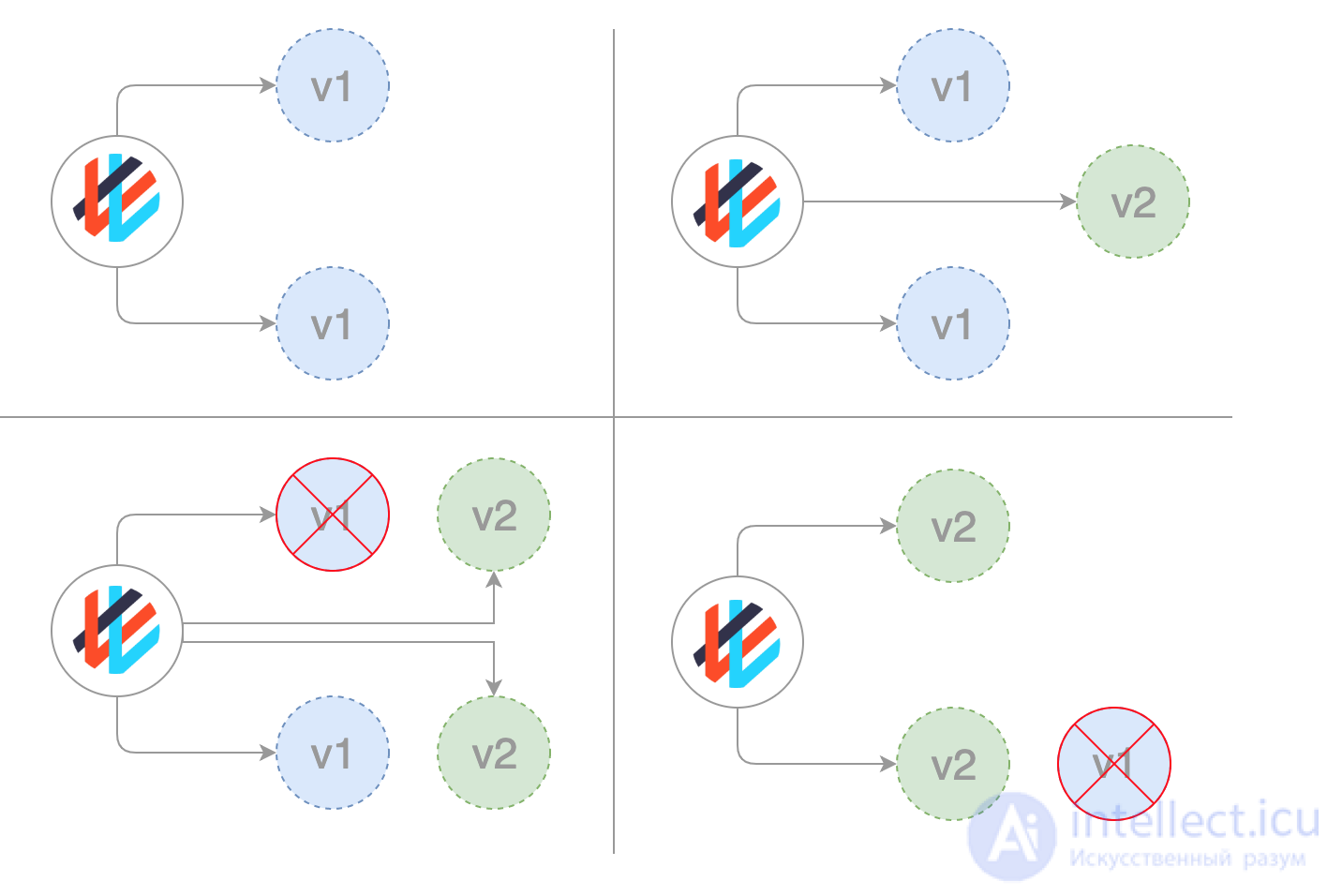
The system waits for the new nodes to become ready to work before it begins tearing down the old ones. If a problem arises, such a rolling update can be interrupted without stopping the entire cluster.
In this simplest type of deployment, the old nodes are all killed at once and replaced with new ones:
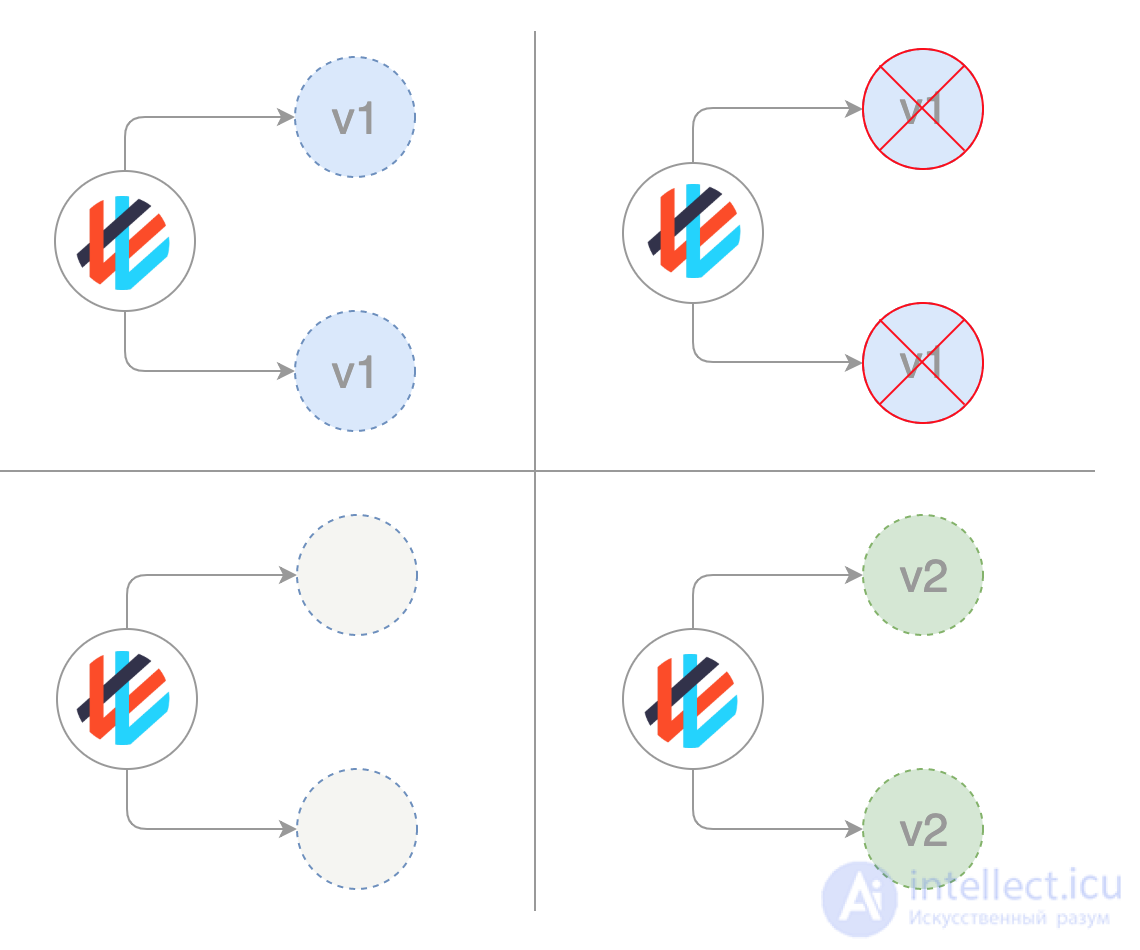
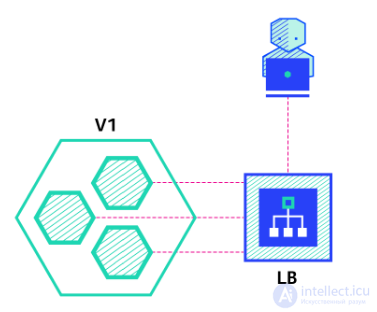
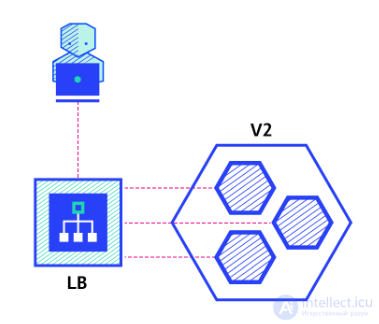
The recreate strategy is a dummy deployment that consists of shutting down version A and deploying version B after version A is shut down. This method involves service downtime that depends on both the shutdown and the application's startup duration.
Pros:
Cons:
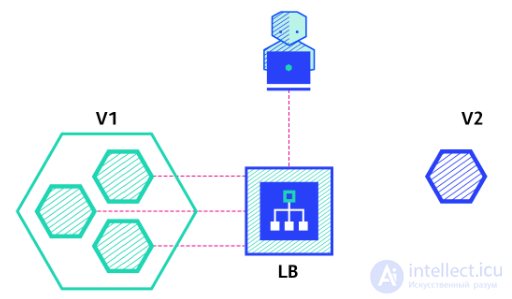
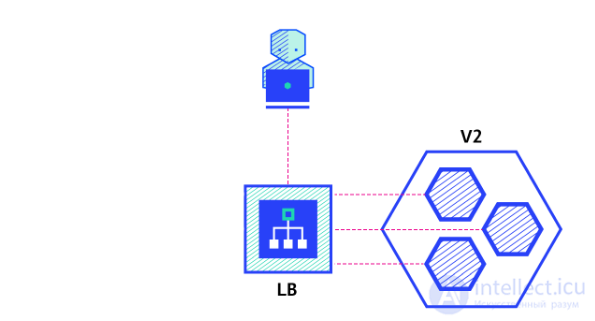
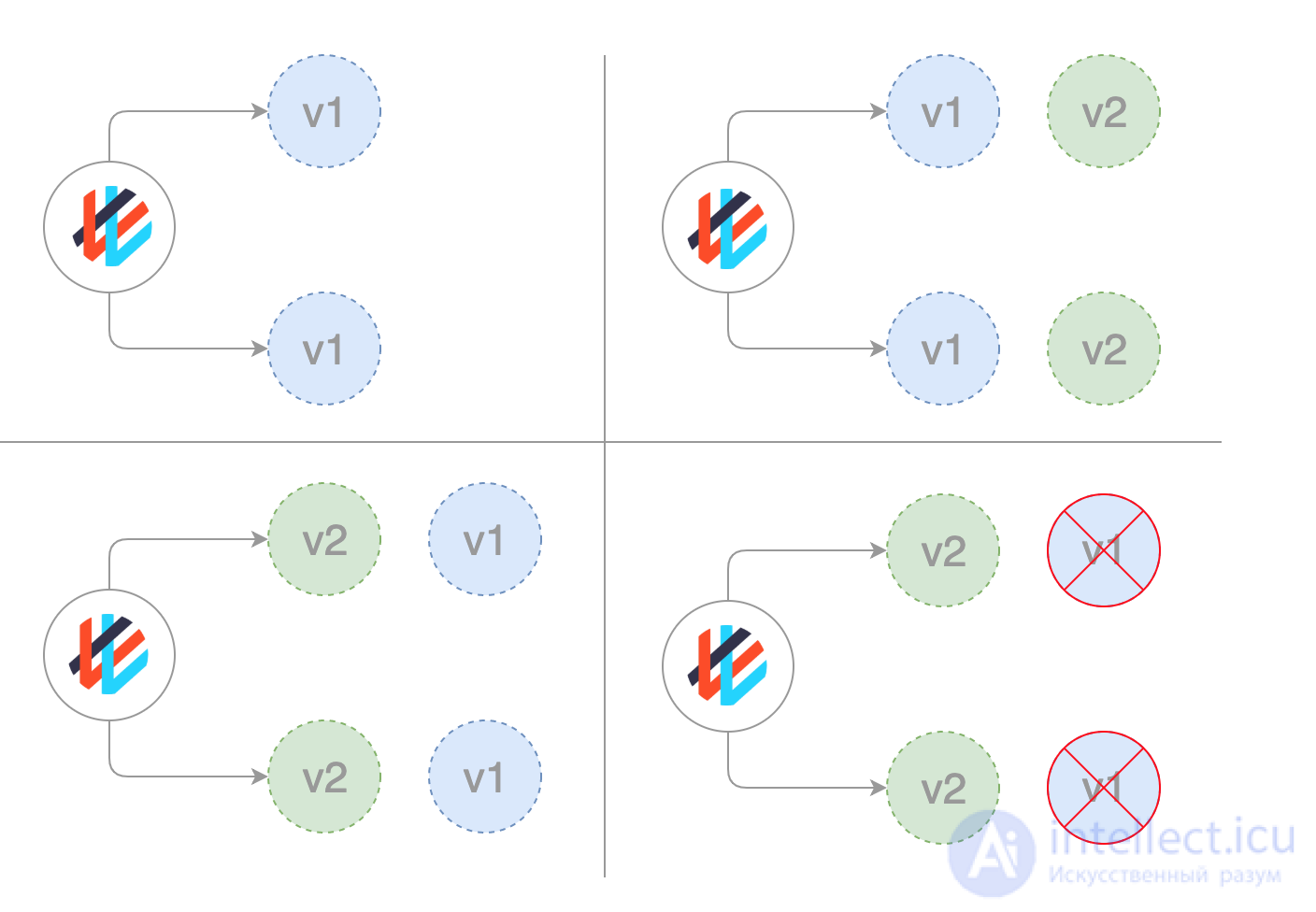
The ramped deployment strategy consists of slowly rolling out a version of the application by replacing instances one after another until all instances are deployed. It usually follows this process: with a pool of version A behind a load balancer, one instance of version B is deployed. When the service is ready to accept traffic, the instance is added to the pool. Then one instance of version A is removed from the pool and shut down.
Depending on the system that provides the ramped deployment, you can configure the following parameters to increase the deployment time:
Pros:
Cons:
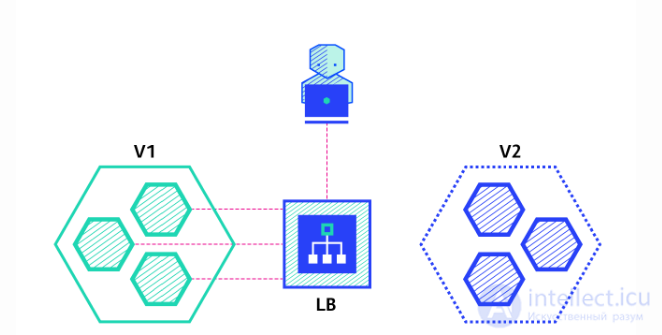
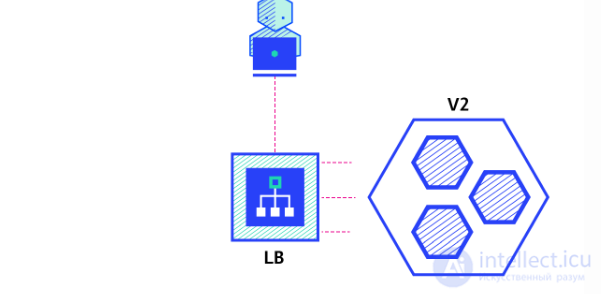
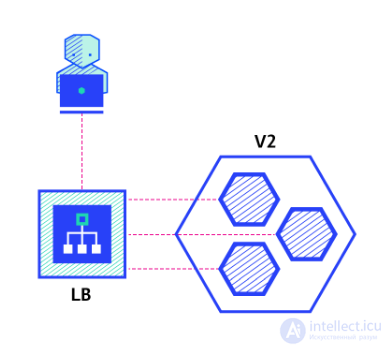
The blue-green deployment strategy differs from a phased deployment: version B (green) is deployed alongside version A (blue) with exactly the same number of instances. After verifying that the new version meets all requirements, traffic is switched from version A to version B at the load balancer level.
Pros:
Cons:
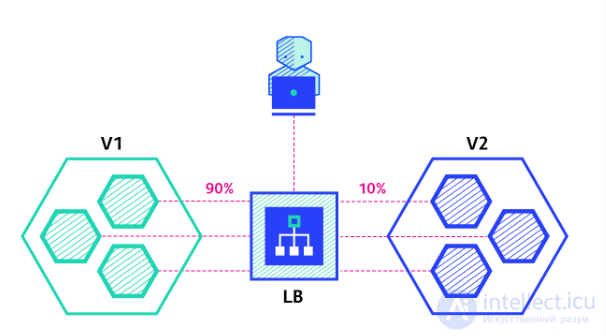
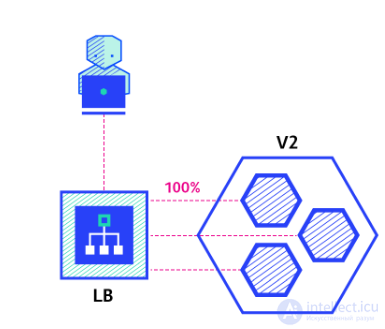
A canary deployment consists of gradually shifting production traffic from version A to version B. Usually the traffic is split by weight. For example, 90 percent of requests go to version A and 10 percent to version B.
This method is mainly used when tests are missing or unreliable, or when there is no confidence in the stability of the new version on the platform. Canaries are borrowed from the experience of miners. They would take cages with birds into the mine to monitor the levels of carbon monoxide and methane in the air. As long as the level was normal, the birds sang. As soon as dangerous toxic substances appeared in the air, the canaries died. The miners would notice that the birds had gone silent and would quickly make their way to the surface.
Canary rollouts are similar to blue-green ones, but they are better managed and use a progressive phased approach. This type includes several different strategies, including «dark» launches and A/B testing.
This strategy is used when you need to try out some new functionality, usually in the application's backend. The essence of the approach is to create two virtually identical servers: one serves almost all users, while the other, with the new features, serves only a small subgroup of users, after which the results of their work are compared. If everything goes without errors, the new version is gradually rolled out to the entire infrastructure.
Pros:
Cons:
For example, you might have two different manifests in Git: a regular one tagged 0.1.0 and a «canary» one tagged 0.2.0. By changing the weights in the Istio virtual gateway manifest, you can control the distribution of traffic between these two deployments:
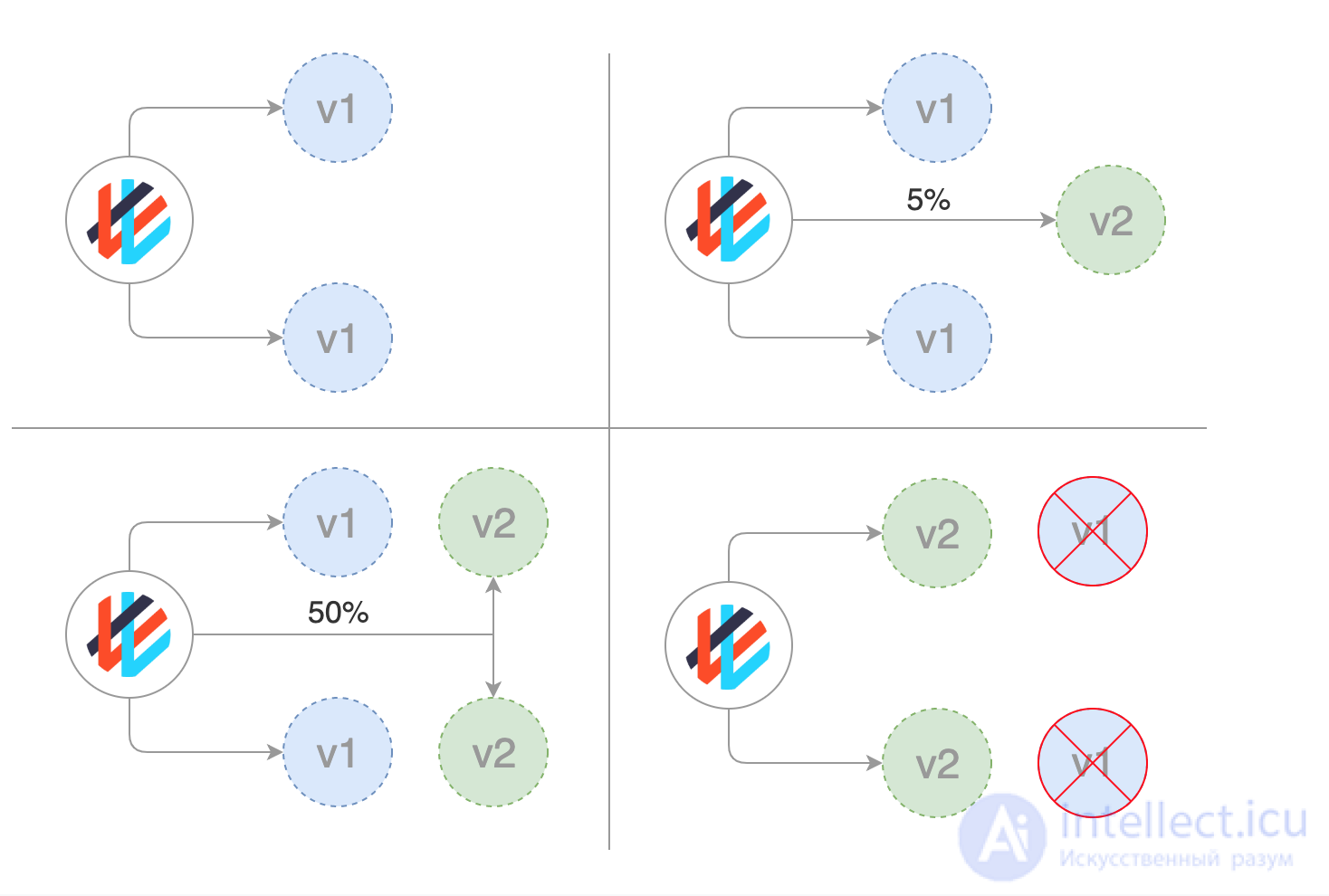
Weaveworks Flagger makes it easy and efficient to manage canary rollouts.
Flagger automates working with them. It uses Istio or AWS App Mesh for routing and switching traffic, as well as Prometheus metrics for analyzing the results. In addition, canary deployment analysis can be augmented with webhooks to run acceptance tests, load tests, and any other types of checks.
Based on a Kubernetes deployment and, if needed, horizontal pod autoscaling (HPA), Flagger creates sets of objects (Kubernetes deployments, ClusterIP services, and Istio or App Mesh virtual services) to perform the analysis and implement canary deployments:
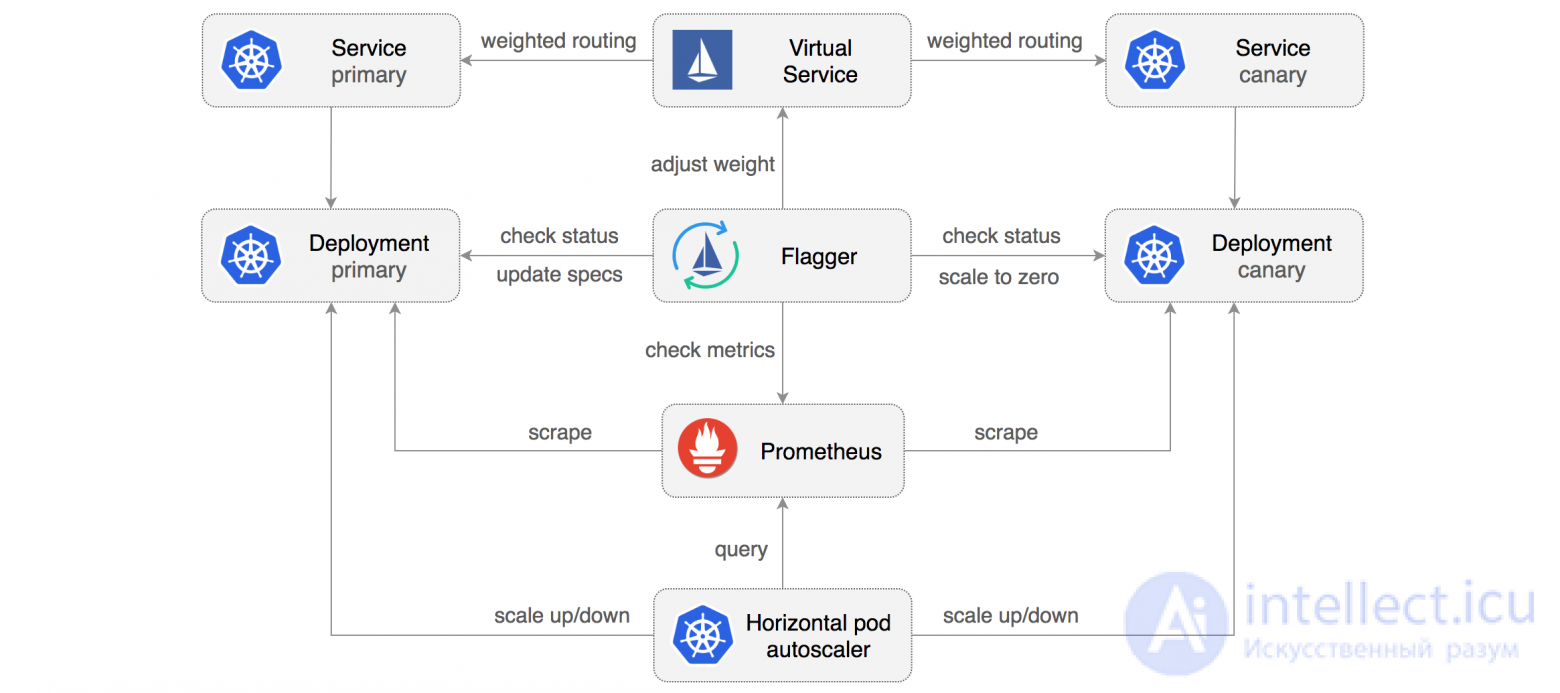
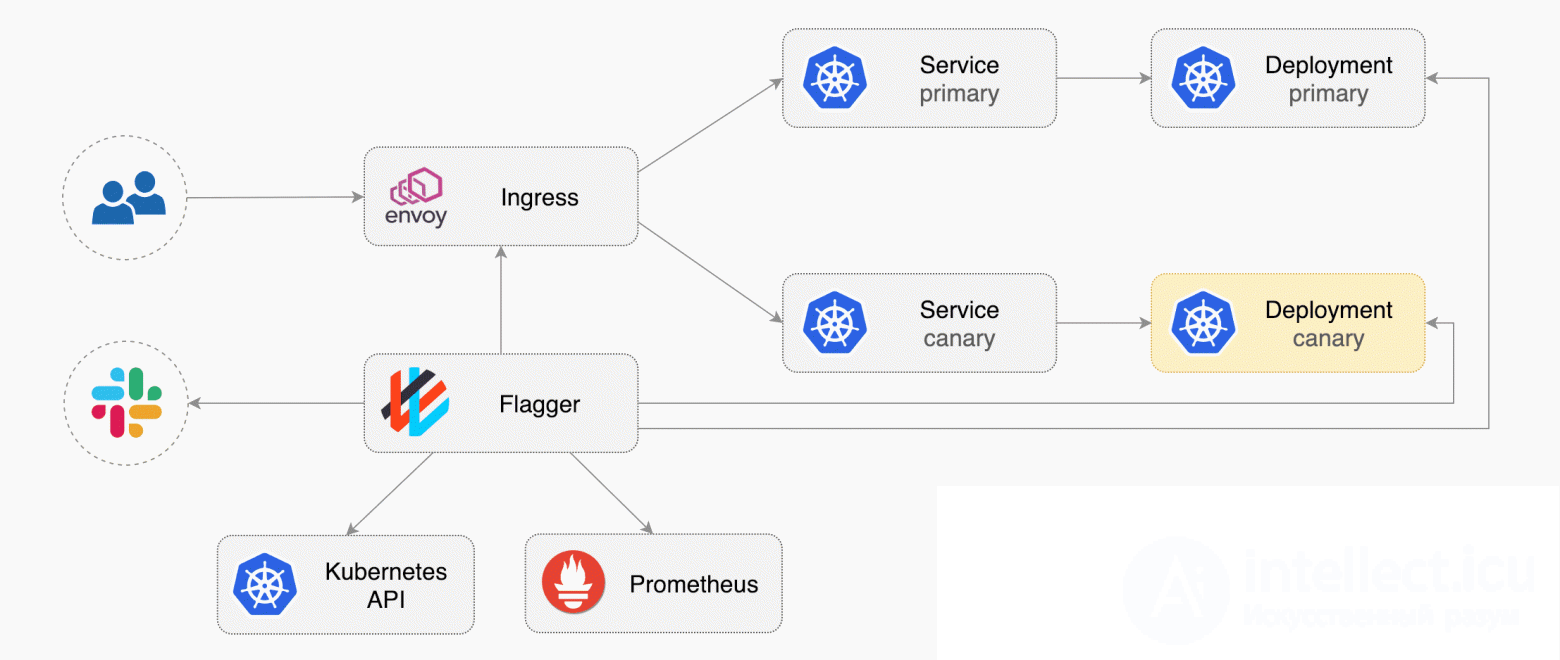
By implementing a control loop (control loop), Flagger gradually shifts traffic to the canary server while simultaneously measuring key performance indicators such as the share of successful HTTP requests, the average request duration, and the health of the pods. Based on the analysis of the KPIs (key performance indicators), the canary portion either grows or is rolled back, and the results of the analysis are published to Slack. A description and demonstration of this process can be found in the article Progressive Delivery for App Mesh.
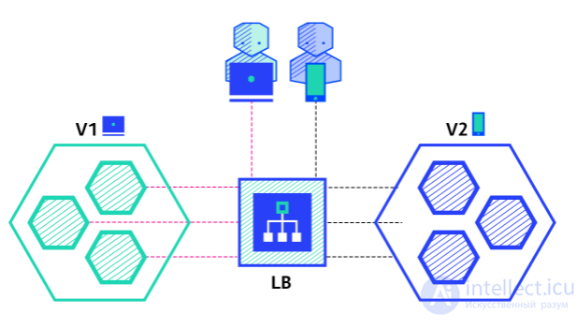
An A / B testing deployment consists of routing a subset of users to new functionality under certain conditions. This is usually a method for making business decisions based on statistics rather than a deployment strategy. However, it is related to and can be implemented by adding extra features to a canary deployment, which is why we will briefly discuss it here.
This method is widely used to test the conversion of a particular feature and to deploy only the version that converts the most.
Here is a list of conditions that can be used to distribute traffic between versions:
Pros:
Cons:
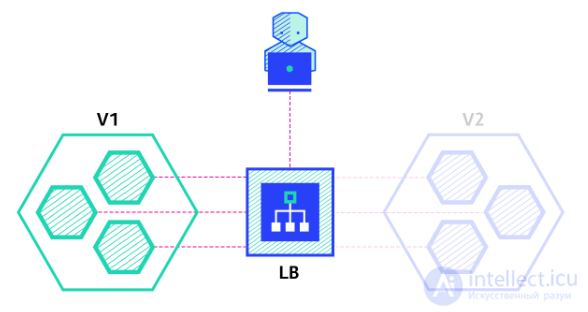
A shadow deployment consists of releasing version B alongside version A, taking version A's incoming requests, and sending them to version B without affecting production traffic. This is especially useful for testing the production load of a new feature. The application rollout is triggered when stability and performance meet the requirements.
This method is quite complex to set up and requires special requirements, especially for outgoing traffic. For example, for a shopping cart platform, if you want to shadow-test the payment service, you might end up making customers pay twice for their order. In this case, you can solve this problem by creating a mock service that replicates the response from the provider.
Pros:
Cons:
A dark deployment is another variation of the canary strategy (which, by the way, Flagger can also work with). The difference between dark and canary deployment is that dark deployments deal with the frontend rather than the backend like canary ones.
Another name for these deployments is A/B testing. Instead of opening access to a new feature to all users, it is offered only to a limited portion of them. Usually these users do not know that they are acting as trailblazing testers (hence the term «dark deployment»).
Using feature toggles and other tools, you can track how users interact with the new feature, whether it engages them or whether they find the new user interface confusing, and other types of metrics.
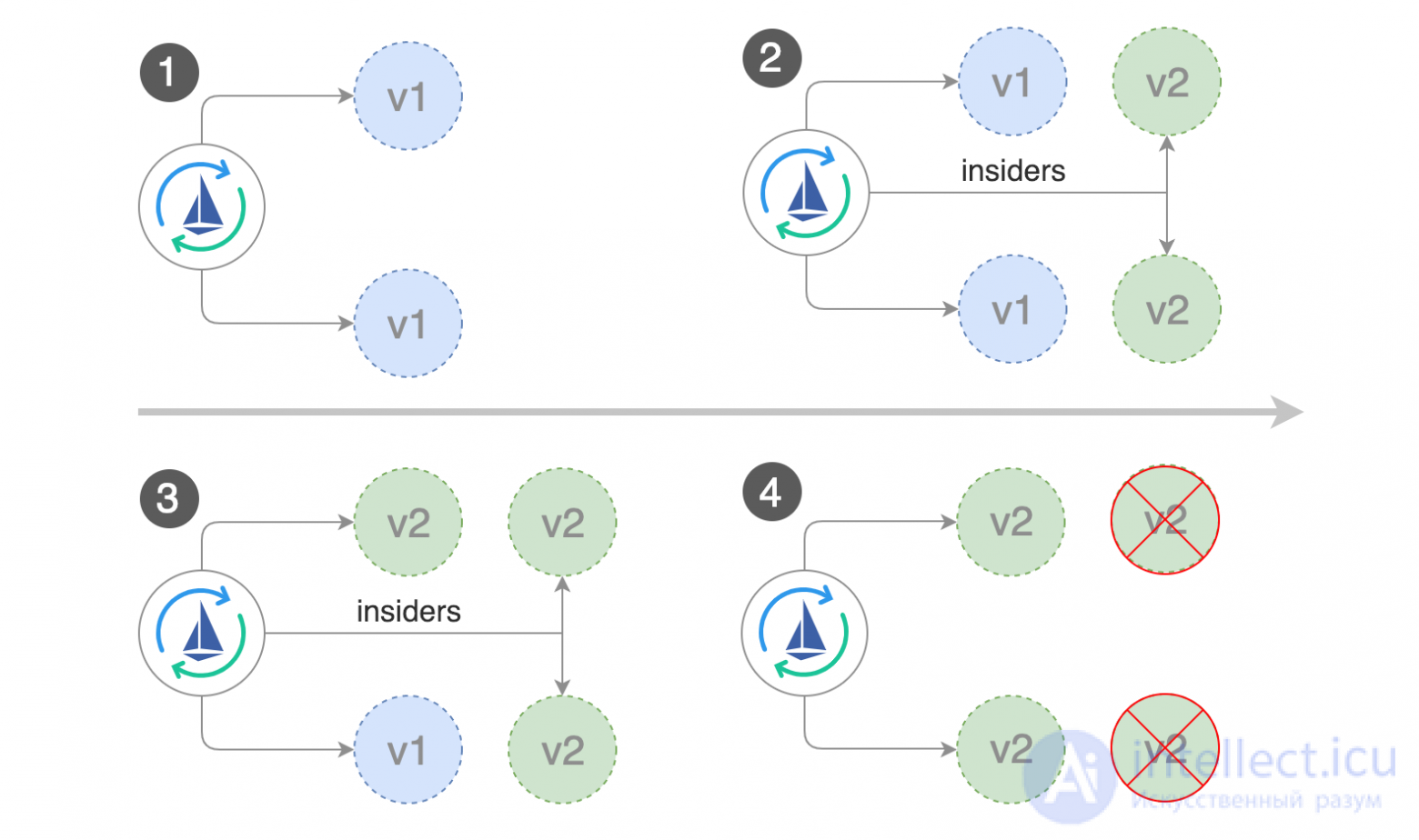
In addition to weight-based routing, Flagger can also direct traffic to the canary server depending on HTTP parameters. In A/B testing, you can use HTTP headers or cookies to redirect a specific segment of users. This is especially effective in the case of frontend applications that require session affinity to a server. More information can be found in the Flagger documentation.
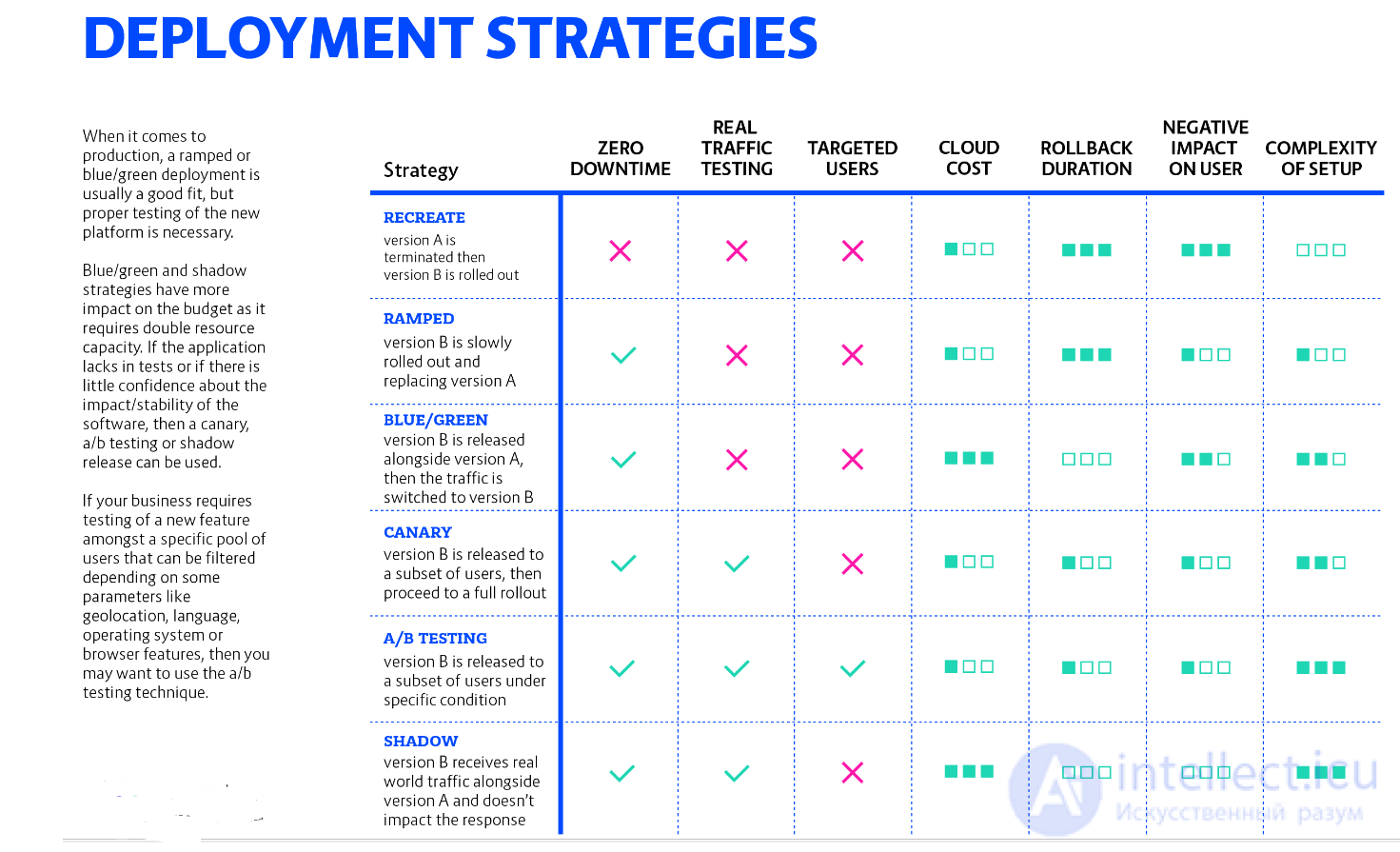
There are several ways to deploy a new version of an application, and it really depends on your needs and budget. When releasing to a development / staging environment, a recreate or ramped deployment is usually a good choice. When it comes to production, a ramped or blue-green deployment is usually a good fit, but proper testing of the new platform is required.
The «blue / green» and «shadow» strategies have a greater impact on the budget, since they require double the resource capacity. If the application lacks tests or there is no confidence in the effectiveness / stability of the software, you can use canary, a / b testing, or a shadow release. If your business requires testing a new feature among a certain pool of users that can be filtered based on some parameters such as geolocation, language, operating system, or browser features, you can use the a / b testing technique.
Last but not least, a shadow release is complex and requires additional work to simulate outgoing traffic, which is mandatory when calling external dependencies with mutating actions (email, bank, etc.). However, this method can be useful when migrating to a new database technology and using shadow traffic to monitor system performance under load.
Below is a diagram that will help you choose the right strategy:

Comments