
Lecture
Here we will look at the most important rules you need to follow when connecting to a third party API. How to correctly build your own (receiving) API will be covered in a separate article on our resource.
Connecting to a third-party API is the process of interacting with external services or data provided by other companies or developers. Here are the main rules and steps to consider when connecting to a third-party API:
Getting access:
Read the documentation:
Set the right rules:
Security:
Error handling:
Monitoring and debugging:
Authorization:
Legal compliance:
Updates and support:
Testing:
Following these rules will help you successfully connect and use a third-party API in your application or project.
The token used for authorization with a third-party API can be used both on the backend and on the frontend. On the backend, the data transmission channel and the data itself, including the token, are completely hidden from the outside world, so additional protection measures are often not required, apart from verifying the authenticity of the sender and of the data for incoming callback data (for example, webhooks).
When it comes to the correct and secure way of implementing frontend authorization using tokens, one of the important aspects is ensuring the reliability and protection of the tokens. For this purpose you can consider mechanisms that guarantee that your token cannot be used on another resource without your permission.
For this purpose you can use additional protection measures, such as checking the HTTP Referer, the sender's IP address, or even using an additional encrypted key. Here is how this can be described nicely:
"To ensure maximum security and protection of user tokens during frontend authorization, we apply additional verification measures. Our system not only checks the validity of the token, but also analyzes a number of additional parameters, including:
HTTP Referer: We require that the token be used only on pages that have a matching Referer associated with our official domains. This guarantees that the token will not be passed to third-party resources without our permission.
Sender's IP address: We also analyze the IP address of the request sender. If it does not match the trusted IP addresses that we have specified, the request will be rejected. This prevents unauthorized access even when a valid token is present.
Additional encrypted key: For an extra level of security we can use an encrypted key together with the token. This key must be decrypted on the server, and if it does not match the expected value, the request will be rejected.
These additional verification measures guarantee that our tokens remain secure and cannot be abused on third-party resources. We pay great attention to security in order to protect the privacy and data of our users.
Since it is impossible to guarantee that a third-party API will work 100% of the time, you need to be prepared in advance for the fact that the third-party API will produce errors. These must be taken into account already at the development stage of your application that connects to the third-party API, and during testing. Errors can occur at three levels. The first level: the third-party API returns a previously declared form of response (HTTP header and response body). The second level of errors you must be ready for: the third-party API returns a completely non-standard response body or HTTP header. Even so, your application must still accept the response and must not stop working; for example, when exceptions occur in JavaScript and are not caught, execution may be interrupted and all the features on your page may stop working entirely. And the third level: the third-party API either responds with a very long timeout or provides no response at all. This is likewise solved by catching exceptions, setting a timeout and using default values, with mandatory logging and notification of DevOps, system administrators or the security team.
Effective error management can significantly increase the reliability and stability of your application.
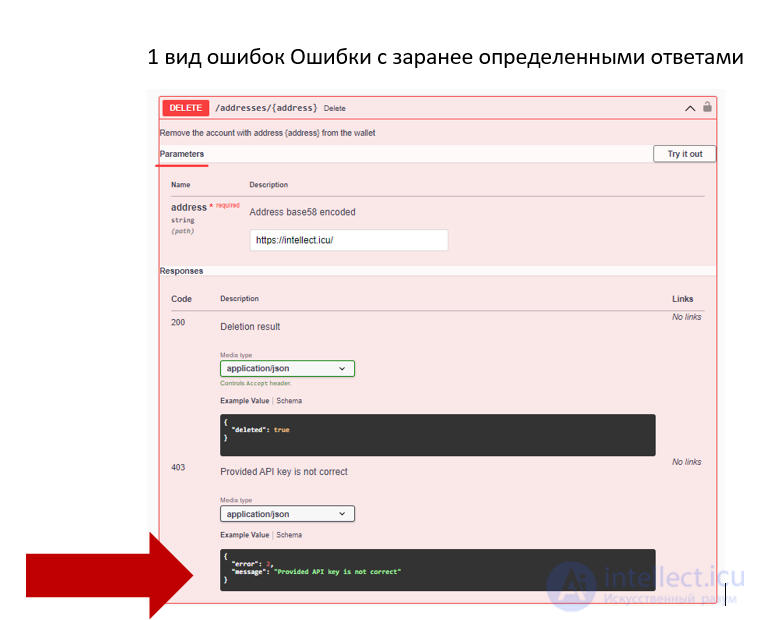
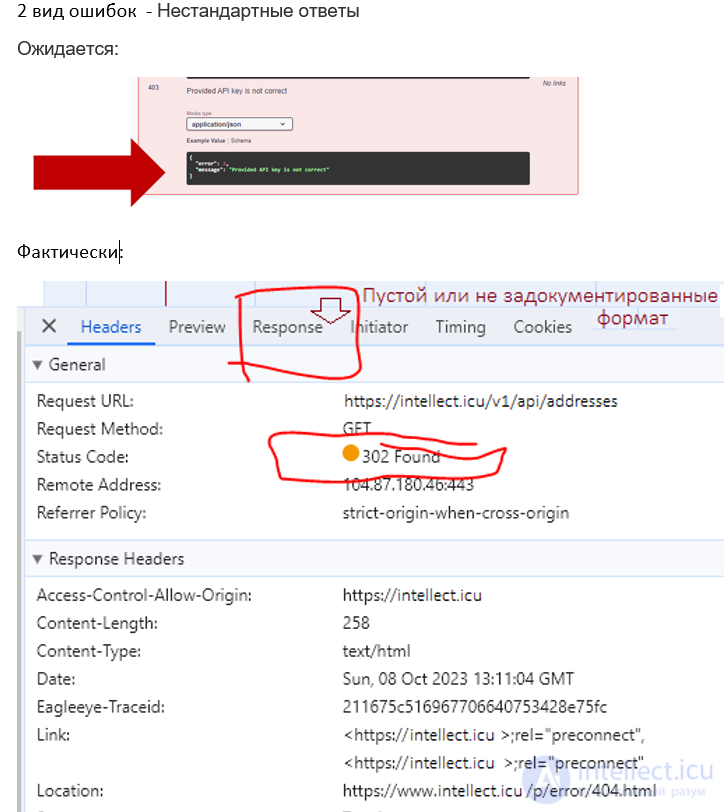
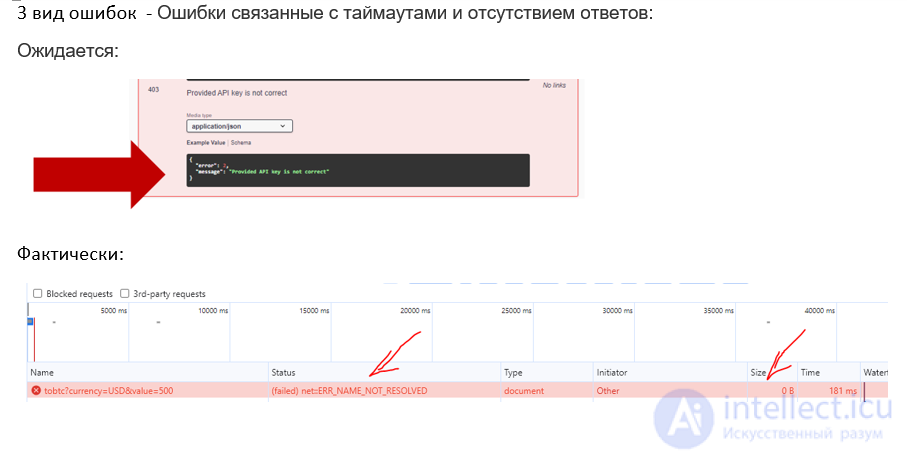
Here is how you are required to handle potential errors at the different levels:
Errors of the first kind (Level 1) — errors with predefined responses:
Errors of the second kind (Level 2) — non-standard responses:
Errors of the third kind (Level 3) — errors related to timeouts and missing responses:
Logging and notifications:
Thus, to solve potential problems when using third-party APIs, you need to:
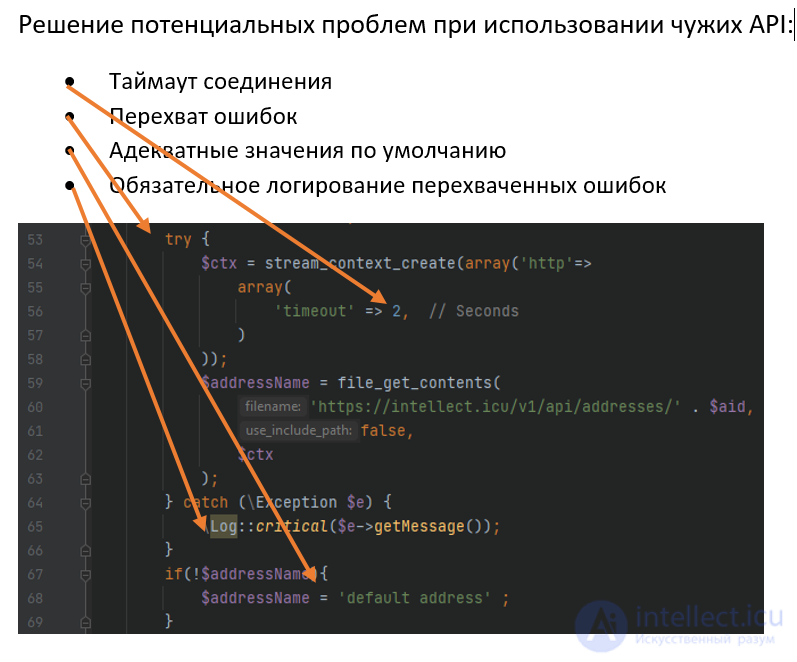
try {
    $ctx = stream_context_create(array('http'=>
        array(
            'timeout' => 2,  // Seconds
        )
    ));
    $addressName = file_get_contents(
        'https://intellect.icu/v1/api/addresses/' . $aid,
        false,
        $ctx
    );
} catch (\Exception $e) {
    \Log::critical($e->getMessage());
}
if(!$addressName){
    $addressName = 'default address' ;
}
It is also important to have well-structured and easily readable code in order to make debugging and error handling simpler. Error handling is an integral part of development, and understanding the possible problems and the ways to solve them at different levels will help you create a reliable and stable application.

Comments