Image Scanners: History, Types, Operating Principles and Uses

Lecture 10 min.


An image scanner (English scanner) is a device that converts an image placed on a flat medium (most often paper) into digital form. The process of obtaining such a digital copy is called scanning.

During scanning, an analog-to-digital converter (ADC) creates a digital description of the image of an object external to the computer, which is then passed to the computer through the input/output system.

A scanner is a specialized device used to convert images of a chosen surface into digital form. Such surfaces may be the pages of books, magazines or notebooks, photographs, slides and other documents containing graphics and text. Scanning devices can operate as a PC peripheral or as a stand-alone device, that is, they can send the scanned image over a wide-area network or Wi-Fi on their own.

Scanning technology first appeared in 1857, thanks to the Florentine abbot Giovanni Caselli. He created a device called the pantelegraph, which transmitted images over wires. At the receiving end the image was applied to a drum with conductive ink and then read off by a needle. Five years later the photoelectric scanning principle was patented. Later on, devices working on this technology came to be called telefax machines. Modern scanning devices have changed considerably; they have become an order of magnitude more efficient and productive.
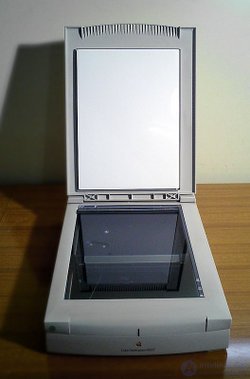

Image Scanners: History, Types, Operating Principles and Uses

Image Scanners: History, Types, Operating Principles and Uses

An image of fabric made with a scanner

History

In 1857 the Florentine abbot Giovanni Caselli (Italian Giovanni Caselli) invented a device for transmitting images over a distance, later named the pantelegraph. The transmitted picture was applied to a drum with conductive ink and read off by means of a needle.
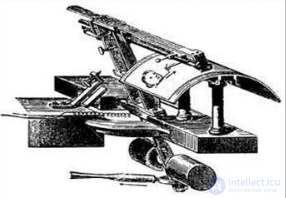
Image Scanners: History, Types, Operating Principles and Uses

In 1902 the German physicist Arthur Korn (German Arthur Korn) patented a photoelectric scanning technology that later became known as the telefax. The image to be transmitted was fixed to a transparent rotating drum; a beam of light from a lamp moving along the drum's axis passed through the original and, by way of a prism and a lens mounted on the drum's axis, reached a selenium photodetector. This technology is still used in drum scanners.
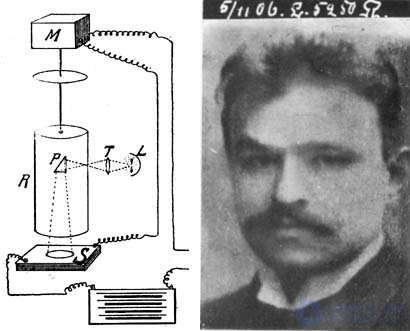
Image Scanners: History, Types, Operating Principles and Uses

At the beginning of the 20th century the German physicist Korn invented the "phototelegraph". Mechanical scanning of the image was carried out along two coordinates, illuminating each point individually.

The phototelegraph, or Bildapparat, was an early facsimile technology developed to transmit halftone images over a distance. The phototelegraph was widely used in news photojournalism from the first half of the 20th century until digital technology and the Internet became widespread. The Associated Press began regular transmission of pictures from event locations to its head office in 1935 . The Soviet "Fotokhronika TASS" equipped its correspondent offices with phototelegraph equipment in 1957 . Photographs transmitted by phototelegraph were called "telefoto" in the USSR and "Wirephoto" in Western countries. Among professionals such a telephoto print was called a "Bild".
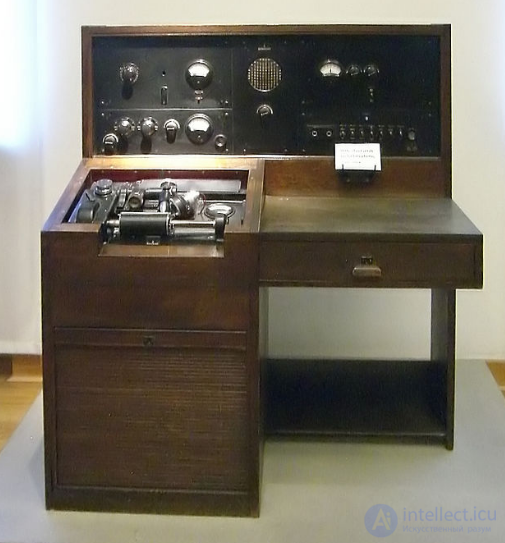
Image Scanners: History, Types, Operating Principles and Uses

A German Bildapparat of 1940

Later, as semiconductors developed, the photodetector was improved and the flatbed scanning method was invented, but the principle of image digitization itself remains almost unchanged.

Types of scanners

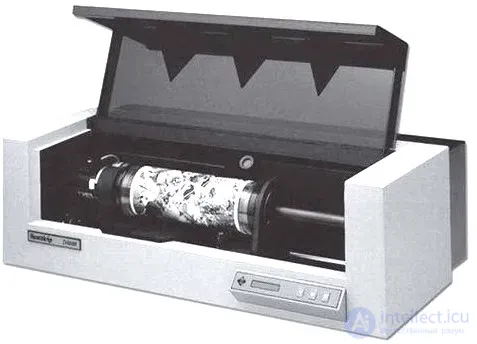
There are handheld, sheet-fed (English Sheet-Feed), flatbed and projection scanners. One variety of projection scanner is the slide scanner, intended for scanning photographic film. High-quality printing uses drum scanners, in which a photomultiplier tube (PMT) serves as the light-sensitive element.

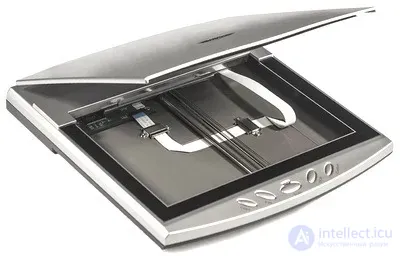
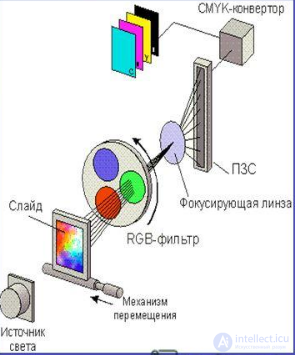
A single-pass flatbed scanner works by moving a scanning carriage carrying a light source along the image being scanned, which lies on a stationary transparent glass. The reflected light passes through the scanner's optical system (consisting of a lens and mirrors or a prism) and reaches three CCD-based photosensitive semiconductor elements arranged parallel to one another, each of which receives information about one component of the image.
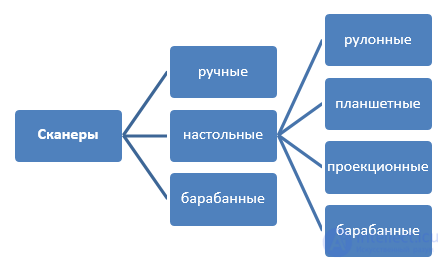
Image Scanners: History, Types, Operating Principles and Uses

Broadly speaking, a scanner may be:
  • Industrial grade.
  • Consumer grade.

Industrial units are used in various kinds of production. They must meet high requirements for speed, scanning quality, reliability and other operating parameters, since they are designed for continuous operation. Home units are used rarely, and as a result they are cheaper and less productive. Nevertheless, devices for the home have lately been produced whose scanning speed is no worse than that of industrial models.
By field of application, scanning devices may be:
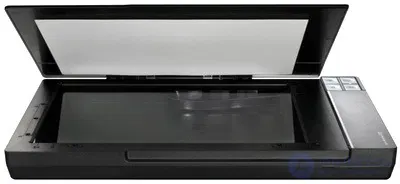
  • The flatbed type. This is the most popular type for home use. Here the object to be scanned is placed on a glass platen. A photoelectric carriage with optical elements travels along the platen, and the picture being read is converted into a digital code. Flatbed models are as a rule inexpensive, light and convenient to work with.

Image Scanners: History, Types, Operating Principles and Uses

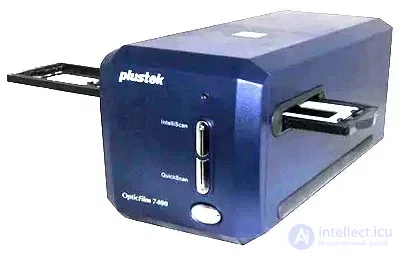
  • The film type. This is a specialized device used only for scanning transparent objects, for example, transparencies, negatives or slides. Devices of this kind are often used by studio staff or professional photographers. In the home such devices are rarely used, since people prefer to use the services of photo studios.

Image Scanners: History, Types, Operating Principles and Uses

  • The drum type. In it the image to be scanned is mounted on a rotating drum. The digital image is captured by a beam as the drum rotates. Such devices provide very high picture quality. However, they are expensive and large, and as a result only large companies use them. They are mainly used in the printing industry.

Image Scanners: History, Types, Operating Principles and Uses

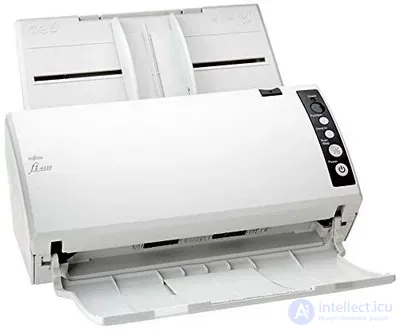
  • Sheet-fed scanners. Such devices are used for unbound documents. They are often called document scanners, since they make it possible to automate the scanning of large volumes of office paperwork. They work on the principle of automatic sheet feeding. The system pulls the material being scanned through the photo-reading system, which is why they are often called production scanners. However, such devices cannot scan fastened sheets.

Image Scanners: History, Types, Operating Principles and Uses

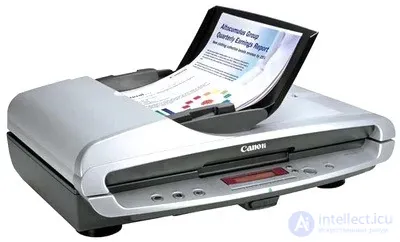
  • Flatbed/sheet-fed scanners are a combination of sheet-fed and flatbed devices.

Image Scanners: History, Types, Operating Principles and Uses

  • Passport scanners. These devices are adapted for scanning driver's licenses, passports and other identity documents. They stand out for their compactness and good scanning speed.

Image Scanners: History, Types, Operating Principles and Uses

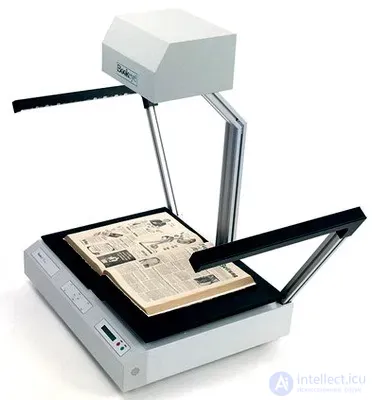
  • Planetary scanners. They provide contactless scanning of magazines and documents. These devices are often used to digitize originals that require delicate handling, for example, historical documents that time has not spared.

Image Scanners: History, Types, Operating Principles and Uses

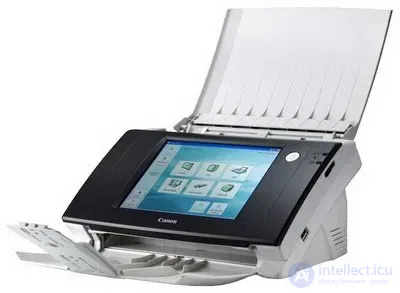
  • Network scanners. They are connected directly to the network infrastructure without using a PC. Thanks to this, every employee of a company can scan documents, sending them by e-mail or saving them to a network folder.

Image Scanners: History, Types, Operating Principles and Uses

  • Handheld scanners. These devices are also divided according to their operating principle;
    • the device is held in the hand and drawn across the surface;Image Scanners: History, Types, Operating Principles and Uses
    • a pen scanner, or scanning wand. It scans line by line; Image Scanners: History, Types, Operating Principles and Uses
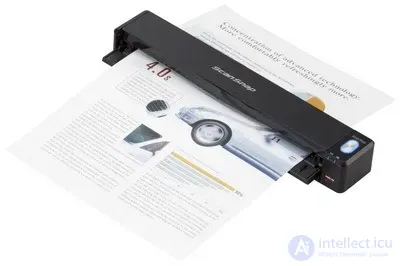
    • something like a sheet-fed device, but of small dimensions.Image Scanners: History, Types, Operating Principles and Uses
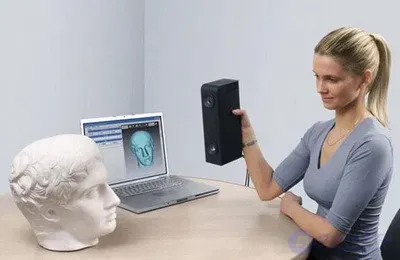
  • 3D scanner. This is a special kind of scanning device. It analyzes an object and, on the basis of the data obtained, creates a 3D model. Such devices are also divided into contact and contactless types.

Image Scanners: History, Types, Operating Principles and Uses

Design
A book scanner has the following main components:
  • The scanning head, which is located a short distance above the image. In most cases it is built as a scanning bar and performs the scan by traveling from one end of the book or magazine to the other.
  • A number of models have a book cradle, which is required to keep the height of the book's surface even. A pressure glass may be used to flatten the page and reduce distortion. V-shaped cradles may be used for books.
  • The heads often contain image sensors similar to those in digital cameras. In these units scanning takes place during the time the shutter is open, which speeds up the process. The image sensor converts the light reflected from the image into analog electrical signals (AES).
  • The (AES) signals pass through an analog-to-digital converter. It converts the analog signal into digital form.
  • The processor coordinates the interaction of all the units of the device and, among other things, assembles the picture data for subsequent transmission to the PC.
  • The interface controller manages the exchange of data and commands between the PC and the scanner.
  • The lamp is mounted on the scanning carriage.
  • A stepper motor and a control unit drive the carriage and the scanning head on it.
Operating principle

A scanner performs the scanning function in order to send a digital image to a PC or send it by mail. To this end the object is placed on the device's transparent glass. When the unit is started, the carriage is set in motion and begins to glow. The device's optical system, which includes a lens and mirrors, directs the light flux from the scanned surface of the object onto the receiving element. There the data is converted.

The analog signal is routed to a converter, where it is turned into a digital code. Next the controller comes into play, transmitting the code over a cable to the personal computer. On the PC the resulting image can be edited and used as intended.

Scanning technology

Image Scanners: History, Types, Operating Principles and Uses

Image Scanners: History, Types, Operating Principles and Uses

The general operating principle of scanners Light from a special lamp falls on the original being scanned at a particular point, is reflected and directed to the scanner's optical system. The optical system focuses the light on a charge-coupled device (CCD). The result is a signal containing information about the color at that point of the original image. An analog-to-digital converter (ADC) serves to bring the signal into a form "understandable" to the computer. From the ADC the digital signal goes to the computer, where it is analyzed by the scanner software.

Applications

Scanners are used to input pictures into a computer, where they can immediately be processed in a graphics editor. Scanners input a flat image into a computer better than digital cameras do

Scanners are used in a wide variety of fields of activity, in:
  • Companies and organizations, where the device is used for scanning documents.
  • The printing industry.
  • Photo studios.
  • Industry.
  • Libraries.
  • Scientific laboratories.
  • Schools, colleges and universities.
  • The home, and anywhere there is a need to scan an image from a book, document, magazine, photograph, slide and so on.

See also

  • [[b3098]]
  • Film scanner
  • 3D scanner
  • Handheld scanner
  • Spotlight (graphics editor) — software for wide-format scanners
  • RasterDesk — software for wide-format scanners
  • Colortrac — wide-format scanners
  • Motion picture film scanner
  • Optical character recognition
  • Production document scanning

See also

created: 2014-09-30
updated: 2026-03-10
537


Was this answer useful?
Choose a quick rating so we can improve the next answer for you.
How satisfied are you?


Comments

To leave a comment

If you have any suggestion, idea, thanks or comment, feel free to write. We really value feedback and are glad to hear your opinion.
To reply

Lectures and tutorial on "Electromechanical devices of electronic devices"

Terms: Electromechanical devices of electronic devices