
Practice
protocol, SSL certificates are used. HTTPS is now gaining significant popularity, and companies like Google are trying to get more and more websites to use SSL to protect their data and set up a more secure connection. On the other hand, the Let's Encrypt service has appeared, which lets everyone get an SSL certificate completely free of charge. In this article we'll look at how to install an Apache SSL certificate from Let's Encrypt.
I'll assume that Apache is already installed and configured to work over HTTP. If that's not the case, check out the article on installing and configuring Apache. Before moving on to configuring the web server itself, we need to obtain an SSL certificate, and for that we need to install the service's client on the system.
We'll install the Let's Encrypt client from the official repositories. The official Let's Encrypt client is called certbot; the Ubuntu 16.04 repositories have a simplified version - Letsencrypt. Its functionality is completely sufficient for our purposes. To install it, run the following commands:
After this, the client will be ready to use.
If Apache is configured to work over HTTP, then before going any further, SSL must be configured in Apache. We need to enable the ssl module and turn on SSL usage by default.
To enable the module, run:
To use SSL by default, enable the configuration file:
All that's left is to restart the web server to apply the changes:
Installing an SSL certificate using the Let's Encrypt client is very simple. The client will automatically request and install a new certificate for a domain that belongs to you.
To get a certificate for a single domain, just pass that domain as a command parameter:
If you need to make the certificate valid for multiple domains or subdomains, you can pass them as additional parameters. The first domain name will be the primary one, so it's recommended to pass the top-level domain first, followed by the subdomains:
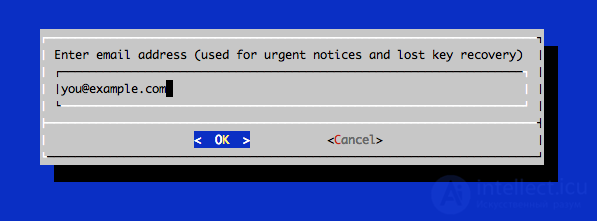
Next you will need to enter a few settings for the certificate; first specify the email address that will be used to recover a lost key or send notifications:
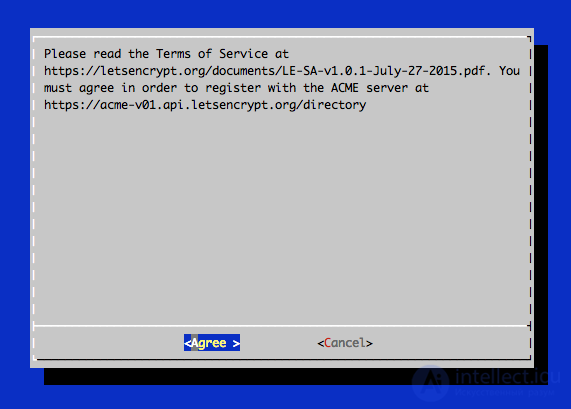
Then accept the Let's Encrypt license agreement:
The utility will configure the Apache web server itself; you'll only need to choose whether to allow http traffic or redirect everything to https right away. It's safer and more correct to redirect all incoming traffic to https.
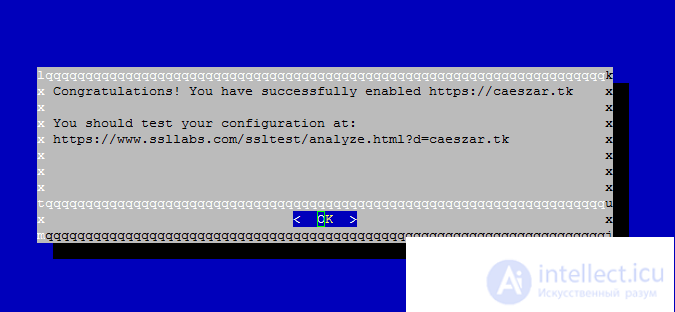
Once the Apache Ubuntu SSL certificate installation is complete, you will find the created certificate files in the /etc/letsencrypt/live folder. This folder will contain four files:
Now you can access the site via https. To check how SSL works and whether the ssl certificate installation on the site was done correctly, you can open the following link in your browser:
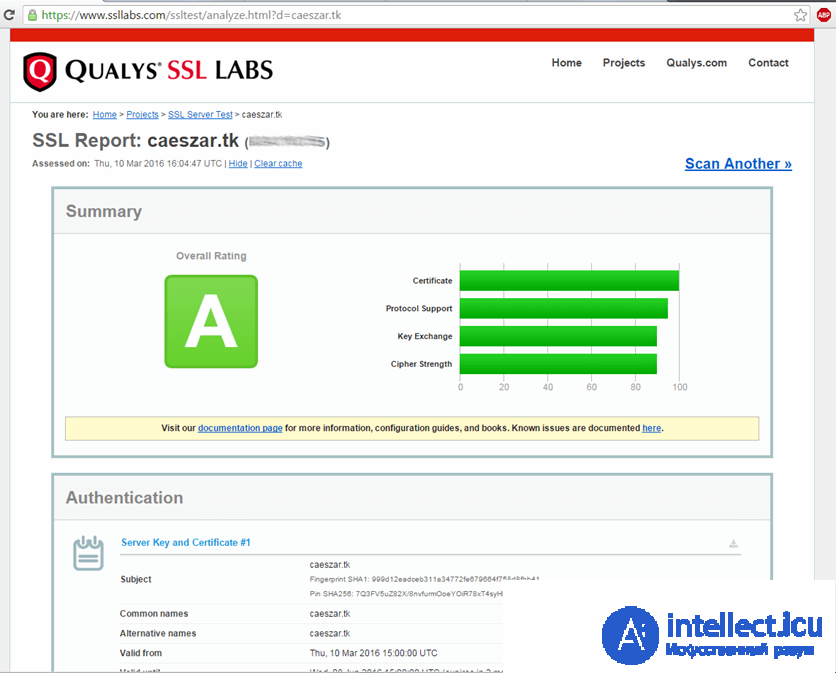
The ssl Apache configuration is complete. But there is one downside: all certificates obtained from Let's Encrypt are valid for only 90 days, and it is recommended to renew them every 60 days. The letsencrypt client has a renew command that lets you check installed certificates and update them if less than 30 days remain before expiration.
To start the renewal process for all configured domains, run:
If the certificate was issued recently, the command will check its expiration date and print a message that renewal isn't needed yet. If you created a certificate for several domains, only the primary domain will be shown in the output. But the renewal will apply to all of them.
The simplest way to automate this process is to add a call to the utility to the cron scheduler. To do this, run the command:
Then, in the text editor that opens, add a line and save the changes:
This way, we've created a task that will run the renewal command every Monday at 2:30 AM. Information about the result of the run will be saved to the file /var/log/le-renewal.log.
In this article we looked at how to install an ssl certificate with apache lets encrypt. This will help protect your site from MITM attacks, traffic eavesdropping and modification, and thanks to the current trend of encouraging a move to https, it can also have a positive effect on traffic growth.

Comments