
You get a bonus - 1 coin for daily activity. Now you have 1 coin

Variables - environment, shell, and dynamic bash/sh: creating and using them in shell scripts

Practice


Variables can be divided into two categories:

  • Environmental Variables - these are variables that are defined for the current shell and are inherited by any child shells or processes. Environment variables are used to pass information to processes that are spawned from the shell.
  • Shell Variables - these are variables that exist exclusively within the shell in which they were set or defined. They are often used to track ephemeral data, such as the current working directory.

What do I mean by "dynamic" variables?

For example, we have 3 variables:

first_var='Number1'
second_var='Number2'
third_var='Number3'

and a variable that sets what the first part of the name of the variable we need should be:

type='second'

How can we, in bash and sh scripts, use the type variable (or any other) like this in order to dynamically reference some other variables?


Here's a piece of example solution code:

#!/bin/sh

first_var='Number1'
second_var='Number2'
third_var='Number3'

type='second'

eval new_var=\$${type}_var
echo $new_var


Here we can see that we:

  • create three variables (first_var, second_var, third_var)
  • assign the type variable the value of the variable name part
  • create a new variable new_var via the eval construct
  • and can use the new_var variable, which becomes equal, in this example, to the second_var variable

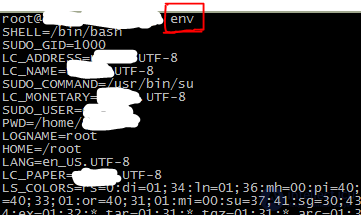
How to view environment variables? what command can be used to output the value of all unix environment variables?

We can see the list of all our environment variables using the commands env or printenv
Variables - environment, shell, and dynamic bashsh: creating and using them in shell scripts

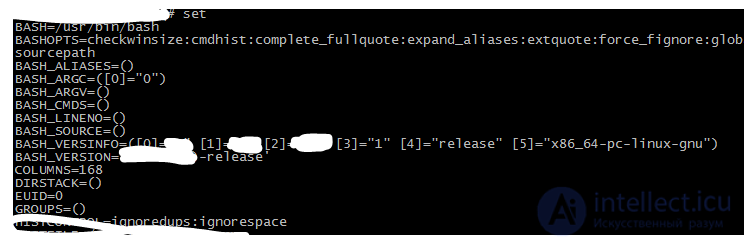
How to view shell variables?

For this you can use the set command. If we enter set without any additional parameters, we get a list of all shell variables, environment variables, local variables and shell functions:
Variables - environment, shell, and dynamic bashsh: creating and using them in shell scripts
Other constructs can be created in a similar way.

Comments

To leave a comment

If you have any suggestion, idea, thanks or comment, feel free to write. We really value feedback and are glad to hear your opinion.
To reply

Lectures and tutorial on "LINUX operating system"

Terms: LINUX operating system