
Practice
Probably every system administrator who spends time in PuTTY managing *nix servers or machines, whether Linux or BSD, has wondered at some point - how do you copy to or paste from the clipboard in it?
In the shell, the usual method worked: Ctrl+C on a highlighted section and the right mouse button to paste. But in Midnight Commander, for example, this method no longer works.
So let's take a look at how to properly work with the clipboard in PuTTY, in a way that works both in a bash or sh command line and in your favorite MC. In this case, the clipboard will also be accessible from Windows - i.e. whatever you copied from the PuTTY window will be available in any Windows application. And vice versa.
1. Method one: copying from any application into PuTTY
Copying to the clipboard
To do this:
The text is copied to the clipboard.
Pasting from the clipboard
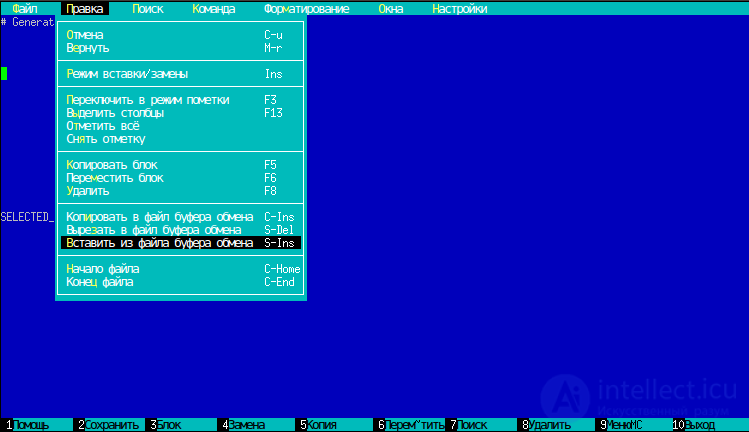
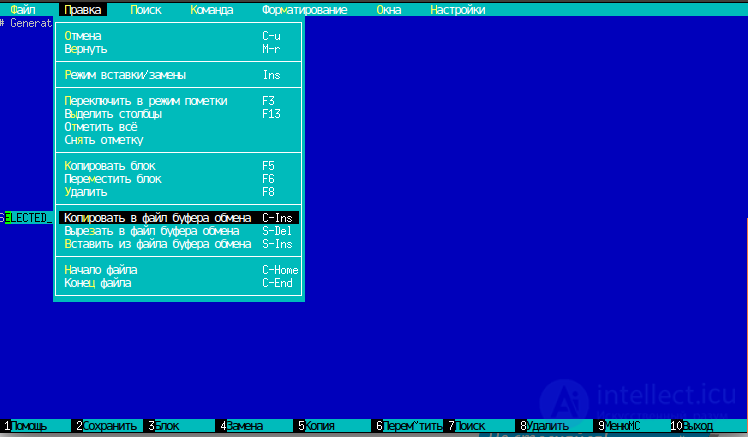
2. Method two, using the built-in clipboard of the built-in text editor (not accessible from other applications)
this method lets you copy between file texts within PuTTY itself
1. Select the desired text
2. In the Edit menu, choose Copy to Clipboard File
3. Close the editor
4. Open the other file you want to paste the text into
5. Move the cursor to where you want to paste the text
6. Open the Edit menu and choose Paste from Clipboard File


Comments