
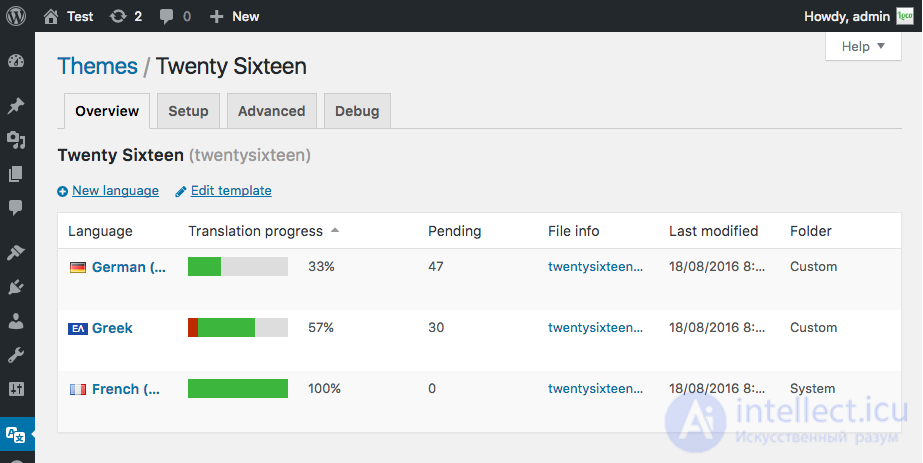
WordPress: how to translate a theme or plugin using Loco Translate?

Practice


1. install the plugin

Loco Translate

WordPress: how to translate a theme or plugin using Loco Translate?

launch the plugin and

in the menu

Translations have been recently modified in the following bundles:

go to the corresponding theme or plugin

2. go to the translation template and add a new string via the plugin (Edit template), save,

2 then click Sync (with the string template)
3. (add a language if you haven't already) in the translation ro+mo file add the corresponding translation via the plugin
4. if the translation doesn't appear, find it in the template and add the translation domain (theme)

- Outputs the returned translated text to the browser

- Gets the translated string

5.1 if the translation still didn't work after this, check whether your theme's functions.php file has

$var_load_textdomain = (new WP_Theme())->load_textdomain();

5.2 if you're using a plugin, check that the plugin's class has

load_textdomain('название плагина(домен)', ABSPATH . 'wp-content/plugins/путь к плагину/lang/домен-плагина-' . get_locale() . '.mo');

Comments

To leave a comment

If you have any suggestion, idea, thanks or comment, feel free to write. We really value feedback and are glad to hear your opinion.
To reply

Lectures and tutorial on "Running server side scripts using PHP as an example (LAMP)"

Terms: Running server side scripts using PHP as an example (LAMP)