
Lecture Tests
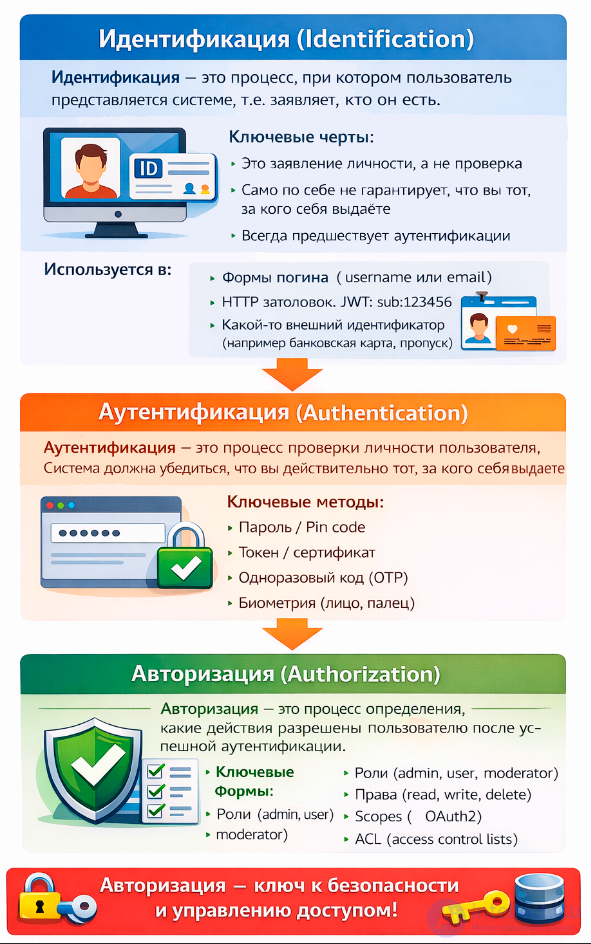
Access Control is a comprehensive process that includes:
Authorization is the process that allows a user to gain access to certain resources or functions of a system after successful authentication. It includes checking access rights and determining which actions a user can perform. Authorization is the process that follows identification and authentication.
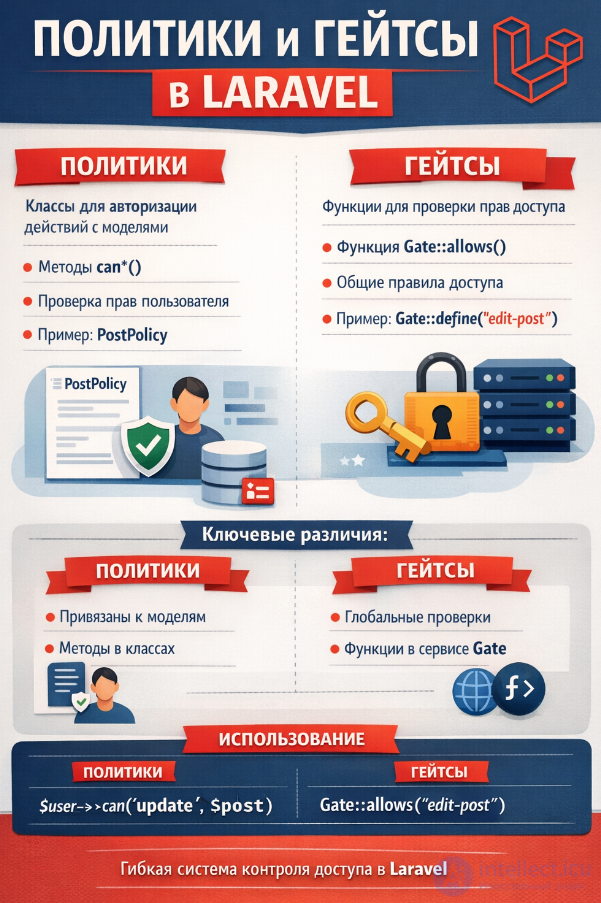
In Laravel, the authorization system is built around two key concepts — Policies and Gates.
Policies are classes that describe access rules for specific models. For example, you can define who can create, edit, or delete posts. Policies are convenient to use when you need to tie access rights to specific database objects.
Gates are global authorization checks defined as functions. They are suited for simple rules that are not tied to a specific model. For example, you can create a gate that checks whether a user is an administrator.
Laravel also provides convenient methods and directives:
Thus, policies and gates allow flexible management of access to resources and actions in an application.
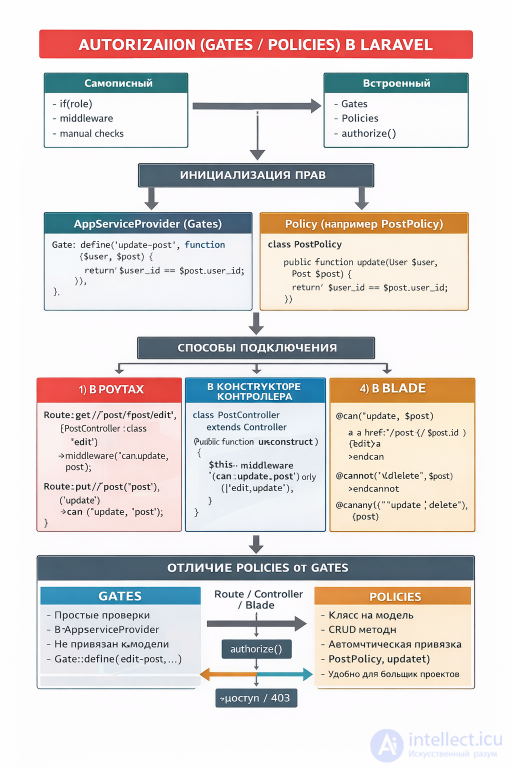
In Laravel, a policy tied to models is used to authorize actions on specific Eloquent model instances. A policy is linked to a model and defines methods (view, update, delete, etc.) that are automatically checked through controllers, routes, and Blade.
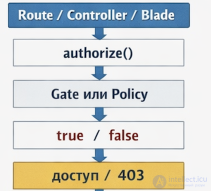
order of checking
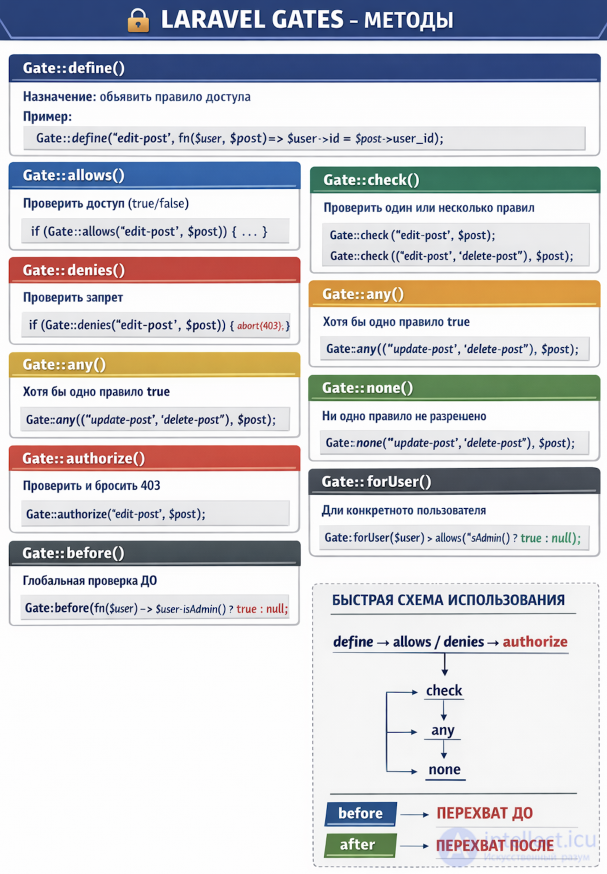
In Laravel, Gate::before and Gate::after allow you to intercept the authorization process before and after the execution of specific rules. before is more often used for global rights (for example, an admin always has access), while after is used for logging or additional checks after the main decision.
Gate::before: executed before checking a specific rule. If it returns true or false, that result will be final and the rules will not be checked.
Gate::after: executed after checking a rule. It can be used for logging, auditing, or additional logic, but does not change the original decision (unless it explicitly returns true/false).
Example of using Gate::before and Gate::after
use Illuminate\Support\Facades\Gate;

Gate::before(function ($user, $ability) {
    // Admin always has access
    if ($user->isAdmin()) {
        return true;
    }
});

Gate::after(function ($user, $ability, $result) {
    // Log the authorization result
    \Log::info("User {$user->id} tried {$ability}: " . ($result ? 'granted' : 'denied'));
});
In before, it is checked whether the user is an admin. If so — access is granted without checking the remaining rules.
In after, the check result is recorded (for example, for auditing or statistics).
When to apply Gate::before and Gate::after in Laravel
before:
Global rights (for example, super-admin).
Universal exceptions (for example, users with a certain role).
after:
Logging and auditing actions.
Sending notifications about access attempts.
Additional checks that should not affect the main decision.
Comparison of Gate::before and Gate::after
| Characteristic | Gate::before | Gate::after |
|---|---|---|
| Execution time | Before checking rules | After checking rules |
| Can change the result | Yes | Usually no (only if explicitly returned) |
| Typical tasks | Global rights, super-admin | Logging, auditing, notifications |
| Application | Universal exceptions | Analytics and monitoring |
In a real Laravel project:
before is convenient to use for admins or system users, so as not to write their rights into every policy.
after is useful for logging actions, especially in corporate systems, where it is important to track access attempts.
php artisan make:policy PostPolicy --model=Post
The --model=Post flag immediately links the policy to the Post model.
The PostPolicy class will have the methods: view, create, update, delete, restore, forceDelete.
In AuthServiceProvider:
protected $policies = [
    \App\Models\Post::class => \App\Policies\PostPolicy::class,
];
Laravel will automatically pick up the policy for the model.
Direct check:
public function update(Post $post)
{
    $this->authorize('update', $post);
    // update the post
}
Resource check:
public function __construct()
{
    $this->authorizeResource(Post::class, 'post');
}
Here 'post' — the name of the route parameter through which the model is extracted.
The authorize method
public function update(Post $post)
{
    $this->authorize('update', $post);
    // update logic
}
Checking the policy for a specific action.
The authorizeResource method In the controller's constructor you can bind resource methods to a policy:
public function __construct()
{
    $this->authorizeResource(Post::class, 'post');
}
Now the index, show, create, update, delete methods will be checked automatically.
Route::delete('/posts/{post}', [PostController::class, 'destroy'])
    ->middleware('can:delete,post');
The can middleware checks the delete policy method for the Post model.
Via the can middleware
Route::get('/post/{post}/edit', [PostController::class, 'edit'])
    ->middleware('can:update,post');
Here the update policy is checked for the Post model.
For resource routes, you can combine this with authorizeResource in the controller, so as not to write middleware by hand.
The @can directive
@can('update', $post)
    a href="{{ route('post.edit', $post) }}" Редактировать /a
@endcan
The @cannot directive
@cannot('delete', $post)
    p Удаление недоступно /p
@endcannot
The @canany directive
@canany(['update', 'delete'], $post)
    p Вы можете редактировать или удалять пост/p
@endcanany
@can('update', $post)
    a href="{{ route('posts.edit', $post) }}" Редактировать/a
@endcan

@cannot('delete', $post)
    p Удаление недоступно
| Controller method | Policy method | Model parameter |
|---|---|---|
| index | viewAny | — |
| show | view | Post $post |
| create | create | — |
| store | create | — |
| edit | update | Post $post |
| update | update | Post $post |
| destroy | delete | Post $post |
| Place of application | Example | When to use |
|---|---|---|
| Controller | $this->authorize('update', $post) | Logic inside the method |
| Controller (resource) | $this->authorizeResource(Post::class, 'post') | Automatic check for CRUD |
| Route | ->middleware('can:update,post') | Restricting access at the route level |
| View | @can('update', $post) | Displaying interface elements |
Using Gates and Policies in Laravel to filter data by owner is a correct and recommended approach, but it is important to understand their purpose: they are responsible for authorizing actions, not for the data selection itself. To filter Eloquent queries, it is better to combine policies with query scopes or middleware.
// PostPolicy.php
public function view(User $user, Post $post)
{
    return $user->id === $post->user_id;
}
public function index()
{
    $posts = Post::where('user_id', auth()->id())->get();
    return view('posts.index', compact('posts'));
}
// In the Post model
public function scopeOwnedBy($query, $userId)
{
    return $query->where('user_id', $userId);
}

// Usage
$posts = Post::ownedBy(auth()->id())->get();
 // PostPolicy.php
public function viewAny(User $user)
{
    return $user->role_id === RolesEnum::ADMIN->value;
}

// In the Post model
public function scopeOwnedBy($query)
{
    if (auth()->user()->can('viewAny', Post::class)) {
        return $query; // admin sees everything
    }

    return $query->where('user_id', auth()->id());
}
or
 // PostPolicy.php
public function viewNotOwner(User $user)
{
    // for example, a moderator can see other people's posts
    return $user->is_moderator;
}

// In the Post model
public function scopeVisibleFor($query)
{
    $user = auth()->user();

    if ($user->can('viewNotOwner', Post::class)) {
        // a moderator sees all posts except their own
        return $query->where('user_id', '!=', $user->id);
    }

    // a regular user sees only their own
    return $query->where('user_id', $user->id);
}
But if these are mixed together, the code becomes less transparent: the scope starts handling authorization tasks, even though its role is only filtering, and it is architecturally less clean.
In Laravel, policies can be used in several layers of the application — controllers, routes, and even views.
| Approach | Pros | Cons | When to use |
|---|---|---|---|
| Policies | Centralized authorization, easy to test | Do not filter the data itself | Checking access to a specific model |
| Scopes | Clean code, reusability | Need to remember to call it | Filtering selections by owner |
| Middleware | Universal, can restrict access to routes | Less flexible for complex conditions | Restricting access to entire resources |
Each question has 4 answer options.
Only one option is correct — it is marked with an * symbol.
After the list of answers there is a hint that briefly explains the correct choice.
It is recommended to first try to answer on your own, and then check against the correct option and read the hint.
The test can be taken sequentially or selectively — it covers various aspects of authorization in Laravel.
1. In what sequence is Access Control performed in online services:
All three processes — identification, authentication, and authorization — are together usually referred to as access control. In IT, they are viewed as sequential stages of a single security mechanism during a user's interaction with a system.
2. How do you create a Policy in Laravel?
The artisan make:policy command is used.
3. Where are Policies registered?
All policies are registered in AuthServiceProvider.
4. What is a Gate in Laravel?
Gate is a global authorization function.
5. How do you define a Gate?
A Gate is defined via Gate::define.
6. How do you invoke a Gate in code?
The check is performed via Gate::check or Gate::allows.
7. What does the authorize() method do in a controller?
authorize() invokes the corresponding policy.
8. Which Policy method checks access to a specific model?
A Policy usually contains methods for each operation: view, update, delete.
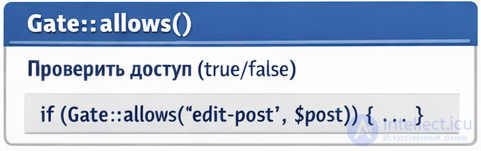
9. What does the Gate::allows() method return?
Gate::allows returns a boolean value.
10. How do you tie a Policy to a model?
The mapping between a model and its policy is specified in AuthServiceProvider.
11. What does the can() method on a user do?
can() is a convenient method for checking authorization.
12. Which Blade directive is used to check rights?
@can is used to check access rights in templates.
13. What does the deny() method do in a Policy?
deny() returns a denial of access.
14. Which middleware is responsible for authorization?
The can middleware checks access rights.
15. What is better to use for complex authorization logic?
For complex logic, a combination of Policy and Gate is used.
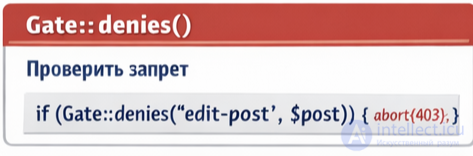
16. What does the Gate::denies() method do?
denies() is the opposite of allows(), returning true on denial.
17. Which Policy method checks the deletion of a model?
The delete() method determines access to deletion.
18. How do you invoke a Policy check directly in a controller?
authorize() invokes the policy method for the model.
19. What does the before() method do in a Policy?
before() allows you to globally allow or deny access.
20. Which method is used for mass viewing of models?
viewAny() checks access to the list of models.
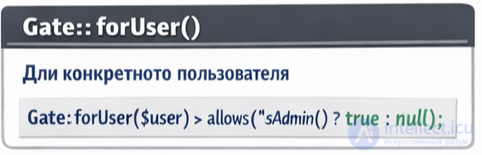
21. What does the Gate::forUser($user) method do?
forUser allows you to check the rights of another user.
22. Which Blade directive checks for a denial of access?
@cannot is used to check for a denial.
23. What does the Gate::inspect() method do?
inspect() gives a detailed check result.
24. Which Policy method checks the creation of a model?
create() is responsible for access to creation.
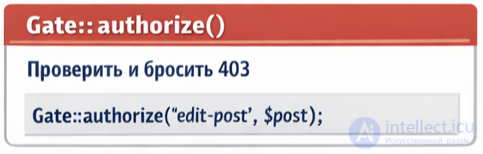
25. What does the Gate::authorize() method do?
authorize() throws an exception if access is denied.
26. Which Policy method checks the update of a model?
update() is responsible for access to modification.
27. What does the Gate::abilities() method do?
abilities() returns an array of all gates.
28. Which Policy method checks the viewing of a model?
view() is responsible for access to viewing.
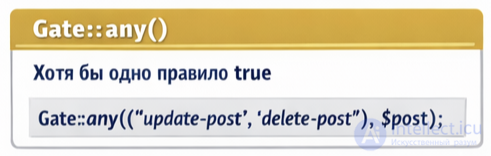
29. What does the Gate::any(['edit','delete']) method do?
any() returns true if at least one rule is satisfied.
30. Which Policy method checks the restoration of a model?
restore() is responsible for access to restoration.
31. Which Policy method checks the permanent deletion of a model?
forceDelete() is used to check access to irrevocable deletion.
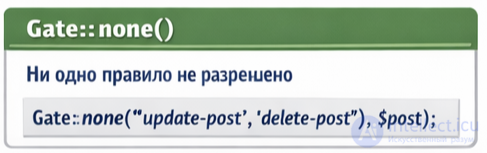
32. What does the Gate::none(['edit','delete']) method do?
none() returns true if not a single rule is allowed.
33. Which Policy method checks mass deletion of models?
deleteAny() is responsible for access to mass deletion.
34. What does the Gate::after() method do?
after() allows you to globally change the check result.
35. Which Policy method checks mass creation of models?
createAny() is responsible for access to mass creation.
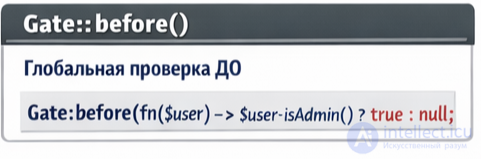
36. What does the Gate::before() method do?
before() allows you to set a global rule ahead of the rest.
37. Which Blade directive checks several rights at once?
@canany checks for the presence of at least one permission.
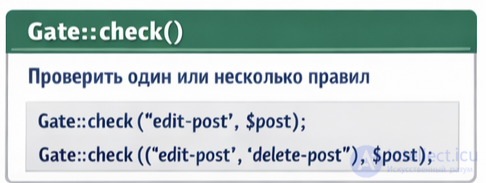
38. What does the Gate::check() method do?
check() is used to check access.
39. Which Policy method checks mass update of models?
updateAny() is responsible for access to mass update.
40. What does the Gate::allows() method do?
allows() returns true when access is granted.
41. Which Policy method checks mass restoration of models?
restoreAny() is responsible for access to mass restoration.
42. What does the Gate::authorize() method do on denial?
authorize() throws an exception when access is denied.
43. Which Policy method checks mass viewing of models?
viewAny() is used to check access to the list of models.
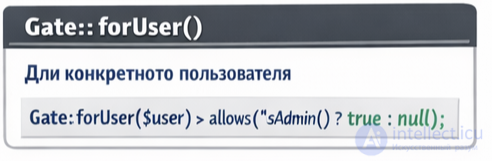
44. What does the Gate::forUser() method do?
forUser allows you to check the rights of another user.
45. Which Policy method checks mass permanent deletion of models?
forceDeleteAny() is responsible for access to mass permanent deletion.
46. Which Policy method checks mass editing of models?
updateAny() is used to check access to mass editing.
47. What does the Gate::define() method do?
define() is used to register a new gate.
48. Which Blade directive checks several rules at once?
@canany checks for the presence of at least one permission.
49. Which Policy method checks the deletion of a model?
delete() determines access to deletion.
50. What does the Gate::allows() method do on a successful check?
allows() returns true if access is granted.
51. Which Blade directive checks rights for a specific action?
@can is used to check access rights in templates.
52. What is a Policy in Laravel?
A Policy is an object-oriented form of authorization that checks a user's rights.
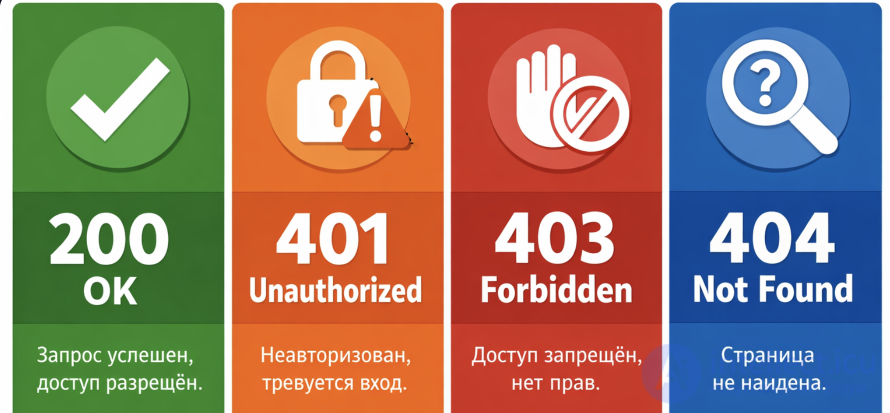
53. Which HTTP status code is usually returned on an authentication error (for example, an invalid token or missing authorization)?
401 Unauthorized — the client failed authentication (invalid token, missing login).
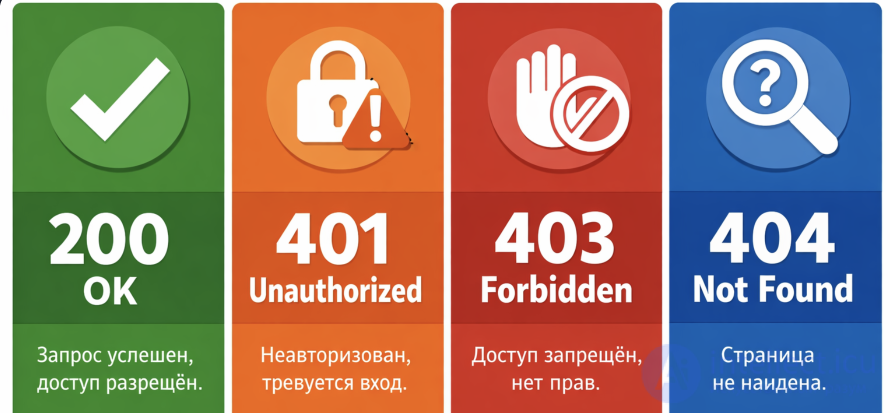
54. Which HTTP status code is usually returned on an authorization error (for example, access to a resource exists, but the rights are insufficient)?
403 Forbidden — the client is authenticated, but does not have the rights to perform the action.

Comments