
Lecture
Js Electron is a framework for creating cross-platform desktop applications using JavaScript, HTML, and CSS.
but often after building a project its size becomes larger than the original, let's look at ways and methods to reduce its size.
To reduce the size of a JavaScript Electron project, you need to shrink not the source files, but the final build: dist, .exe, .AppImage, .dmg, .deb, etc.
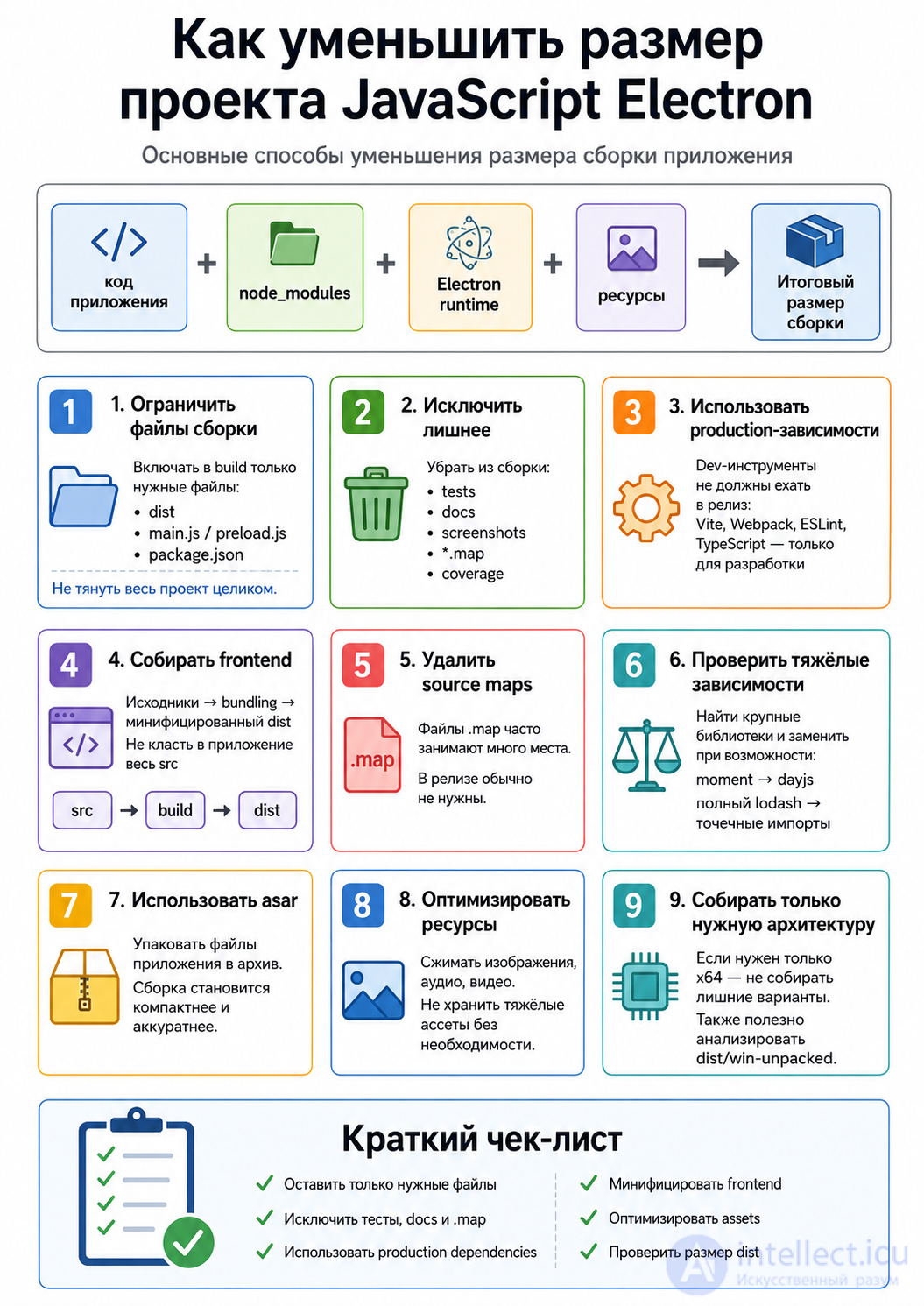
A common problem: unnecessary folders end up in the build:
node_modules
src
tests
docs
.git
screenshots
coverage
.env
In electron-builder you need to explicitly specify files.
Example package.json:
{
  "build": {
    "files": [
      "dist/**/*",
      "main.js",
      "package.json"
    ],
    "extraResources": [
      "assets/**/*"
    ]
  }
}
This way, only the necessary files are included in the application.
{
  "build": {
    "files": [
      "dist/**/*",
      "main.js",
      "package.json",
      "!**/*.map",
      "!**/*.md",
      "!**/test/**",
      "!**/tests/**",
      "!**/__tests__/**",
      "!**/.git/**",
      "!**/coverage/**",
      "!**/screenshots/**"
    ]
  }
}
The following especially tend to weigh a lot:
*.map
docs
examples
tests
screenshots
large images
Before building:
npm install --omit=dev
Or check that large libraries aren't sitting in dependencies if they're only needed for development.
For example, this should be in devDependencies:
{
  "devDependencies": {
    "vite": "...",
    "webpack": "...",
    "eslint": "...",
    "typescript": "...",
    "electron": "..."
  }
}
Not in dependencies.
Important: electron itself should not normally end up inside the application's dependencies as a runtime library.
Don't put the entire src into the Electron app.
Correct:
src/          ← source files
dist/         ← minified frontend
main.js       ← main process
Build:
npm run build
electron-builder
For example:
{
  "scripts": {
    "build": "vite build",
    "dist": "npm run build && electron-builder"
  }
}
Source map files are often large:
app.js.map
vendor.js.map
In Vite:
export default {
  build: {
    sourcemap: false
  }
}
In Webpack:
module.exports = {
  devtool: false
}
Command:
du -sh node_modules/*
Or, more conveniently:
npx cost-of-modules
Large dependencies can be replaced.
For example:
moment.js → dayjs
lodash whole → lodash-es or individual functions
axios → fetch
Bad:
import _ from 'lodash';
Better:
import debounce from 'lodash/debounce';
For electron-builder:
{
  "build": {
    "asar": true
  }
}
This doesn't always drastically reduce size, but it makes the application more compact and tidy.
If it contains:
video
large images
3D models
PDF
audio
options:
compress
load from the server
move to a separate package
use lazy loading
Images can be compressed:
npx imagemin assets/* --out-dir=assets-optimized
If you only need x64:
electron-builder --win --x64
Rather than all at once:
--x64 --ia32 --arm64
In package.json:
{
  "build": {
    "win": {
      "target": "nsis"
    }
  }
}
After building, check:
dist/win-unpacked
dist/linux-unpacked
dist/mac
And check the size:
du -sh dist/*
du -sh dist/win-unpacked/*
This way you can quickly see what exactly is bloating the application.
{
  "main": "main.js",
  "scripts": {
    "build": "vite build",
    "dist": "npm run build && electron-builder"
  },
  "build": {
    "asar": true,
    "files": [
      "dist/**/*",
      "main.js",
      "preload.js",
      "package.json",
      "!**/*.map",
      "!**/*.md",
      "!**/test/**",
      "!**/tests/**",
      "!**/__tests__/**",
      "!**/coverage/**"
    ],
    "directories": {
      "output": "release"
    }
  }
}
Generally, the size of an Electron project is reduced like this:
1. Build the frontend into dist
2. In files, list only dist, main.js, preload.js, package.json
3. Exclude tests, docs, source maps
4. Move dev packages to devDependencies
5. Check heavy node_modules
6. Enable asar
Electron itself still weighs quite a lot, so even an empty application can be tens of megabytes. But unnecessary files and dependencies often add hundreds of megabytes more.

Comments