
Lecture
Это окончание невероятной информации про service worker.
...
0)">'Content-type': 'application/json' }, body: JSON.stringify({ endpoint: subscription.endpoint }) }); }); }).then(setSubscribeButton); } // For the demo (or for practice). We change the button text. function setSubscribeButton() { subscriptionButton.onclick = subscribe; subscriptionButton.textContent = 'Open mind!'; } function setUnsubscribeButton() { subscriptionButton.onclick = unsubscribe; subscriptionButton.textContent = 'Protego!'; }
// Listen for the 'push' event.
self.addEventListener('push', function(event) {
  event.waitUntil(self.registration.showNotification('Your mind', {
    body: 'Wizard invaded to your mind!'
  }));
});

// Listen for the 'pushsubscriptionchange' event, which fires
// when the subscription expires.
// We subscribe again and register the new subscription on the server
// by sending a POST request.
// A production application would most likely use an ID or token
// to identify the user.
self.addEventListener('pushsubscriptionchange', function(event) {
  console.log('Spell expired');
  event.waitUntil(
    self.registration.pushManager.subscribe({ userVisibleOnly: true })
    .then(function(subscription) {
      console.log('Another invade! Legilimens!', subscription.endpoint);
      return fetch('register', {
        method: 'post',
        headers: {
          'Content-type': 'application/json'
        },
        body: JSON.stringify({
          endpoint: subscription.endpoint
        })
      });
    })
  );
});
var webPush = require('web-push');
var subscriptions = [];
var pushInterval = 10;

webPush.setGCMAPIKey(process.env.GCM_API_KEY || null);

// Send the notification to the push service.
// Remove the subscription from the shared `subscriptions` array
// if the push service responds with an error, or the subscription has been cancelled or has expired.
function sendNotification(endpoint) {
  webPush.sendNotification({
    endpoint: endpoint
  }).then(function() {
  }).catch(function() {
    subscriptions.splice(subscriptions.indexOf(endpoint), 1);
  });
}

// In the real world an application only sends a notification when
// an event occurs.
// To simulate that, the server sends a notification every `pushInterval` seconds
// to every subscriber
setInterval(function() {
  subscriptions.forEach(sendNotification);
}, pushInterval * 1000);

function isSubscribed(endpoint) {
  return (subscriptions.indexOf(endpoint) >= 0);
}

module.exports = function(app, route) {
  app.post(route + 'register', function(req, res) {
    var endpoint = req.body.endpoint;
    if (!isSubscribed(endpoint)) {
      console.log('We invaded into mind ' + endpoint);
      subscriptions.push(endpoint);
    }
    res.type('js').send('{"success":true}');
  });

  // Unregister a subscription by removing it from the `subscriptions` array
  app.post(route + 'unregister', function(req, res) {
    var endpoint = req.body.endpoint;
    if (isSubscribed(endpoint)) {
      console.log('It was counterspell from ' + endpoint);
      subscriptions.splice(subscriptions.indexOf(endpoint), 1);
    }
    res.type('js').send('{"success":true}');
  });
};
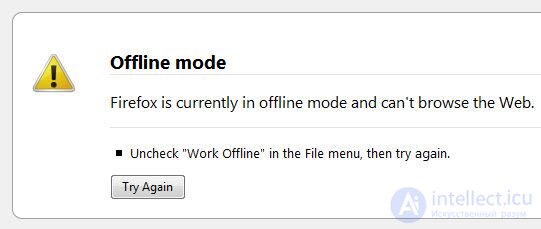
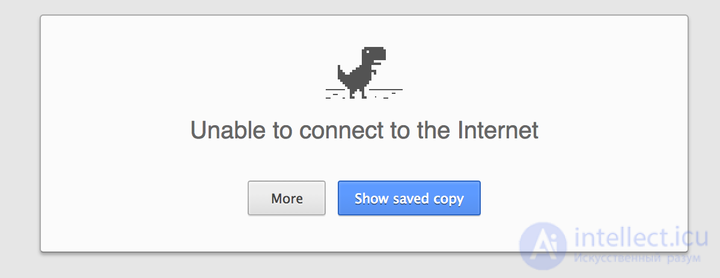
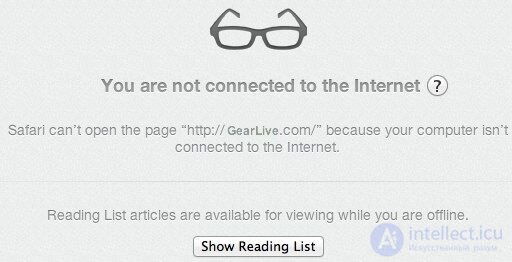
There is a problem where the browser shows you its default message telling you that you are offline. I call it a problem because:
 |
 |
 |
|---|
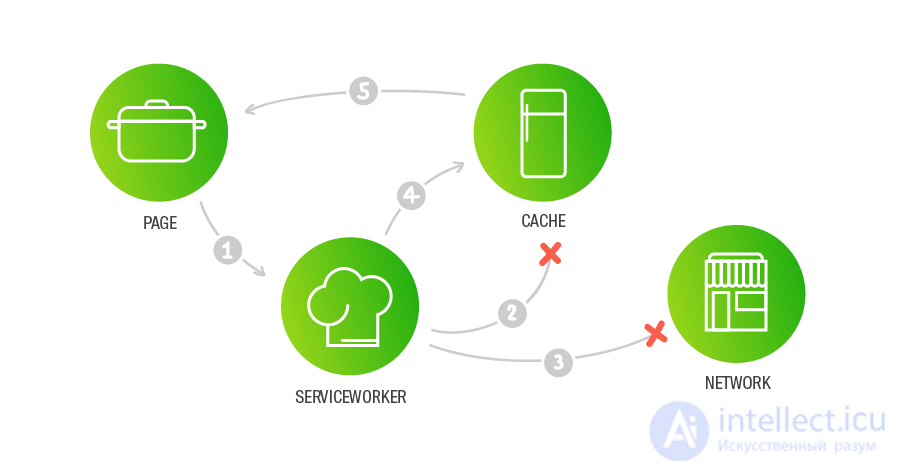
The best solution in this situation would be to show the user a custom fragment from the offline cache. With a SW we can prepare a canned response in advance, telling the user that the application is offline and that its functionality is limited for the time being.
The solution
We need to return fallback data if the resources are unavailable (both network and cache).
The data is prepared in advance and stored as static resources available to the SW.
const CACHE = 'offline-fallback-v1';
// When the worker installs, we need to cache some of the data (the static assets).
self.addEventListener('install', (event) => {
event.waitUntil(
caches
.open(CACHE)
.then((cache) => cache.addAll(['/img/background']))
// `skipWaiting()` is necessary because we want to activate the SW
// and have it take control straight away, rather than after a reload.
.then(() => self.skipWaiting())
);
});
self.addEventListener('activate', (event) => {
// `self.clients.claim()` lets the SW start intercepting requests from the very beginning,
// it works together with `skipWaiting()`, making it possible to use the `fallback` from the very first requests.
event.waitUntil(self.clients.claim());
});
self.addEventListener('fetch', function(event) {
// You can use any of the strategies described above.
// If it does not work correctly, use the `Embedded fallback`.
event.respondWith(networkOrCache(event.request)
.catch(() => useFallback()));
});
function networkOrCache(request) {
return fetch(request)
.then((response) => response.ok ? response : fromCache(request))
.catch(() => fromCache(request));
}
// Our Fallback, complete with our very own little Dinosaur.
const FALLBACK =
'\n' +
' App Title\n' +
' you are offline\n' +
'  \n' +
'';
// It will never fall over, because we always return data prepared in advance.
function useFallback() {
return Promise.resolve(new Response(FALLBACK, { headers: {
'Content-Type': 'text/html; charset=utf-8'
}}));
}
function fromCache(request) {
return caches.open(CACHE).then((cache) =>
cache.match(request).then((matching) =>
matching || Promise.reject('no-match')
));
}
\n' +
'';
// It will never fall over, because we always return data prepared in advance.
function useFallback() {
return Promise.resolve(new Response(FALLBACK, { headers: {
'Content-Type': 'text/html; charset=utf-8'
}}));
}
function fromCache(request) {
return caches.open(CACHE).then((cache) =>
cache.match(request).then((matching) =>
matching || Promise.reject('no-match')
));
}
Above we have looked at magical ways of using SW and Web Push in applications.
This pairing holds a great many interesting uses.
If you only need to entice the user back into your application now and then, or tell them about fixes or a change in their order status, use Push Payload. You can add a little imagination and make use of the Notification API — then your application's colours and icon will be visible to the user in a Rich Push.
If you want to capture the user's full attention and establish contact with them, the Push Client and Push Subscription examples are for you
I look forward to your comments and suggestions for the next topic. For my part, I would add that I would like to talk about and discuss how SW works with React/Redux applications and ways of speeding them up. Would that be useful?
Часть 1 The service worker lifecycle: using the cache and receiving push notifications
Часть 2 example Embedded fallback - The service worker lifecycle: using the

Comments