
Lecture
Это окончание невероятной информации про тестирование мобильных приложений.
...
tools for checking mobile application compatibility: BrowserStack, CrossBrowserTesting by Smart Bear, Litmus, Browsera, Rational Clearcase by IBM, Ghostlab.
Performance testing – is a set of testing types aimed at determining the performance, stability, resource consumption and other quality attributes of an application under various usage scenarios and loads.
The main goals of performance testing:
Tips for testing the performance of your mobile application:
Useful tools for testing the performance of mobile applications: NeoLoad by Neotys, Apteligent (formerly Crittercism), New Relic.
Security testing is intended to verify the security of the system, as well as to analyze risks related to ensuring a holistic approach to protecting applications from hackers, viruses, and unauthorized access to confidential data:
Useful tools for checking the security of mobile applications: the CS community, OWASP Zed Attack Proxy, Veracode, Google Nogotofail and SQL Map.
Recovery testing checks the application under test in terms of its ability to withstand and successfully recover from possible failures caused by software errors, hardware failures, or communication problems:
Localization testing allows you to test the adaptation of mobile applications to a specific target audience according to its cultural characteristics:
Ubertesters, eggPlant can be useful.
So, you've gone through all the mentioned stages and found bugs. Therefore some changes were made to your application's code.
Make sure your team has successfully fixed all the identified bugs (re-testing or confirmation testing). Simply put, the test cases that originally found the bugs are run again. And this time they must pass without errors.
Make sure the new changes have not introduced new bugs. (Regression testing).
Some useful tools for testing related to changing your application: Appium, Robotium, Ranorex.
11. Beta testing
Finally, you have a preliminary, fully functional version of your mobile application. It would be better to assess the capabilities and stability of the program from the point of view of its future users.
Beta testing – is the stage of debugging and verifying a beta version of the program. Its main goal – is to identify the maximum number of bugs in its operation for their subsequent elimination before the final version of the application is released to the market.
People who have experience working with applications of a similar type, or even better, with a previous version of the application, are chosen for the role of beta testers.
Before beta testing your mobile application you should pay attention to the following factors:
Even spending a little money on beta testing can be a good investment in the quality of your mobile application.
Some popular platforms for beta testing mobile applications: HockeyApp, Ubertesters, TestFlight.
There are certain rules for organizing the installation file (.apk) and application design rules for each app store. Certification testing confirms that the application meets the requirements of the most popular stores, such as Google Play, App Store, and Windows Phone.
Let's look at the main criteria for applications' compliance with standards, license agreements and terms of use.
Android:
IOS:
Windows Phone:
Let's systematize our knowledge and try to identify the main tips for testing mobile applications.
Practice is the best way to learn something. You have the opportunity to use Easy QA's features to test your mobile application.
EasyQA SDK – is a set of features developed by our team to make the software testing process more effective and simple.
Here are its key features:
I hope you've learned something new and useful about testing mobile applications. Perhaps you can add some other checks for testing, or you may have an idea of how to test a mobile application with greater efficiency. Share your ideas and thoughts with us.
Choosing devices for testing
Undoubtedly, a real device – is the best solution if you want to test a mobile application. Testing on a real device always gives you the maximum accuracy of results.
In fact, it's really not easy to choose the most suitable device. In any case, here are some actions you should take when choosing a device for mobile testing:
Analyze and identify the most popular and widely used gadgets on the market.
Choose devices with different OSs.
Choose devices with different screen resolutions.
Pay attention to the following factors: compatibility, memory capacity, connectivity, etc.
Advantages of testing mobile applications on real devices:
High accuracy of the test result.
Easy bug replication.
Things like battery capacity, geolocation, push notifications, and built-in device sensors are easy to test.
Ability to check incoming interruptions (calls, SMS).
Ability to test the mobile application under real-world conditions.
No false positives.
There are also disadvantages:
There is a huge number of commonly used devices.
Additional costs for device maintenance.
Limited access to devices commonly used in foreign countries.
As you can see, testing on real devices is a good solution, but it also has some limitations.
Emulators or simulators?
It's easy to guess that there are special tools that emulate / simulate the functionality and behavior of mobile devices.
The meanings of the words «Emulator» and «Simulator» are often confused. Although they are pronounced almost the same, they are not the same.
In fact, an emulator – is an original replacement for the device. However, you don't have the ability to modify programs and applications, although you can run them. A simulator doesn't copy the device's hardware, but you have the ability to set up an environment similar to the original device's OS.
Therefore, it's better to use mobile simulators to test a mobile application. Emulators are more suitable for testing mobile websites.
Advantages of using simulators to test a mobile application:
Simple setup.
High speed.
Helps check and test the behavior of your mobile application.
Cost-effective.
Disadvantages of using simulators to test a mobile application:
Hardware is not taken into account.
False positives are possible.
Getting incomplete data on simulation results, which creates certain difficulties for a full analysis of test results.
Cloud testing of a mobile application
Testing mobile applications using cloud tools appears to be the optimal choice. This can help you overcome the disadvantages of real devices and simulators.
The main advantages of this approach:
Easy availability.
The ability to run mobile devices on multiple systems.
The ability not only to test, but also to update and manage applications in the cloud.
Cost-effective.
High scalability.
The same script can be run on multiple devices in parallel.
Disadvantages of cloud mobile testing:
Less control.
Not as high a level of security.
Dependence on the internet connection.
Some useful cloud tools that can help you test a mobile application: Xamarin Test Cloud, Perfecto Mobile Continuous Quality Lab, Keynote Mobile Testing.
Manual and automated mobile testing
Currently, many specialists support the opinion that manual testing will eventually stop being used. Of course, this is not true. We cannot do without test automation, but there are situations where manual testing is preferable.
Advantages of manual testing of mobile applications:
It's more cost-effective in the short term.
Manual testing is more flexible.
Better simulation of user actions.
Disadvantages of manual testing of mobile applications:
Manual test cases are difficult to reuse.
Performing a certain repetitive task is less efficient.
The testing process is slow.
Some types of test cases cannot be performed manually (load testing).
Advantages of automated application testing:
The testing process takes little time.
Cost-effectiveness in the long-term perspective of use.
Automated test cases are easy to reuse.
The only solution for some types of testing (performance testing).
Test results are easily accessible.
Disadvantages of automated application testing:
Some mobile testing tools have limitations.
The testing process takes a lot of time.
Automated testing is least effective at determining usability.
Of course, there are no unambiguous answers as to which strategy is best to choose. However, a combination of different options is most optimal. For example, you can use simulators at the earliest stages of your testing. But it is better to use real devices (physical or cloud-based) at the final stages. Automated testing is preferable for load and regression testing.
First of all, you need to familiarize yourself with the official developer library
1) https://developer.apple.com/develop/
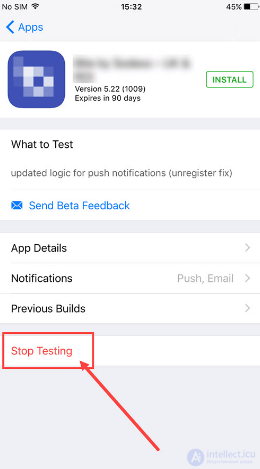
2) Beta testing tool
https://developer.apple.com/testflight/
3) Xcode — an integrated software development environment for the macOS, iOS, watchOS and tvOS platforms, developed by Apple Corporation.
use of unit tests in the IDE
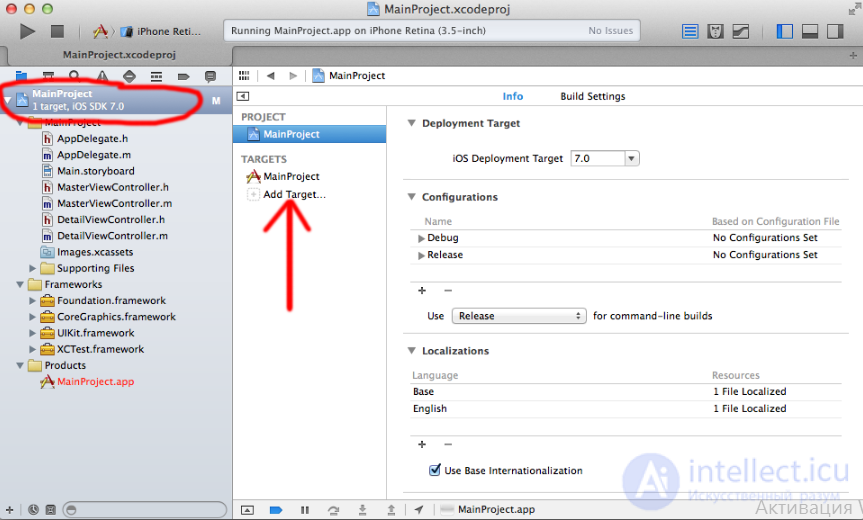
during testing you can monitor the resource usage level of the simulated mobile device
Enable testing mode on the device
IDE Android Studio
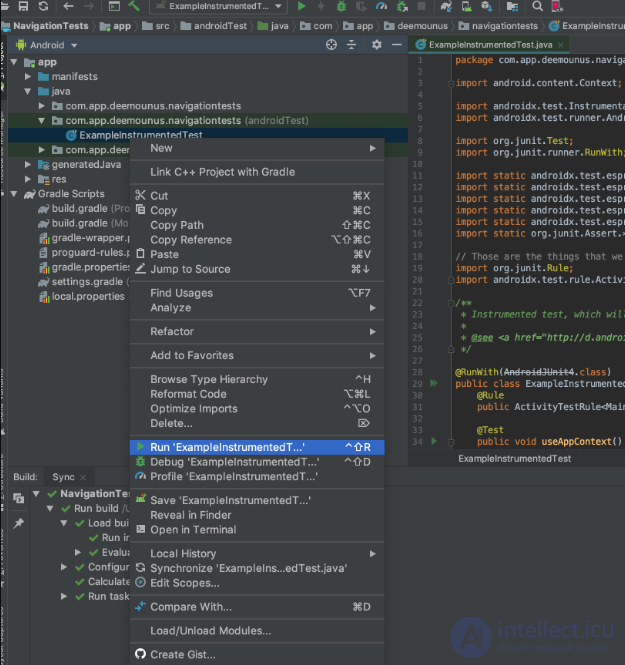
DDMS (Dalvik Debug Monitor Server) — an insanely useful tool for debugging applications that comes bundled with the Android SDK
Functional testing tools — Monkey , Robotium, MonkeyRunner allows performing functional testing of the application («click-through» tests)
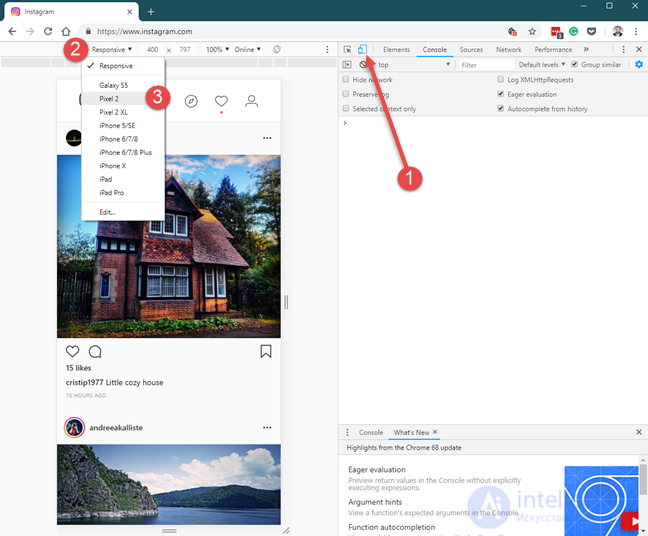
google chrome developer tools - there is an ability to test any size for the web interface, simulation of different internet connection speeds, etc.
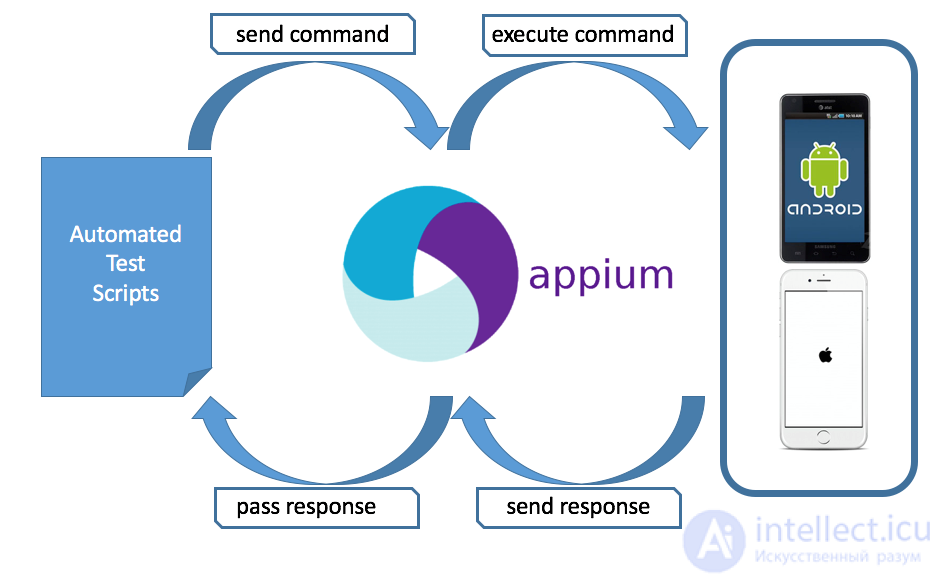
Appium is an open-source automation tool for running scripts and testing native applications, mobile web applications and hybrid applications on Android or iOS using a web driver (Selenium)
Cucumber is a software tool that supports behavior-driven development. Central to Cucumber's approach to BDD is its usual Gherkin parser. This allows specifying the expected behavior of the software in a logical language understandable to clients.
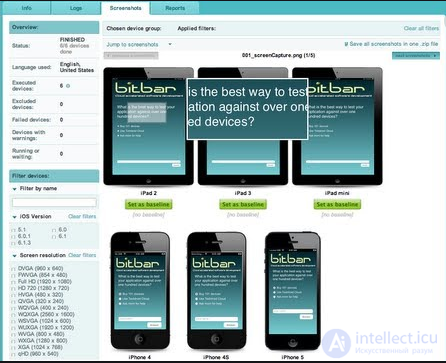
Testdroid is a suite of products for developing and testing mobile applications from Bitbar Technologies Limited.
ubertesters. A powerful software tool for managing mobile QA that will help you effectively manage the mobile QA process and internal or remote teams. Distribute builds, collect feedback, get crash and bug reports, track team activity, manage builds and test cases, and much more. Our platform offers everything agile teams need for continuous management of the entire mobile QA process.
uTest is a venture company that tests software and conducts usability research
What should be done with the bugs that have been found?
the tester’s purpose is -
Some bug tracker system, for example Jira, is often used for this
Troubleshooting (fixing faults, working on a problem) is a form of problem solving, often applied to the repair of failed devices or processes. It is a systematic search for the source of a problem, guided by a particular logic, with the aim of resolving it.
As a rule, troubleshooting is done by technical support. To get to the real cause of a problem, log analysis is normally used (Kernel panic, bsod, error report or crash report).
Catlog, sytemifodroid and so on.
In testing and programming, an error report (or crash report) is a file containing technical information about an exceptional situation (an exception) that occurred in a program on the user’s computer. In programming terminology, a critical error that leads to the abnormal termination of a program (a «fall») is also called a crash. Core (crash) dumps, /data/tombstones on Android, dumps and crash notifications can be sent to remote services, to mailboxes and to messengers of the programmers themselves.
Error reports often include such information as: the type of crash, the stack image, the version of the program, the type of the central processor, the version of the operating system, and also the program log.
Kernel panic, bsod («alarm, kernel failure», literally a panic of the kernel) — a message about a critical error of the operating system kernel, after which the operating system cannot continue working
Часть 1 Mobile testing: features and stages. Mobile application architecture
Часть 2 Tips for testing a mobile application - Mobile testing: features

Comments