
Lecture
Another popular templating engine, built on the MVVM architecture (with VueX — this is Flux).
It has several ways of organizing templates:
Vue.js itself is similar to React in that it's just a templating engine with its own ecosystem:
Nuxt.js: A framework for the Vue.js framework, this is a framework for building universal applications with Vue.js using Node.js. With it you can render the UI on the server and generate static sites.
Subjectively, Vue.js is much easier to get started with than Angular or React. It has an excellent reference guide, including one in Russian, at https://ru.vuejs.org/v2/guide/.
Briefly about the data flow concept in VueX:
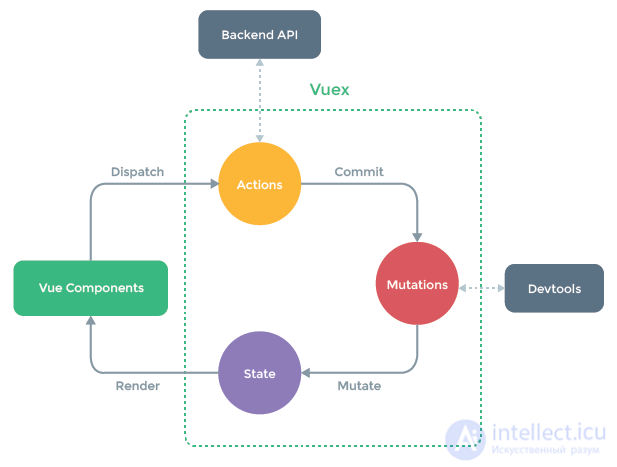
The idea is similar to CQRS:
As already mentioned, Vue is an accessible framework. If you already know HTML, CSS, and JavaScript, that means you're ready to start working with Vue. In fact, if you really do want to start writing Vue applications, then I suggest we get right to it.
Option #1: the Vue script included on the page

Option #2: Vue CLI
npm install -g @vue/cli
vue create hello-vue
Option #3: Vue UI
vue ui
http://localhost:8000/dashboard.
Option #4: CodeSandbox
While working through the documentation, it's worth paying special attention to the following basic Vue concepts:
Inside the template element there must be a single root element.
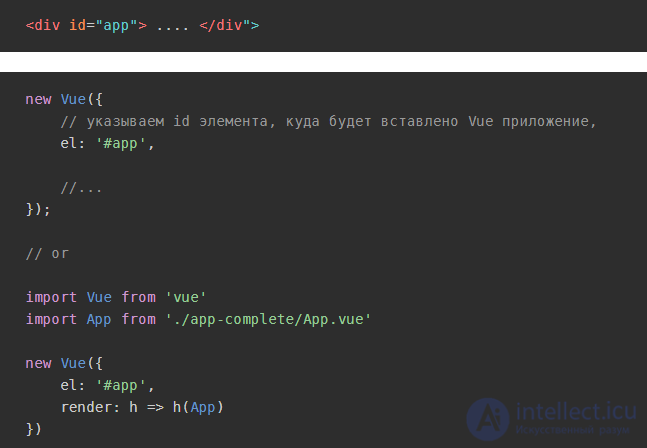
Let's initialize the Vue.js application:
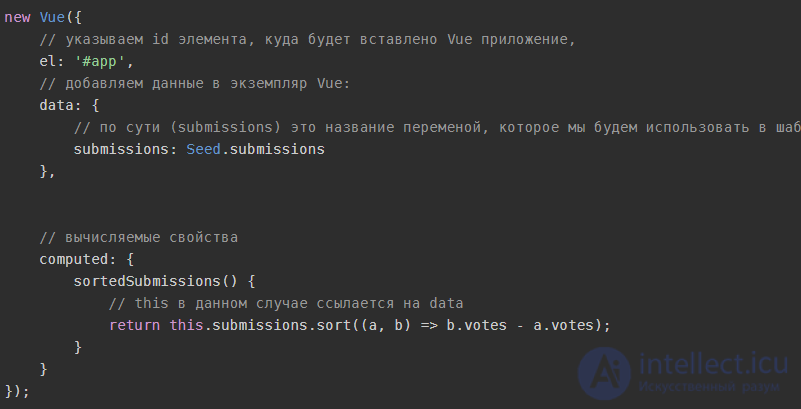
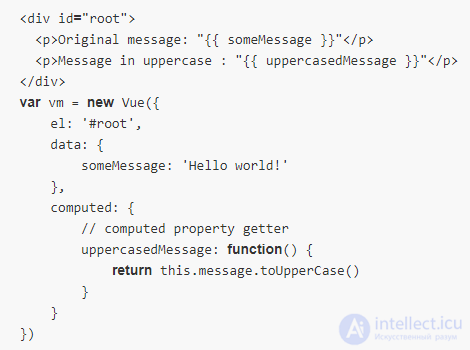
Computed properties are properties that need to be calculated, for example, sorting posts in a list. In other words, these are properties that aren't stored in the data object but are calculated when the template is rendered.
Such properties look like regular properties, but work like methods (something like a getter):

v-bind - used for data binding. v-bind can be replaced with :.
For example, let's bind data to the src attribute:

Setting a class conditionally:

v-for - iterates over the elements of an array.

For handling events in Vue, the v-on directive is also used. v-on can be replaced with @event_name: v-on:click === @click.
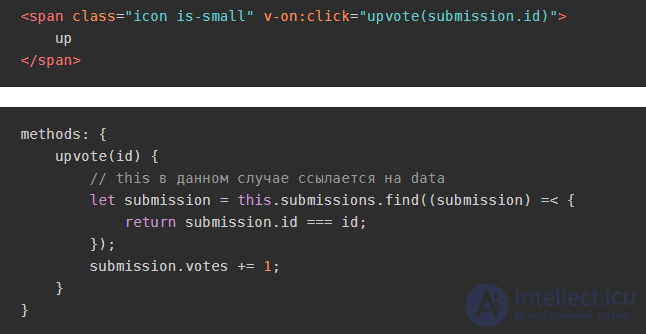
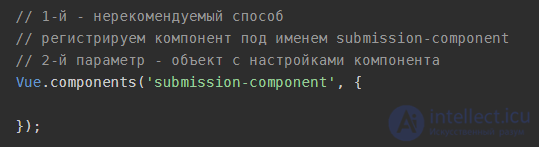
Any component in Vue is an instance of the Vue class.
The recommended way to register a component:
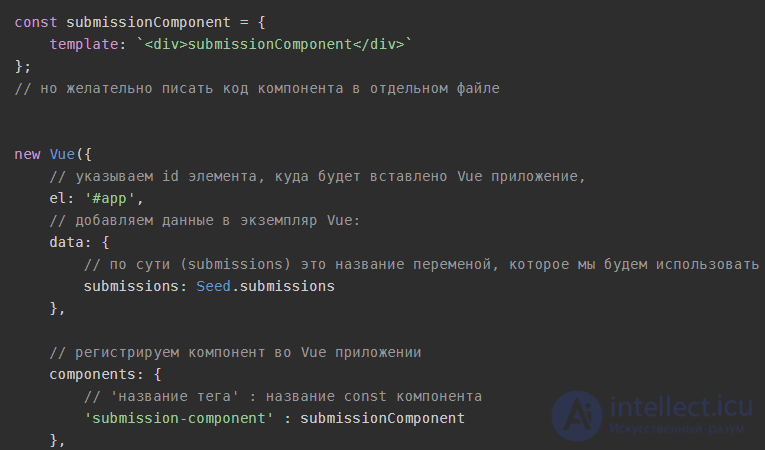

For this purpose there are so-called props - they let you pass data to a child component from the parent component.
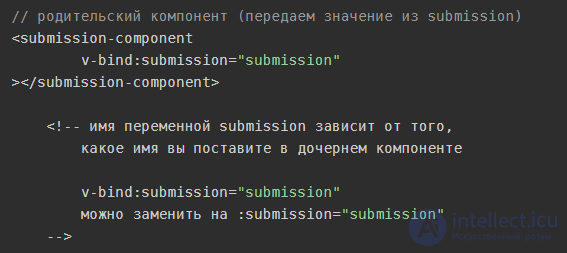
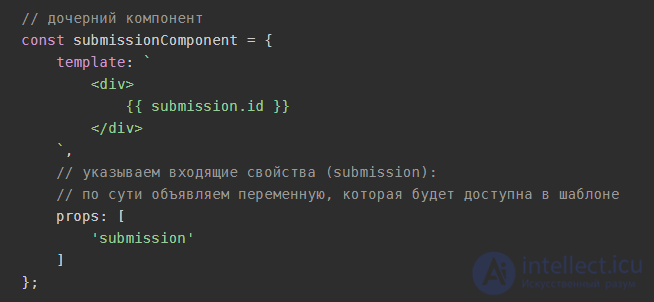
Note the camelCase syntax for props:
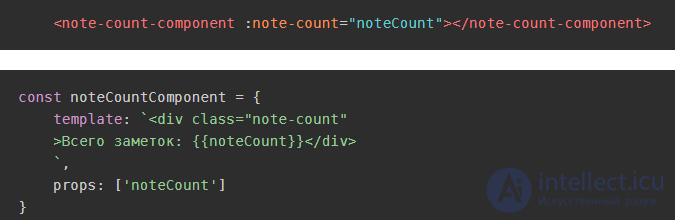
Let's look at the single file components approach. This approach means that a component consists of a single file and contains: css, html, js (ES6).
Data from one component can be passed via props.
But there's a concept known as - Application state (data) management. For application state (data) management, special libraries are used; for example, in React this is Redux, and in Vue.js it's Vuex.
For simplified development you can use your own approach, for example, you can create a store.js file:
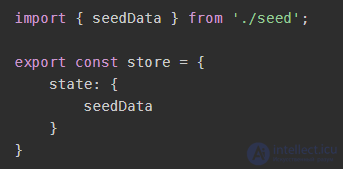
The store.js file also contains all the logic for interacting with the store (this is the same approach used by vuex):
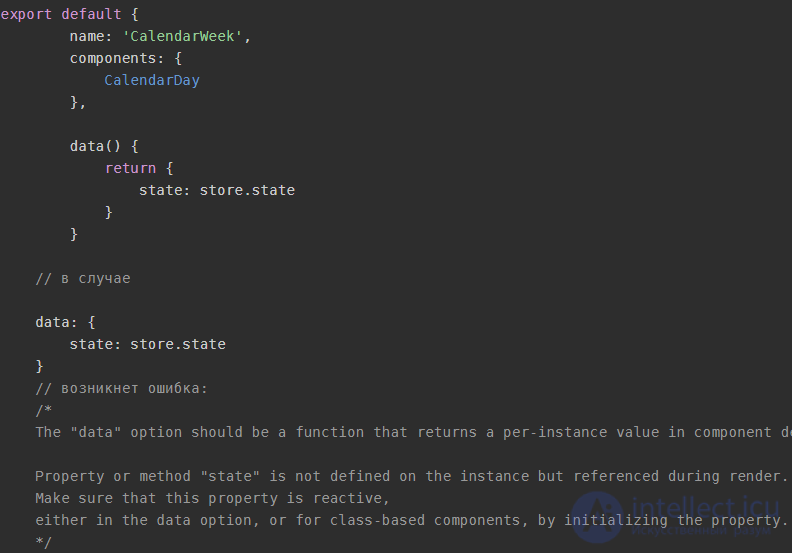
If we use a single object to store the application's state and pass it to different components, then in essence different components will have access to the same object; when that object changes, we'll see its changes in every component, including those where there shouldn't be any changes. So instead, the result of a function call is returned. This is solved as follows - we create a data function that always returns a different object:
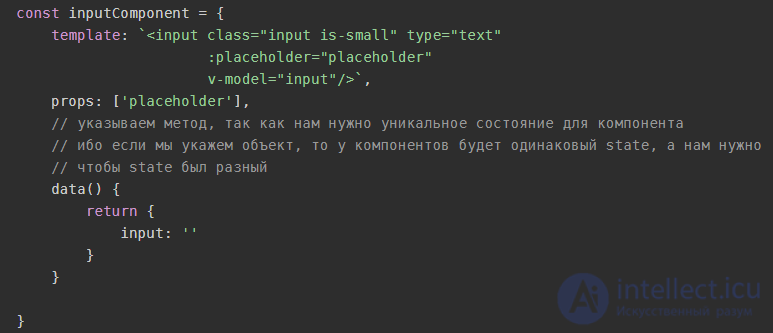
v-model - lets you bind to a field's value (from the component's data property)
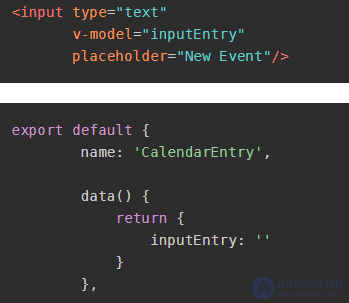
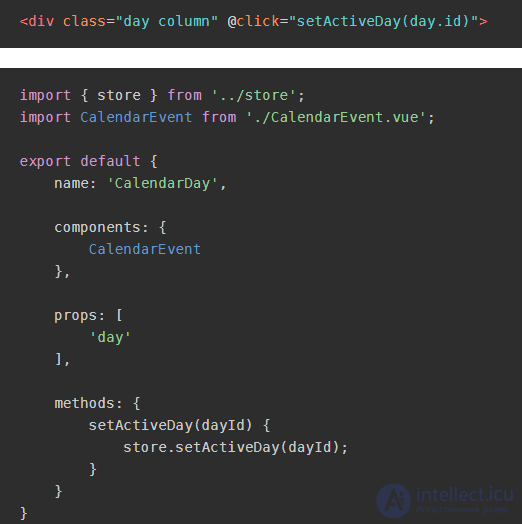
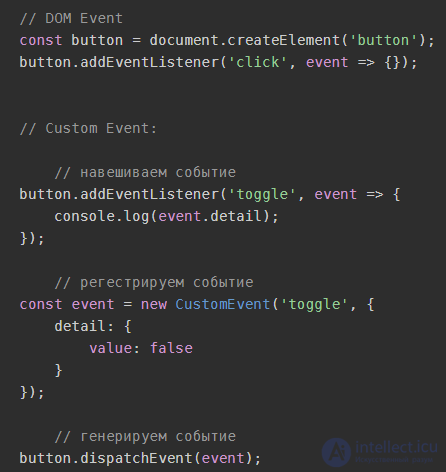
Vue.js uses an event system close to Custom Event.
Data (events) is passed from parent to child via props. Data goes from child to parent by means of events.
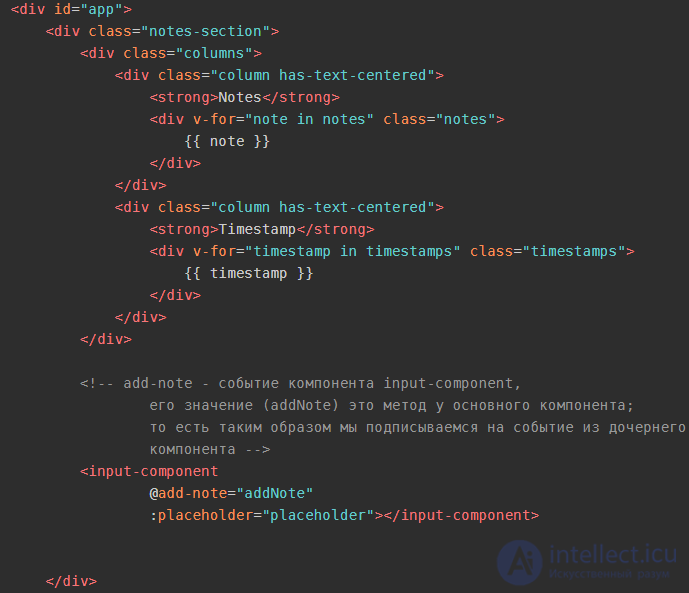
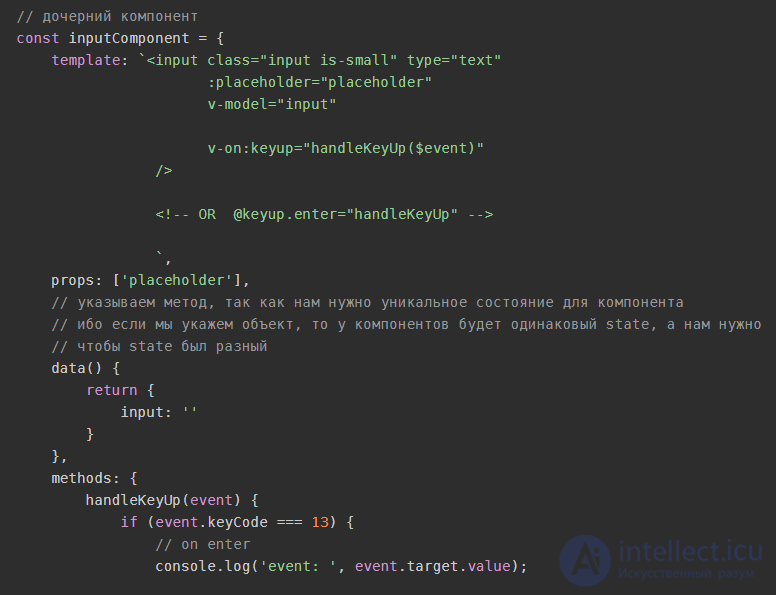
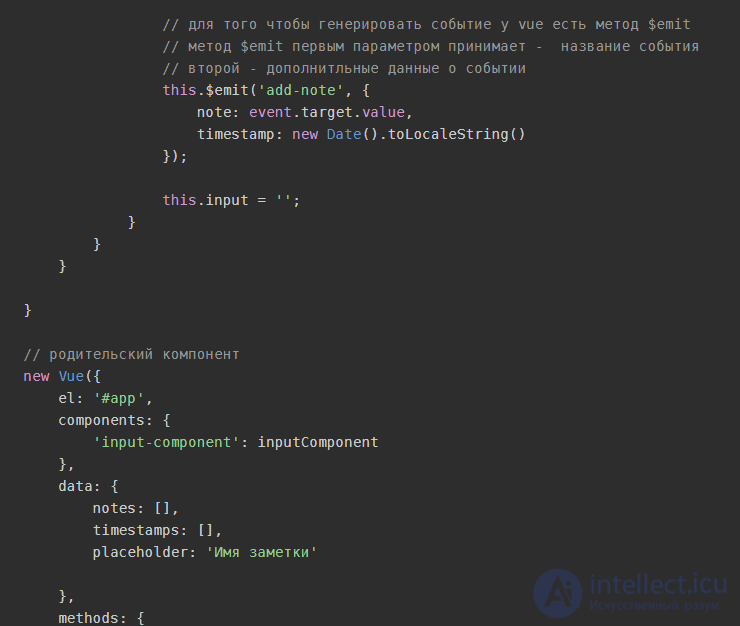
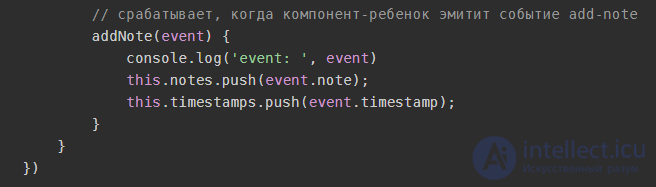
There are situations where several more 'children' sit between a parent and a child, or where there are several child components that need to synchronize data but can't communicate with each other directly. In such situations we can use a common parent to interact through it, or create a global event environment.
In other words, the components don't know about each other and interact by means of an event aggregator.
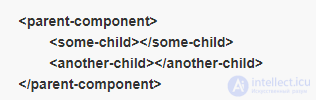
Suppose we have two child components.
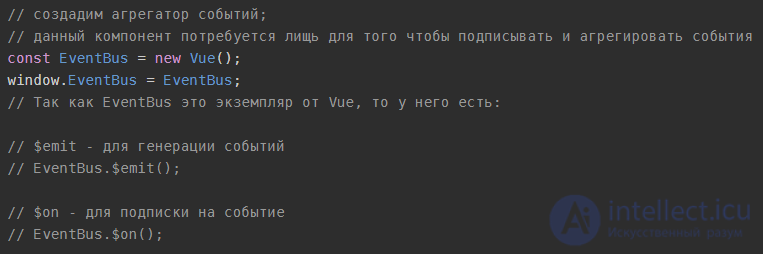
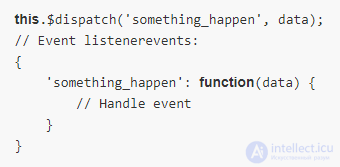
The child component emits an event:
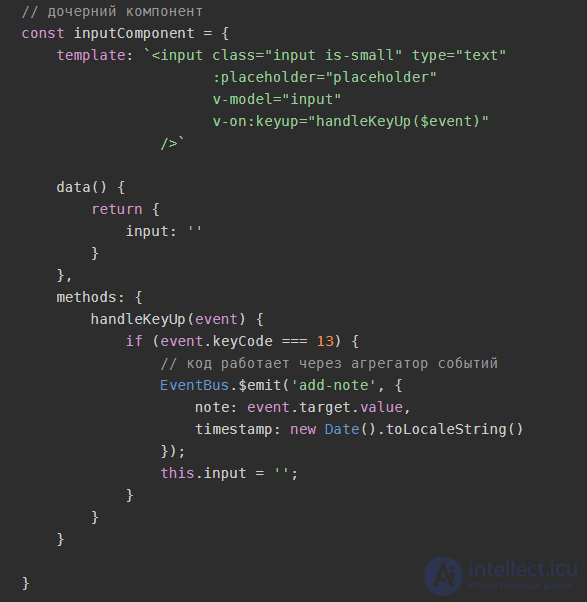
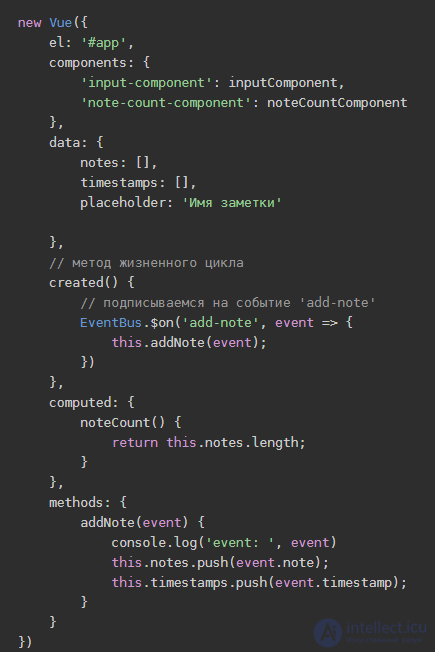
Another component subscribes to the event by means of the shared event aggregator:
Lifecycle hooks — an important part of any serious component. We often need to know when a component was created, added to the DOM, updated, or destroyed. Lifecycle hooks show us how the chosen library works “behind the scenes.” They often inspire awe or anxiety in newcomers. Fortunately, understanding how hooks work isn't difficult, see the diagram:
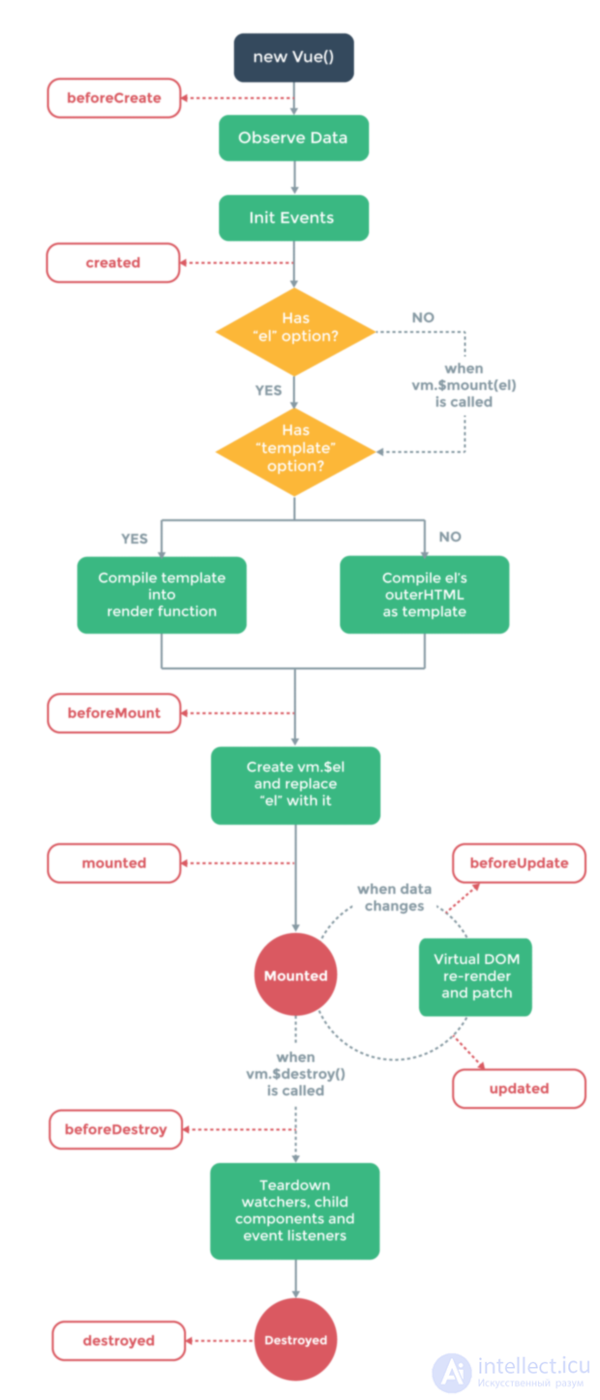
The beforeCreate hook runs right during the component's initialization. The data has not yet become reactive, and events have not been set up.
In the created hook you can access reactive data and active events. Templates and the virtual DOM are not yet mounted and not yet rendered.
Mounting (insertion into the DOM)
Mounting hooks — among the most frequently used. They let you access the component right before the first render or immediately after it. However, these hooks do not run during server-side rendering.
Use them if, right before the initial render or immediately after it, you need to edit the component's DOM or gain access to it.
Do not use these hooks if you need to fetch data for the component during initialization. In this case use created (or created + activated for keep-alive components), especially if you need that data during server-side rendering
The beforeMount hook runs before the initial render, and also after the template or render functions have been compiled. You'll probably never need to use this hook. Remember that it is not called during server-side rendering.
In the mounted hook you get full access to the reactive component, the templates, and the rendered DOM (via this.$el). Mounted is the most popular lifecycle hook. It's usually used to fetch data for the component (use created instead) and to modify the DOM, often for the sake of integrating non-Vue libraries.
Update hooks are called when a reactive property used by your component has changed, or when something else causes a re-render. These hooks give you access to the component's “watch-compute-render” cycle.
Use them if you need to know about a component's re-render, for example, for debugging or profiling.
Do not use them if you need to know about a change to a reactive property in the component; instead use computed properties or “observers” (watchers).
The beforeUpdate hook runs after the data in the component has changed and the update cycle has started, right before patching and re-rendering the DOM. This hook lets you get the new state of any reactive data in the component before it is rendered.
The updated hook is called after the data in the component has changed and the DOM has been re-rendered. If you need to access the DOM after a property changes, this hook is the safest place to do it.
Destruction hooks let you take action, for example cleaning up or sending analytics data, after the component is destroyed. These hooks fire when the element is unmounted and removed from the DOM.
beforeDestroy runs right before mounting. Your component is still fully functional at this point. If you need to clean up events or reactive subscriptions, beforeDestroy is the most suitable place to do it.
By the time you reach the destroyed hook, little is left of your component. Everything that was attached to it has already been destroyed. You can use the hook for one last cleanup, or, like a sneaky little snitch, inform a remote server that the component has been destroyed. <_<
There are two other hooks, activated and deactivated. They're intended for keep-alive components, which are beyond the scope of this article. Suffice it to say that these hooks let you determine whether a component wrapped in the tags is turned on. You can use them to fetch data for the component or to handle state changes. These hooks behave like created and beforeDestroy, but without needing to completely rebuild the component.
You can read more, for example, here
https://github.com/vuejs/awesome-vue
1) What design pattern is Vue based on?
Vue.js is based on the Model-View-ViewModel design pattern (also known as MVVM); the main motivation for this pattern is to separate the model from the view.
2) How do you pass data to a component?
There are two ways: using attributes (props) or through events.
When you need to pass data after some specific event, you should use emitters and listeners.
To emit an event from two child components, use the following syntax
3) Name the lifecycle hooks of a component in Vue.js?
beforeCreate, created, beforeMount, mounted, beforeUpdate, updated, activated, deactivated, beforeDestroy, destroyed,errorCaptured
4) How do you update a component's state in Vue?
To add or update a reactive property in the state, the method Vue.set(object, key, value) is used; you can call it via this.
this.$set(this.user, 'first_name', 'John')
5) What are computed properties, and when should you use them?
Computed properties are functions that return some simple property modified in some way; for example, you have some property called text, and you need to display it in uppercase, so instead of storing two properties with the original and the uppercase text, you simply write a function that computes the needed value based on the original property.
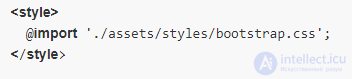
6) How do you include an external css file in Vue?
If you're using webpack, use the following syntax:
If you prefer the old-school style, just use the tag

7) How do you include a jQuery plugin?
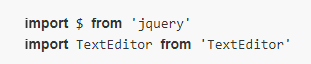
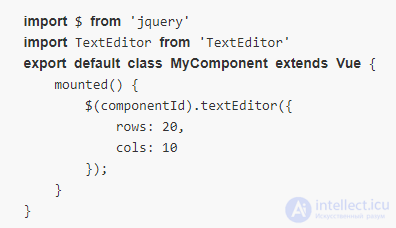
As a rule, it's not recommended to use a jQuery plugin in Vue applications; however, if there are no suitable components or libraries, you can use it. First, import jQuery and the plugin.
Then you need to initialize the plugin in the component's mounted lifecycle hook.
8) How do you register a component in Vue.js?
To register a component globally, use the following syntax.
The first argument is the name of the new component
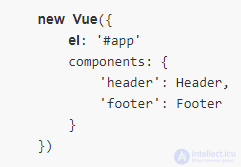
For local registration of a component, use the components option when creating a new Vue instance.
9) What is Vuex?
Vuex is a state management pattern and library for Vue.js applications. It's designed to store the core data for all the components of an application and guarantees the predictability of reactive data changes.
10) How do you do conditional rendering of a component?
Use the v-if and v-else directives; the component will be removed from the dom if you pass it a false condition. To keep the element in the DOM, the v-show directive can use the css display property
11) Does Vue.js support data binding? If so, how do you use it?
Yes, Vue.js supports data binding; to bind an input to the state you should use the v-model directive.
12) How do you implement client-side routing in Vue?
The recommended way to build an SPA is to use Vue Router, which is the official routing library but is not included in the core framework.
13) How do you programmatically redirect in Vue Router?
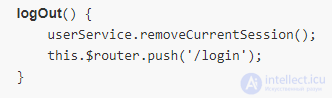
To navigate to another page programmatically, use router.push(location, onComplete?, onAbort?)
You can also go back to some point in the history stack using the go(n) method
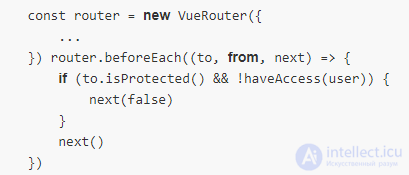
14) How do you protect a route from unauthorized access?
This can be done inside the component or in global guards.






Comments