
Lecture
All data in Redis is stored in memory rather than on disks or
solid-state drives, as in other databases. Because
Redis, like other in-memory data stores, does not need to access the
disk, this eliminates seek-related latency and provides
data access in microseconds. Redis capabilities
include support for various data structures, ensuring
high availability, working with geospatial data, creating
Lua scripts, running transactions, persistent storage of data on
disk, and cluster support. All of this simplifies building applications that
run in real time on an internet-wide scale.
The Redis project does not officially support Windows.
Nevertheless, the Microsoft Open Tech group develops and maintains this port for
Windows, targeting Win64.
You can download various versions or the latest version of Redis at
github.com/MSOpenTech/redis/releases
1. Download the .msi or .zip file
2. Extract the zip file into the desired folder
3. Next, we run the redis-server.exe file:
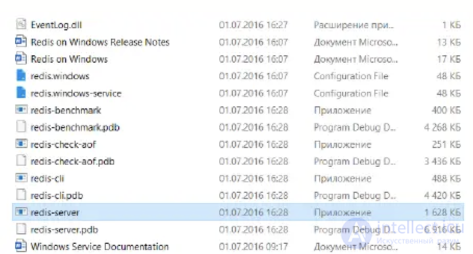
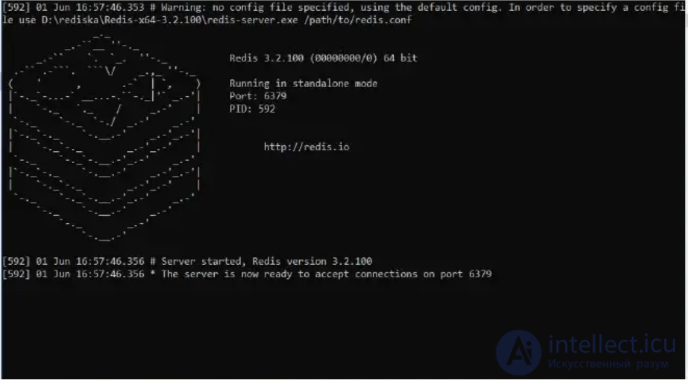
4. After redis-server starts successfully, you can access
it and test commands by running redis-cli.exe:

The PING command is used to check the health of the
connection.

If you need to get information about any Redis command,
you can use the link:
https://redis.io/docs/latest/commands/

Comments