Online TRIZ problem solving trainer with 40 inventive principles on Intellect

Used 523 times
Online TRIZ problem solving trainer with 40 inventive principles

TRIZ trainer

Choose TRIZ principles to practice

Loading problems…
💡 We recommend answering in your own words first, without looking at the options, and then checking yourself with the test or the correct answer.
Training hotkeys: Space — show or hide answer, Enter or → — next problem, ← — previous problem, Esc — back, 1–4 — choose an option. Your selection and skipped problems are stored only in your browser.

Share:


Was this answer useful?
Choose a quick rating so we can improve the next answer for you.
How satisfied are you?


Your answer option for this service or noticed an error:

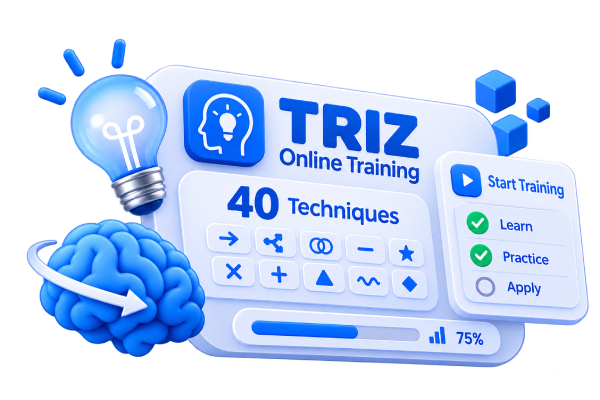
The online TRIZ problem solving trainer is a free tool for those who want to learn to apply Genrich Altshuller's 40 inventive principles not only in theory but in practice. Reading the list of principles is easy, but recalling the right one when you face a real problem only comes with training. The trainer gives you short problem situations and asks you to solve each one with a specific TRIZ principle.
What TRIZ is:
The Theory of Inventive Problem Solving (TRIZ) was created by Genrich Altshuller after analysing a huge number of patents. He noticed that strong inventions in different fields repeat the same moves of thought and described them as 40 principles: segmentation, taking out, local quality, asymmetry, merging, universality, nested doll, preliminary action, the other way round, dynamics, intermediary, self-service, copying, feedback, phase transitions, composite materials and others. The principles help not only engineers — they are used in business, design, education and everyday life.
How the trainer works:
1. Tick the TRIZ principles you want to study. Each one shows how many problems it has and, if you have hidden some, how many are left.
2. Press “Save selection and start training”. Problems of the selected principles are shuffled randomly.
3. Read the problem and the hint “Use the principle: …”. Try to come up with a solution yourself — this is the step that trains inventive thinking.
4. Choose one of four answer options. All of them sound plausible and have a similar length, but only one is correct — it earns a point. After you choose, the correct option turns green and a wrong one turns red. “Show answer” reveals the correct option without choosing, but then the problem earns no point.
5. If a problem is already clear, press “Do not show again” — it disappears from future sessions. “Clear skipped problems” brings them back.
Two training formats — a test and open questions:
You can use the trainer as a test: read the problem, choose one of four options and earn points for correct answers. Or you can use it as a set of open questions: do not look at the options, put the solution into your own words (out loud or on paper), and only then check it against the test or the correct answer with the “Show answer” button. The second format is harder, but it develops inventive thinking better: a real problem never comes with ready-made options. We recommend answering in your own words first and using the test to check yourself.
Reference for the 40 principles:
The “Principles reference” button opens a description of all 40 TRIZ principles with examples and a schematic animation of each principle. During training there is a “?” circle next to the principle name — it opens the reference for that principle, and “Back” returns you to the problem.
Convenient:
- about two thousand problems for 39 TRIZ principles from engineering, everyday life, medicine, construction and manufacturing;
- random order of problems and answer options so you do not memorise answers by position;
- points for the session with a percentage result at the end, plus an all-time score on the selection screen;
- hotkeys: 1–4 — choose an option, Space — show or hide answer, Enter or right arrow — next problem, left arrow — previous problem, Esc — back;
- the selected principles and hidden problems are stored only in your browser, no registration needed;
- a phone-friendly layout: you can practise a few minutes a day.
The trainer suits engineering students, engineers and inventors, TRIZ teachers and everyone who wants to develop creative and systems thinking and find non-standard solutions to hard problems.

Comments

To leave a comment

If you have any suggestion, idea, thanks or comment, feel free to write. We really value feedback and are glad to hear your opinion.
To reply