
Lecture 25 min.
We'll start by learning the basic mechanics of working with MongoDB. This is the essential foundation you need to understand MongoDB, but we'll also touch on higher-level questions - where MongoDB is actually applicable.
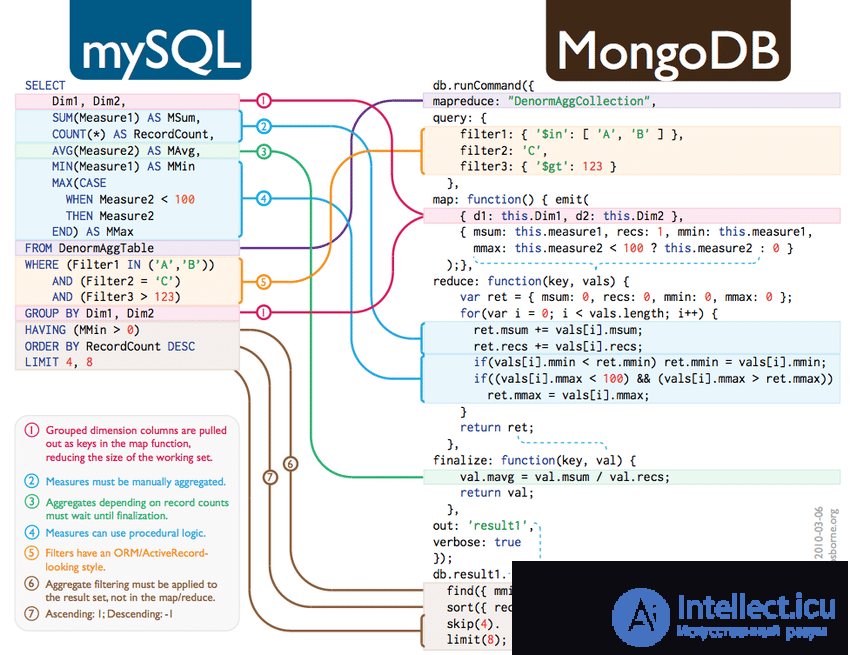
You might ask - why invent new terms (collection instead of table, document instead of record, and field instead of column)? Isn't this needless complication? The answer is that although these terms are close to their "relational" counterparts, they aren't fully identical to them. The key difference is that relational databases define "columns" at the "table" level, while document-oriented databases define "fields" at the "document" level. This means that any document within a collection can have its own unique set of fields. In this sense, a collection is "dumber" than a table, while a document holds far more information than a row.
You can download MongoDB from the official website for Linux, macOS, and Windows.
On Linux, you can also do this with one of the following commands:
apt
sudo apt install -y mongodb
While it's important to understand this, don't worry if it doesn't click right away. After a few inserts you'll see what's meant. Ultimately, the point is that a collection doesn't store information about the structure of the data it contains. Field information is stored by each individual document. The advantages and disadvantages of this will become clear in the next chapter.
Once MongoDB and Mongo Shell are successfully installed, we can start interacting with the database from the terminal. Just type mongosh:
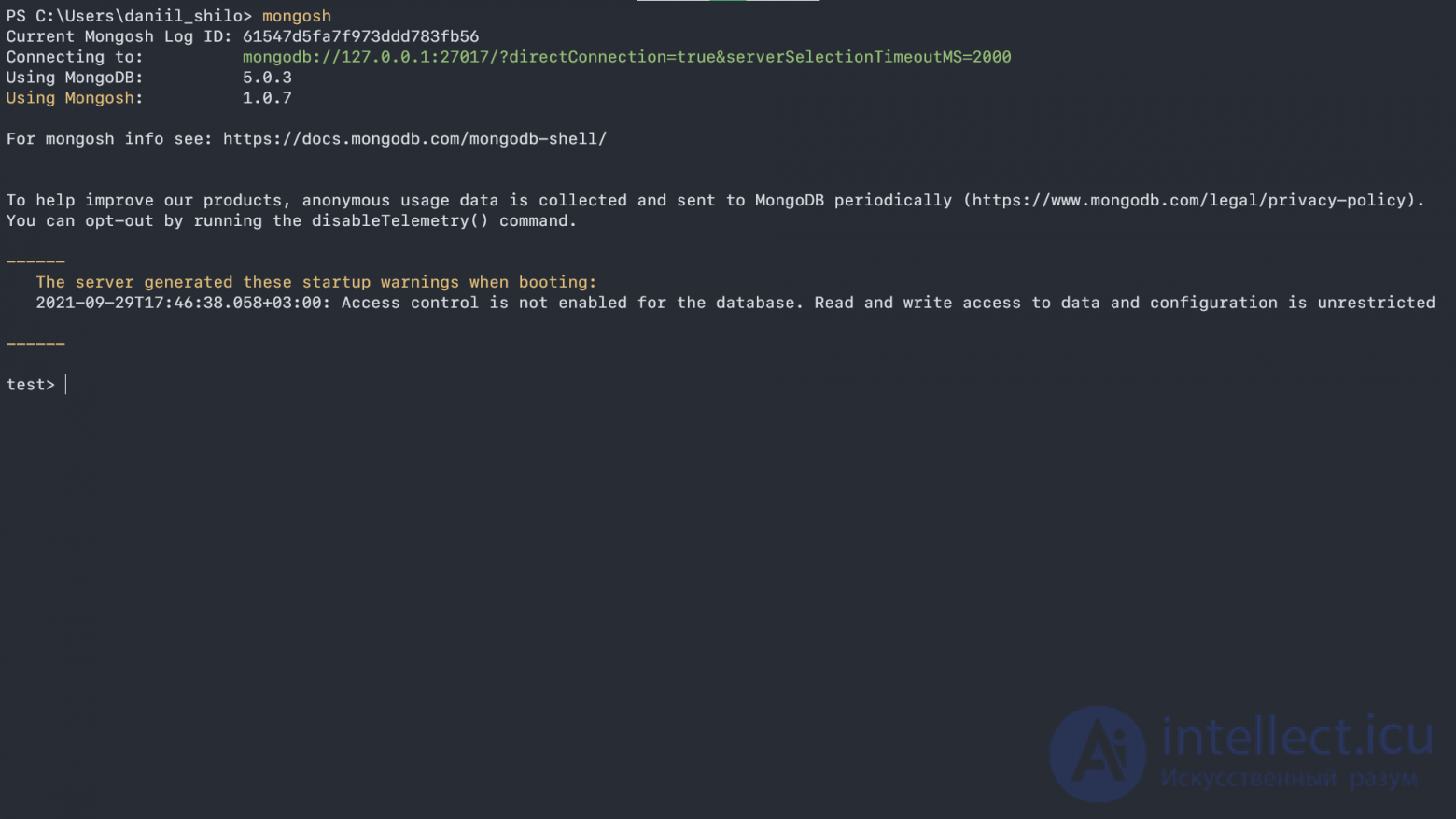
As we can see, we're in the test database - though it doesn't actually exist yet!
You can read more about what follows here
The reason is that in MongoDB a database doesn't exist until we put something into it. Also, when you reference certain objects (database, collection) in MongoDB, they only change if they already exist - otherwise, they're simply created. Let's demonstrate how this works:
show dbs
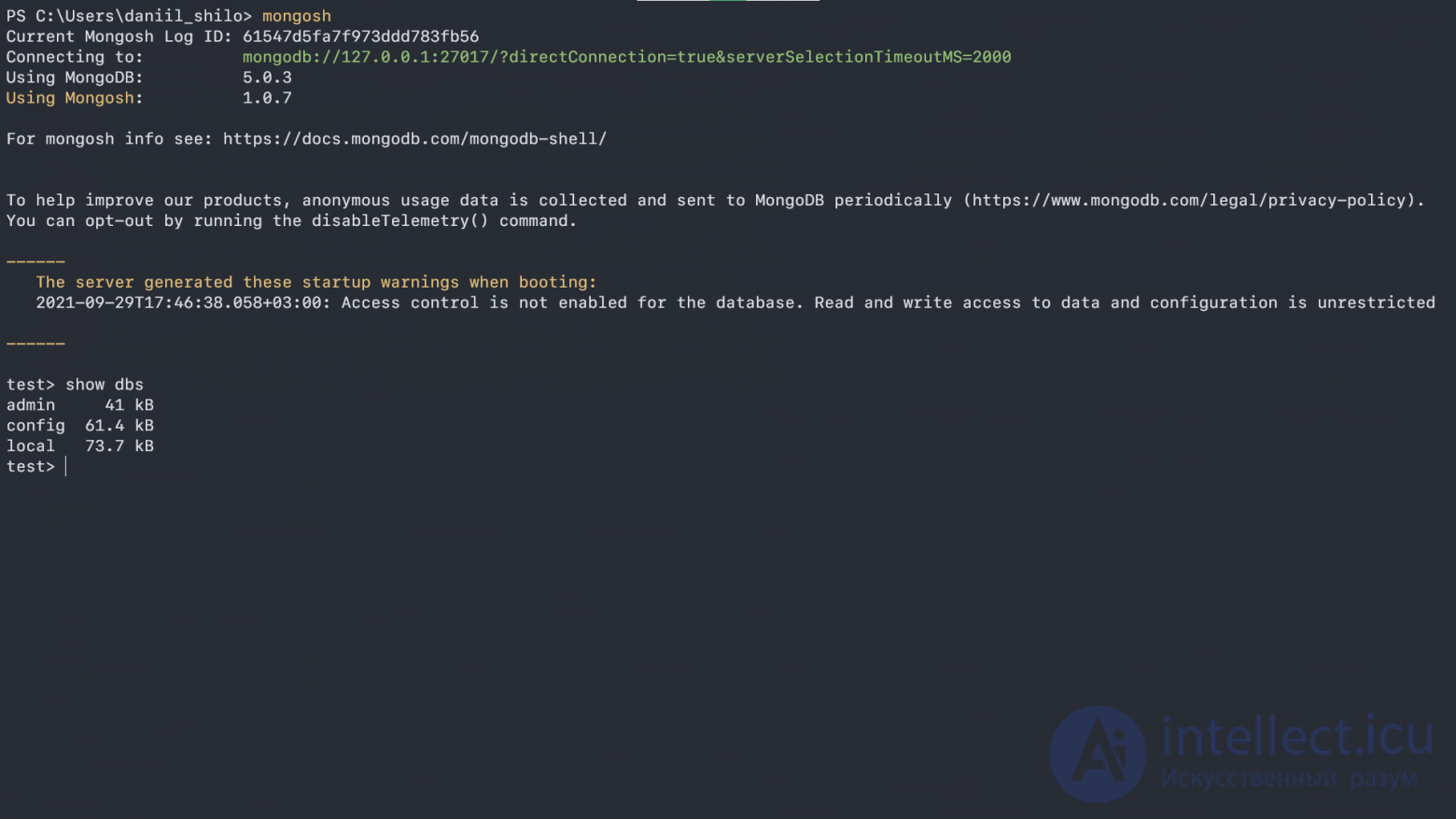
The show dbs command shows which databases currently exist. As we can see, test isn't in the list.
To create a new database (or switch to an existing one) we use the use keyword:
use new_database
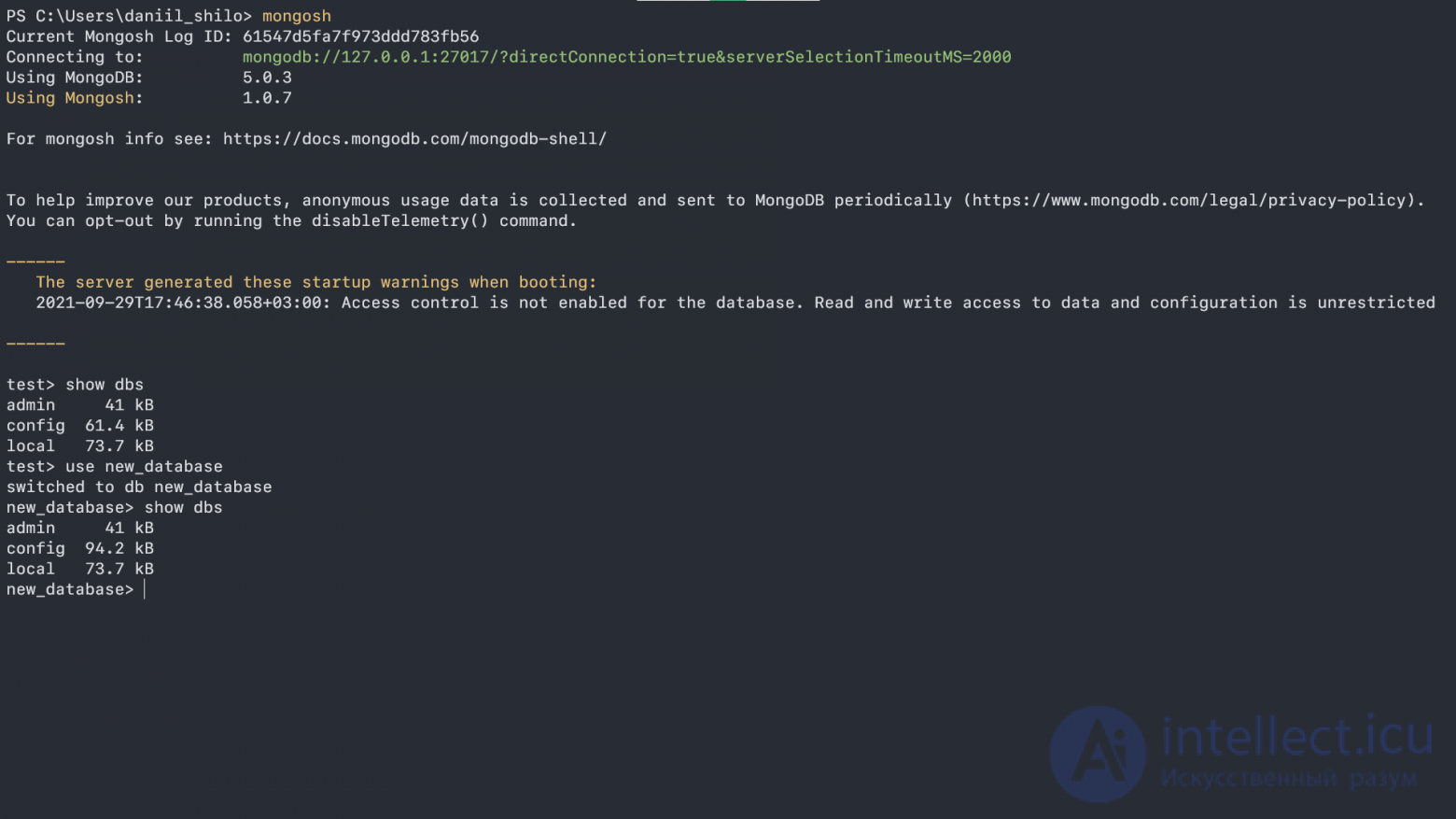
As we can see, we've switched to the new_database database, but it doesn't show up in the list - that's because of the rule mentioned above: a database doesn't exist until you put something into it.
Let's create a new collection called customers and put a value with name: Daniil into it:
db.customers.insertOne({name: "Daniil"});
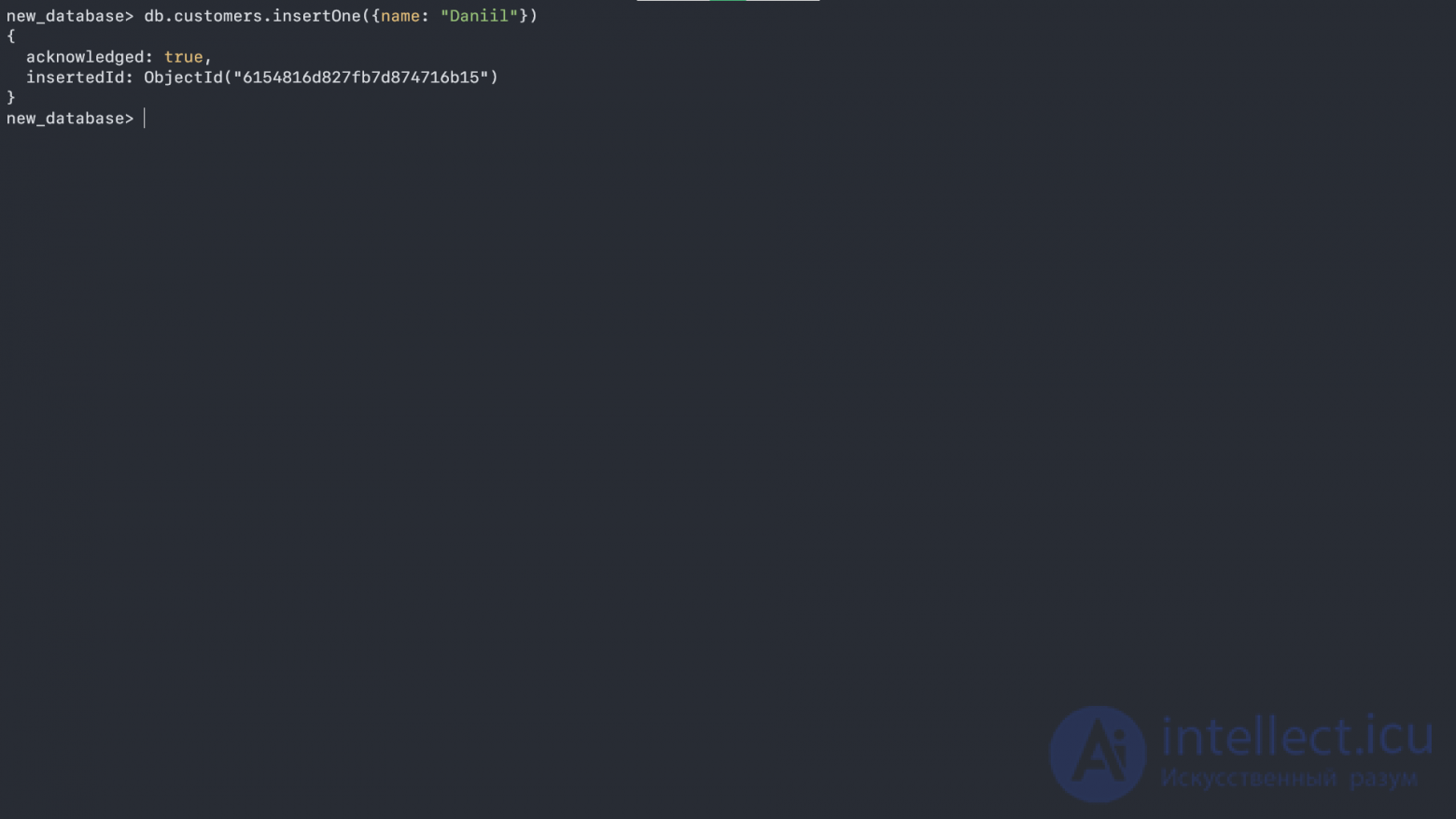
Here we referenced the database with db, then specified the collection with a dot, and inserted a value using the insertOne() function. JavaScript is MongoDB's query language. Under the hood, MongoDB uses MozJS, a fork of SpiderMonkey (Mozilla Firefox's engine). If you're curious, you can take a look at the source code.
Now let's see which collections exist in our database - but how do we do that? You can type db. and press Tab to see which properties and methods our db object has (for simplicity, you can think of it as an ordinary JavaScript object - it even has similar methods, like toString, isPrototypeOf, hasOwnProperty)
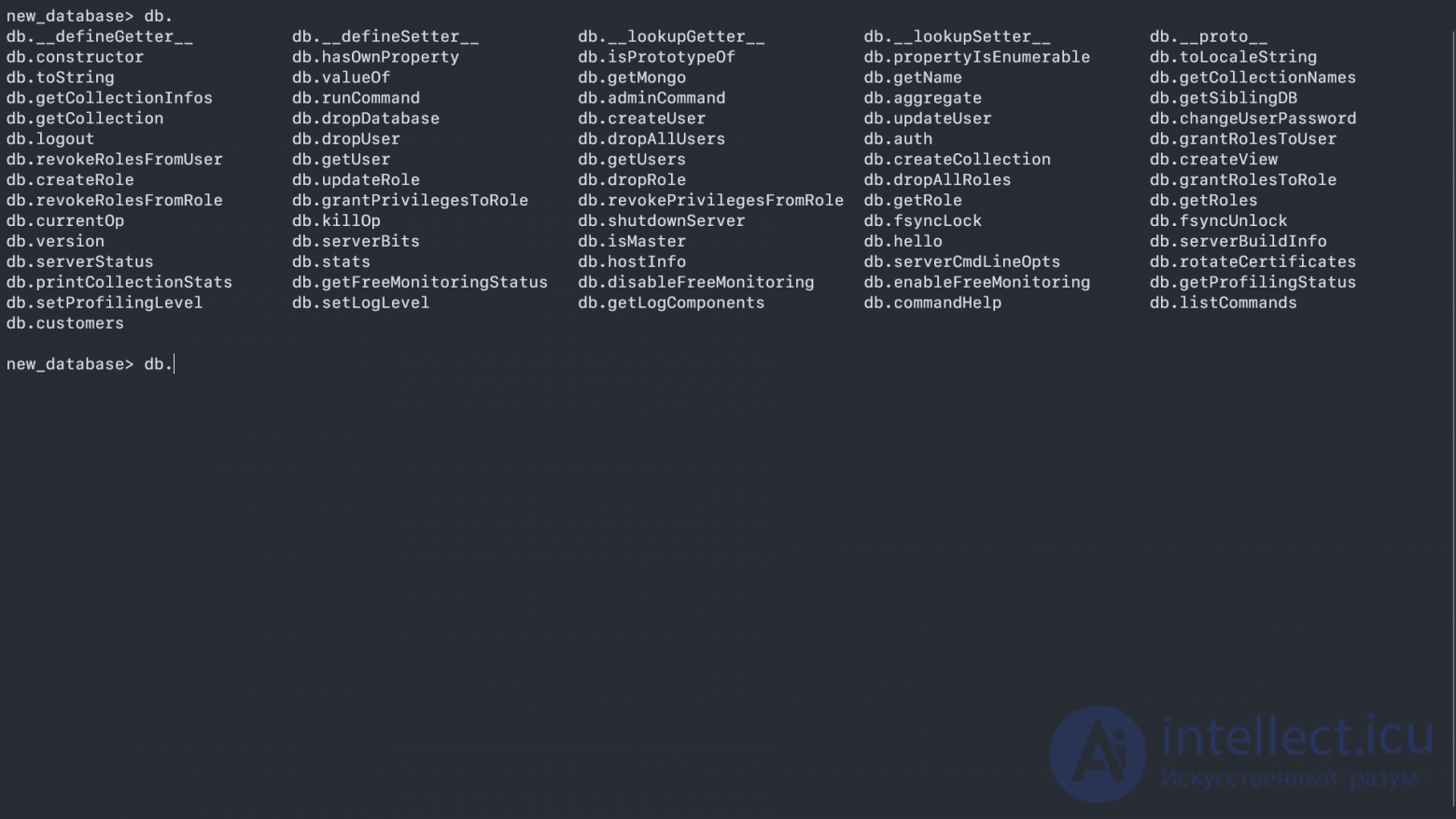
Next, we can see our collections with the special getCollectionNames method:
db.getCollectionNames();
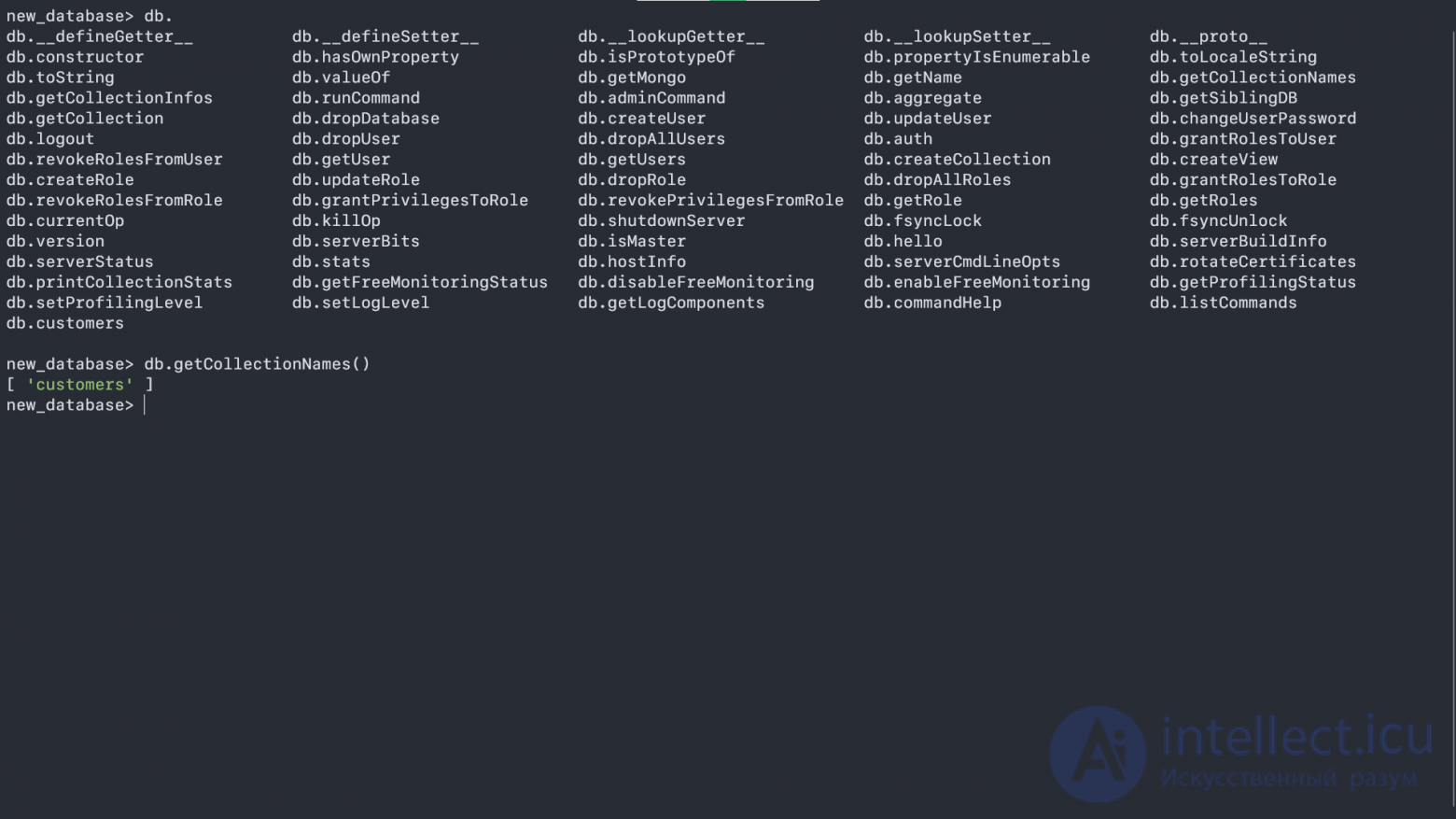
Voilà! We have an array of our collections, and using the same principle (finding the methods you need) you can explore the whole of MongoDB - but I still have more to tell you, so let's continue.
There are also command shortcuts we can use - for example, show collections returns the same thing, but in a more human-readable form:
show collections
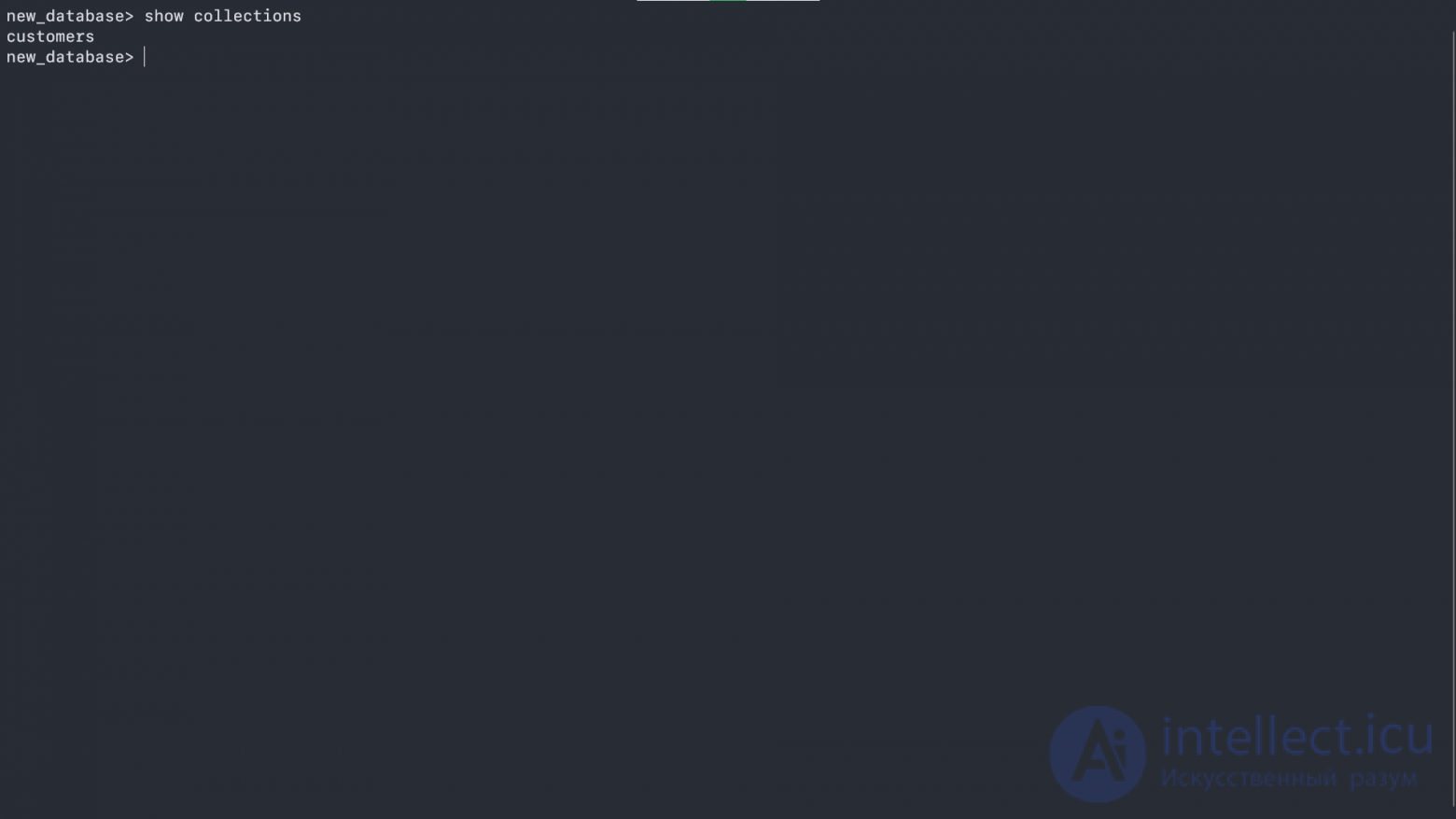
Our collection, by the way, also has methods and properties, but they're a bit different:
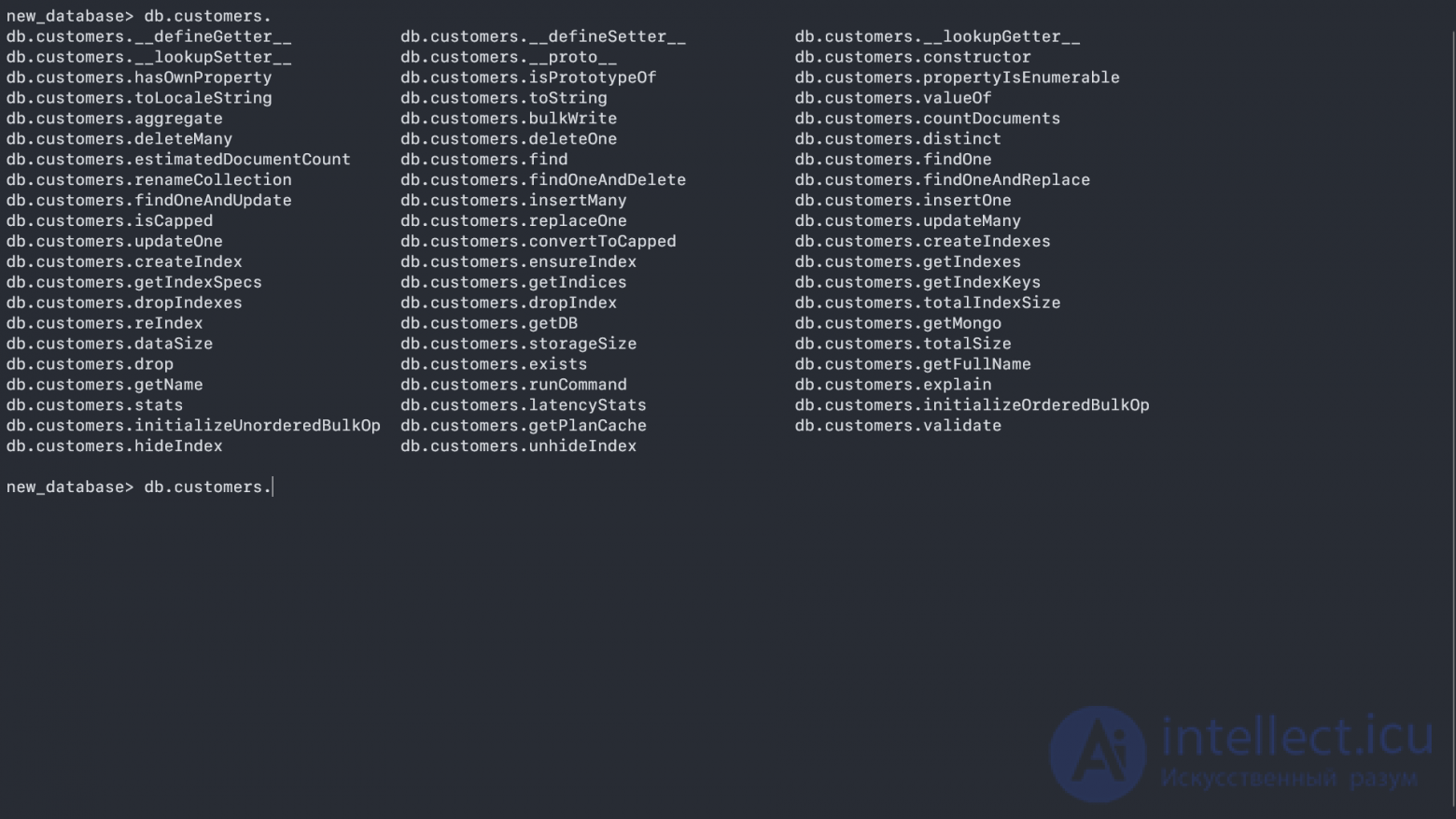
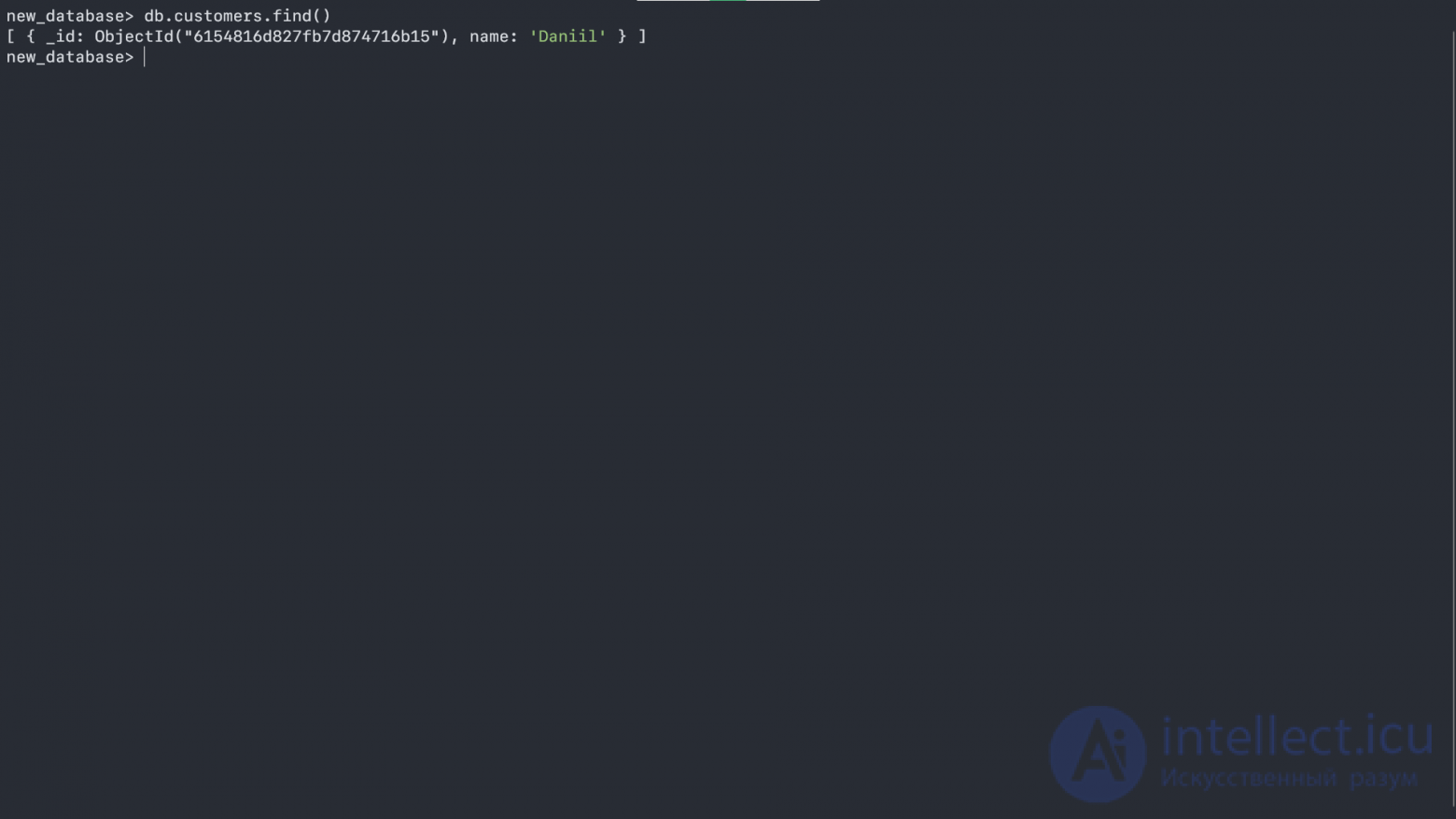
We can use the collection together with find() to output the entire contents of the collection:
db.customers.find();
Let's add a few more customers using the insertMany() method:
db.customers.insertMany([{name: "Jinx"}, {name: "Tony"}, {name: "Alex"}]);
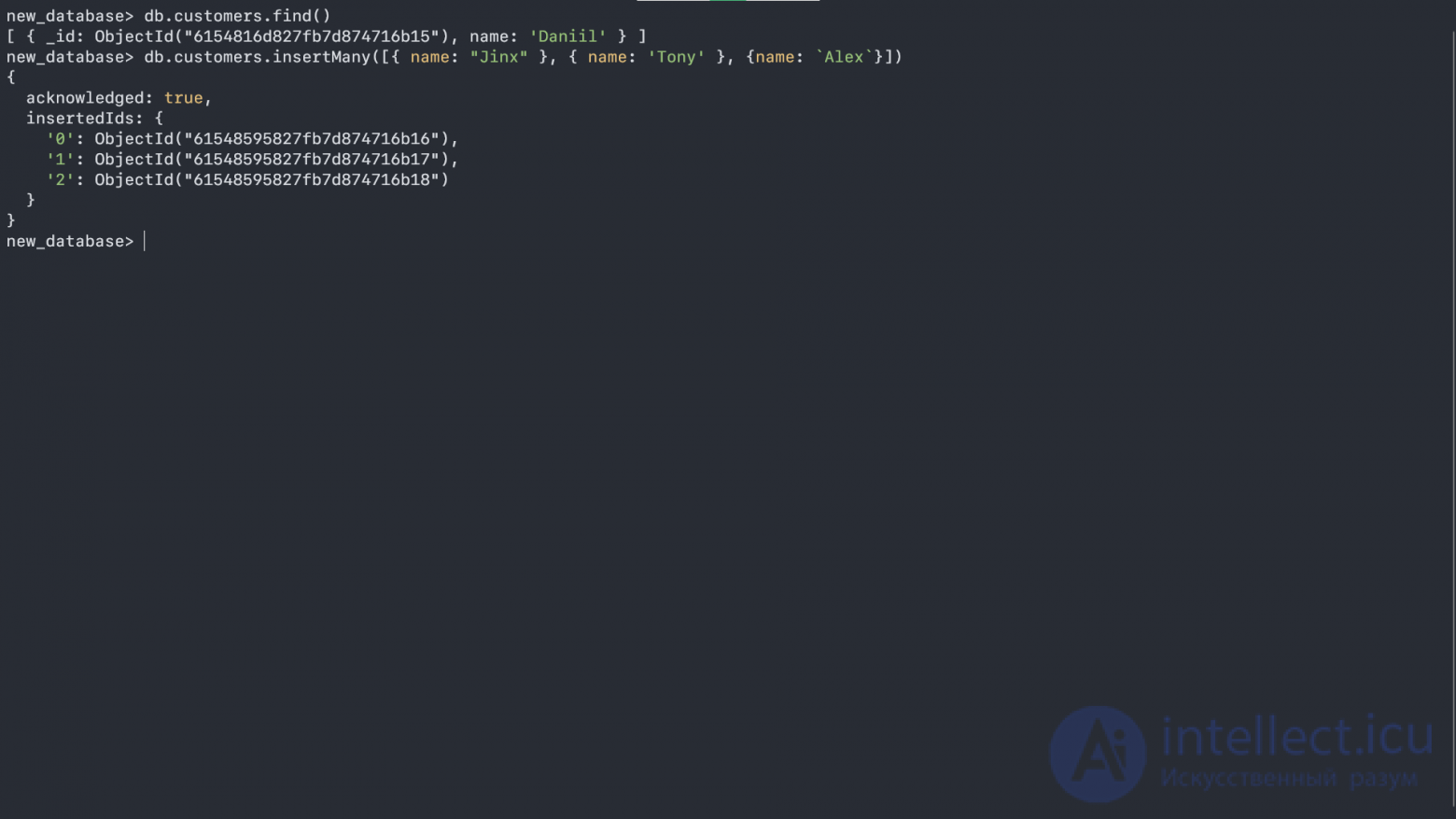
Now, let's note a few things about the screenshot:
The insertMany() method takes an array of elements, not just individual elements
MongoDB doesn't care whether the keys and their values are wrapped in quotes or not
MongoDB's syntax is very similar to JavaScript's, so you can use any kind of quotes (double, single, backtick).
In response, this method gives us back an object that has an acknowledged property (read more about it here) and a nested object with keys from the array and their corresponding id values.
Now let's output two users (doesn't matter which) from our list, using the following command db.customers.find().limit(2):
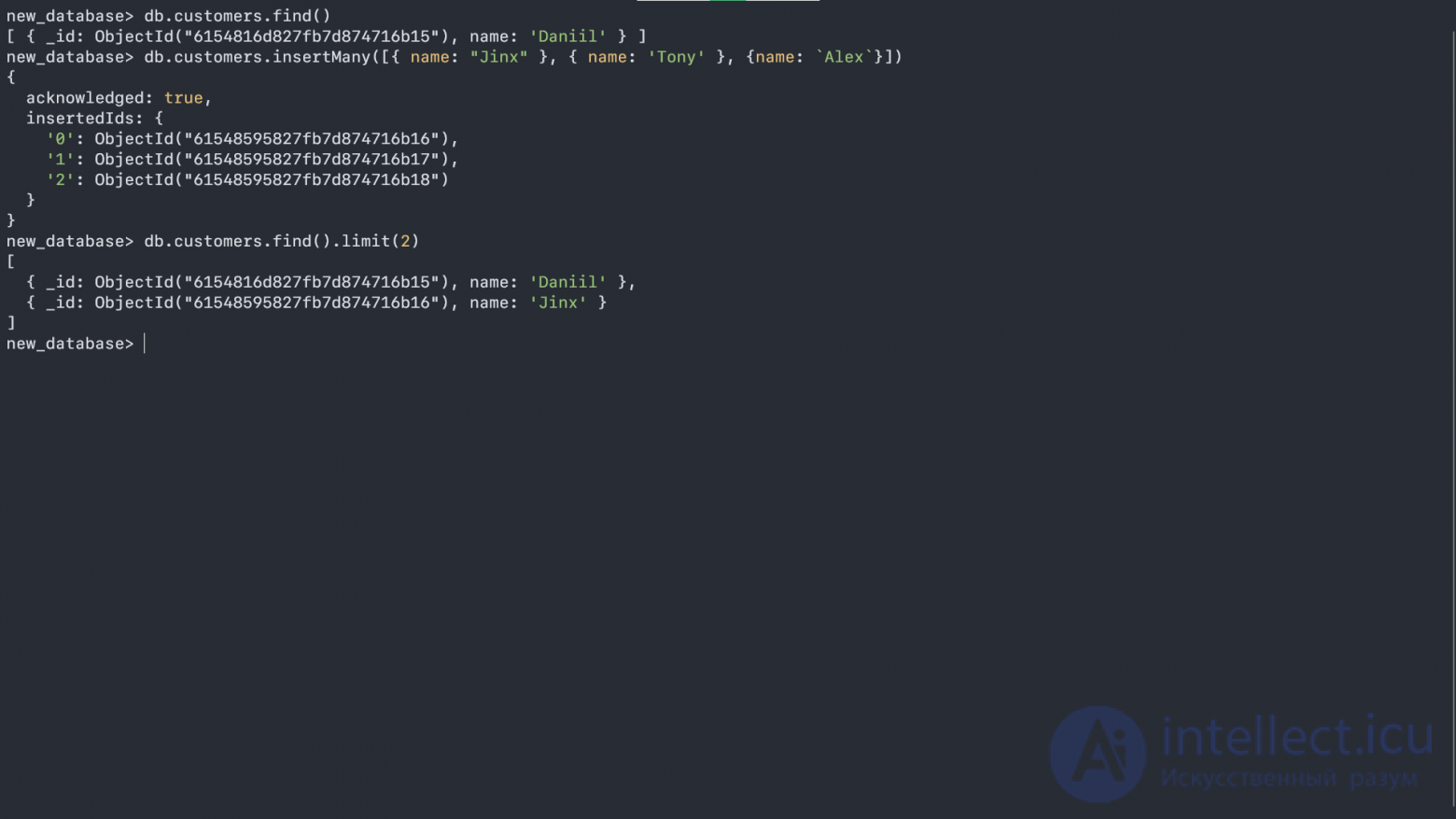
As we can see, we output only two objects from our collection - but what else can we do with the objects we've "found"? Here's what:
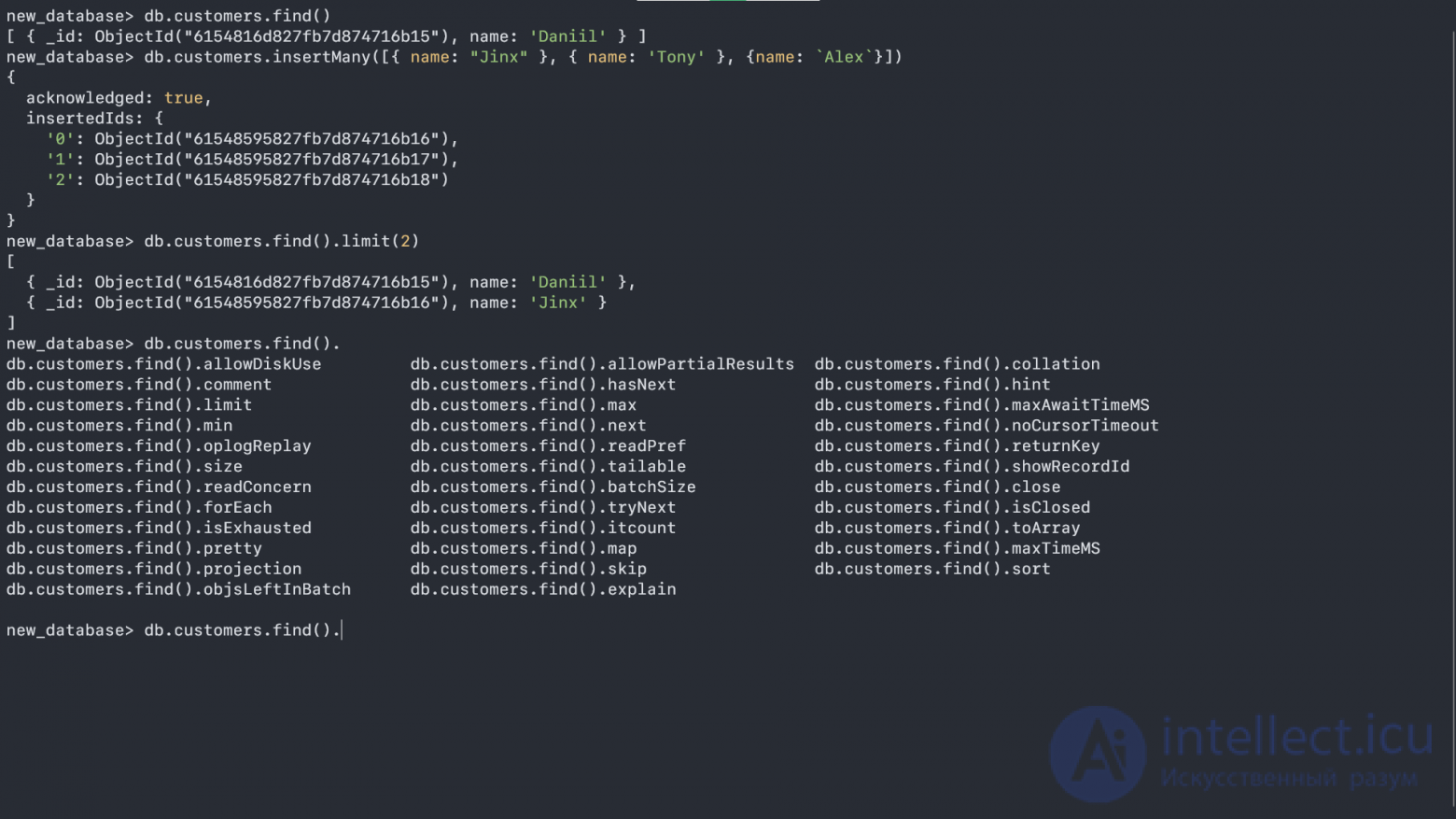
A method has its own methods, and just like in JavaScript we can chain methods one after another, passing the result of one method into the next one through a ..
Now let's sort our values using the sort() method:
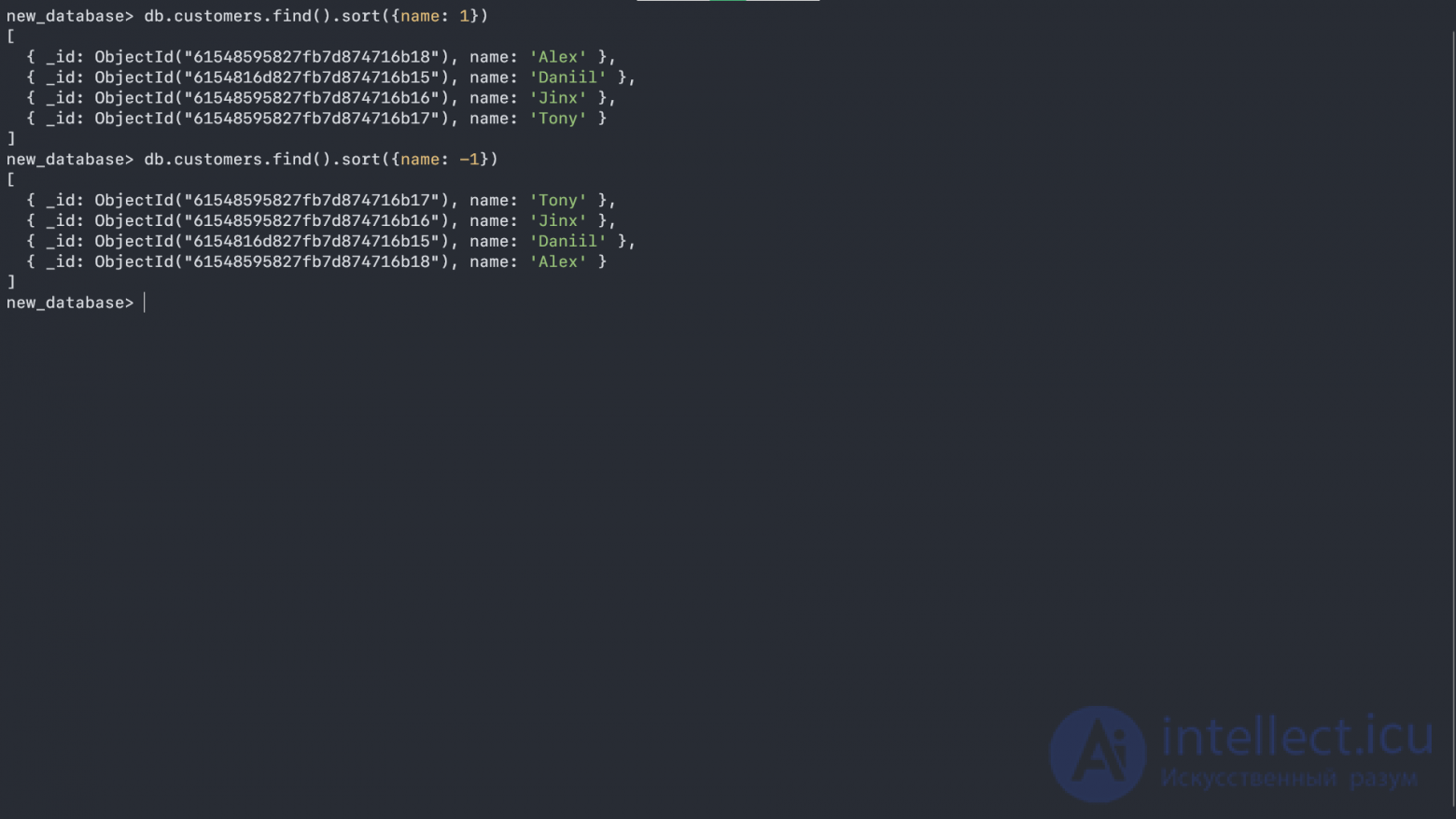
The sort() method takes an object argument specifying which value to sort by. 1 means the sort should be done in ascending order, while -1 does it in descending order.
You can also sort values using two arguments, but first let's add some! To add values to a found element of the collection, let's use the updateOne function:
db.customers.updateOne({name: "Daniil"}, {$set: {age: 19}});
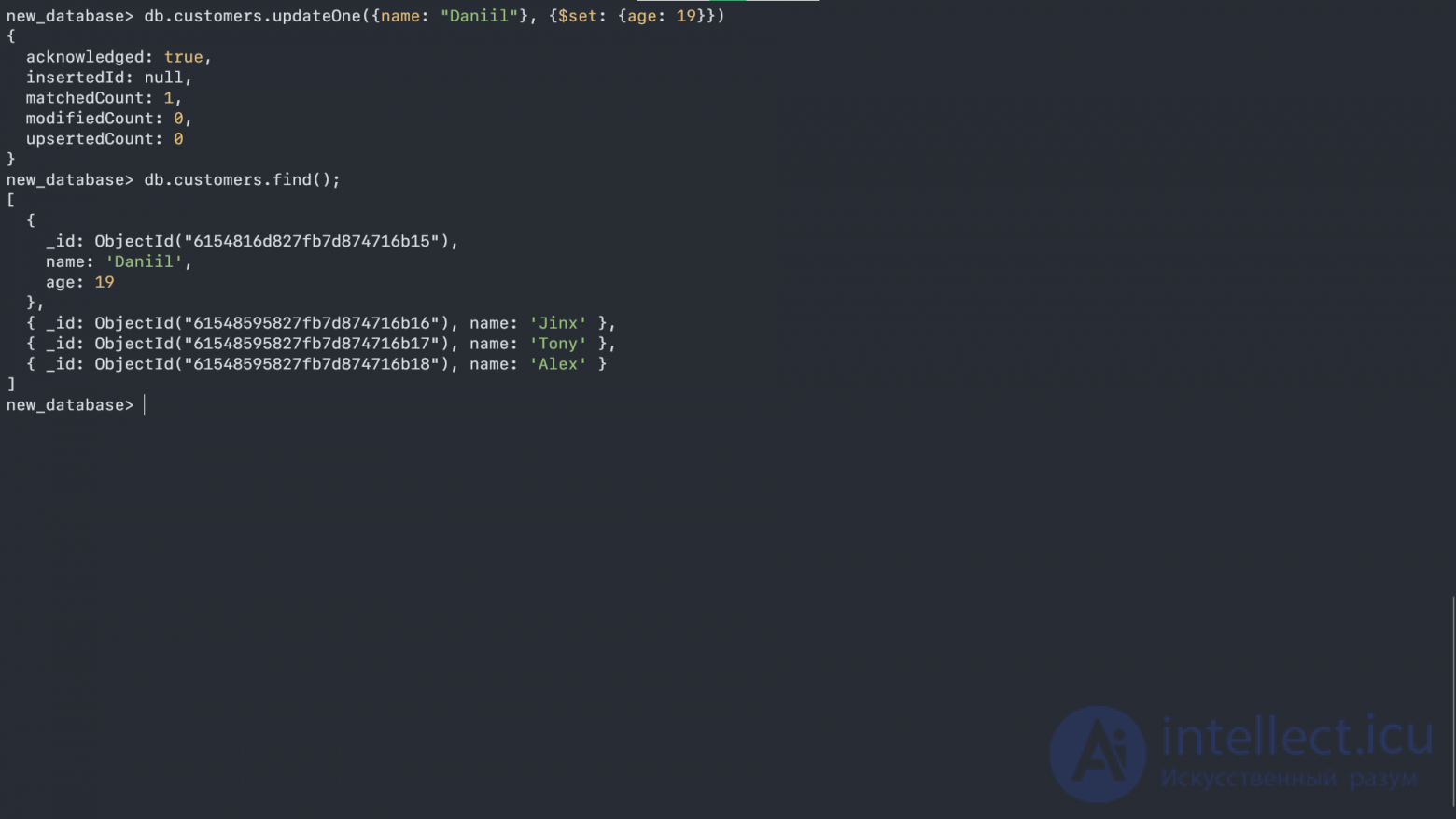
The unusual keyword $set that you see in the screenshot is an atomic operator - we'll talk about it later. The main thing to notice right now is that we changed a value, and $set simply specifies the new values in our record.
Now let's apply the updateMany() method to change the values of multiple elements, and then move on to sorting with two arguments:
db.customers.updateMany({name: {$ne: "Daniil"}}, {$set: {age: 15}});
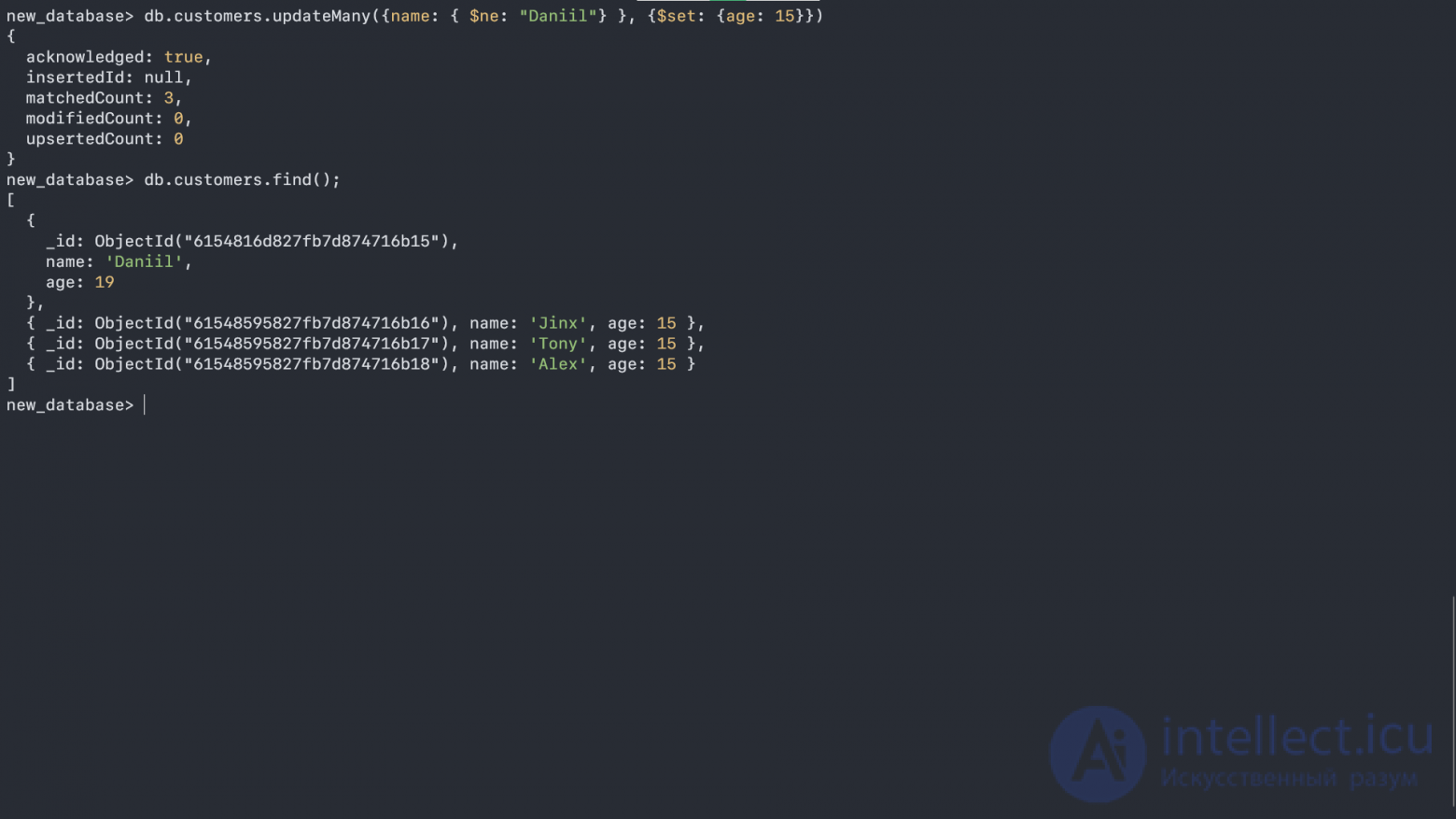
Another atomic operator has appeared, meaning not equal (ne - not equal). In this case, the query reads: "Find me all the records where the name is not equal to 'Daniil', and set their 'age' value to 15". (For reference: set (English) - to assign, to set)
Now let's sort the array using two arguments:
db.customers.find().sort({age: -1, name: -1});
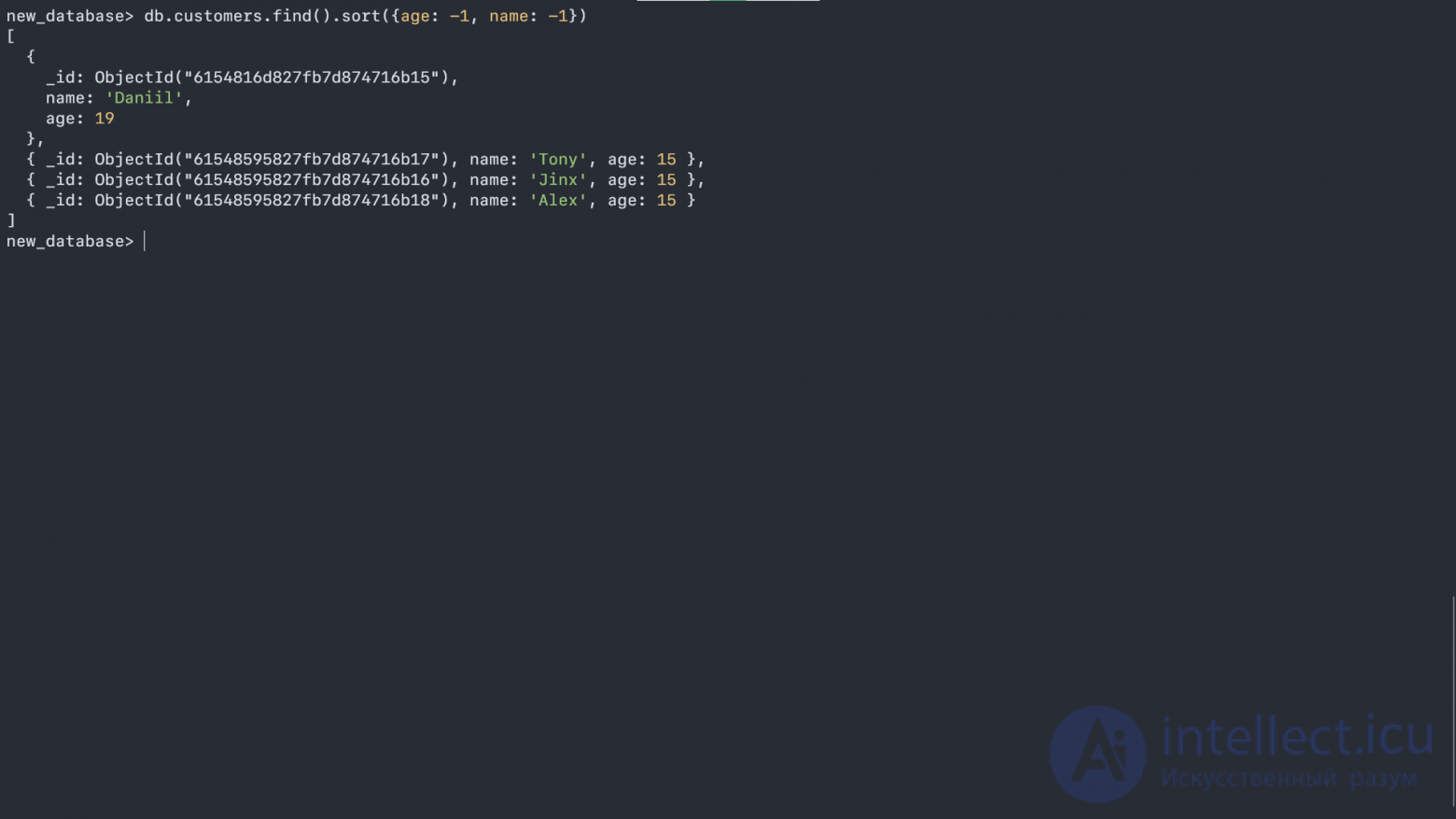
Here, sort() took an object with two keys as an argument. It first sorts records by the first key, and if it finds duplicate first keys, it then sorts by the second key. -1 means reverse (descending) order.
MongoDB lets you retrieve specific fields from the found objects and hide the others (the fields you don't need):
db.customers.find({}, {name: 1, _id: 0});
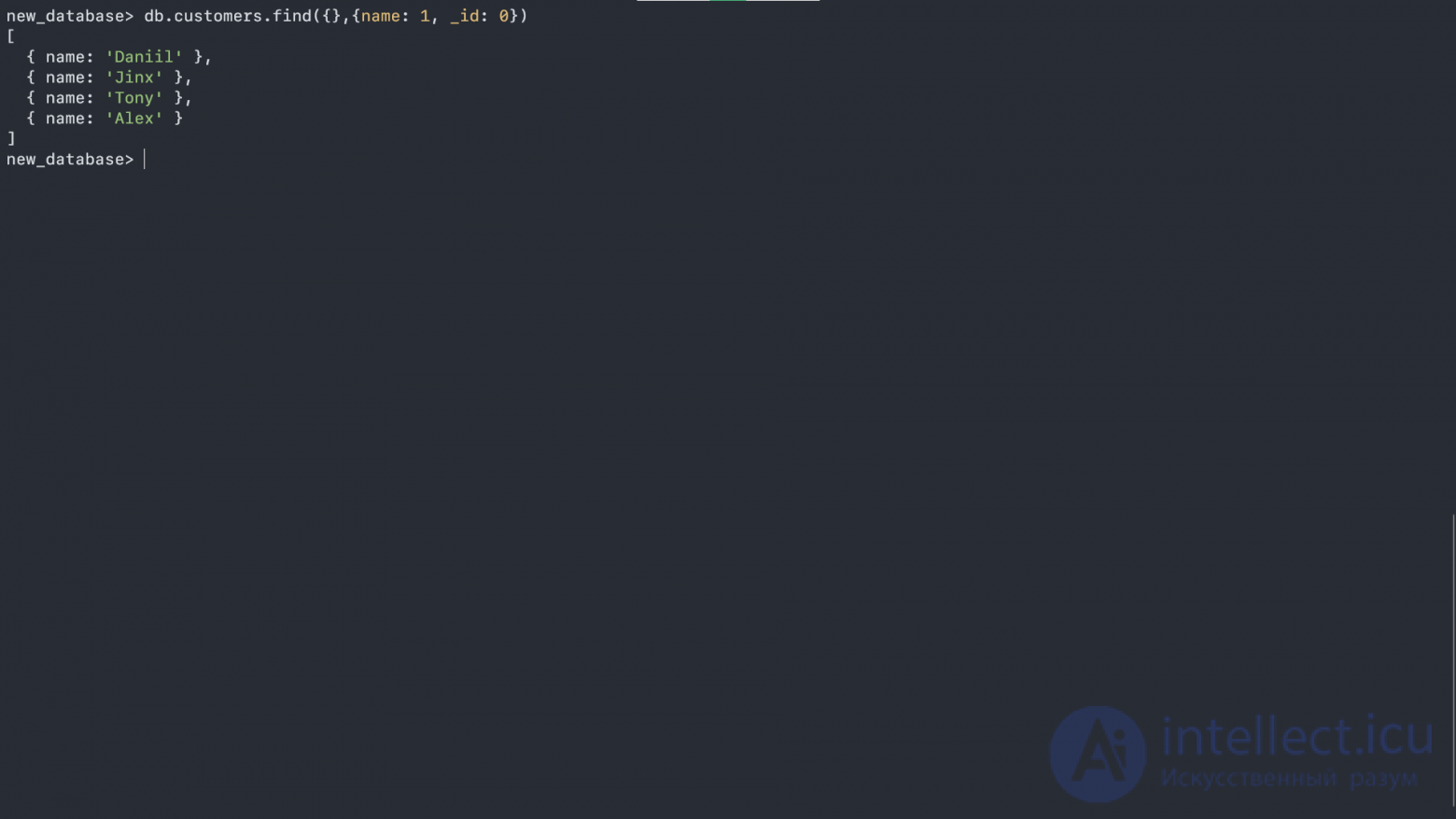
Here we simply find all the records using {} (since no specific identifier for lookup was given, MongoDB returned all the records), and as the second argument we passed what exactly we want to see. 1 here corresponds to output, and 0 is the opposite - those fields that won't be shown.
We can also output our values using other methods, but the child methods will be different too:
db.customers.aggregate();
db.customers.aggregate().toArray();
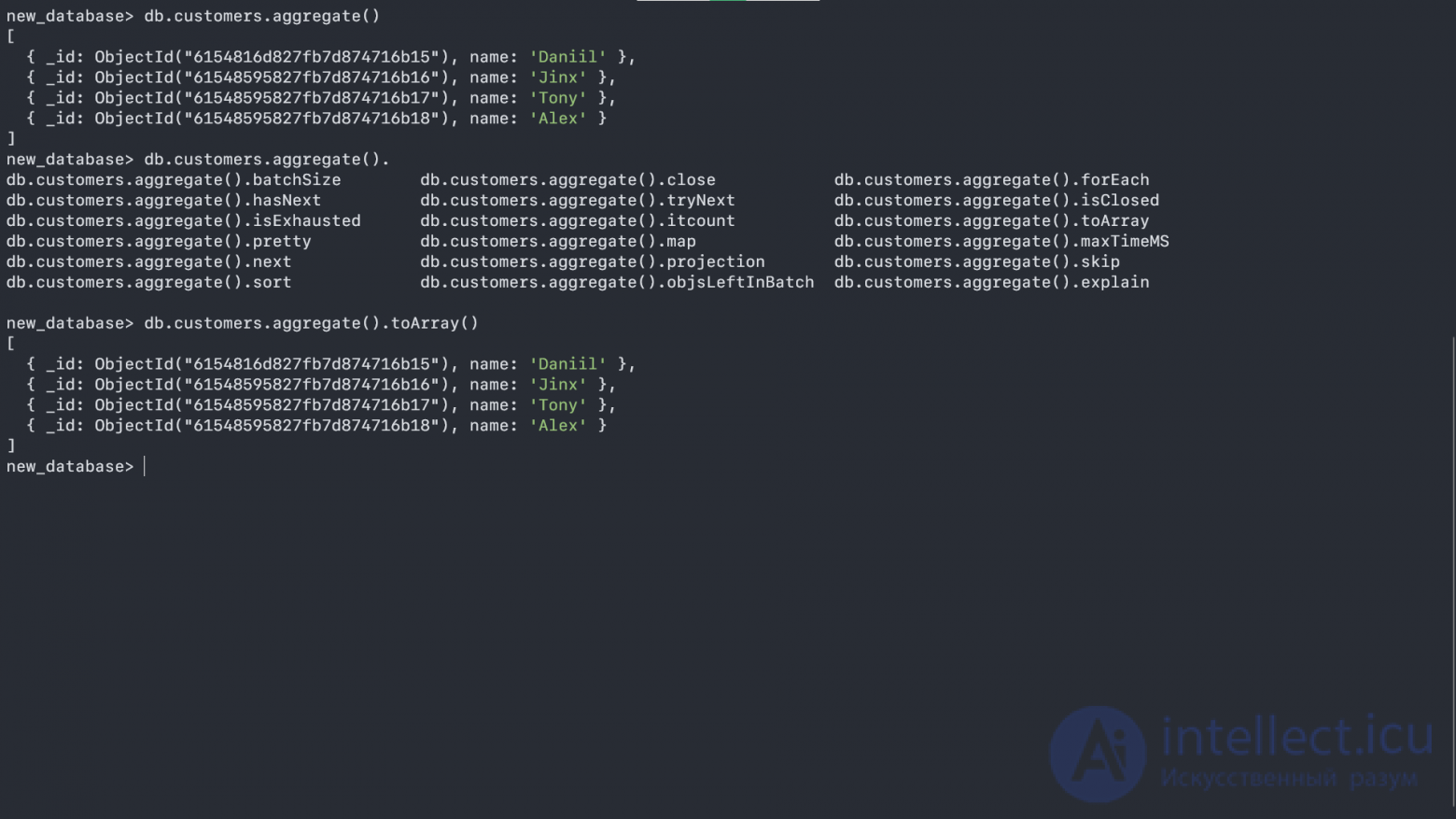
In this case, we converted our data array into a regular array. Later we'll be able to perform various operations on it.
Atomic operators are used to make queries more complex. Popular atomic operators:
gt - greater than
lt - less than
gte and lte - greater than or equal to and less than or equal to
eq - equal
ne - not equal
in - value is contained in something
nin - value is not contained in something
or - or
and - and
exists - exists
set - change or add
We'll look at some of them below:
db.customers.find({age: {$gt: 15}});
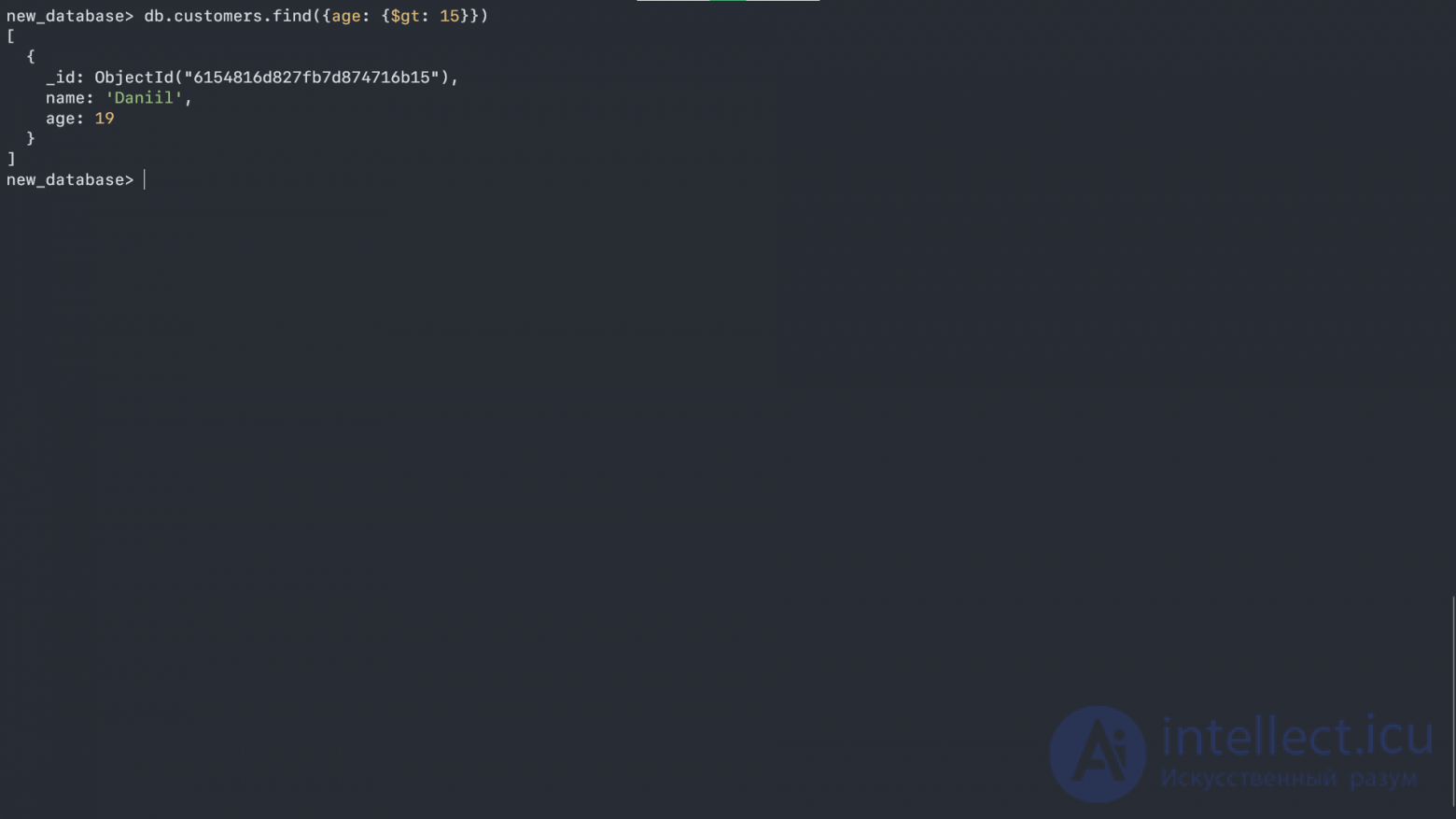
As we can see, this outputs all the records where the age field is greater than 15.
db.customers.find({name: {$in: ['Daniil', 'Jinx']}});
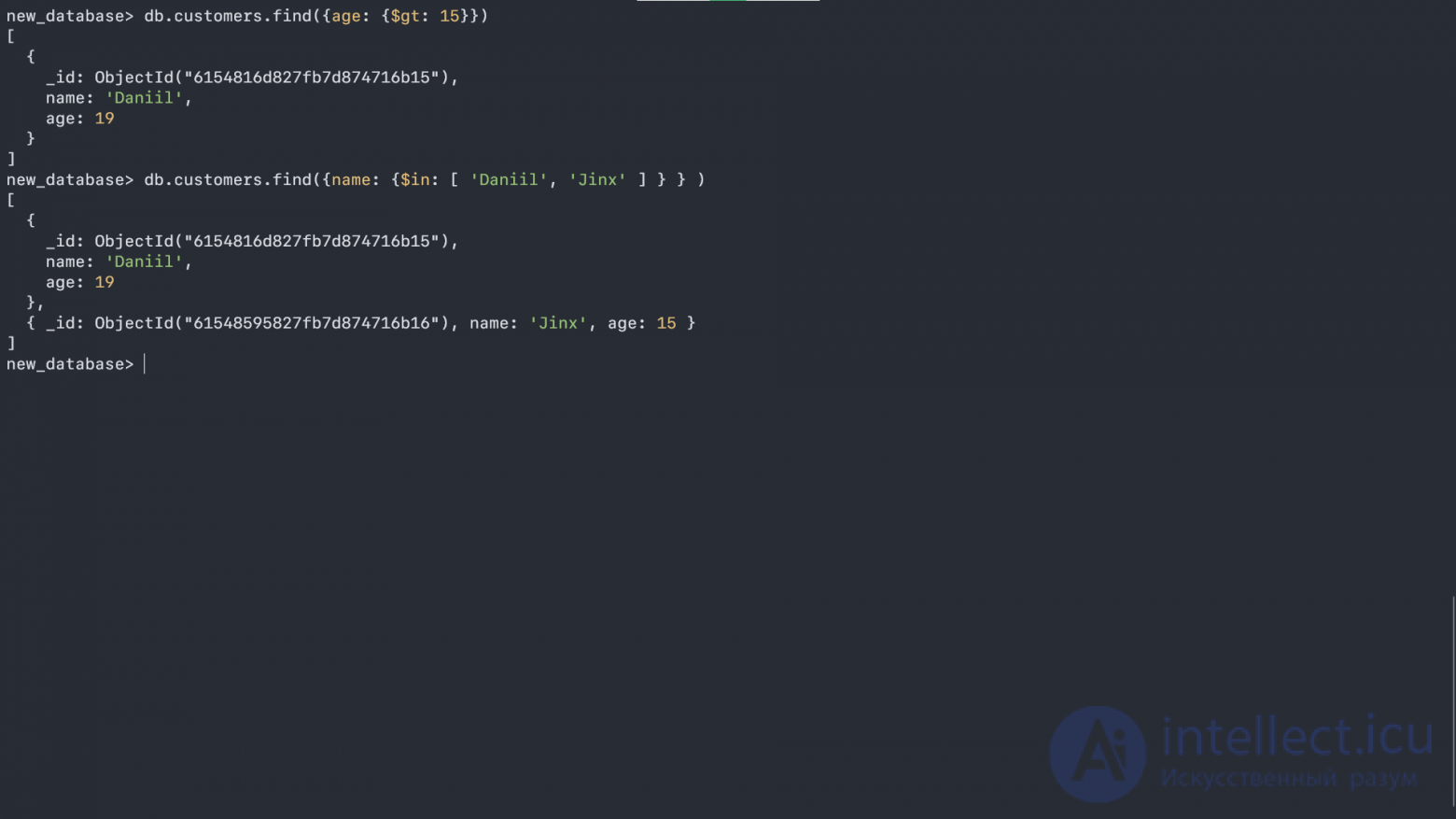
This outputs all the records whose name is contained in the array ['Daniil', 'Jinx'].
Let's add one more object that won't have an age field, and check how the exists operator works:
db.customers.find({age: {$exists: true}});
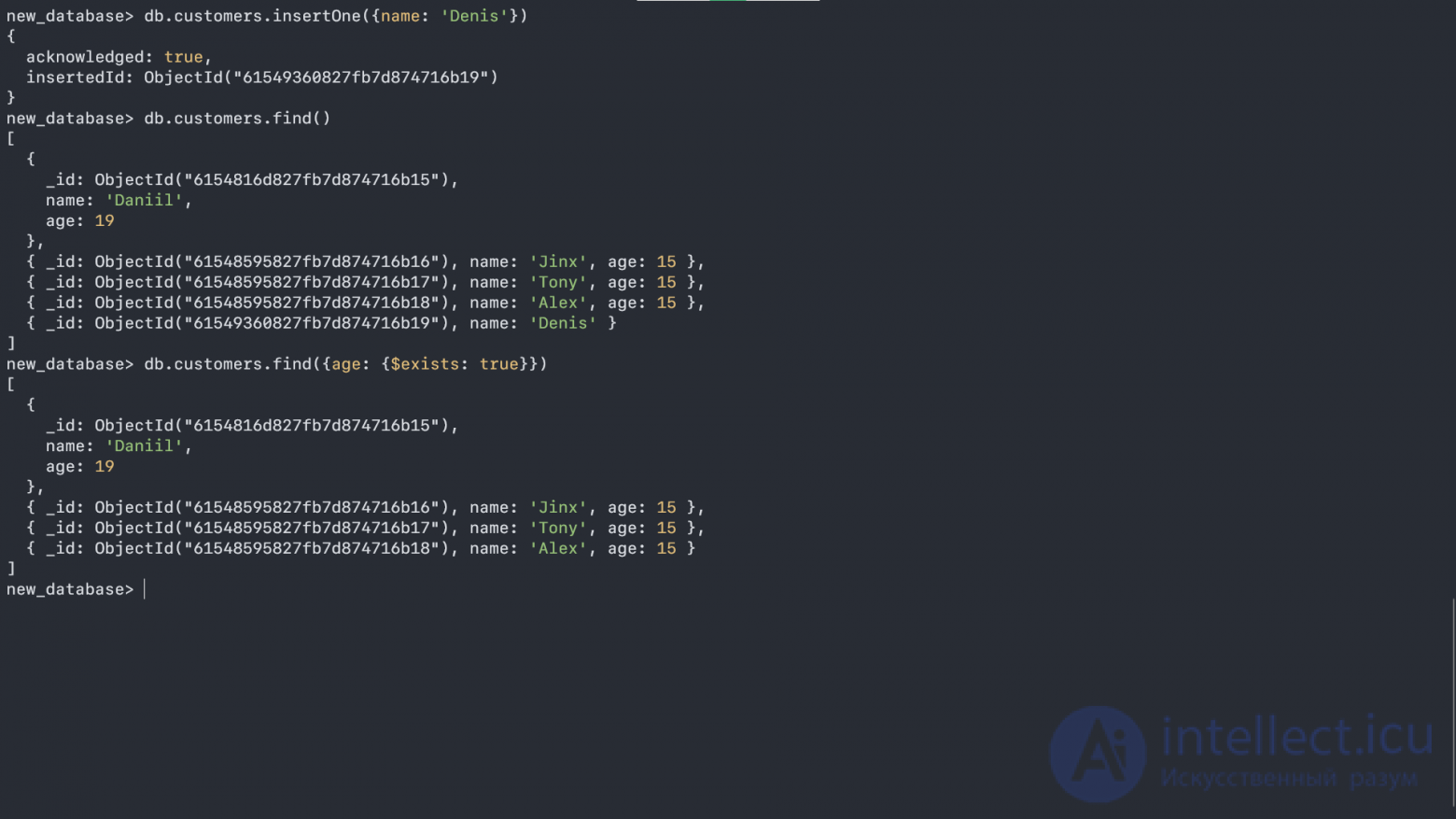
We can see that exists worked correctly here, and the record with name: 'Denis' wasn't output.
It's worth noting that atomic operators work with almost all commands in MongoDB - you can combine them to build complex queries.
All the other commands, such as:
deleteOne (deletes a record)
replaceOne (replaces a record)
updateOne (updates a record)
and their twin siblings with Many work exactly the same way. You can try to figure out why they're needed just by creating a database with a couple of records and experimenting (after all, this is how the material sinks in fast and stays in your head for a long time), since you already know everything you need.
Let's get started. Launch the mongod server and the mongo console, if you haven't already. The console runs on JavaScript. There are a few global commands, for example help or exit. Commands that you run against the current database are executed on the db object, for example db.help() or db.stats(). Commands that you run against a specific collection are executed on the db.COLLECTION_NAME object, for example db.unicorns.help() or db.unicorns.count().
Enter db.help() and get a list of the commands you can run on the db object. Side note: since the console interprets JavaScript, if you try to run a method without parentheses, you'll get the method's body back instead of it actually running. Don't be surprised if you see function (...){ when this happens by accident. For example, if you enter db.help (without parentheses), you'll see the internal representation of the help method.
First, to select a database, let's use the global use method - enter use learn. It doesn't matter that the database doesn't exist yet. The learn database will be created the moment the first collection is created. Now that you're inside the database, you can call commands on it, for example db.getCollectionNames(). In response you'll see an empty array ( ). Since collections are schema-less (the original text uses the English term "schema-less" here - translator's note, applies throughout), we aren't required to create them explicitly. We can simply insert a document into a new collection. To do this, use the insert command, passing it the document to insert:
db.unicorns.insert({name: 'Aurora', gender: 'f', weight: 450})
This line runs the insert ("insert") method on the unicorns collection, passing it a single argument. Internally, MongoDB uses a binary serialized JSON format. Externally, this means we make extensive use of JSON, as we do here with our parameters. If you now run db.getCollectionNames(), you'll see two collections: unicorns and system.indexes. system.indexes is created in every database and holds information about that database's indexes.
Now you can call the find method on the unicorns collection, which will return a list of documents:
db.unicorns.find()
Notice that besides the data we specified, an extra _id field appeared. Every document must have a unique _id field. You can generate it yourself or let MongoDB generate an ObjectId for you. In most cases you'll probably leave this task to MongoDB. By default _id is an indexed field, which is why the system.indexes collection gets created. Let's take a look at system.indexes:
db.system.indexes.find()
You'll see the name of the index, the database and the collection it was created for, as well as the fields included in it.
Let's go back to schema-less collections. Let's insert a document into unicorns that's radically different from the previous one, like this:
db.unicorns.insert({name: 'Leto', gender: 'm', home: 'Arrakeen', worm: false})
Let's use find again to view the list of documents. Now that we know a bit more, we can discuss this interesting behavior of MongoDB, but hopefully you're already starting to understand why traditional terminology doesn't quite apply here.
In addition to the six concepts covered earlier, there's one more important practical aspect of MongoDB worth mastering before moving on to more advanced topics: query selectors. A MongoDB query selector is analogous to the where clause of a SQL query. As such, it's used to find, count, update, and delete documents in collections. A selector is a JSON object; in the simplest case it can even be {}, which selects all documents (null works the same way). If we need to select all female unicorns, we can use the selector {gender:'f'}.
Before we dive deep into selectors, let's first create some data to experiment with. First, let's remove everything we previously inserted into the unicorns collection using the command: db.unicorns.remove() (since we didn't pass a selector, all documents will be deleted). Now let's run the following inserts to get some data for further experiments (you can copy and paste this into the console):
db.unicorns.insert({name: 'Horny', dob: new Date(1992,2,13,7,47), loves: ['carrot','papaya'], weight: 600, gender: 'm', vampires: 63});
db.unicorns.insert({name: 'Aurora', dob: new Date(1991, 0, 24, 13, 0), loves: ['carrot', 'grape'], weight: 450, gender: 'f', vampires: 43});
db.unicorns.insert({name: 'Unicrom', dob: new Date(1973, 1, 9, 22, 10), loves: ['energon', 'redbull'], weight: 984, gender: 'm', vampires: 182});
db.unicorns.insert({name: 'Moons', dob: new Date(1979, 7, 18, 18, 44), loves: ['potato'], weight: 575, gender: 'm', vampires: 99});
db.unicorns.insert({name: 'Solnara', dob: new Date(1985, 6, 4, 2, 1), loves:['potato', 'carrot', 'chocolate'], weight:550, gender:'f', vampires:80});
db.unicorns.insert({name:'Kenny', dob: new Date(1997, 6, 1, 10, 42), loves: ['grape', 'lemon'], weight: 690, gender: 'm', vampires: 39});
db.unicorns.insert({name: 'Raleigh', dob: new Date(2005, 4, 3, 0, 57), loves: ['potato', 'sugar'], weight: 421, gender: 'm', vampires: 2});
db.unicorns.insert({name: 'Leia', dob: new Date(2001, 9, 8, 14, 53), loves: ['potato', 'watermelon'], weight: 601, gender: 'f', vampires: 33});
db.unicorns.insert({name: 'Pilot', dob: new Date(1997, 2, 1, 5, 3), loves: ['potato', 'watermelon'], weight: 650, gender: 'm', vampires: 54});
db.unicorns.insert({name: 'Nimue', dob: new Date(1999, 11, 20, 16, 15), loves: ['grape', 'carrot'], weight: 540, gender: 'f'});
db.unicorns.insert({name: 'Dunx', dob: new Date(1976, 6, 18, 18, 18), loves: ['grape', 'watermelon'], weight: 704, gender: 'm', vampires: 165});
Now that the data is created, we can start learning selectors. {field: value} is used to find all documents where field equals value. {field1: value1, field2: value2} works as a logical AND. The special operators $lt, $lte, $gt, $gte, and $ne are used to express "less than", "less than or equal to", "greater than", "greater than or equal to", and "not equal to". For example, to get all male unicorns weighing more than 700 pounds, we can write:
db.unicorns.find({gender: 'm', weight: {$gt: 700}})
//or (which is not fully equivalent, but is given here for demonstration purposes)
db.unicorns.find({gender: {$ne: 'f'}, weight: {$gte: 701}})
The $exists operator is used to check whether a field is present or absent, for example:
db.unicorns.find({vampires: {$exists: false}})
This will return a single document. If we need OR instead of AND, we can use the $or operator and give it an array of values, for example:
db.unicorns.find({gender: 'f', $or: [{loves: 'potato'}, {loves: 'orange'}, {weight: {$lt: 500}}]})
The query above will return all female unicorns who either love potato, or love oranges, or weigh less than 500 pounds.
Something interesting happened in our last example. You noticed that the loves field is an array. MongoDB supports arrays as first-class objects. This is an incredibly handy feature. Once you start using it, you'll wonder how you ever lived without it. The best part is how simple it is to query by an array value: {loves: 'watermelon'} will return all documents where watermelon is one of the values in the loves field.
That's not all the operators. The most flexible operator is $where, which lets us pass JavaScript to be executed on the server. This is covered in the Advanced Queries section on the MongoDB website. We've covered the basics we need to get started. This is also what you'll be using most of the time.
We've seen how these selectors can be used with the find command. They can also be used with the remove command, which we briefly covered, the count command, which we haven't looked at yet but which you'll probably pick up, and the update command, which we'll spend most of our time with going forward.
ObjectId, generated by MongoDB for the _id field, is plugged into a selector as follows:
db.unicorns.find({_id: ObjectId("TheObjectId")})
We haven't looked yet at the update command or at the more interesting things you can do with find. But we've got MongoDB running, briefly learned the insert and remove commands (learning pretty much everything there is to know about them). We've also started exploring find and learned what MongoDB selectors are. That's a solid start, and the groundwork for further study is laid. Believe it or not, you've now learned almost everything you need to know about MongoDB - it's that simple and easy to learn. I strongly recommend experimenting with your own data before moving on. Insert a few new documents - maybe into new collections - and experiment with selectors. Use find, count, and remove. After a few attempts of your own, things that seemed unclear will fall into place.

Comments