
Practice
Task: enable query logging, writing the logs to the MySQL server's own system database. I.e. all queries passing through this DBMS server will be recorded.
Logging queries to the MySQL server's database is an important aspect of database administration and monitoring. It lets you record and analyze the queries executed against the database, and can be useful for various purposes:
Debugging and troubleshooting: Query logging helps identify and fix errors in SQL queries. If queries produce unwanted results or cause performance issues, the logs can help pinpoint where the problem occurred.
Performance optimization: Analyzing query logs can help optimize database performance. You can spot slow queries and try to improve their execution, for example by adding indexes or rewriting the queries.
Activity monitoring: The query log lets you track user activity in the database. This is useful for detecting unauthorized access or improper actions.
Security analysis: Logs can help reveal hacking attempts or unauthorized access to the database. This helps ensure data security.
Audit and compliance: In some cases, especially in a corporate environment, query logging is mandatory to comply with legal requirements or security standards.
Before making changes you can check the variables listed below to see whether logging is already enabled?
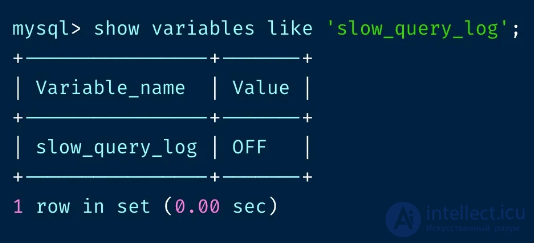
To handle tasks like this, we open the MySQL server's my.cnf file and add the following changes to the end of the [mysqld] section::
For example, you can use the general_log parameter to enable the general query log, or slow_query_log to log slow queries.
...
# Log "long" queries to the slow-log database
slow-query-log

# Output the log to the database
log_output = TABLE

# The time (in seconds) a query must take to be considered "long"
long_query_time = 1

# Log entries to the general-log journal
general-log

# Purge logs older than (days) - i.e. automatically rotate the log table
expire_logs_days = 1
Set the log file path and name: Choose the location and name of the file where query logs will be stored. Specify this path and name in the configuration file.
Restart the server: After making changes to the configuration, restart the MySQL server to activate logging.
Monitoring and analysis: Once query logging is enabled, keep an eye on the logs, analyze them, and take the necessary actions based on the data you get.
How do you view these logs?
With the config above, logs are stored in 2 tables of the MySQL system database.
You can view the general log with this command:
mysql> SELECT * FROM mysql.general_log ORDER BY event_time DESC;
And from the "heavy" query log:
mysql> SELECT * FROM mysql.slow_log ORDER BY event_time DESC;
Keep in mind that logs can take up extra disk space and affect performance, so it's important to balance the amount of information you log, and remember to regularly archive and clean up old logs.

Comments