
Lecture 31 min.
Recent advances in AI image generation, led by diffusion models such as Glide, DALL-E 2, Imagen and Stable Diffusion, have taken the "artificial intelligence" world by storm. Creating high-quality images from text descriptions is a difficult task. It requires a deep understanding of the underlying meaning of the text and the ability to generate an image that matches that meaning. In recent years, diffusion models have become a powerful tool for solving this problem.
These models make it incredibly easy to create high-quality images in a variety of styles using just a few words.
In this article, we will cover the following topics in a clear and simple way, accessible to any newcomer to the exciting world of diffusion models for image generation.
Briefly discuss the landscape of deep-learning-based image generation models, along with the pros and cons of the different methods in use.
Explain in simple terms what "diffusion" is and how diffusion models work.
Give a high-level overview of the four most popular diffusion models:
DALL-E 2 from OpenAI
Imagen from Google
StabilityAI's Stable Diffusion
Midjourney
Finally, discuss some applications and websites that offer services related to diffusion models or use diffusion models as a service.
A diffusion model is a model that describes the spread of particles or other objects through space as a result of their random movements. In such a model, objects can move both within a medium and between media. Diffusion occurs in the direction from a region of higher particle concentration to a region of lower concentration. This process is the result of the thermal motion of particles.
Diffusion models are widely used in various fields of science and engineering, including physics, chemistry, biology, economics and computer science. For example, they can be used to model the spread of gas molecules in an enclosed space, the spread of infections in a population, or the spread of information in social networks. A diffusion model can also be used in artificial intelligence .
Diffusion models in AI systems are a class of probabilistic generative models that turn noise into a representative data sample.
Diffusion models are generative models, which means they are used to generate data similar to the data they were trained on.

General concept of training:
General concept of generation: create pure Gaussian noise and feed it to the trained denoising model to get a completely new image
What are generative models?
What is diffusion?
What are diffusion models?
How do diffusion models for image generation work?
Comparison with GANs
Well-known diffusion models for image generation
DALL-E 2
Imagen
Stable Diffusion
Midjourney
Popular variants of Stable Diffusion models
Anything V3
Robo Diffusion
Open Journey
Arcane Diffusion
Mo-Di Fusion
Applications of diffusion models
Textual Inversion
Text To Videos
Text To 3D
Text To Motion
Image To Image
Image Inpainting
Image Outpainting
Infinite Zoom In & Zoom Out
Image Search & Reverse Image Search
Tools
For local and Colab installation
For online testing
Summary
Most of the machine learning and deep learning tasks you work on are conceptualized from generative and discriminative models. Simply put, "generative models" are statistical models designed to "generate / synthesize data." Their job is to "transform noise into a representative data sample."
Over the years we have seen many creative applications of generative models. One specific application that most of us remember was a Cadbury ad that used audio generation and lip-sync to map the facial expressions and speech of various celebrities. It can be used to create personalized celebrity ads.
Four well-known deep-learning-based image generation models:
Variational autoencoders (VAE)
Flow-based models
Generative adversarial networks (GAN).
Diffusion (a recent trend)
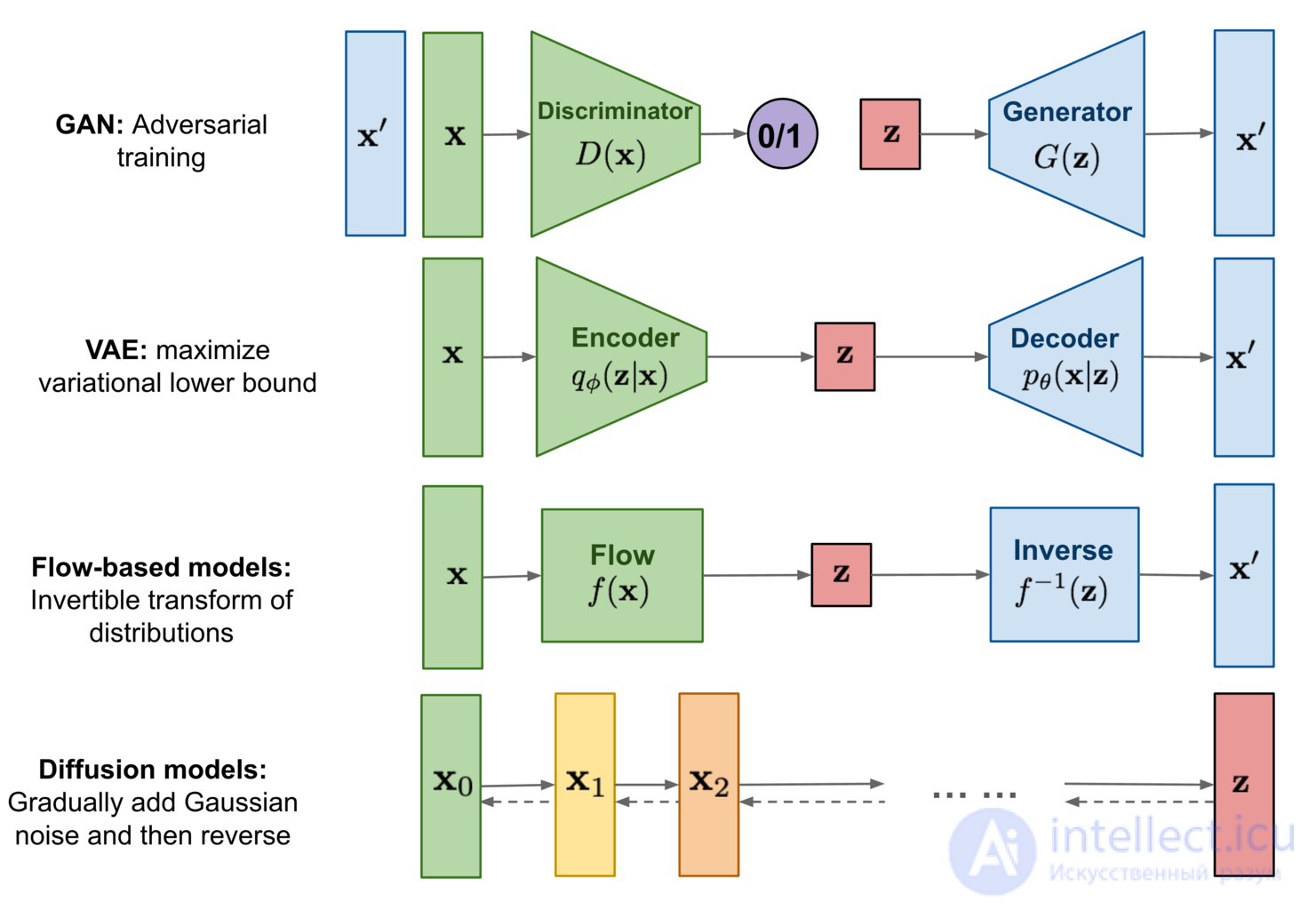
The image shows the mechanisms of all four algorithms at a high level. Source: https://lilianweng.github.io/posts/2021-07-11-diffusion-models/
These models are first trained to learn to model the "data distribution" (of the training data). Once trained, the model knows how to approximate the original data distribution and can use it to generate new data (images) on demand.
The prerequisite for understanding "Variational Autoencoders" is "Autoencoders." The main task of autoencoders is data compression. The architecture of autoencoders is quite simple. It has three components:
Encoder
Bottleneck (responsible for compression)
Decoder
An added benefit of this design is that we can use autoencoders for image denoising.
In autoencoders, the distribution of the compressed / latent data is "unconstrained." The data is compressed in such a way that the reconstruction error is minimal. This leads to a serious drawback: since we have no idea or information about the distribution of the latent space, it is difficult to generate new samples (using only the decoder).
In variational autoencoders this is no longer a problem. A constraint is added at the bottleneck layer, so the encoder's compressed data must imitate as closely as possible a (simple, hand-picked) probability distribution (usually the standard Gaussian). To generate new samples, we can simply draw a point from the chosen probability distribution and pass it to the decoder.
At the time of writing, we still have not settled on a single model for all tasks related to generative modeling, and rightly so. Every application area has its own problems, and people usually use different methods to solve them. All four of the models above have problems, which are well illustrated in the gif below.
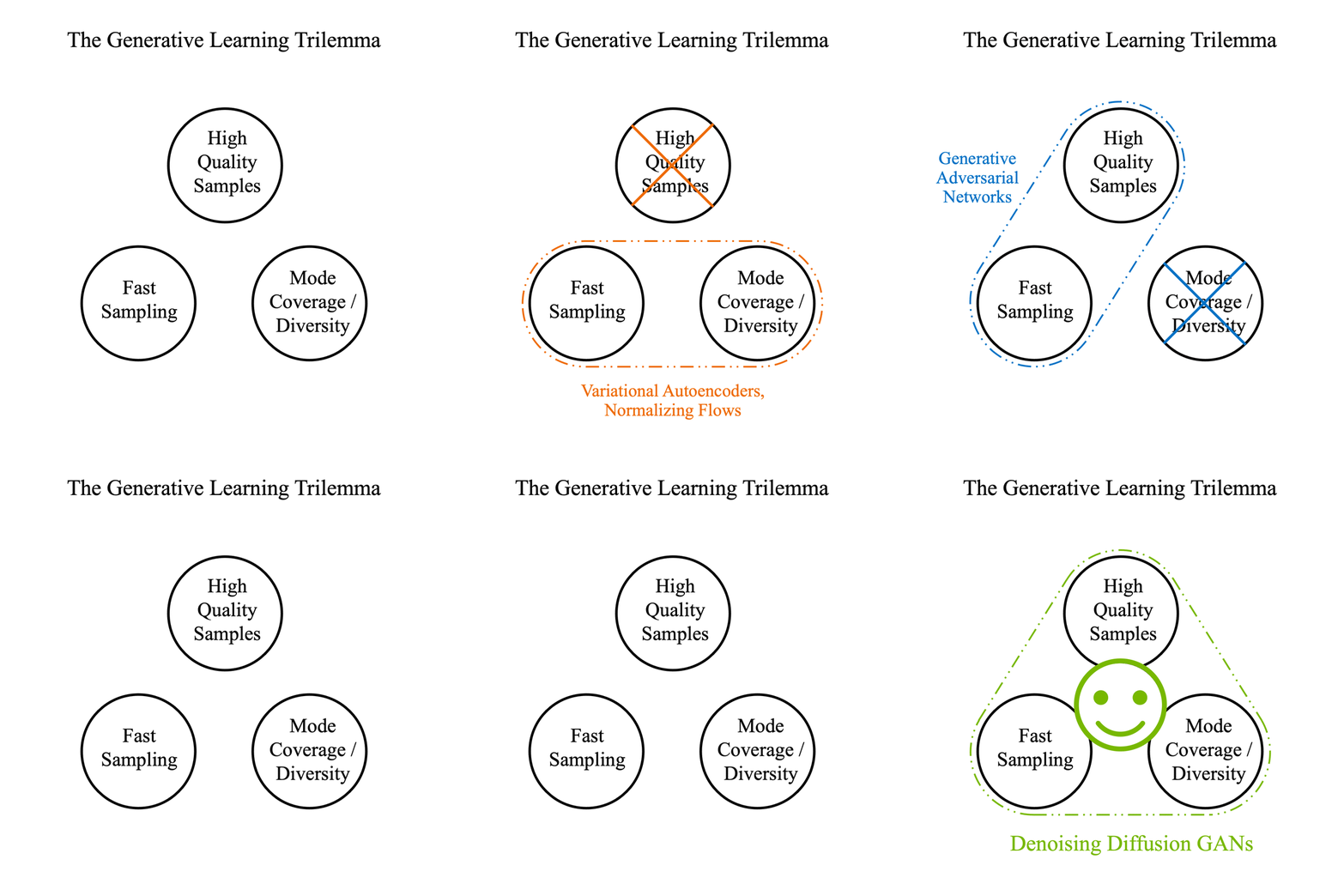
Solving the generative learning trilemma. Source: https://nvlabs.github.io/denoising-diffusion-gan/
To summarize:
|
|
VAE |
Flow |
GAN |
Diffusion |
|
Pros |
Fast sampling. Diverse sample generation |
Fast sampling. Diverse sample generation |
Fast sampling. High-quality sample generation. |
High-quality sample generation. Diverse sample generation |
|
Cons |
Low sample quality |
Requires a specialized architecture, low sample quality |
Unstable training, low sample diversity (mode collapse) |
Slow sampling |
Introduced in 2014 by Ian Goodfellow, generative adversarial networks (GANs) were for a long time the standard for generating image samples.
Many variations of the original GAN have been created, such as:
Conditional GAN (cGAN): control over the class / category of the generated images.
Deep Convolutional GAN (DCGAN): an architecture that significantly improves GAN quality by using convolutional layers.
Image-to-image translation with Pix2Pix: converting images from one domain to another by learning a mapping between input and output.
Now, in the era of diffusion models, researchers certainly draw on the knowledge accumulated over the years of work on GANs. This is one of the main reasons for such rapid progress in diffusion models in such a short period of time.
Before we get into diffusion models, let's quickly clarify the meaning of the term “diffusion”. Diffusion (or a diffusion process) is a well-known and well-studied area of non-equilibrium statistical physics.
In non-equilibrium statistical physics, the diffusion process refers to:
“The movement of particles or molecules from a region of high concentration to a region of low concentration, driven by a concentration gradient.”
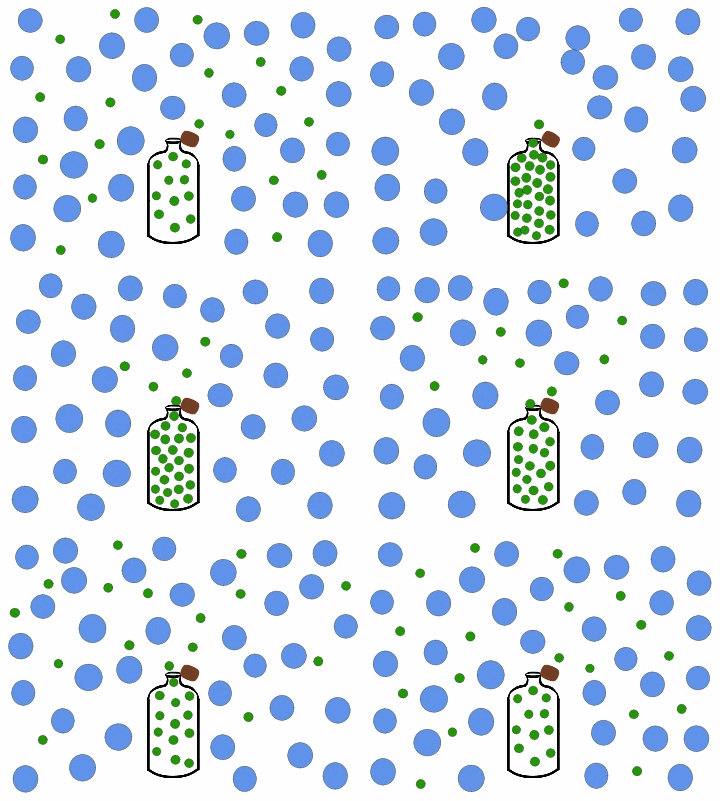
Source: https://chem.libretexts.org/Under_Construction/Purgatory/Kinetic_Theory_of_Gases
The diffusion process is driven by the random motion of particles or molecules, described by the laws of thermodynamics and statistical mechanics.
In simple terms: “Diffusion models are a class of probabilistic generative models that turn noise into a representative data sample.”
Using diffusion models, we can generate images both conditionally and unconditionally.
Unconditional image generation simply means that the model converts noise into any “random representative data sample”. The generation process is not controlled or guided, and the model can generate an image of any nature.
Conditional image generation is when the model is given additional information in the form of text (text2img) or class labels (as in CGANs). This is the case of controlled or guided image generation. By providing additional information, we expect the model to generate specific sets of images. For example, you can refer to the two images at the beginning of the post.
In this section, we will focus on the process of “unconditional image generation”.
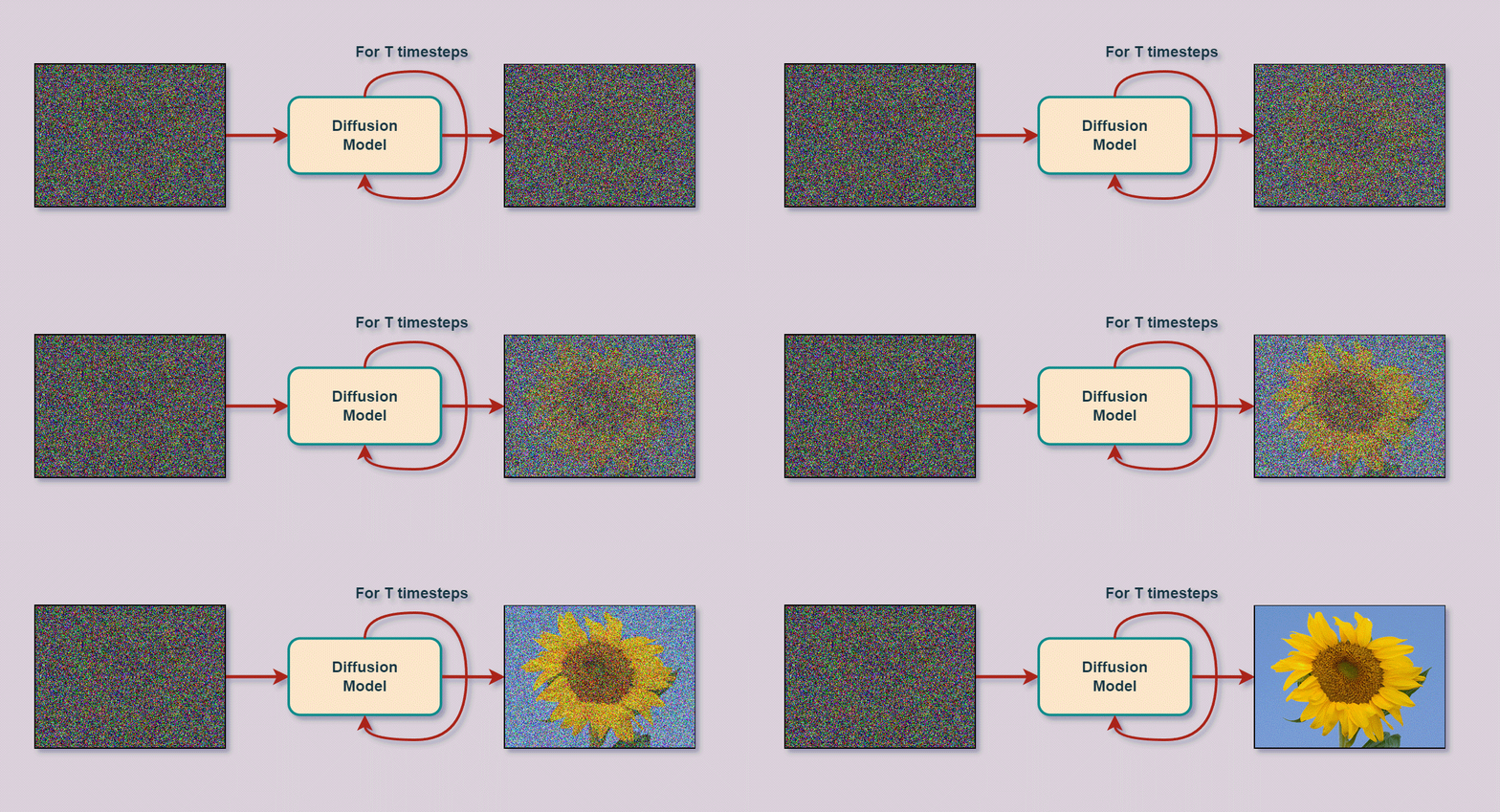
Unconditional image generation using a diffusion model at the inference stage.
Diffusion models in deep learning were first introduced by Sohl-Dickstein et al. in the original 2015 paper “Deep Unsupervised Learning using Nonequilibrium Thermodynamics”. Unfortunately, they remained behind the scenes for some time.
But in 2019, Song et al. published the paper “Generative Modeling by Estimating Gradients of the Data Distribution”, using the same principle but a different approach. In 2020, Ho et al. published the now-popular paper “Denoising Diffusion Probabilistic Models” (DDPM for short).
After 2020, research on diffusion models took off 🚀. In a relatively short time, significant progress has been made in building, training and improving diffusion-based generative modeling.
The general principle behind diffusion models is really simple to understand.
The diffusion method can be summarized as follows:
... systematically and slowly destroy structure in a data distribution through an iterative forward diffusion process. We then learn a reverse diffusion process that restores structure in data, yielding a highly flexible and tractable generative model of the data. This approach allows us to rapidly learn, sample from, and evaluate probabilities in deep generative models …
– Deep Unsupervised Learning using Nonequilibrium Thermodynamics, 2015
Let's take a step back and look at the GIF of gas diffusion above. When the jar is opened, the green gas molecules quickly leave the jar and spread into the surrounding environment. This is essentially diffusion. Over time, the concentration of green gas molecules inside and outside the vessel equalizes.The distribution of gas molecules has changed completely compared to the moment the jar was opened. Reversing this process is no easy task; this is where non-equilibrium statistical physics comes in.
The idea used in non-equilibrium statistical physics is that we can gradually convert one distribution into another. In 2015, Sohl-Dickstein et al., inspired by this, built “diffusion probabilistic models”, or “diffusion models” for short, on this important idea.
They build “a generative Markov chain which converts a simple known distribution (e.g. a Gaussian) into a target (data) distribution using a diffusion process”.
A Markov chain simply means that the state of an object at any point in the chain depends solely on the previous object.
Now, we can do this in two directions, i.e. we can also convert the (unknown) distribution of our training data into another distribution. And, to add the cherry on top, both (converting data to noise and converting noise to data) can be modeled using the same functional form. This is exactly what is done in diffusion models.
The authors describe that –
“Our goal is to define a forward (or inference) diffusion process which converts any complex data distribution into a simple, tractable distribution, and then learn a finite-time reversal of this diffusion process which defines our generative model distribution.”
– Deep Unsupervised Learning using Nonequilibrium Thermodynamics, 2015
The structure (distribution) of the original image is gradually destroyed by adding noise, and then a neural network model is used to restore the image, i.e. to remove the noise at each step. By doing this enough times and with good data, the model eventually learns to estimate the underlying (original) data distribution. We can then simply start from plain noise and use the trained neural network to generate a new image representing the original training dataset.

Illustration of the forward and reverse diffusion process
We have just described the two main processes / stages performed by every diffusion model. Without going into the mathematical details, let's look at them in a little more detail, using the image above as a reference.
Forward diffusion:
The original image (x 0) is slowly and iteratively corrupted (a Markov chain) by adding (scaled Gaussian) noise.
This process is carried out for some number of time steps T, i.e. x T.
The image at time step t is created as: xt-1 + εt-1 (noise) → xt
The model is not involved at this stage.
At the end of the forward diffusion stage Xt, owing to the iterative addition of noise, we are left with a (pure) noisy image representing an “isotropic Gaussian”. This is just a mathematical way of saying that we have a standard normal distribution, and the variance of the distribution is the same across all dimensions. We have converted the data distribution into a Gaussian distribution.
Reverse diffusion:
At this stage, we undo the forward process. The task is to remove the noise added in the forward process, again in an iterative manner (a Markov chain). This is done using a neural network model.
The model's task is the following: given the time step t and the noisy image xt, predict the noise (ε) added to the image at step t-1.
xt → Model → ε (predicted noise). The model predicts (approximates) the noise added to x t-1 in the forward pass.
Because of the iterative nature of the diffusion process, training and generation are generally more stable than with GANs.
In a GAN, the generator model has to go from pure noise to an image in a single step Xt → x0, which is one source of unstable training.
Unlike GANs, where two models are required for training, diffusion requires only one model.
One observation from the image above is that “the image size remains the same” throughout the process, unlike in GANs, where the latent tensor can have different dimensions. This can be a problem when generating high-quality images because of limited GPU memory. However, the authors of “Stable Diffusion” (more precisely, “latent diffusion”) get around this problem by using a variational autoencoder.
Another advantage of the iterative nature is that we perform supervised training at each time step.
In diffusion models, the popular architecture of choice is the UNet (with attention), which is trained in a supervised manner using an MSE loss function.
At each time step, the noise added to the image is controlled by a “variance scheduler” or simply a “scheduler”. The scheduler's job is to determine how much noise should be added so that, during the forward process, the image at the end xt is an isotropic Gaussian.
In the DDPM paper, the authors used a “linear scheduler”. This means that the noise added at each time step increased linearly.
The number of time steps T was set to T=1000. So, given Gaussian noise, the model would need 1000 iterations to produce a result. This is the slow sampling problem mentioned in the previous section. But in recent work, thanks to the introduction of new techniques and different schedulers, researchers can create artistic images in as few as T = 4 time steps.
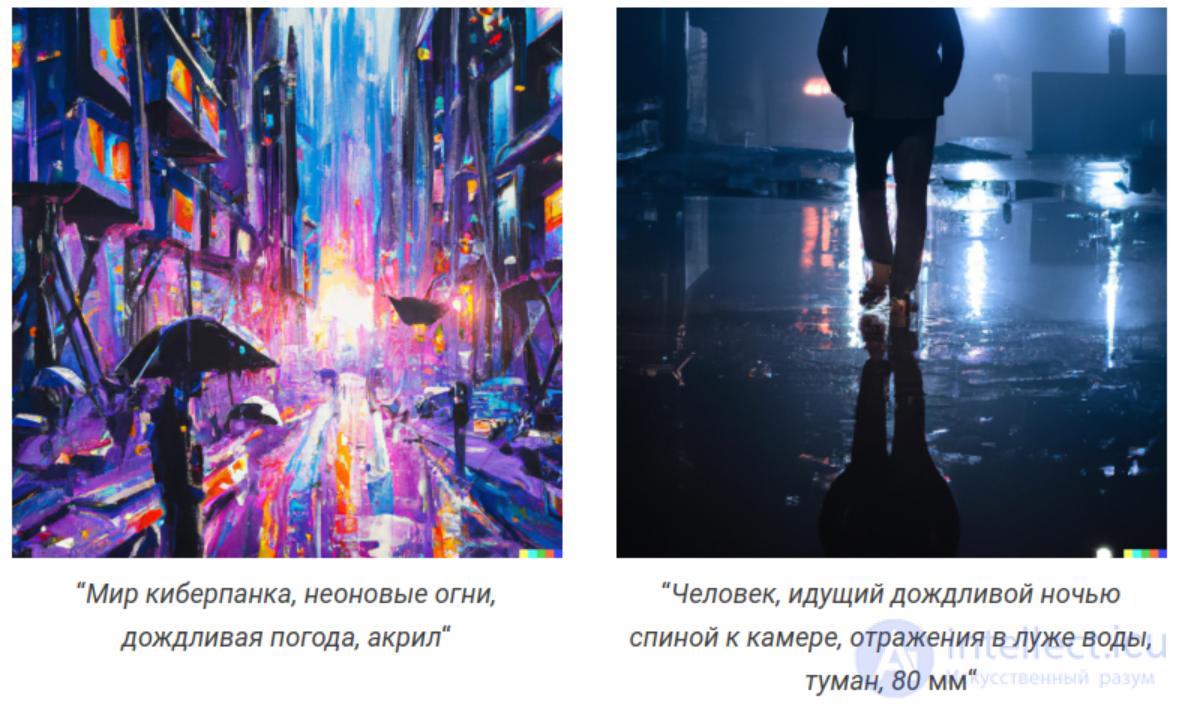
Let's look at some diffusion-based image generation models that have become famous over the last few months. Since hundreds of diffusion models and their variations are currently in use in this field, we will take a small sample of our own and look at the better-known ones. These include:
Dall-E 2 by OpenAI
Imagen by Google
Stable Diffusion by StabilityAI
Midjourney
We will not go deep into the architectures above here. Instead, we will look at an overview of each model and create a dedicated post in the future. We will also look at a few prompts and images generated by Dall-E 2 and Stable Diffusion.
Dall-E 2 was published by OpenAI in April 2022. It builds on OpenAI's earlier pioneering work on GLIDE, CLIP and Dall-E. Although Dall-E 2 is a superior successor to Dall-E, the former has 3.5 billion parameters compared to 12 billion parameters in Dall-E.
Without going into too many architectural details, Dall-E 2 is a combination of three different models:
CLIP
A prior neural network
A decoder neural network
For now, it is enough to know that the decoder network generates the images at inference time. The Dall-E 2 web interface can be accessed by submitting a request on the official OpenAI website.
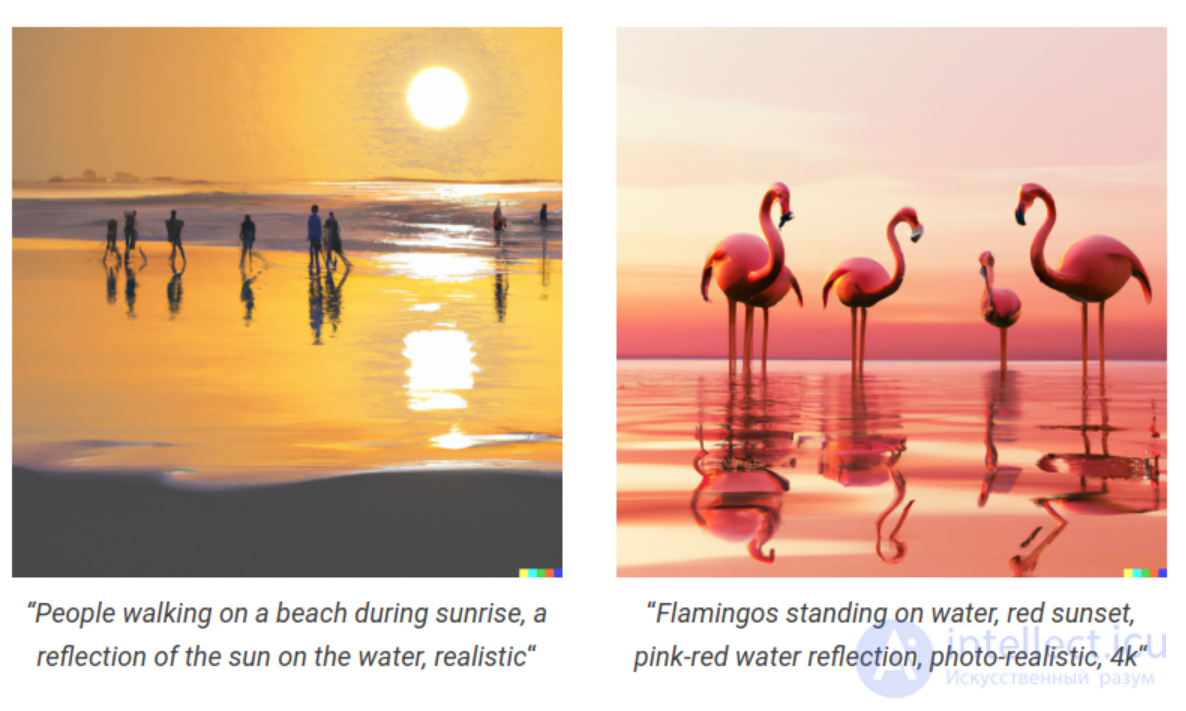
Here are some prompts and the corresponding images generated by Dall-E 2.
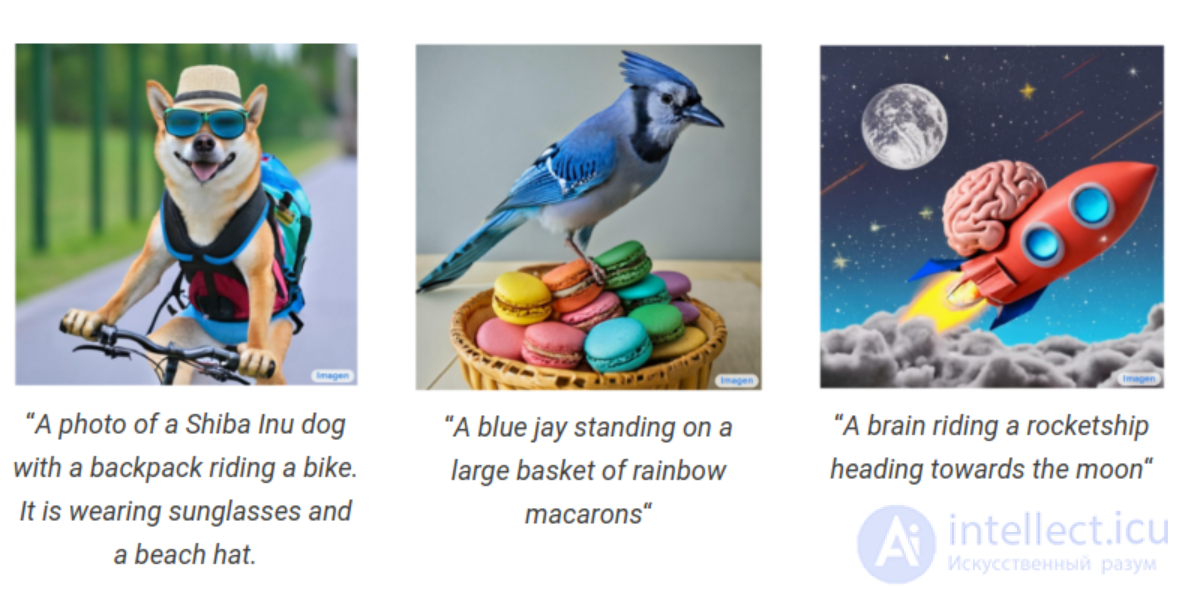
After Dall-E 2, just a month later, in April 2022, Google released its diffusion-based image generation algorithm. They aptly named it Imagen (for image generation).
It is built on top of large transformer-based language models. For their publication, the Imagen authors chose the T5-XXL transformer language model. After it, Imagen consists of three more diffusion-based image generation models:
A diffusion model for creating a 64 × 64 resolution image.
This is followed by a super-resolution diffusion model that upsamples the image to 256 × 256 resolution.
And one final super-resolution model that upsamples the image to 1024 × 1024 resolution.
Currently, Google's Imagen is not available to the general public and is accessible by invitation only.
Created by StabilityAI. Stable Diffusion builds on the work on high-resolution image synthesis with latent diffusion models by Rombach et al. It is the only diffusion-based image generation model on this list that is fully open source.
At the time of writing, Stable Diffusion v2.1 is available in the official StabilityAI repository.
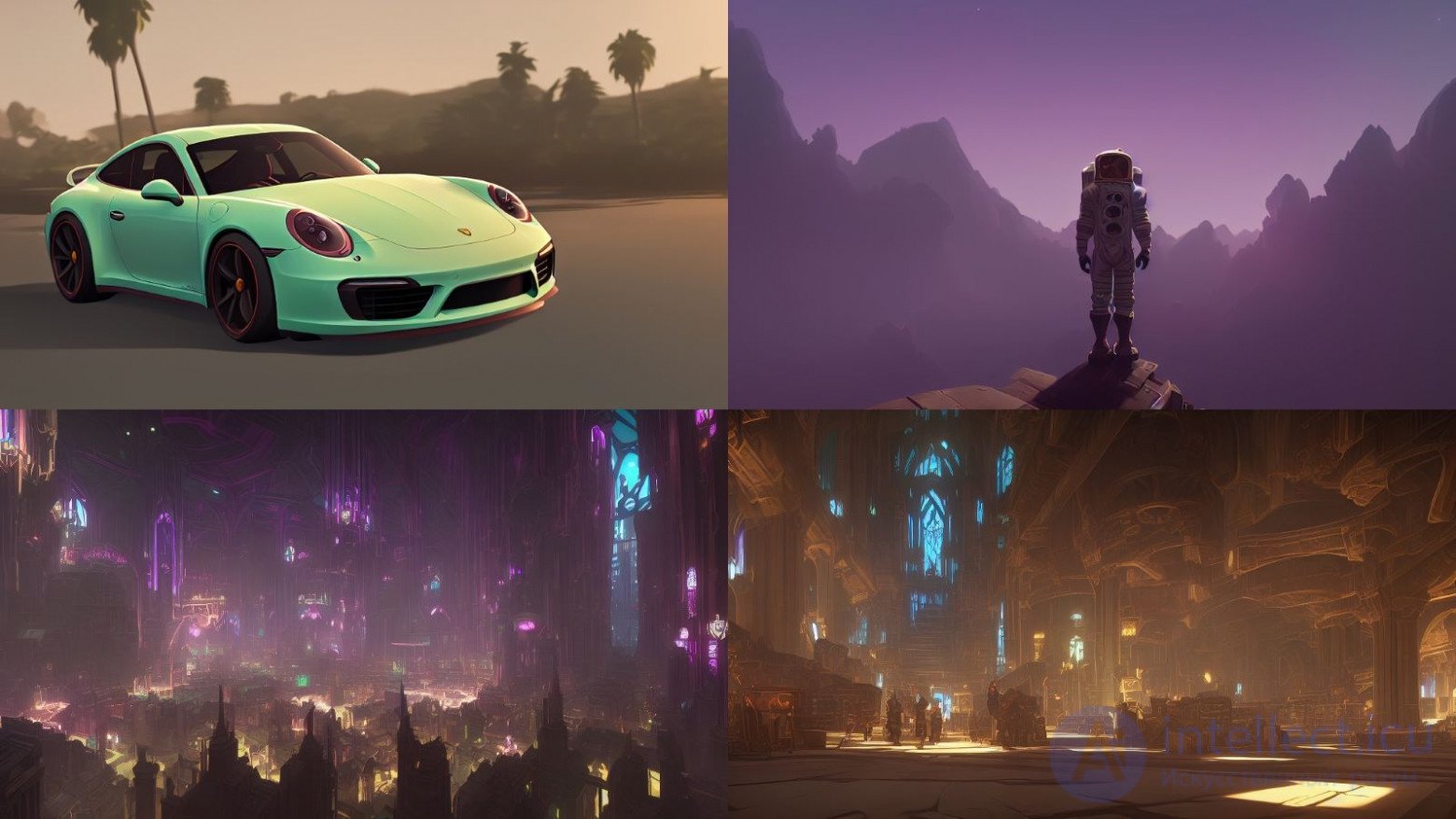
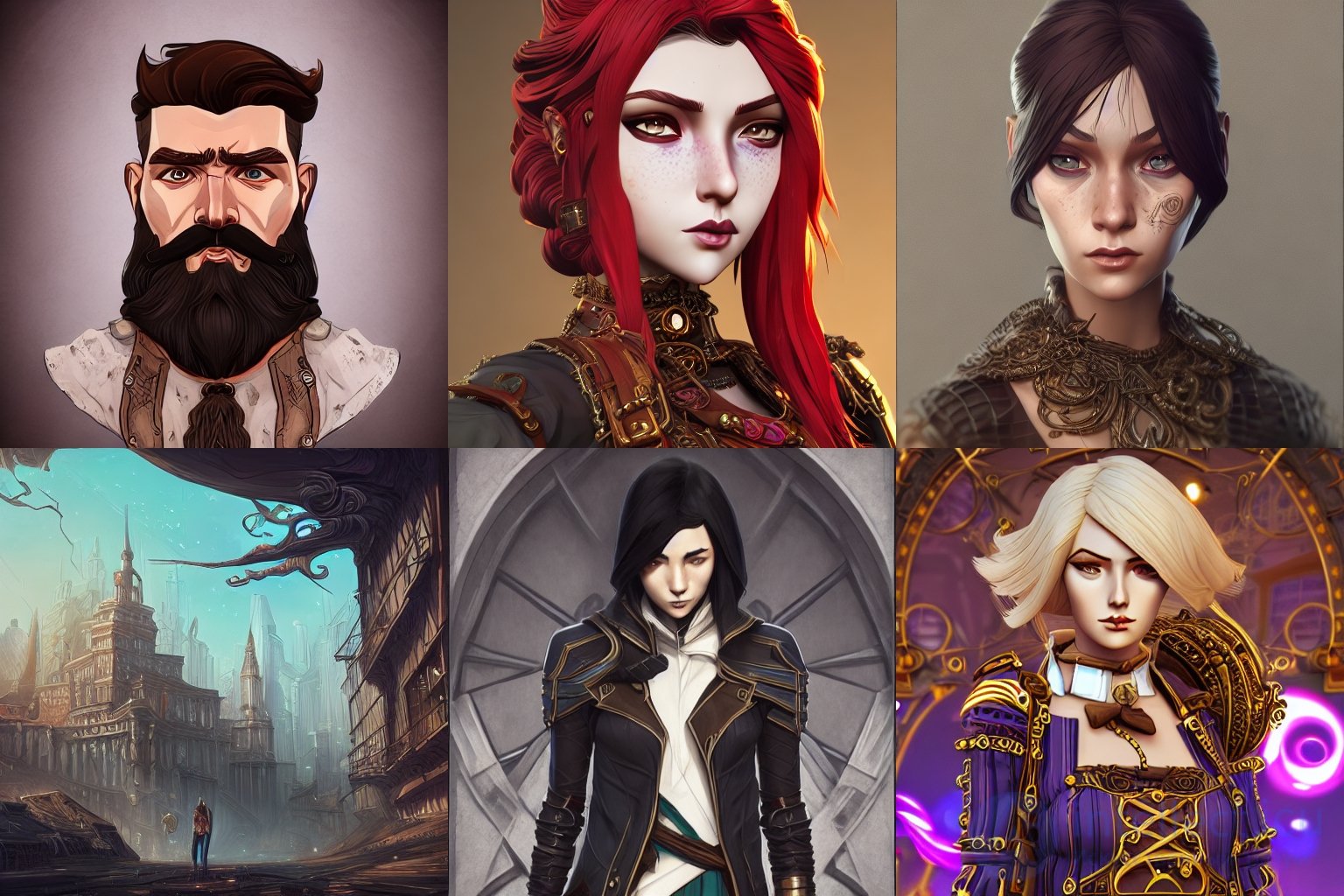
Not only that, but the open-source developer community has been very active since its release. In a short period of time, the community has released several open-source Stable Diffusion models fine-tuned on various datasets and stylized to look artistic. You are free to use these models and create new images in these styles.
They can range from Japanese anime and futuristic robots to cyberpunk worlds. Just to spark your imagination, here are a few examples from Stable Diffusion models.
The full Stable Diffusion architecture consists of three models:
A text encoder that takes the text prompt.
It converts text prompts into machine-readable vectors.
U-Net
This is the diffusion model responsible for image generation.
A variational autoencoder, consisting of an encoder and a decoder model.
The encoder is used to reduce the dimensions of the image. The UNet diffusion model operates in this smaller dimension.
The decoder is then responsible for enhancing / restoring the image generated by the diffusion model to its original size.
Stable Diffusion models can be easily accessed through their DreamStudio platform. Creating an account will initially give you 200 credits, which you can use to play with prompts and generate images of your choice.
Alternatively, if you have the computing resources, you can also set up Stable Diffusion to run on your own system by following the documentation in their repository.
Midjourney is another diffusion-based image generation model, developed by the company of the same name. Midjourney became available to the general public in March 2022. It quickly won a large following thanks to its expressive style and the fact that it became publicly available before DALL-E and Stable Diffusion.
At the moment it is completely closed source, and it has no accompanying paper. Nevertheless, it is possible to access Midjourney's image generation capabilities through their official Discord bot. The company recently announced the start of the alpha testing phase of the v4 model.
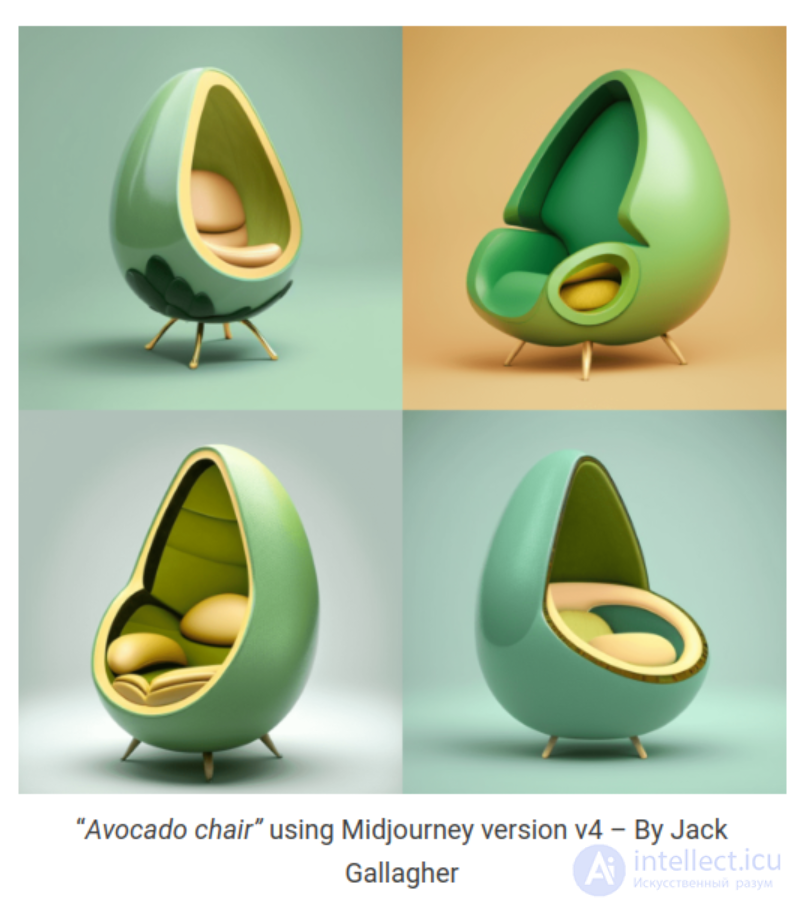
Stable Diffusion's open source lets developers around the world train it on a specific style and create variations of Stable Diffusion. We can find many examples online, including Stable Diffusion models that generate Disney characters, anime characters, and even the styles of other diffusion models.
Almost all the models and examples we follow here are available through the HuggingFace hub. So, if you want to try them out, feel free to run the code yourself.
Here are a few examples:
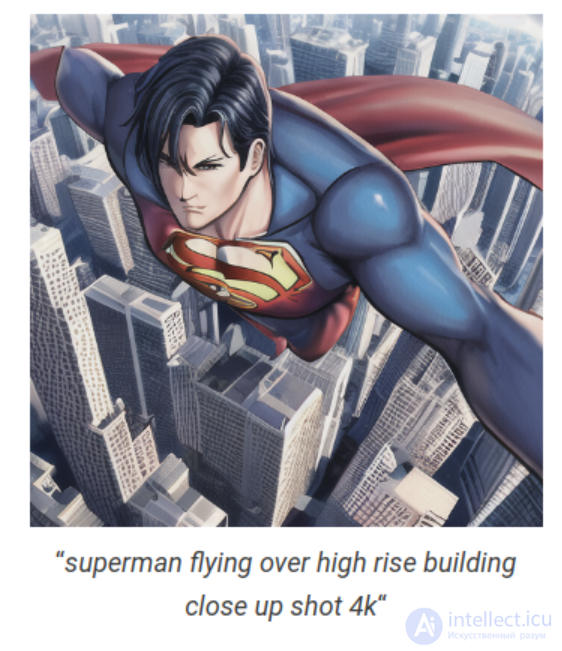
Anything V3 is a variation of Stable Diffusion that generates images in the style of anime characters.
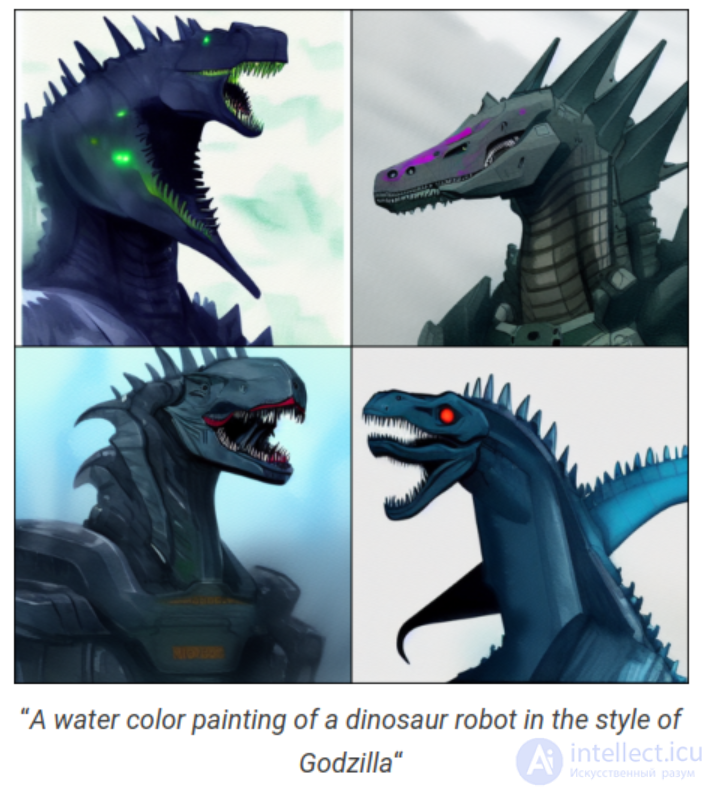
A model that generates robots based on the subject and symbols we enter in our prompt.
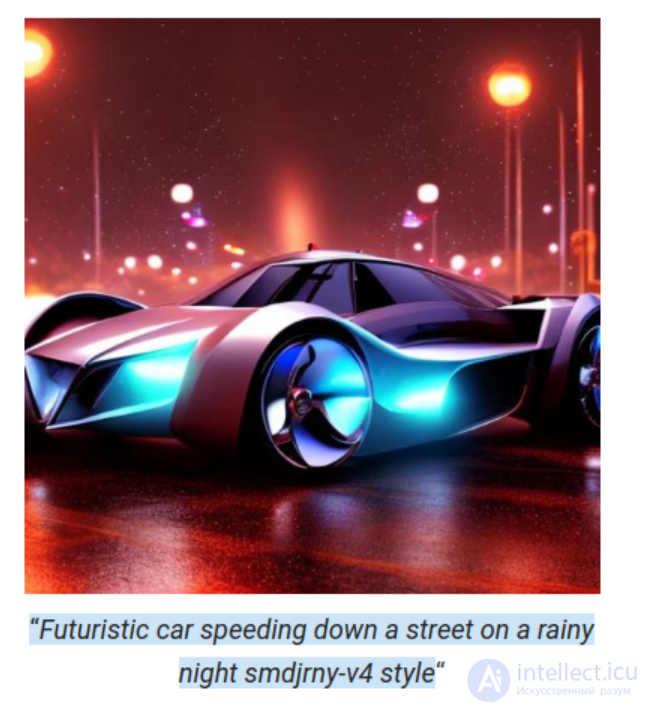
A community-created open-source replication of MidJourney that generates images in a style similar to what Midjourney generates. Open Journey is a variation of Stable Diffusion that was trained on images generated by Midjourney.
Arcane Diffusion is a Stable Diffusion model that was fine-tuned on image styles from the TV show Arcane.
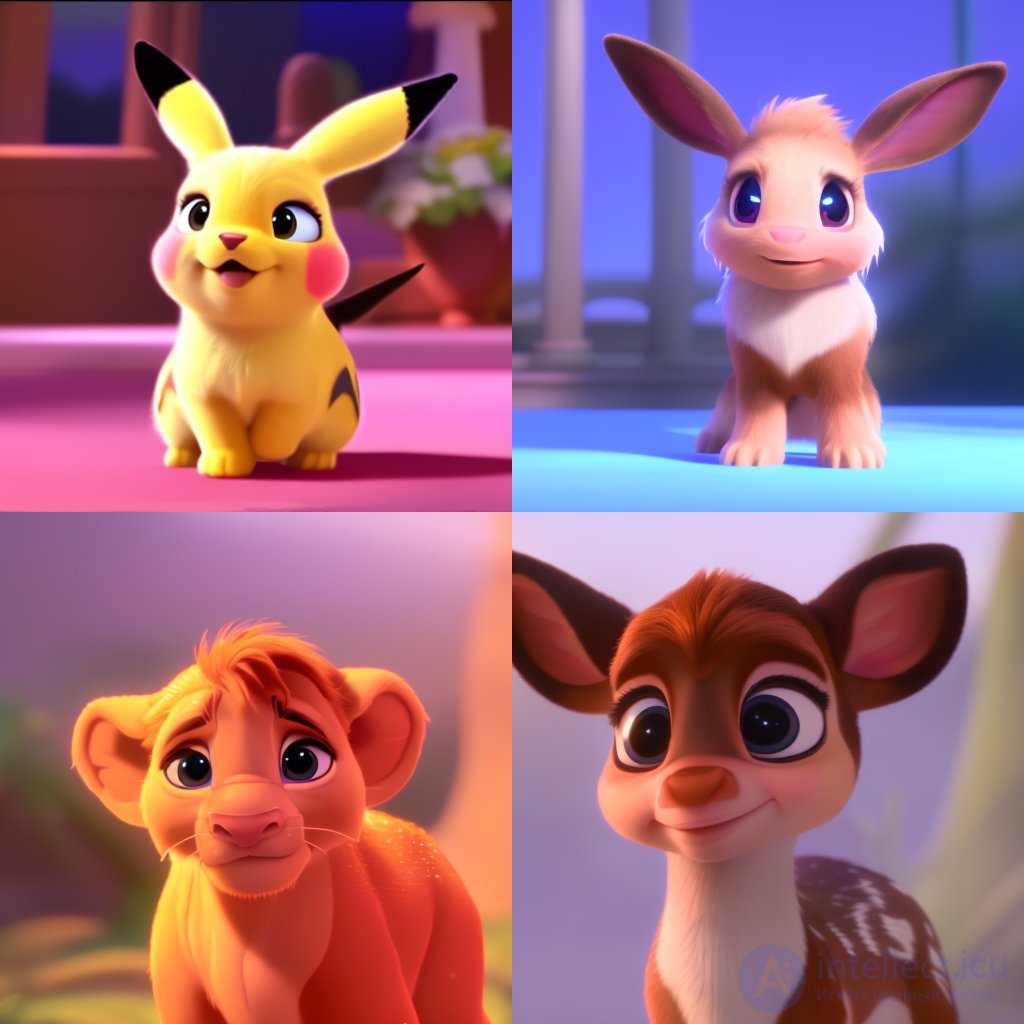
This version of Stable Diffusion generates characters in the Pixar style.
In the sections above, we looked at several well-known diffusion models, and among them only Stable Diffusion and its variants are freely available. Because the codebase is open source, the community of developers and researchers has come up with clever ways of using Stable Diffusion. In this section, we will look at some well-known applications and uses of diffusion models.
The easiest way to use Stable Diffusion text-to-image generation models is the Stable Diffusion 2-1 space on Hugging Face by stabilityai. Just add a text description and click “Generate image”.
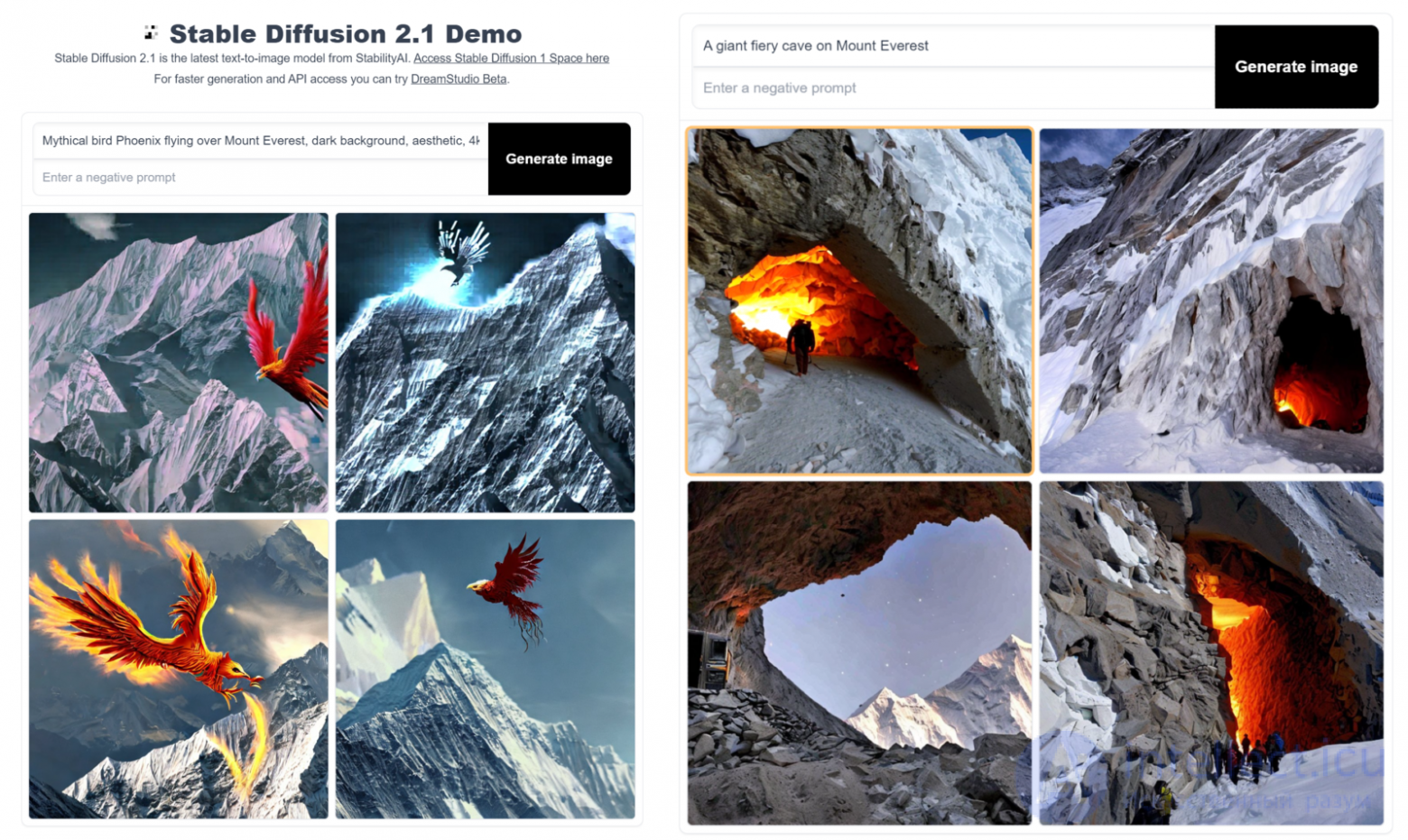
The drawbacks of using a freely hosted service are that it may have a long queue, so you may have to wait for your image to be generated, and there are no customization options or controls available.
To address this, we can download and run Stable Diffusion models locally. Two approaches can be used:
Install a ready-to-use application created by the community, which we can install locally or use in Google Colab.
Work directly with the open-source code and use it as you see fit. For this, we provide our readers with a Jupyter notebook.
The only drawback of this approach is that we need a local GPU. On CPUs, the process will be much slower. We have listed the spaces and tools we used for this post in the “Tools” section at the bottom.
So, let's get started.
Using textual inversion, we can fine-tune a diffusion model to generate images featuring personal objects or artistic styles using as few as 10 images. It is not an application in itself, but a clever trick for training diffusion models that can be used to create more personalized images.
From the authors of the textual inversion paper:
“We learn to generate specific concepts, like personal objects or artistic styles, by describing them using new “words” in the embedding space of pre-trained text-to-image models. These can be used in new sentences, just like any other word.”
– An Image is Worth One Word, 2022
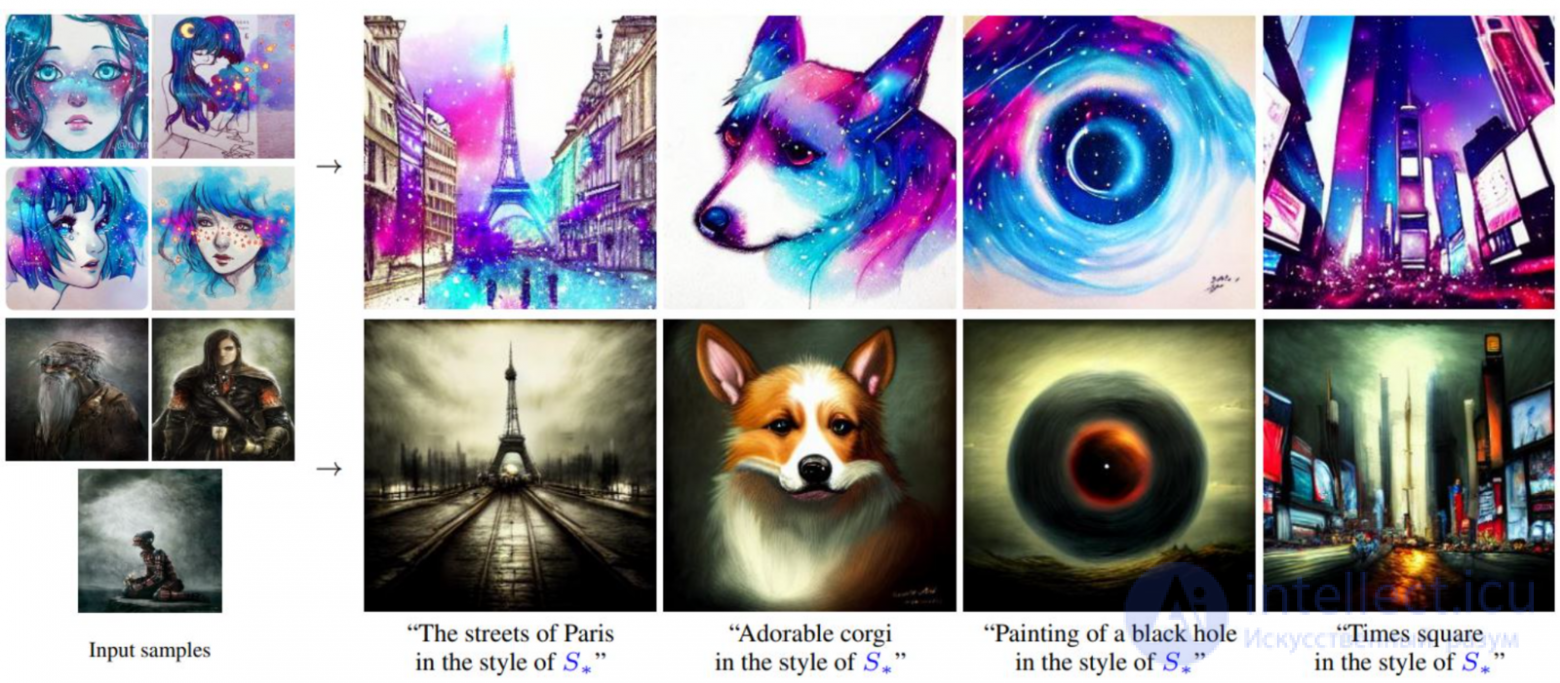
Source: https://textual-inversion.github.io/
Using textual inversion, we generated several images with the Lensa app for iOS.
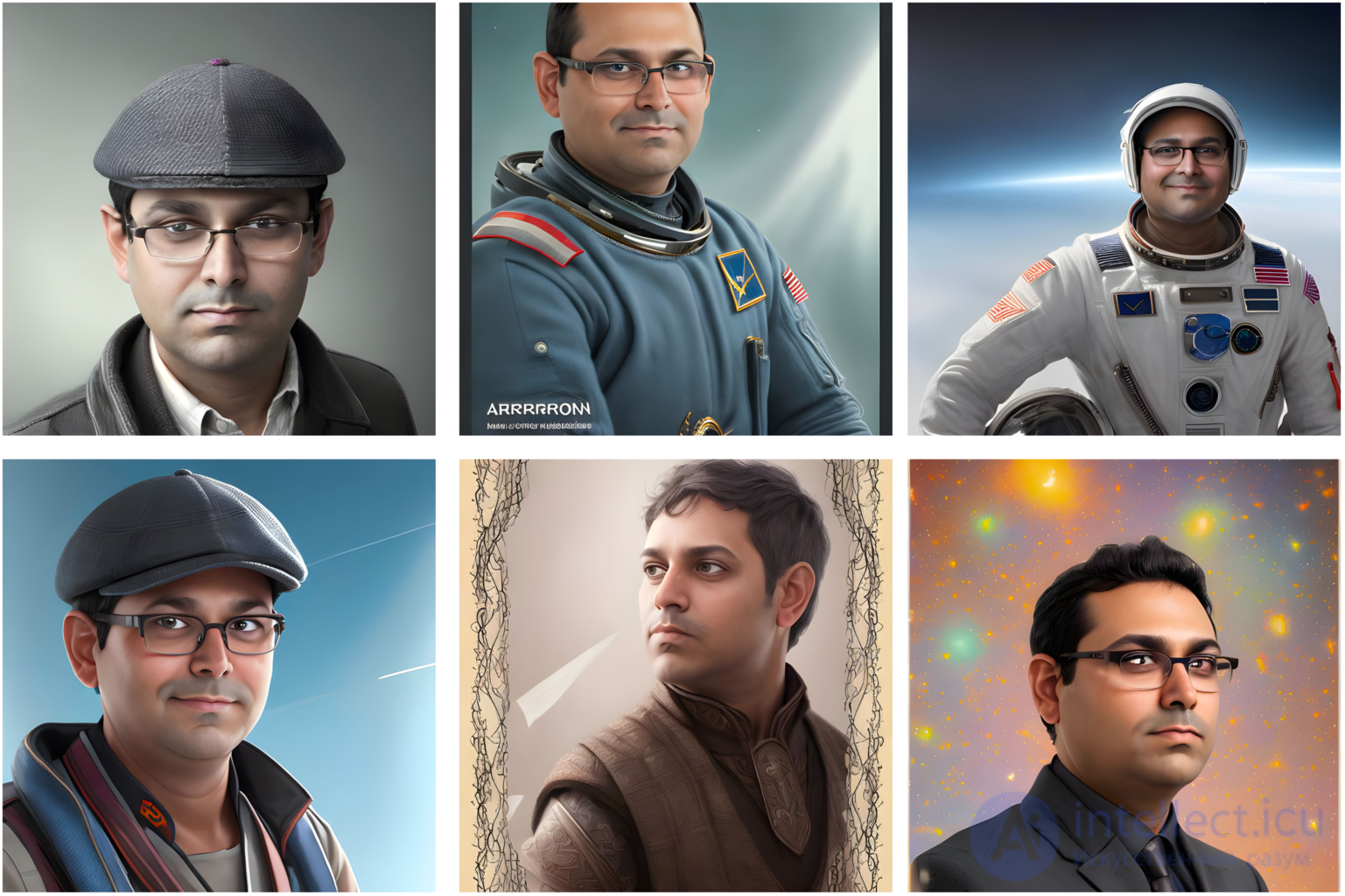
If you are not looking for anything too personal and want to create images using some well-known styles, you can try the Stable Diffusion Conceptualizer space. Here you will find a collection of diffusion models trained on various artistic styles. You can pick any model to your taste and start generating without any trouble.
For example, we created the image below using the “midjourney style” of Gandalf the Grey on a black mountain.
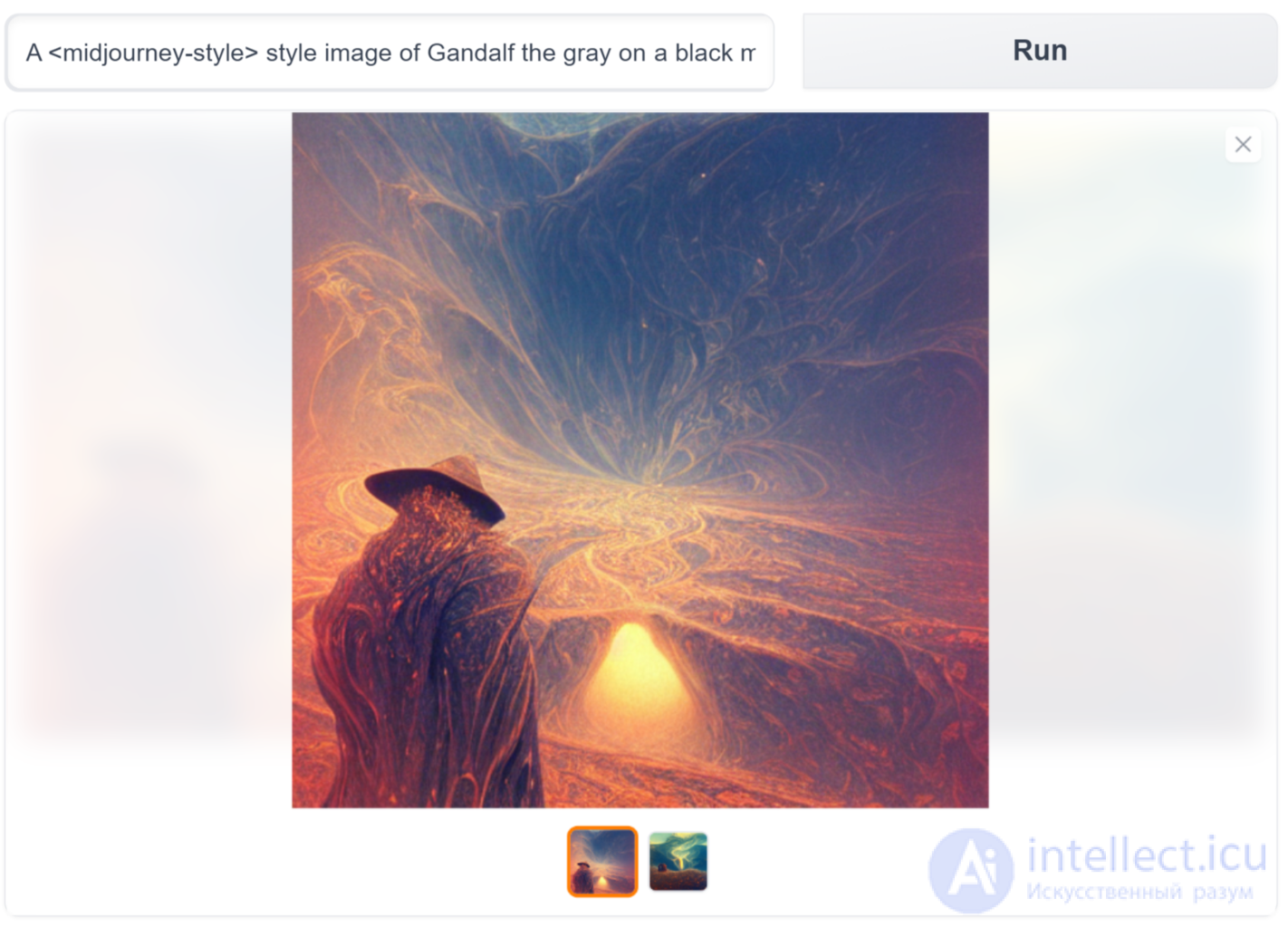
A style image of Gandalf the gray on a black mountain”
As the name suggests, we can use diffusion models to create videos directly from text prompts. By extending the concept used in text-to-image conversion to video, diffusion models can be used to create videos from stories, songs, poems, etc.
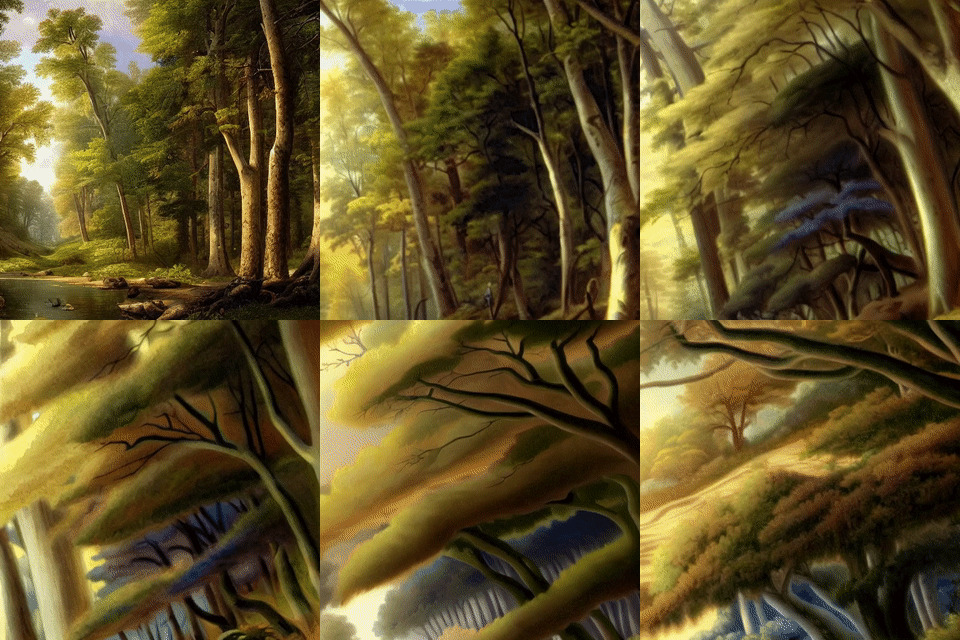
“a beautiful forest by Asher Brown Durand, trending on Artstation“
Source: Example from deforum stable diffusion – Animating prompts with stable diffusion
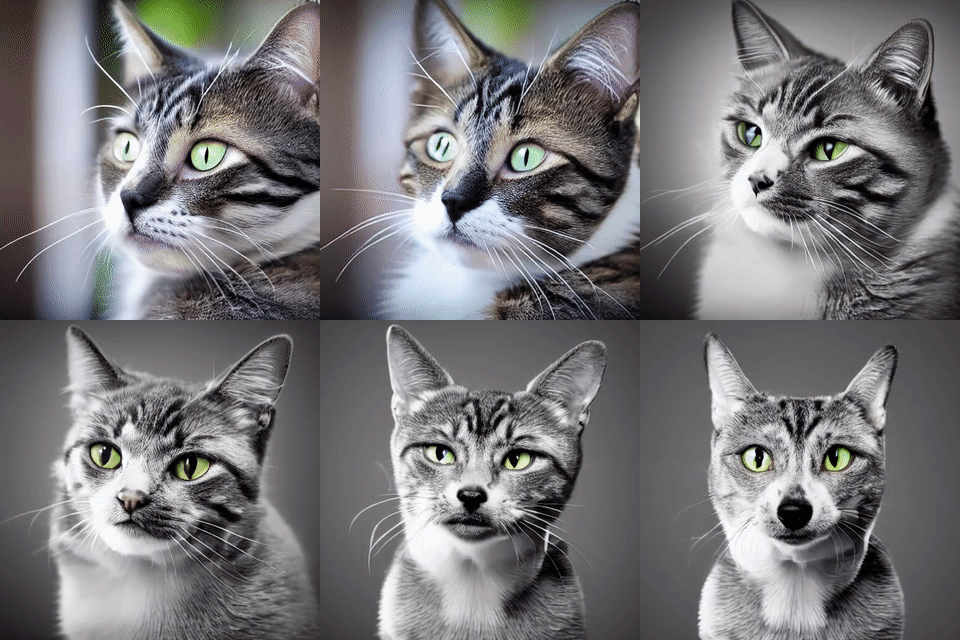
“a cat | a dog | a horse”
Source: Example from “Stable Diffusion Videos” on Replicate – Generate videos by interpolating the latent space of Stable Diffusion
There are other (possibly better) text-to-video diffusion models, such as Google Imagen Video, Phenaki, and Meta's Make-A-Video. But, unfortunately, the code is currently not available to the public.
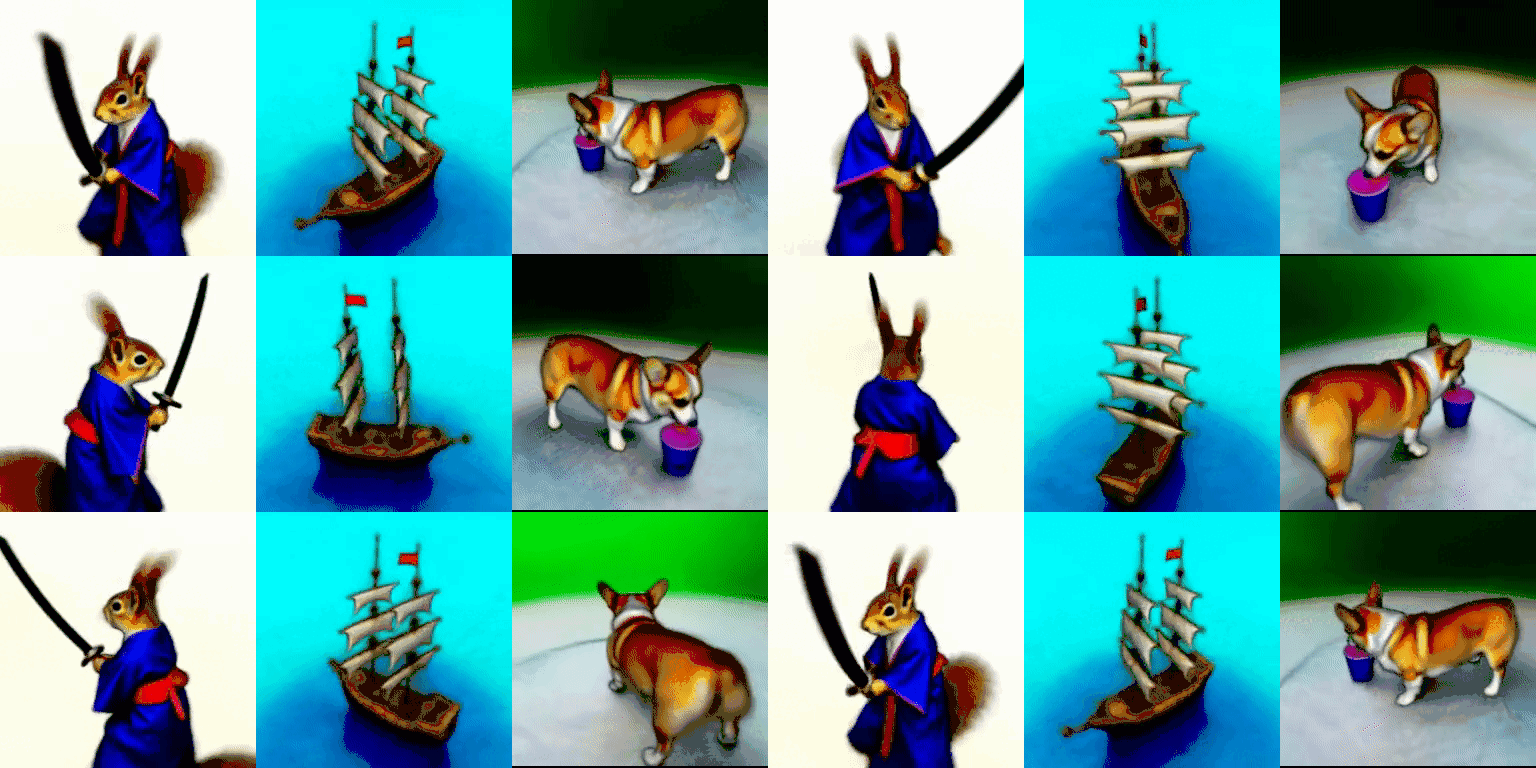
This application was demonstrated in the “DreamFusion” paper, where the authors, using “NeRFs”, were able to use a trained 2D text-to-image diffusion model to perform text-to-3D synthesis.
“The resulting 3D model of the given text can be viewed from any angle, relit by arbitrary illumination, or composited into any 3D environment. Our approach requires no 3D training data and no modifications to the image diffusion model, demonstrating the effectiveness of pretrained image diffusion models as priors.”
– DreamFusion: Text-to-3D using 2D Diffusion, 2022
This is another new and exciting application in which diffusion models (along with other techniques) are used to create simple human motions. Specifically, we mean the “Human Motion Diffusion Model”.
“Natural and expressive human motion generation is the holy grail of computer animation. It is a challenging task, due to the diversity of possible motion, human perceptual sensitivity to it, and the difficulty of accurately describing it .... We show that our model is trained with lightweight resources and yet achieves state-of-the-art results on leading benchmarks for text-to-motion and action-to-motion.
– MDM: Human Motion Diffusion Model, 2022
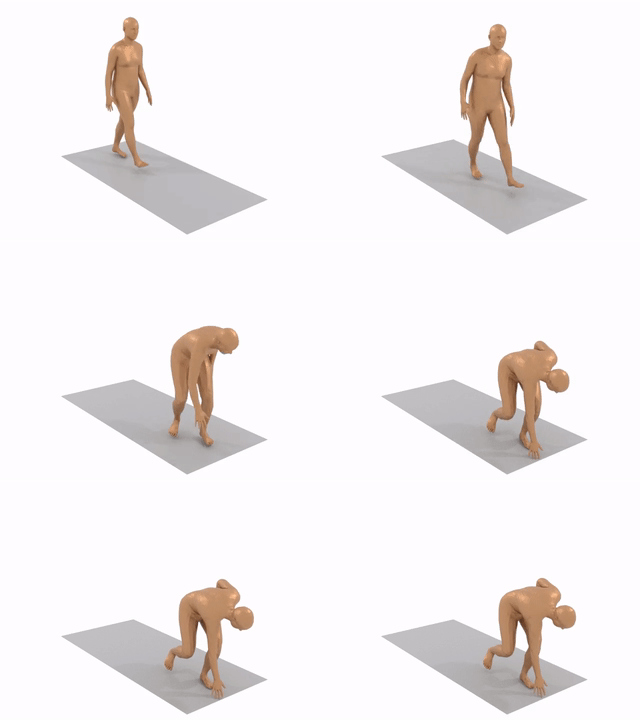
“A man walks forward and bends down to pick something up from the ground.“
Source: https://guytevet.github.io/mdm-page/
Image-to-image translation (Img2Img for short) is a technique we can use to modify existing images. It transforms an existing image into a target domain using a text prompt. Simply put, we can create a new image with the same content as an existing image, but with some transformations applied. We can provide a text description of the transformation we want.
For example, in the figure below, the left image is a “balloon festival” first created with “text2img” and then passed to img2img to transform it into a graphic image in the style of Disney Pixar.
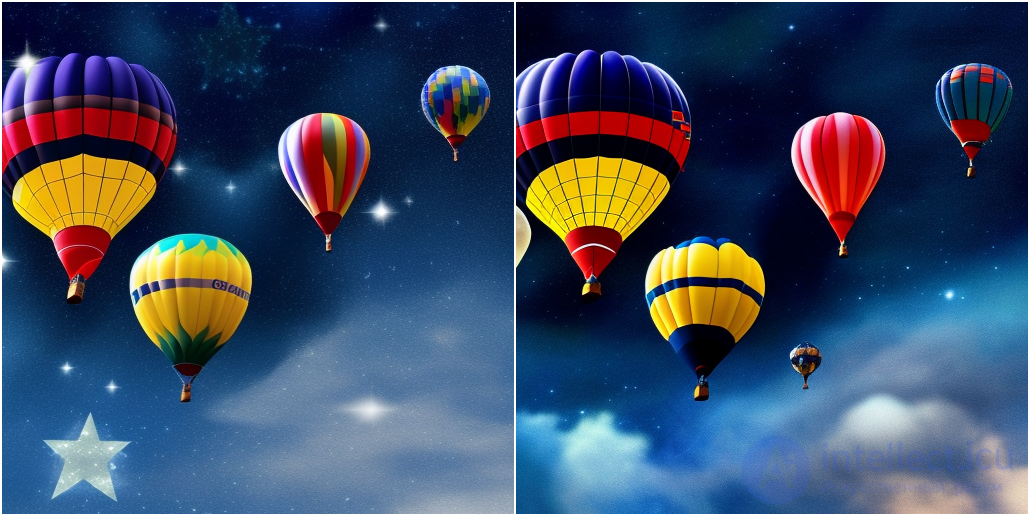
L – “balloons, balloon festival, dark sky, bright stars, awards, 4k. Hd“R – “pixar, Disney pictures, balloons, balloon festival, dark sky, bright stars, awards, 4k. Hd“
The user provides an input image as a guide / starting point and can modify it by giving the model instructions through a prompt. The diffusion model will generate a new image with the same colors and composition as the input image, with the new changes applied.
Using img2img, you can also turn your portraits into Pixar-style images.
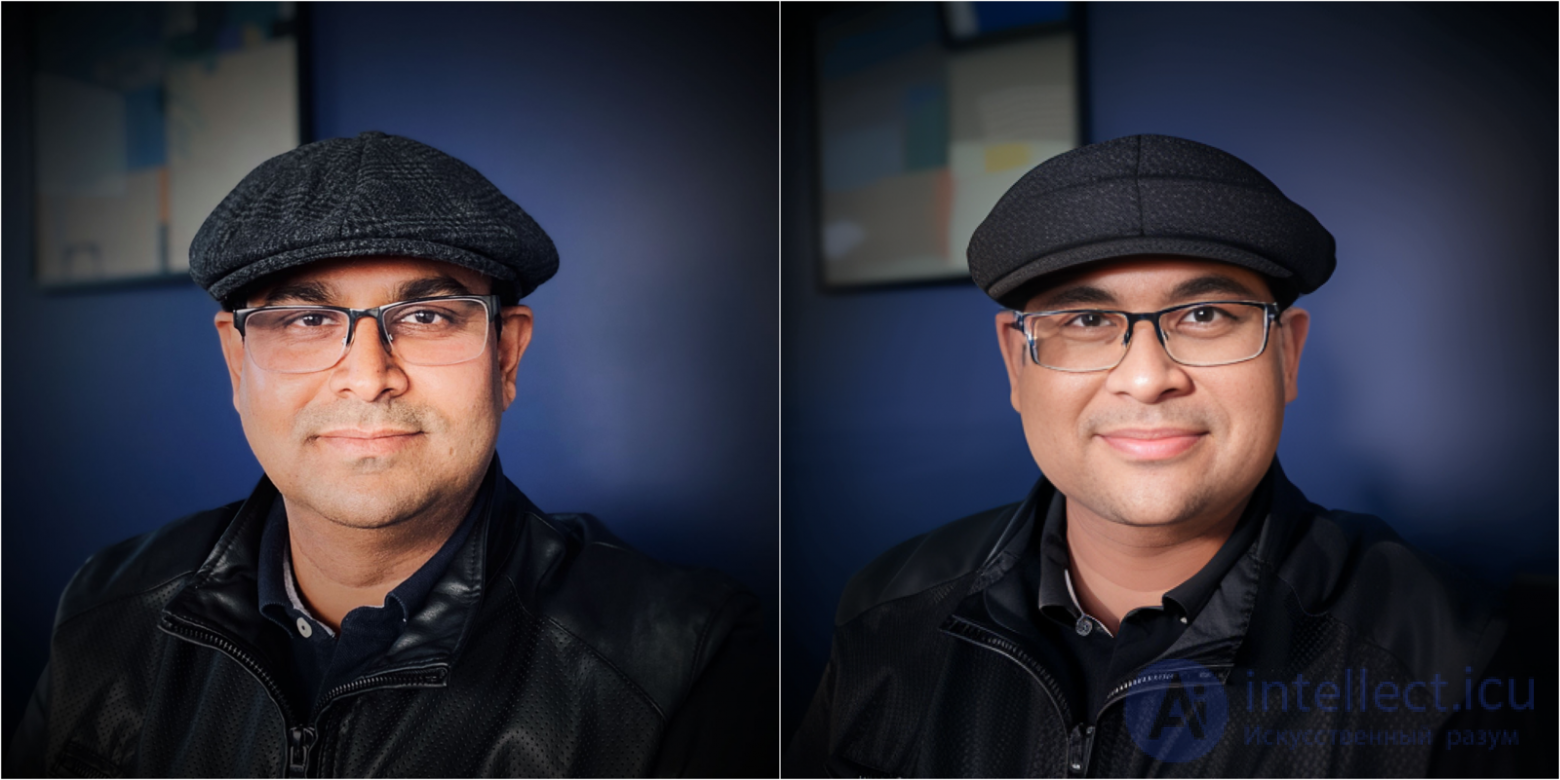
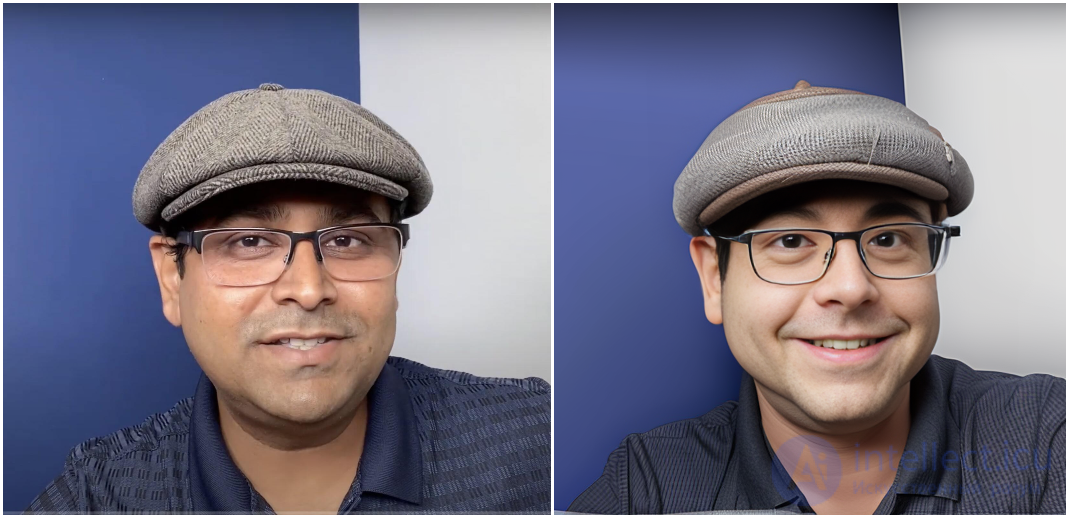
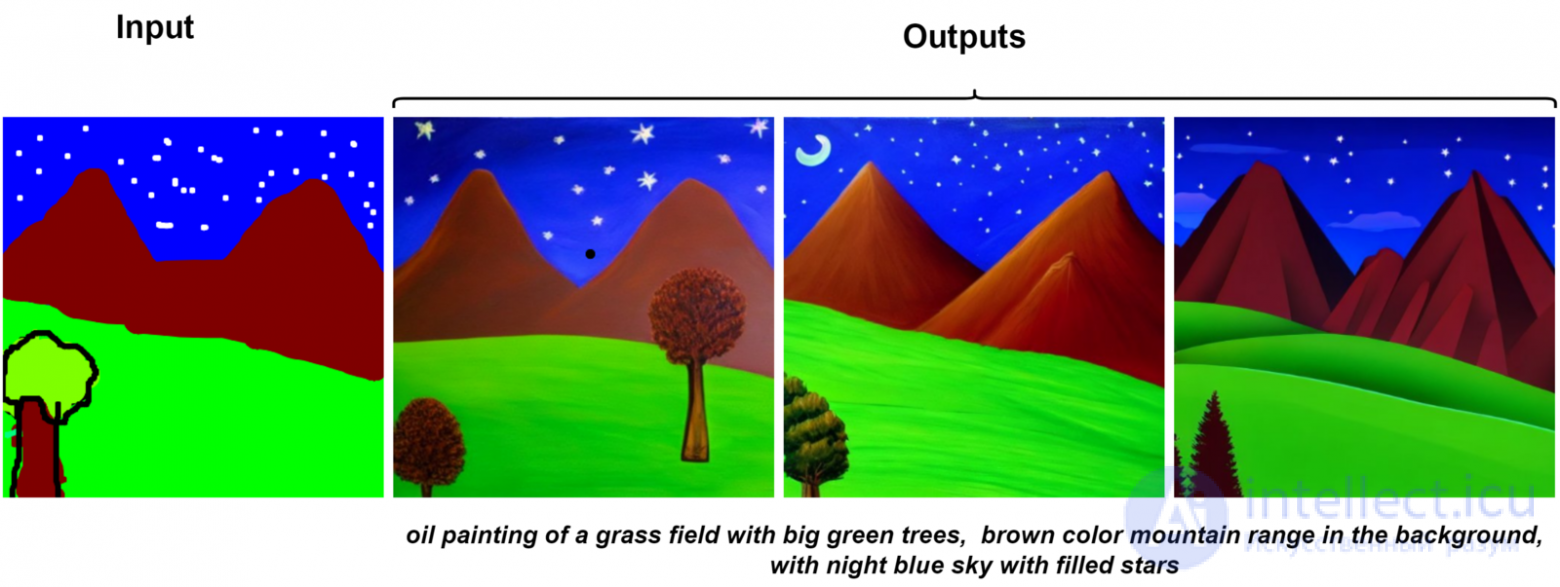
Another interesting use of Img2Img is to turn rough hand-drawn or unfinished images into beautiful pictures with the same content, as shown in the example below.
As an experiment, I converted my “bad drawing of nature” into an “oil painting”, and the results are outstanding.
One example of using Img2Img is style transfer. In style transfer, we take two images: one for content and one as a style reference. A new image is created that is a blend of both: the content of the first in the style of the second.
Style transfer is a fascinating and fun topic to explore. In one of our recent posts, we used style transfer and built an application for real-time style transfer on Zoom calls.
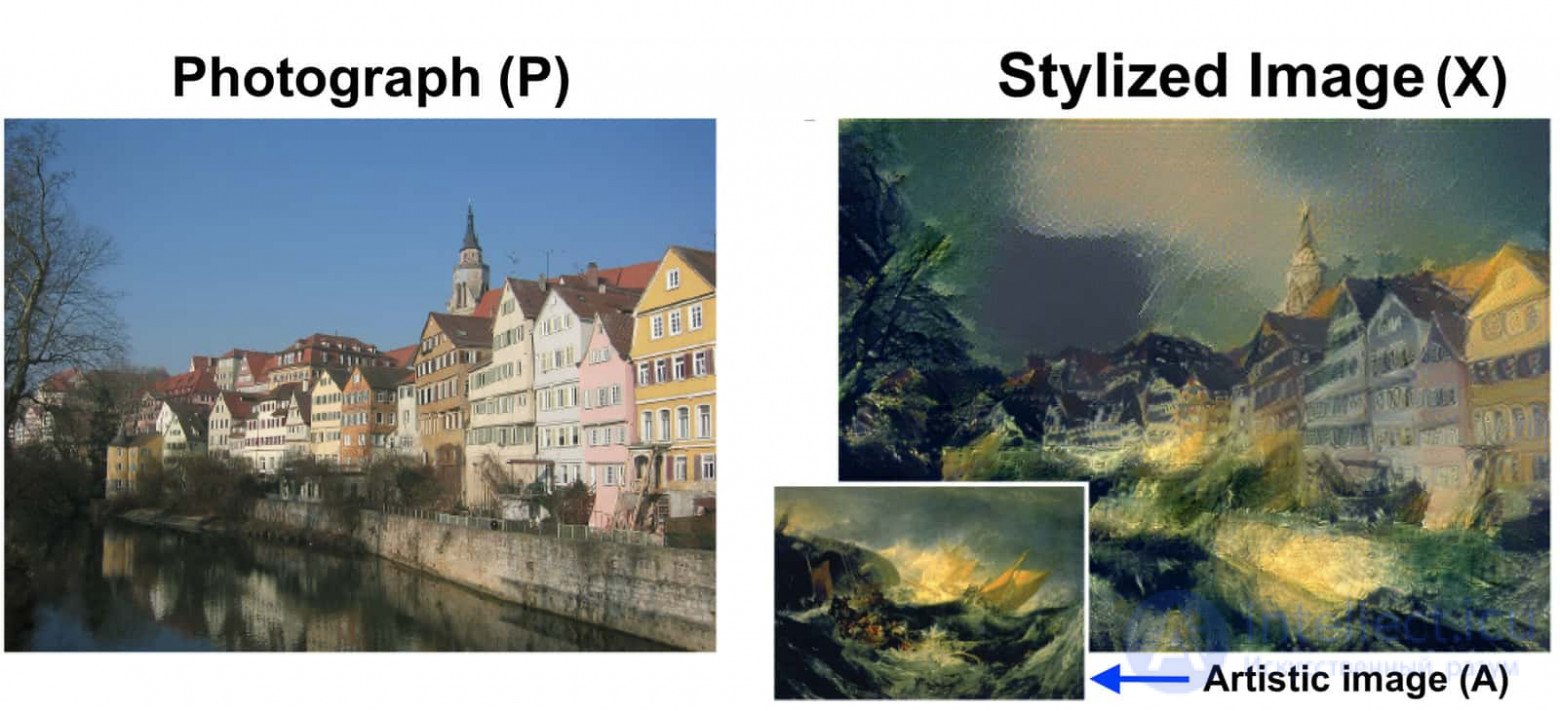
Style transfer example
Image inpainting is an image restoration technique that allows you to remove unwanted objects from an image or replace them entirely with some other object / texture / design. To perform inpainting, the user first draws a mask around the object or pixels that need to be changed. Once the mask is created, the user can tell the model how it should modify the masked pixels.
Some examples:
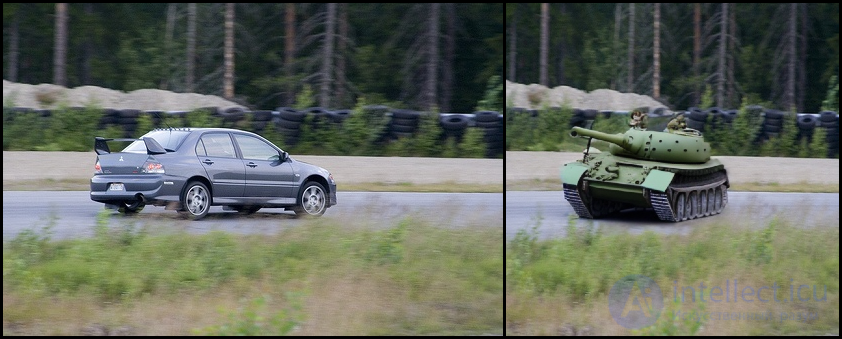
Replacement: Car → Tank
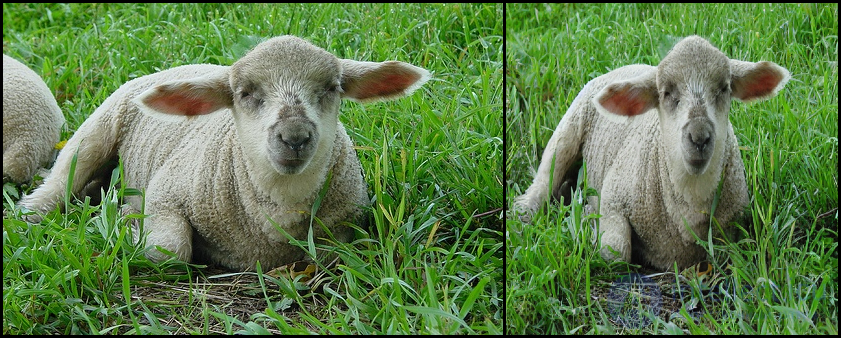
Object removal: replacing Sheep → GrassHere, some of the sheep on the left are replaced with green grass.
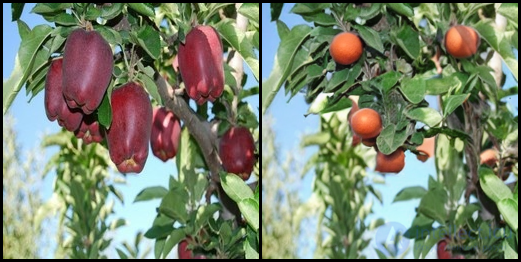
Replacement: Apples → Oranges
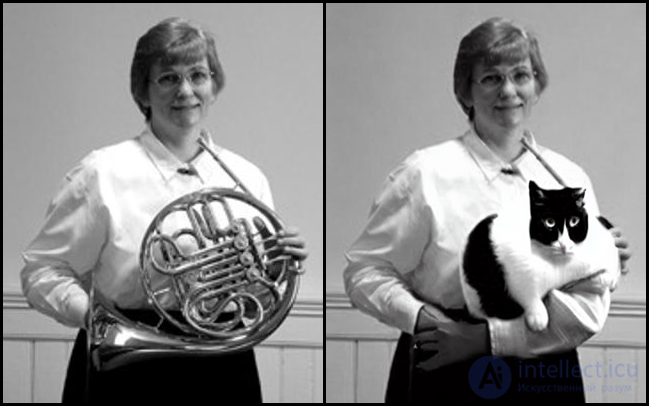
Replacement: French Horn → Cat
Outpainting, or endless drawing, is a process in which a diffusion model adds details beyond the borders of the original image. We can extend our original image either by using parts of the original image (or newly generated pixels) as reference pixels, or by adding new textures and concepts through a text prompt.
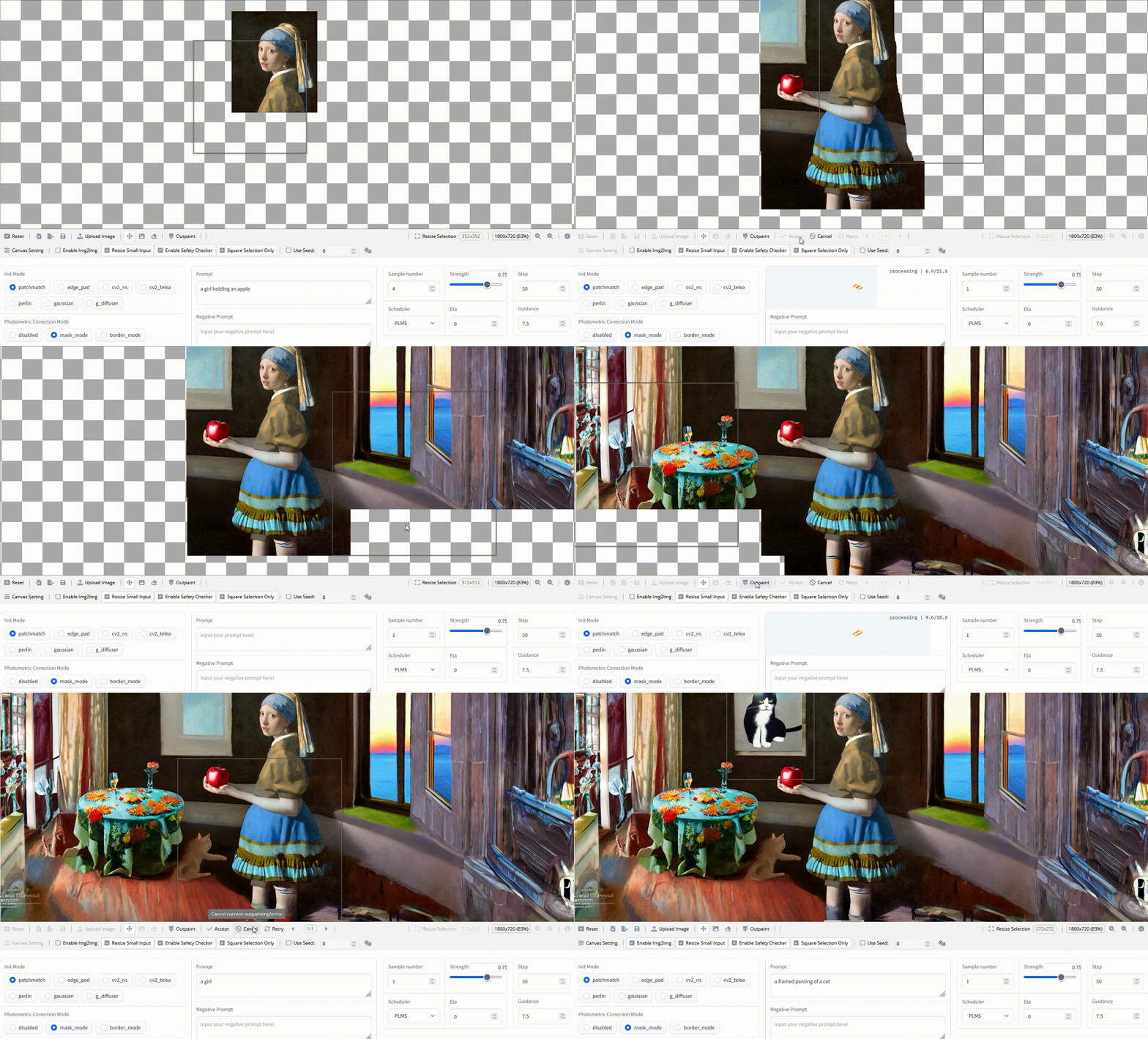
Outpainting with Stable Diffusion on an infinite canvas. Source: https://github.com/lkwq007/stablediffusion-infinity
A. Infinite Zoom In
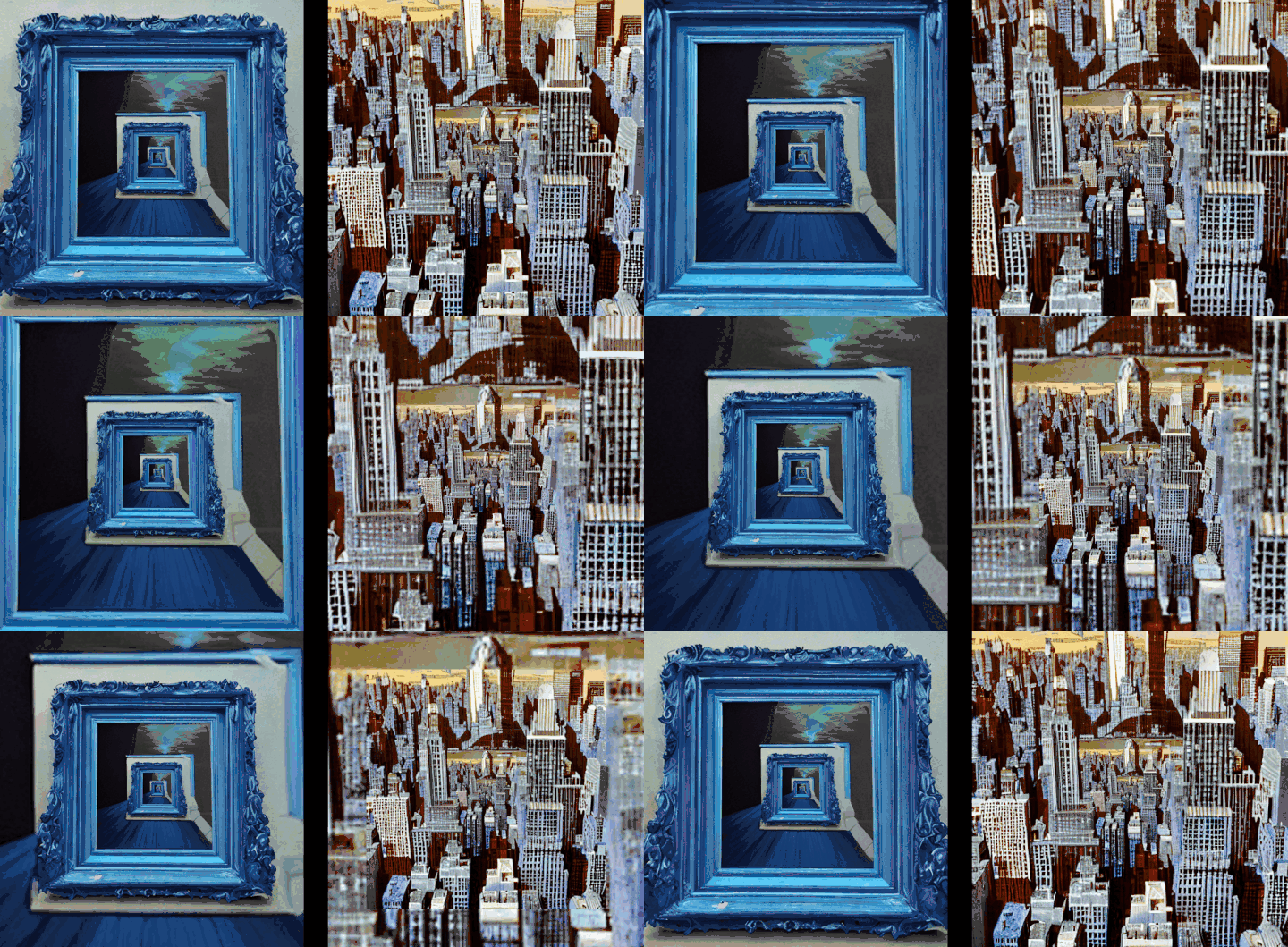
This can be considered a clever use of image inpainting for creating fractal design patterns.
The process used to create the “Infinite zoom in” is as follows:
Generate an image using a Stable Diffusion model.
Shrink the image, then copy and paste it into the center.
Mask the border outside the shrunken copy.
Use Stable Diffusion inpainting to fill in the masked part.
Another example of Infinite Zoom In comes from the Twitter user @hardmaru, a researcher at Stability.ai .
High-resolution infinite zoom in a sci-fi Edo-period Renaissance
When inpainting depends on resized previous images that show perspective, it tends to create interiors or corridors that match the perspective view without being asked to.#StableDiffusion2 #AIArt pic.twitter.com/uWP4He1cia
— hardmaru (@hardmaru) January 9, 2023
B. Infinite Zoom Out
The methods used to create the “Infinite Zoom Out” are quite simple to understand. It can be seen as an extension of “outpainting”. Unlike outpainting, the image size stays constant throughout the process.
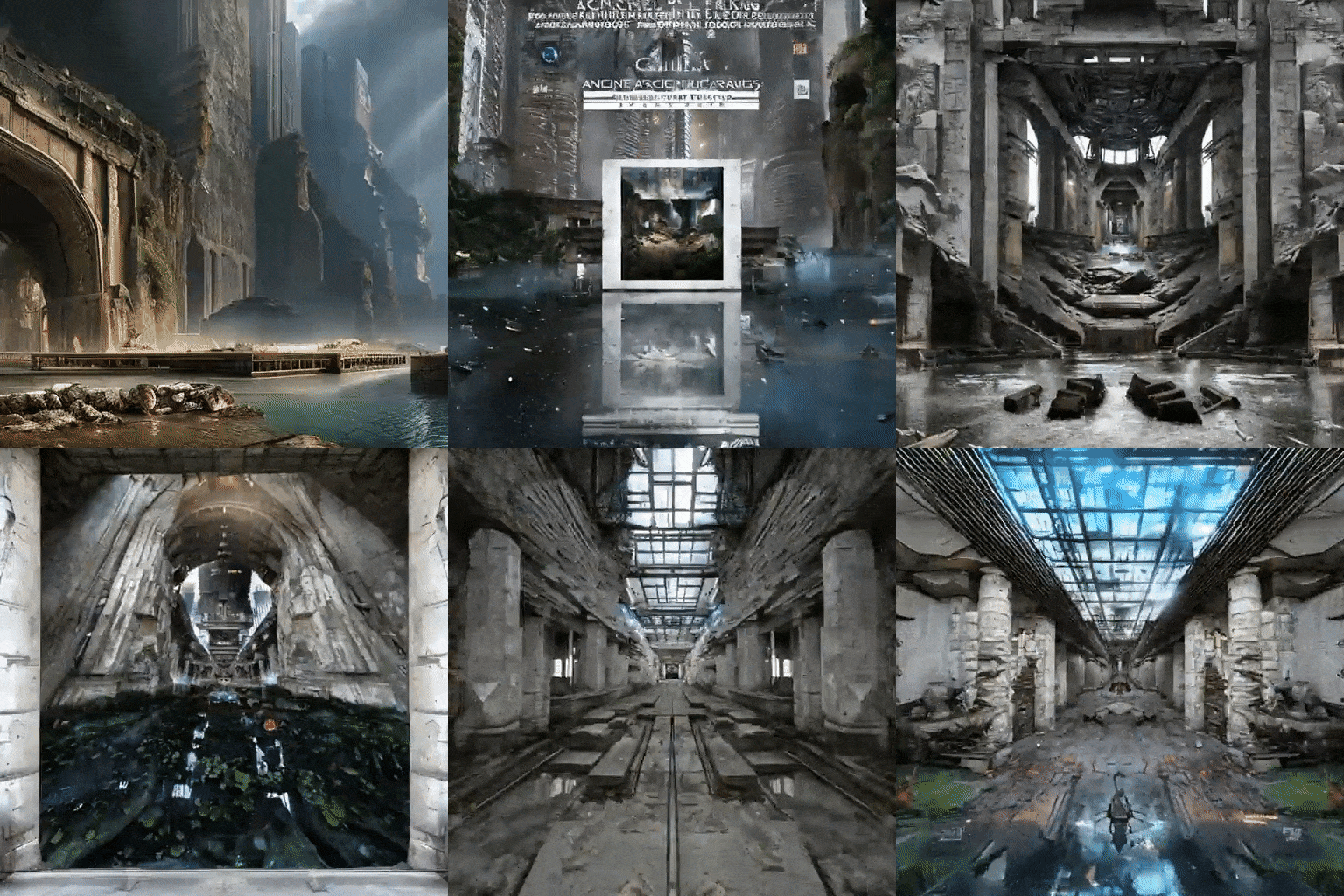
The image generated from the initial prompt is gradually reduced in size. This creates empty space between the image border and the resized image. The extra space is filled in using a diffusion model conditioned on the same prompt, with the new image (containing the empty space and the original image) as the starting point. We can generate a video by continuing this process for several iterations, as shown in the examples above.
These two utilities are built for finding images that were created using Stable Diffusion or for performing reverse image search.
Lexica – This is a Stable Diffusion search engine. It contains more than ~5 million generated images, and a query returns a generated image.
Ternaus – Ternaus is distinctive in that it combines image search (image to image) and reverse image search (image to text) in a single query. The main focus is on finding generated images that are free of licensing restrictions.
In this section, we list well-known and new tools and online services built by the community that our users can explore and use for their tasks.
Craiyon – Craiyon is an artificial intelligence model that can draw images from any text prompt!
nateraw / stable-diffusion-videos
deforum /deforum_stable_diffusion
ashawkey / stable-dreamfusion: a PyTorch implementation of text-to-3D DreamFusion, powered by Stable Diffusion.
MDM – Human Motion Diffusion Model
stability-ai / stable-diffusion-img2img
Diffuse The Rest – Hugging Face Space
Runway Inpainting – Hugging Face Space
Stable Diffusion Inpainting – Hugging Face Space
Stablediffusion Infinity – outpainting with Stable Diffusion on an infinite canvas.
arielreplicate/ stable_diffusion_infinite_zoom
Hugging Face Diffusion Spaces
Diffusion models are here to stay!
Diffusion models can significantly expand the world of creative work and content creation in general. Over the last few months, they have already proven their effectiveness. The number of diffusion models grows every day, and older versions quickly become outdated. In fact, there is a very high probability that by the time you read this article, some of the models mentioned above will have newer versions.
In any case, it is time for creators and companies to start using diffusion models to create images and content. Even if they are not the final product, diffusion models can serve as a source of inspiration for the world of creative professionals.
In this article, we covered a complete list of related topics. To summarize:
We started by looking at the place of diffusion models among deep-learning-based generative models.
We provided a high-level overview of diffusion models and how they work.
We discussed some of the most effective and popular diffusion models and their community-created variants.
Finally, we concluded by discussing various interesting and entertaining applications of diffusion models, as well as the various tools and services that can be used to work with them.

Comments