Online ear training: guess the note, repeat the rhythm and the melody on Intellect

Used 530 times
Online ear training: guess the note, repeat the rhythm and the melody

Ear trainer: notes, rhythm and melodies

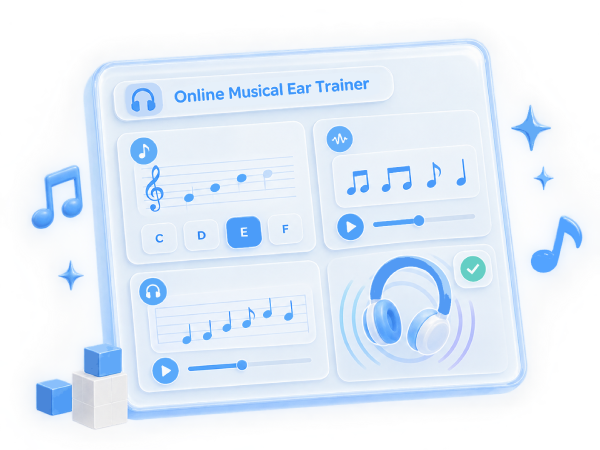
Choose what to train. In the notes mode a random note is played and you need to find it on the keyboard. In the rhythm mode a short melody is played and you need to repeat its rhythm at the same tempo. In the melody mode a well-known or your own melody is played in fragments and you need to repeat it note by note. In the "Same or different" mode two notes are played and you need to answer whether they are the same. Each task earns points, fewer with hints, and the points raise your level.

Score0
Task0
Correct0
Streak0
Record0
Computer keys: bottom row Z S X D C V G B H N J M is the lower labelled octave, top row Q 2 W 3 E R 5 T 6 Y 7 U is the next octave. Space is a tap in the rhythm mode and repeats the sound in the other modes.

Progress


Share:


Was this answer useful?
Choose a quick rating so we can improve the next answer for you.
How satisfied are you?


Your answer option for this service or noticed an error:

Online ear trainer


The service helps develop pitch recognition, a sense of rhythm and musical memory right in the browser, with no software to install and no registration. You can play with the mouse, with a finger on a phone or with the computer keyboard. The sound is synthesized in the browser, and several instruments are available: piano, electric piano, organ, guitar, flute, violin, marimba, music box, 8-bit sound and a human voice singing the vowels "ah", "oh" and "oo", and a cat's "meow" just for fun. Above the keyboard you can choose how many octaves to show on one screen, from one to four. Settings, the score of every mode and an unfinished melody are saved in your browser: if you close the page or the browser, you can continue from the same place next time.

"Guess the note" mode


A random note is played and you need to find and press it on the keyboard. Each note has three attempts; after a mistake the trainer tells you whether the hidden note is higher or lower. First-try answers without a hint earn the most points. The range is adjustable: white keys only, all keys of one octave or two octaves. You can play the reference note C before the hidden one to train relative pitch, when a pitch is recognized by its interval from a known note.

"Repeat the rhythm" mode


A short melody of one or two bars is played and you need to tap its rhythm with the space bar, the "Tap" button or any key. Each tap is compared with the reference and graded as perfect, good, close or missed, and a chart shows where a tap was early or late. If the whole rhythm is played evenly faster or slower, it is not counted as a mistake: the ratios of the durations matter. Difficulty ranges from half and quarter notes to dotted rhythms, syncopation and sixteenths, and the tempo from 50 to 160 beats per minute.

"Repeat the melody" mode


The melody is played in fragments of 4, 6, 8 or 12 notes (or as a whole), and each fragment has to be repeated note by note. The list contains 20 well-known melodies such as Ode to Joy, Für Elise, Turkish March, In the Hall of the Mountain King, Korobeiniki, Jingle Bells and others; a random one is selected by default. The hint level is adjustable: no hints, notes on the staff, key highlighting during playback and highlighting of the next key to press. The staff shows the current part of the melody: notes played correctly turn green, notes with mistakes turn red, and the next note to play is purple. The playback speed can be reduced to half.

"Same or different" mode


Two notes of the chosen instrument are played one after the other, and you simply answer whether they are the same or different with the "Same" and "Different" buttons or the keys 1 and 0 (arrows ← and →). This trains the finest skill of the ear: noticing a small difference in pitch. The difficulty sets how far apart the notes can be: 2 to 7 semitones on the easy level, 1–2 semitones on the medium one, a semitone and a quarter tone on the hard one and only 10–25 cents (hundredths of a semitone) on the expert level. The pause between the notes can be short, medium or long: the longer it is, the longer you have to keep the first note in memory. After the answer the trainer shows both notes on the staff, tells how many cents apart they were and then plays the next pair by itself.

Levels and progress


All points earned in any mode add up to a total score, and every 400 points unlock a new level; the bar below the statistics shows how much is left to the next one. The "Progress" block shows the total score, the level, the number of finished tasks, the average and the best result, the current and the best streak of tasks with 70% or more, and separate statistics for each mode. The columns at the bottom are the history of the last 40 tasks: the height shows the result in percent, and hovering shows the mode and the points earned. The progress is kept in the browser and survives a page reload, and the "Reset progress" button starts everything over.

Which instruments the trainer supports


The instrument is chosen in the "Instrument" list above the keyboard and applies to all modes. All sounds are synthesized right in the browser, so nothing has to be downloaded and the sound starts at once. The loudness is set with the "Volume" slider and is remembered.
— Piano: a bright attack and a smooth decay, the default sound;
— Electric piano: a soft, round tone in the style of 1970s keyboards;
— Organ: an even sustained sound that does not fade while the note lasts;
— Guitar: a plucked sound with a quick decay;
— Flute: a pure soft tone with a light vibrato;
— Violin: a rich bowed tone with vibrato;
— Marimba: a short wooden percussive sound;
— Music box: a high ringing sound with a long decay;
— 8-bit: the sound of old game consoles;
— Voice: "ah", Voice: "oh", Voice: "oo": a human voice singing a vowel, handy for training the ear on a vocal timbre;
— Cat: "meow": every note sounds like a cat's meow at exactly the right pitch, for fun and for lessons with children.
For every instrument low and high notes sound about equally loud.

How to add your own melody


In the "Repeat the melody" mode open the "Add your own melody" block, paste the notes in one of two text formats, press "Check and listen" and then "Save to the list". Your melodies are stored in your browser and appear in the "My melodies" group.
1. Simple format. Notes are separated by spaces and written as Note+octave:duration, for example E4:1/4 E4 F4 G4 | G4 F4 E4 D4 | C4:1/2.
— note names are the letters C D E F G A B, a sharp is written as # and a flat as b (C#4, Bb3);
— the digit after the note is the octave in scientific pitch notation: C4 is middle C, A4 is the 440 Hz A, C5 is the next C;
— the duration goes after a colon: 1 is a whole note, 1/2 a half, 1/4 a quarter, 1/8 an eighth, 1/16 a sixteenth, and a trailing dot makes the note dotted (1/4.);
— if the duration is omitted, the duration of the previous note is used, a quarter at the start;
— a rest is written as R, for example R:1/8;
— the tempo is set with bpm=120 (quarter notes per minute), 100 by default;
— bar lines | and line breaks may be used for readability, and lines starting with # are comments.
2. ABC format is a widespread standard text music notation in which thousands of folk and classical tunes are published. The headers T: (title), L: (unit note length), Q: (tempo), M: (meter) and K: (key with its key signature) are supported, as well as notes: C D E F G A B is the octave from middle C, c d e f g a b the next one, an apostrophe ' raises a note by an octave and a comma , lowers it; ^ is a sharp, _ a flat, = a natural and z a rest. A number after a note multiplies the unit length: C2 is twice as long, C/2 or C/ half as long, C3/2 one and a half times as long. Broken rhythm > and < and triplets (3 are supported, the first note of a chord in square brackets is used, and chord symbols in quotes and decorations are skipped.
An example of Ode to Joy in ABC: X:1 / T:Ode to Joy / L:1/4 / Q:1/4=120 / K:C / EEFG|GFED|CCDE|E3/2D/2D2|, each header on its own line.

Comments

To leave a comment

If you have any suggestion, idea, thanks or comment, feel free to write. We really value feedback and are glad to hear your opinion.
To reply