Keyboard testing online on Intellect

Used 527 times
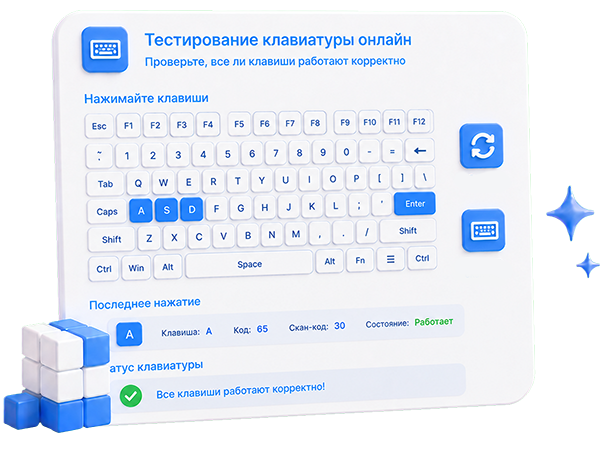
Keyboard testing online
Нажимайте кнопки на клавиатуре
Esc
F1
F2
F3
F4
F5
F6
F7
F8
F9
F10
F11
F12

`
~
1
!
2
@
3
#
4
$
5
%
6
^
7
&
8
*
9
(
0
)
-
_
=
+
Backspace
Del

Tab
Q
q
W
w
E
e
R
r
T
t
Y
y
U
u
I
i
O
o
P
p
[
{
]
}
\
|
Ins

Caps Lock
A
a
S
s
D
d
F
f
G
g
H
h
J
j
K
k
L
l
;
:
'
"
Enter
Home
End

Shift
Z
z
X
x
C
c
V
v
B
b
N
n
M
m
,
<
.
>
/
?
Shift
Page Up
Page Down

Ctrl
Meta
Alt
Alt
Meta
Menu
Ctrl
Right
Left
Up
Down
Testing your keyboard online is the easiest way to test your keyboard. Keyboard testing is a simple but painstaking process.
Reset Complain Share result

Share:


Was this answer useful?
Choose a quick rating so we can improve the next answer for you.
How satisfied are you?


Your answer option for this service or noticed an error:

Testing the keyboard online is the easiest way to check its functionality and make sure
that all keys work correctly and do not stick and the contact is not defeated.
This is especially useful if you notice that some keys do not respond to pressing,
or if you just want to check how accurate you are typing.
Our online keyboard test allows you to check its performance and the operation of each key of the keyboard.
You can see which key is pressed and also check the response time of the keyboard to a keystroke.
Before using any of these tests, make sure you are using your own keyboard,
not public. Also, be aware that some devices may
require access to your keyboard

Comments

To leave a comment

If you have any suggestion, idea, thanks or comment, feel free to write. We really value feedback and are glad to hear your opinion.
To reply