
Mood Board: A Visual Presentation or Collage for Design Ideas

Lecture 10 min.


A mood board is a type of visual presentation or collage consisting of images, text, and samples of objects in a composition. It may be based on a given theme or be made of material chosen at random. A mood board can be used to convey a general idea or feeling about a particular subject. Mood boards can be physical or digital and can be an effective presentation tool.
Mood Board: A Visual Presentation or Collage for Design Ideas

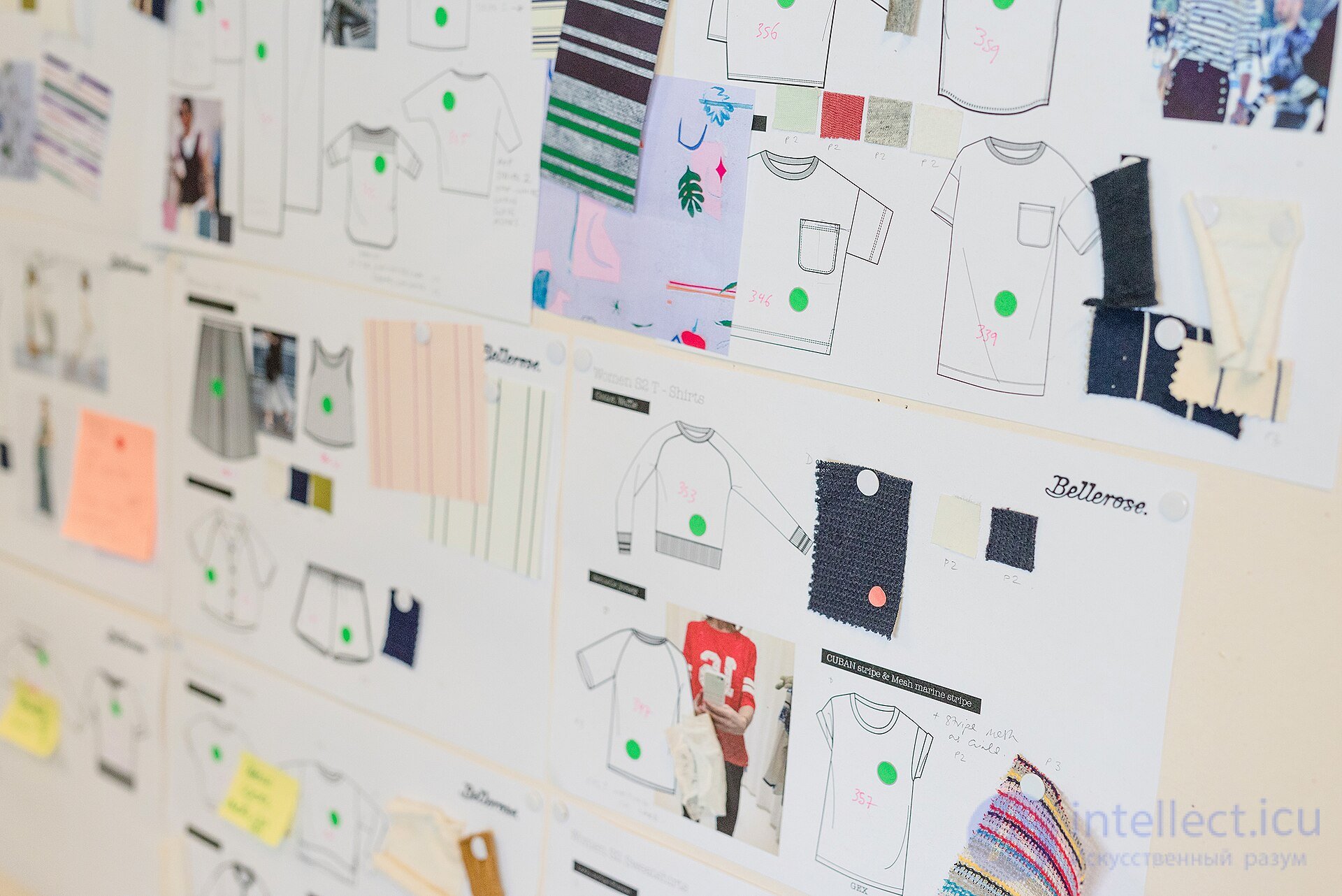
A mood board with technical design drawings, color swatches, and fabric samples.

Uses

Graphic designers , interior designers , industrial designers , photographers , user interface developers , and other creative people use mood boards to visually illustrate the style they want to follow. Amateur and professional designers may use them as an aid for more subjective goals, such as how they want to decorate their bedroom or what atmosphere they want to convey through their clothing.

Mood boards can also be used by writers to visually explain a particular writing style or the imagined setting of a storyline. In short, mood boards are not limited to interior decoration but serve as a visual tool for quickly informing others of the overall "mood" (or "flow") of an idea. In creative processes, mood boards can balance coordination and freedom.

Mood boards can be used in marketing for advertising and branding . They help creative teams stay on the same page , keeping to the image that the brand wants to project outward.
Types

Physical

Mood Board: A Visual Presentation or Collage for Design Ideas

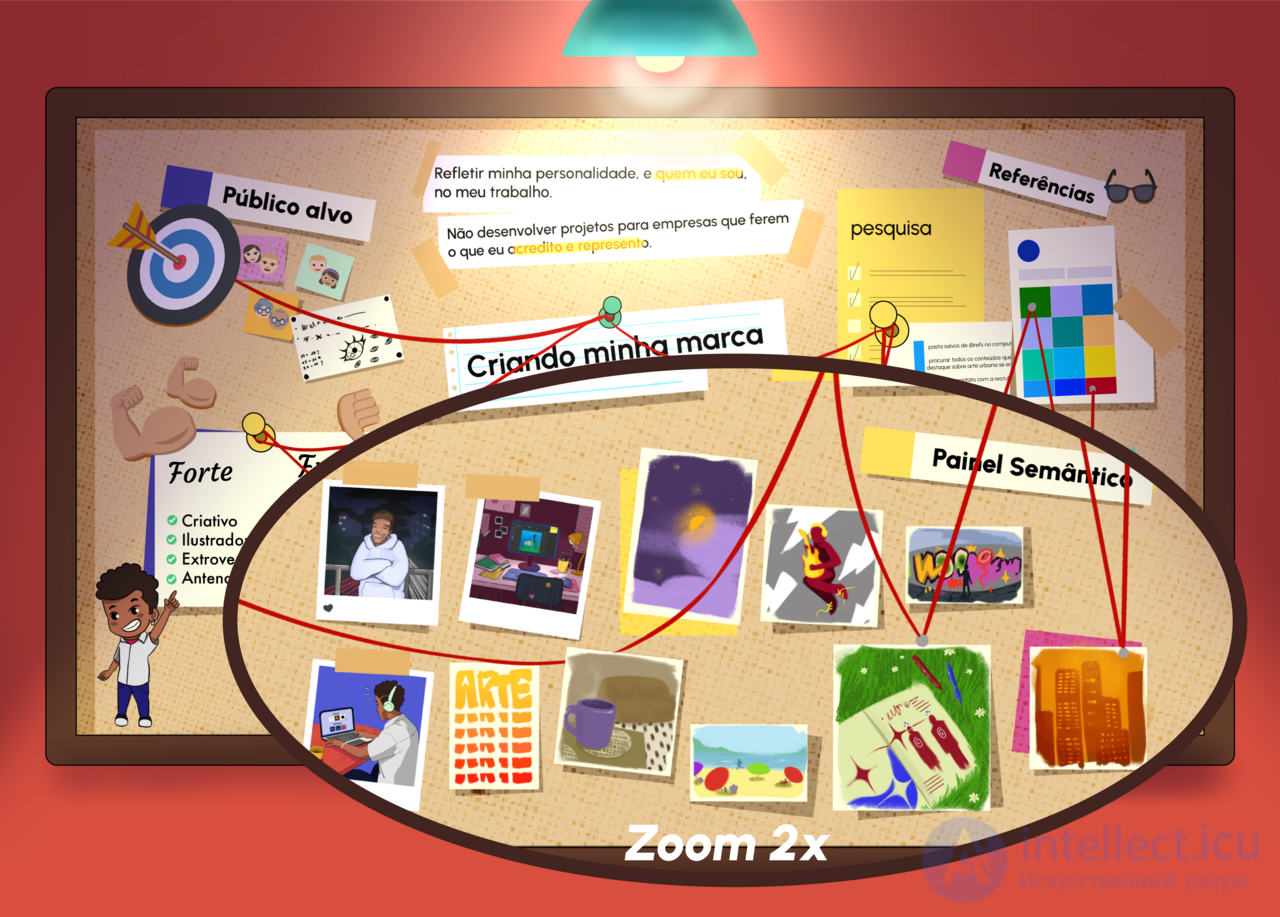
An example of a physical mood board.

One way to make a mood board is to use foam board, which can be cut with a thin knife and decorated with patterns applied by spray. Cardboard, paper, and a cork board can be used as alternative bases for a mood board. Some examples of ideas used to convey a mood are food, music, and colors. Mood boards can be decorated with threads, stickers, pretty ribbon, magazine photos, original paintings, fabrics, and any other decor that inspires their creator. They can come in different shapes and sizes.

Digital

Creating mood boards in digital form makes collaboration and modification easier. They can be created with digital design software such as Adobe Creative Cloud Express and Figma , or online on sites such as Pinterest , Shuffles (a Pinterest product), and ShopLook . Users of these platforms often use images that others have shared online to create a look that they might not have been able to create on their own with physical objects around them.

How a mood board differs from a corporate identity

A mood board (moodboard) and a corporate identity (brand style) are different concepts used in design and branding, although they may be related. Here are their main differences:

Mood board

A mood board is a tool for inspiration and for visualizing ideas.

  1. Purpose:

    • To convey the atmosphere, mood, or concept of a future project.
    • Serves as a basis for further design but is not the final product.
  2. Composition:

    • A collage of images, textures, colors, fonts, graphics, and other elements.
    • May include photographs, drawings, screenshots, and text descriptions.
  3. Use:

    • Applied at the idea development stage to set the overall tone.
    • Often used to discuss the concept with the client or within the team.
  4. Example:

    • A collage to create an "eco-friendly" atmosphere with photographs of nature, green colors, and icons related to sustainable development.

Corporate identity (brand style)

A corporate identity is a holistic system of a brand's visual identity.

  1. Purpose:

    • To create a recognizable and unique visual look for a company or product.
    • To ensure consistency across all of the brand's communications.
  2. Composition:

    • Logo.
    • Brand colors and fonts.
    • Graphic elements (patterns, icons).
    • Guidelines for using the visual elements (a brand book).
    • Additionally: packaging design, document templates, social media design.
  3. Use:

    • Applied for company branding and maintaining its image.
    • Sets the standards for all marketing and advertising materials.
  4. Example:

    • The Coca-Cola corporate identity includes a recognizable logo, red and white colors, a unique typeface, and the shape of the bottle.

Key differences:

Criterion Mood board Corporate identity
Purpose Inspiration, concept A holistic brand identity
Development stage Stage of ideas and discussions Final design system
Composition A collage of diverse elements Clear and unified elements
Application For finding a direction For implementing branding

A mood board helps shape the basic ideas, which can then grow into a full corporate identity.

How a mood board differs from a clausura

A mood board and a clausura are different design tools used for different purposes. Here are the main differences:

Mood board

A mood board (moodboard) is a visual composition created to convey the atmosphere, mood, or concept of a future project.

  1. Purpose:

    • To inspire and set the direction for developing the design.
    • To convey the overall mood of the project through a set of visual elements.
  2. Composition:

    • A collage of images, textures, color palettes, fonts, and other visual components.
    • Does not necessarily contain original elements; references (ready-made images, photographs, fragments of works) are used more often.
  3. Use:

    • At the stage of conceptual work and discussions.
    • For agreeing on the general direction with the client or team.
  4. Example:

    • A collage with natural textures and green shades for a project about preserving the environment.

Clausura

A clausura is a quick, sketch-style project that demonstrates specific ideas or solutions in visual form.

  1. Purpose:

    • To explore and record ideas for a design solution.
    • To find compositional, structural, or functional approaches to a task.
  2. Composition:

    • Simple and concise sketches, diagrams, drawings.
    • Usually made by hand, less often with graphics software.
  3. Use:

    • For practicing design skills and quickly visualizing ideas.
    • At the preliminary design stage for working out options.
  4. Example:

    • A quick interior sketch showing the arrangement of furniture and color accents.

Key differences:

Criterion Mood board Clausura
Purpose To convey mood and atmosphere To quickly show an idea or solution
Development stage Conceptual stage Research/design stage
Composition A collage of ready-made references Hand sketches, diagrams, drawings
Application For inspiration and discussion For finding solutions and practicing skills
Method of creation Digital or physical collage Hand sketches or simplified mockups

Similarities:

  • Both tools are used in the early stages of work on a project.
  • They help generate ideas and guide further development.

Summary:
A mood board focuses more on emotions and visual concept, while a clausura focuses on exploring functional and structural aspects.

How wireframes differ from a mood board

Wireframes and mood boards are different tools used at different stages of design, especially in web design, UI/UX, and creative processes.
Here are their key differences:

Wireframe

  1. Purpose:

    • To create a structural diagram of an interface or page.
    • The focus is on functionality, the placement of elements, and their relationships, rather than on visual aesthetics.
  2. Composition:

    • Black-and-white sketches or diagrams with blocks, lines, and text hints.
    • They show the placement of buttons, menus, images, text, and other elements.
  3. Development stage:

    • The structural design stage.
    • Used to agree on the functional design and the structure of the interface.
  4. Example of use:

    • Developing a user interface for a website or mobile app.

Key differences:

Criterion Mood board Wireframe
Focus Mood and visual concept Functionality and structure
Project stage Early stage of conceptual design Planning the interface or structure
Level of detail Visually rich, decorative Minimalist, functional
Elements used Images, colors, textures, fonts Blocks, lines, text hints
Result Aesthetic direction Functional diagram

Summary:

  • Mood boards help set the tone and style and inspire the creation of a design.
  • Wireframes provide an understanding of structure and interactions, which helps developers and designers build a user-friendly interface.

A mood board usually precedes a wireframe, since it is important to first agree on the visual concept and only then plan its functional implementation.

How a mood board differs from a design concept and a prototype

A mood board, a design concept, and a prototype are three different tools used in the design process. They serve different purposes and are applied at different stages of work on a project. Here are their key differences:

2. Design concept

  1. Purpose:

    • To present a specific solution based on the ideas from the mood board.
    • To show what the project will look like as a whole, but without full detail.
  2. Composition:

    • Visualization of key design elements: interfaces, compositions, graphic style, animations.
    • May include color schemes, fonts, graphic elements, approximate layouts.
  3. Development stage:

    • After the mood (the mood board) has been agreed on, at the stage of making ideas concrete.
  4. Example of use:

    • Presenting the concept of a new app or website in which the main elements are already visible, but the functionality has not been worked out.
  5. Result:

    • Final approval of the style and visual approach for further work.

3. Prototype

  1. Purpose:

    • To simulate the functionality and interactions of the interface.
    • To check how the project will work and to test the user experience (UX).
  2. Composition:

    • Created as an interactive model (digital or paper).
    • Includes buttons, transitions, navigation elements, and the main interactions.
    • A prototype can be low-fidelity (black-and-white diagrams) or high-fidelity (with colors and graphics).
  3. Development stage:

    • After the design (the design concept) has been approved, at the stage of testing functionality.
  4. Example of use:

    • An interactive mockup of a website or app that lets users test the main functions.
  5. Result:

    • An interaction model ready for testing and refinement before final development.

Key differences:

Criterion Mood board Design concept Prototype
Purpose Conveying mood and visual style Visualizing the design concept Checking functionality and interactions
Focus Atmosphere and aesthetics Making the visual solution concrete Interface and UX
Level of detail Minimal Medium: key elements worked out High: interactive model
Composition A collage of references, colors, textures Layouts, graphic elements, styling Interactive diagrams, buttons, navigation
Project stage Early stage of conceptual design Visual solution development stage Functionality testing
Tools Photoshop, Pinterest, Figma (for collages) Figma, Sketch, Adobe XD Figma, Axure, InVision, Adobe XD

Summary:

  • Mood board: inspiration and visual concept.
  • Design concept: making the visual style and key elements concrete.
  • Prototype: a functional model ready for testing interactions.

The workflow usually looks like this: mood board → design concept → prototype.

See also

  • Scrapbooking
  • Conceptual art
  • Aesthetics
  • [[b6136]]
  • Clausura
  • Emotions
  • Design concept
  • Prototype
created: 2025-01-21
updated: 2026-09-29
134


Was this answer useful?
Choose a quick rating so we can improve the next answer for you.
How satisfied are you?


Comments

To leave a comment

If you have any suggestion, idea, thanks or comment, feel free to write. We really value feedback and are glad to hear your opinion.
To reply

Lectures and tutorial on "design software UI and Web design"

Terms: design software UI and Web design