Mobile computing is human-computer interaction in which the computer must be movable during normal use and must support data transmission, including voice and video communication. Mobile computing comprises mobile communication, mobile hardware and mobile software. Communication issues include ad hoc networks and infrastructure networks, as well as communication properties, protocols, data formats and specific technologies. Hardware includes mobile devices or their components. Mobile software defines the characteristics and requirements of mobile applications.
Basic Principles
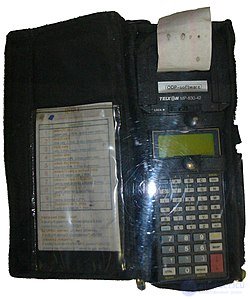
The Telxon PTC-710 is a 16-bit PTC-710 mobile computer with an MP 830-42 microprinter in the 42-column version.
- Portability: Devices/nodes connected to a mobile computing system must provide mobility. These devices may have limited capabilities and a limited power source, but must have sufficient computing power and physical portability to operate in a mobile environment.
- Connectivity: determines the quality of service (QoS) of the network connection. In a mobile computing system, network availability is expected to be maintained at a high level with a minimum of delays/downtime, independent of the mobility of the connected nodes.
- Interactivity: nodes belonging to a mobile computing system are connected to one another to interact and collaborate through active data transactions.
- Individuality: a portable device or mobile node connected to a mobile network often represents an individual person; a mobile computing system must be able to use the technology to meet individual needs, as well as obtain contextual information about each node.
Devices
Below are some of the most common types of mobile computing devices:
- Portable computers, compact, lightweight devices that include a full-character keyboard and are designed primarily to host software that can be parameterized, for example laptops / desktop computers, smartphones / tablets, etc.
- Smart cards, which can run multiple applications but are usually used for payments, travel and access to secure areas.
- Mobile phones – telephone devices that can be used to make calls over a distance using cellular technology.
- Wearable computers, mostly limited to function keys and designed primarily to host software agents, such as bracelets, keyless implants, etc.
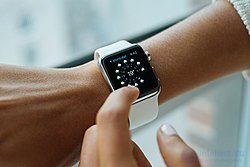
Apple Watch wearable electronics, released in 2015.
These classes are expected to coexist and complement one another, without fully replacing each other.
Since the 1990s, other types of mobile computers have also appeared, including:
- Portable computer
- Personal digital assistant, enterprise digital assistant
- Ultra-mobile PC
- Notebook
- Tablet computer
- Wearable computers
- E-book reader
- Carputer
- Pocket PC
Limitations
- Expandability, replaceability and modularity: unlike traditional motherboard-based PCs, the SoC architecture in which they are built makes these features impossible.
- Lack of BIOS: because most smart devices lack a full-fledged BIOS, their boot options are limited, since they can boot only into the single operating system they shipped with, unlike the PC BIOS model.
- Range and bandwidth: Mobile Internet access is generally slower than a direct cable connection and uses technologies such as GPRS and EDGE, and more recently HSDPA, HSUPA, 3G and 4G networks, as well as the planned 5G network. These networks are usually available within the coverage of a number of commercial cell towers. High-speed wireless local area networks (LANs) are inexpensive but have a very limited range.
- Security standards: When operating in mobile mode, you depend on public networks, so a VPN requires careful use. Security is a critical issue related to fleet mobile computing standards. A VPN is easy to attack through the huge number of interconnected networks.
- Power consumption: In the absence of a power outlet or a portable generator, mobile computers have to rely entirely on battery power. Combined with the compact size of many mobile devices, this often means having to use unusually expensive batteries to provide the required battery life.
- Transmission interference: Weather, terrain and the distance to the nearest signal reception point can affect signal reception. Reception quality in tunnels, some buildings and rural areas is often poor.
- Potential health hazards: People who use mobile devices while driving are often distracted from driving and are therefore considered more prone to traffic accidents. (Although this may seem obvious, there is active debate about whether banning the use of mobile devices while driving helps reduce the number of accidents.) Mobile phones can interfere with the operation of sensitive medical equipment. Concerns are being raised about mobile phone radiation and its effects on health.
- Human-device interaction: screens and keyboards tend to be small, which can make them difficult to use. Alternative input methods, such as speech recognition or handwriting recognition, require training.
Onboard, Fleet and Command Center Computing
Military and Crisis Applications
-
Soviet air defense systems used small-form-factor digital computing complexes, for example the 5E26, developed in 1968 for the S-200 and S-300 missile systems. It provided high performance and mobility and was housed in air defense command posts.
-
Such computers made it possible to:
-
Process target data and control missile guidance.
-
Operate under conditions of limited power supply and communications.
-
Move quickly and deploy at new sites.
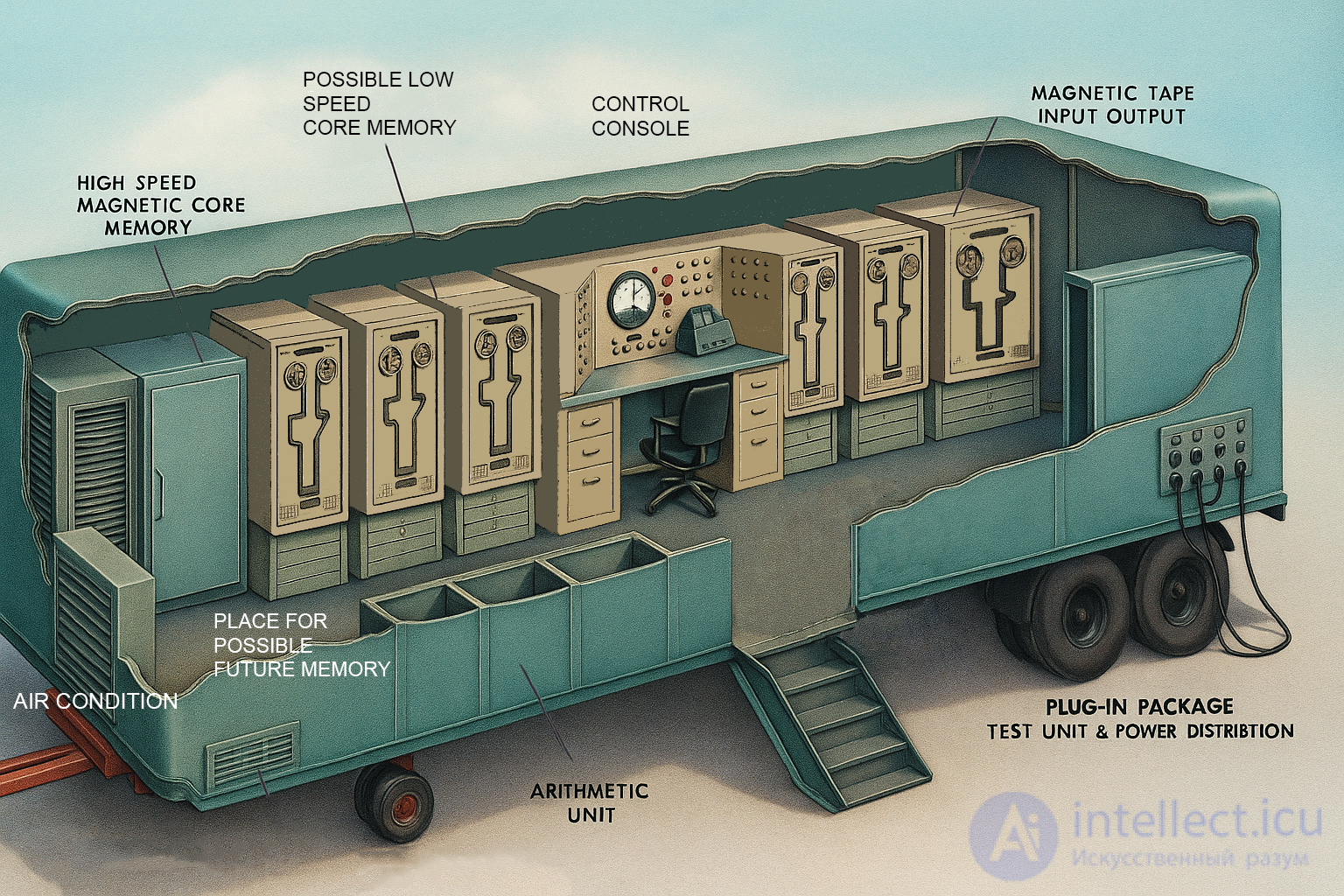
The 1959 MOBIDIC mobile computer
MOBIDIC from Sylvania (short for "MOBIle DIgital Computer") was a transistorized computer designed to store, sort and route information as part of the US Army's Fieldata concept. The goal of Fieldata was to automate the dissemination of battlefield data in any form, ensuring that reports were delivered to the appropriate recipients regardless of the physical form in which they were sent or received. MOBIDIC was installed in a semi-trailer van, and a second unit provided power, which made it possible to move the system around the battlefield.
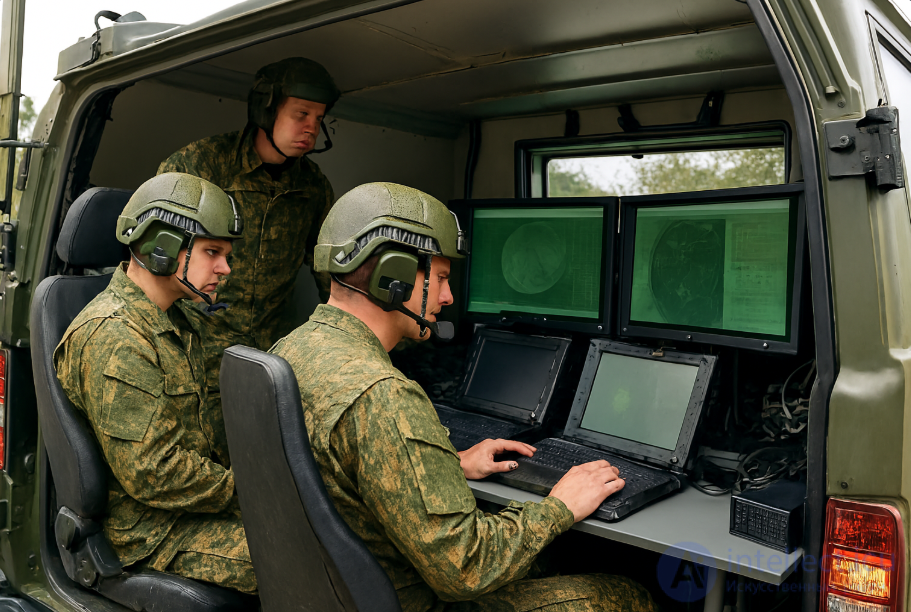
Many commercial and government field units use rugged laptop computers in their vehicles. This requires them to be mounted in the vehicle to ensure driver safety, device security and ergonomics. Rugged computers are designed to withstand the heavy vibration that occurs when driving large service vehicles and off-road, as well as the harsh conditions of constant professional use, for example in emergency medical services, fire departments and public safety services.
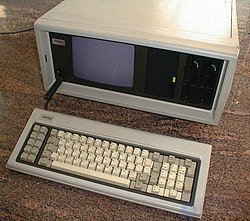
Compaq Portable, circa 1982, before the appearance of laptops
Other factors affecting the operation of a vehicle-mounted computer:
- Operating temperature: inside a vehicle, the temperature can often range from −30 to 60 °C (−22 to 140 °F). Computers generally must withstand such temperatures during operation. Typical fan-based cooling systems have ambient temperature limits of 35–38 °C (95 to 100 °F), and at sub-zero temperatures local heaters are required to bring components up to operating temperature (based on independent studies by SRI Group and Panasonic R&D).
- Vibration can shorten the service life of computer components, especially rotating storage devices such as hard disks.
- In bright sunlight, standard screens become hard to read.
- Touchscreen users can easily operate devices in the field without taking off their gloves.
- Battery settings at high temperatures: lithium-ion batteries are sensitive to high temperatures during charging. A computer designed for mobile use must have a high-temperature charging feature that limits charging to 85% of capacity or less.
- External antenna connections are routed through the ordinary metal cabins of vehicles, which block wireless reception and make it possible to use more powerful external communication and navigation equipment.
Modern Technologies
Figure: an example of a command post with mobile computers based on a civilian vehicle
Technical Specifications of Mobile Computers
| Characteristic |
Description |
| Form factor |
Containers, armored vehicles, tents, portable cases |
| Power supply |
Standalone generators, batteries, connection to external power sources |
| Communications |
Satellite, radio channels, secure networks |
| Durability |
Shock resistance, protection against dust, moisture, and electromagnetic interference |
| Software |
Specialized operating systems, battle management systems, analytics platforms |
Development Trends
-
Integration of AI and machine learning for real-time data analysis.
-
Use of cloud solutions with local caching.
-
Modularity — the ability to quickly replace components and scale.
Security Issues Related to Mobile Devices
Mobile security is becoming increasingly important in mobile computing. It is of particular concern because it affects the security of personal information stored on smartphones. Mobile applications can copy user data from these devices to a remote server without the user's permission, and often without their consent. User profiles automatically created in the cloud for smartphones raise privacy concerns on all major platforms, including, among other things, location tracking and personal data collection, regardless of the user's settings on the device.
More and more users and companies use smartphones to plan and organize their work and personal lives. Within companies, these technologies are causing profound changes in the organization of information systems and, consequently, are becoming a source of new risks. Indeed, smartphones collect and process increasing amounts of sensitive information, access to which must be controlled to protect the user's privacy and the company's intellectual property.
All smartphones are favorite targets of attacks. These attacks exploit smartphone vulnerabilities, which may be related to wireless communication networks such as Wi-Fi and GSM networks. There are also attacks that exploit software vulnerabilities in both the web browser and the operating system. Finally, there are types of malware that rely on the limited knowledge of ordinary users.
Various security measures for smartphones are currently being developed and applied, ranging from protection at different levels of the software to disseminating information among end users. Best practices must be followed at all levels, from design to operation, including the development of operating systems, software layers, and downloadable applications.
Portable Computing Devices
Main articles: Mobile device and Portable computer
Several categories of portable computing devices can run on batteries but are usually not classed as laptops: portable computers, PDAs, ultra-mobile PCs (UMPCs), tablets, and smartphones.
- A portable computer is a general-purpose computer that can be easily moved from place to place but cannot be used while in transit, usually because of the need for setup and connection to an AC power source. The best-known example is the Osborne 1. Portable computers are also called "transportable" or "luggable" PCs.
- A personal digital assistant (PDA) is a small, usually pocket-sized, computer with limited functionality. It is designed to supplement and synchronize with a desktop computer, providing access to contacts, an address book, notes, email, and other functions.
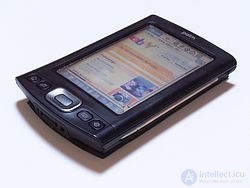
Palm TX PDA
- An ultra-mobile PC is a full-featured, PDA-sized computer running a general-purpose operating system.
- Phones and tablets: a tablet PC is shaped like a paper notepad. Smartphones are essentially the same devices as tablets; the only difference is that they are much smaller and more compact. Instead of a physical keyboard, these devices have a touchscreen combining a virtual keyboard, and can also connect to a physical keyboard wirelessly via Bluetooth or USB. Thanks to their portability, these devices offer features that other computer systems cannot afford, such as built-in cameras. Some laptops do have a built-in camera, though, and desktop computers and laptops can connect to a webcam via USB.
- A car computer is installed in a vehicle. It serves as a wireless computer, audio system, GPS navigator, and DVD player. It also includes a word processor and is Bluetooth-compatible.
- A pentop (discontinued) is a computing device similar in size and shape to a pen. It functions as a writing instrument, MP3 player, translator, digital storage device, and calculator.
- A special-purpose computer is a computer designed for a specific task. For example, Ferranti introduced a portable special-purpose mobile computer (MRT-100) in the form of a tablet for conducting public opinion polls.
The boundaries between these categories are sometimes blurred. For example, the OQO UMPC is also a PDA-sized tablet PC; the Apple eMate had a clamshell laptop form factor but ran PDA software. The HP Omnibook line included several devices compact enough to be called ultra-mobile PCs. The hardware of the Nokia 770 Internet tablet is essentially the same as that of a PDA such as the Zaurus 6000; the only reason it is not called a PDA is the absence of PIM software. On the other hand, both the 770 and the Zaurus can run some desktop Linux programs, usually with modifications.
Mobile Data Communication
Wireless data connections used in mobile computing take three main forms. Cellular data service uses GSM, CDMA, or GPRS technologies, 3G networks such as W-CDMA, EDGE, or CDMA2000, and, more recently, 4G and 5G networks. These networks are usually available within range of commercial cell towers. Wi-Fi connections offer higher performance, can be part of a private corporate network or accessed through public hotspots, and have a typical range of 100 feet indoors and up to 1,000 feet outdoors. Satellite Internet access covers areas where cellular and Wi-Fi service is unavailable and can be set up anywhere the user has a line of sight to the satellite's position, which for geostationary satellites means an unobstructed view of the southern sky. Some enterprise deployments combine networks from several cellular carriers or use a mix of cellular, Wi-Fi, and satellite. When a mix of networks is used, a mobile virtual private network (mobile VPN) not only addresses security concerns but also automatically logs in to multiple networks and keeps application connections alive to prevent failures or data loss during network handoffs or loss of coverage.
See Also
- Lists of mobile computers
- Mobile cloud computing
- Mobile computing and communications overview
- Mobile development
- Mobile device management
- Mobile identity management
- Mobile interaction
- Mobile software
- Ubiquitous computing
- Command center
- Command post


Comments