
Lecture 8 min.
Fundamentals of Building Network Applications in Java
Lecture Outline
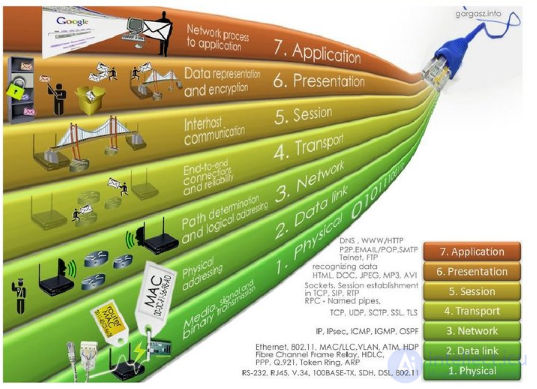
The OSI Model
.
Transmission Control Protocol (TCP) is a connection-based protocol that provides reliable data transfer between two computers while preserving the order of the data
Used in: HTTP, FTP, Telnet, etc.
User Datagram Protocol (UDP) is a connectionless protocol that sends independent packets of data, called datagrams, from one computer to another with no guarantee of their delivery

How it works
The concept of a port A computer (usually) has only one physical connection to the network. The connection is described, for example, by an IP address (currently 32 or 128 bits). How can information for different applications be told apart? A.V.
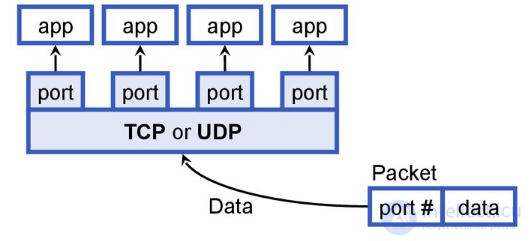
A socket is bound to a port
A port is described by a 16-bit number
Ports 0-1023 are reserved
TCP orUDP portapp port # data Packet Data
In the 1980s, the American government agency for supporting research projects (ARPA) funded the implementation of the TCP/IP protocols for UNIX at the University of California in
Berkeley. An application programming interface for TCP/IP network applications (TCP/IP API) was developed
TCP/IP sockets or Berkeley sockets
Relationship with the file system. TCP/IP within UNIX. The socket interface works through UNIX system calls. UNIX I/O system calls look like a sequential cycle:
There is no distinction between files and external devices
The client-server model does not fit the UNIX I/O system
A network connection is the process of transferring data over a network between two computers or processes
A socket is an endpoint of data transfer
For programs, a socket is one end of a network connection
To establish a connection, each network program must have its own socket
Communication between two sockets can be connection-oriented
Communication between two sockets can be connectionless
A socket is associated with a port number
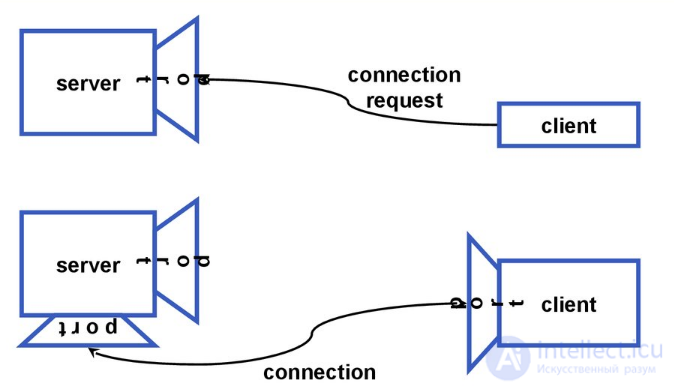
The socket abstraction serverport client connection request serverport p o r t clientport connection
Sockets are encapsulated in instances of special classes
All low-level interaction is hidden from the user
There is a family of classes that provide socket configuration and socket handling
Addressing
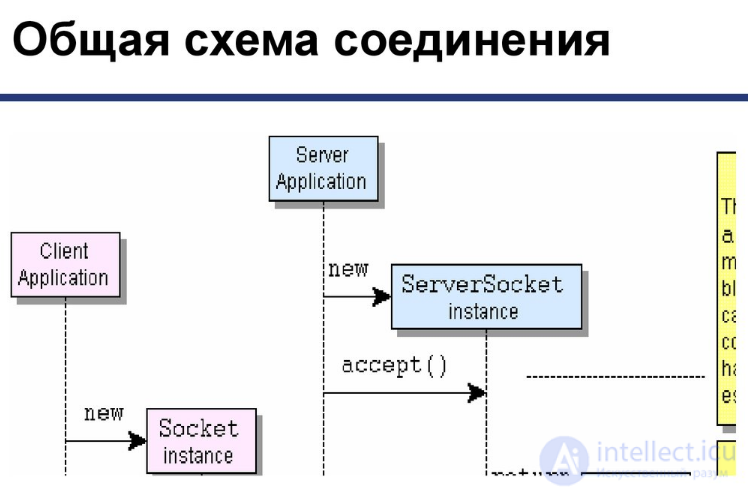
Establishing a TCP connection
Sending/receiving datagrams via UDP. Discovery/identification of network resources
Security: authorization / access rights
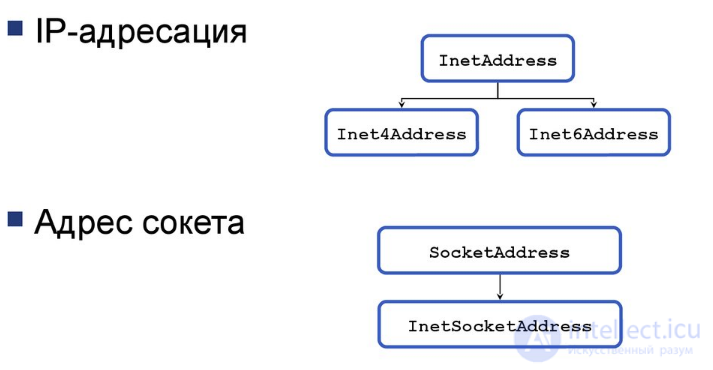
IP addressing
Socket address InetAddress Inet4Address Inet6Address SocketAddress InetSocketAddress
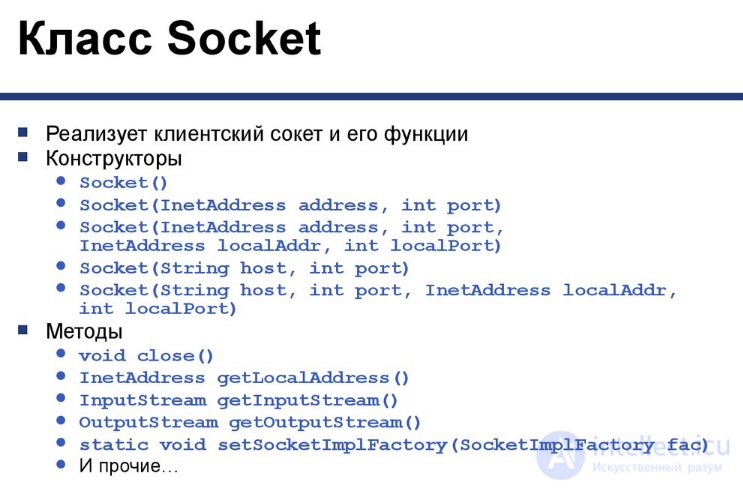
The Socket class. Implements the client socket and its functions
Constructors
Methods
Working with a client socket
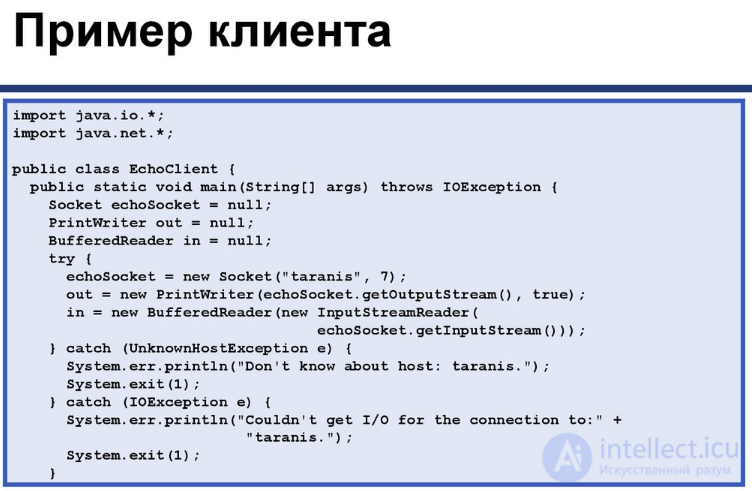
Client example import java.io.*;
import java.net.*;
public class EchoClient { public static void main(String[] args) throws IOException { Socket echoSocket = null;
PrintWriter out = null;
BufferedReader in = null;
try { echoSocket = new Socket("taranis", 7);
out = new PrintWriter(echoSocket.getOutputStream(), true);
in = new BufferedReader(new InputStreamReader( echoSocket.getInputStream()));
} catch (UnknownHostException e) { System.err.println("Don't know about host: taranis.");
System.exit(1);
} catch (IOException e) { System.err.println("Couldn't get I/O for the connection to:" + "taranis.");
System.exit(1);
}
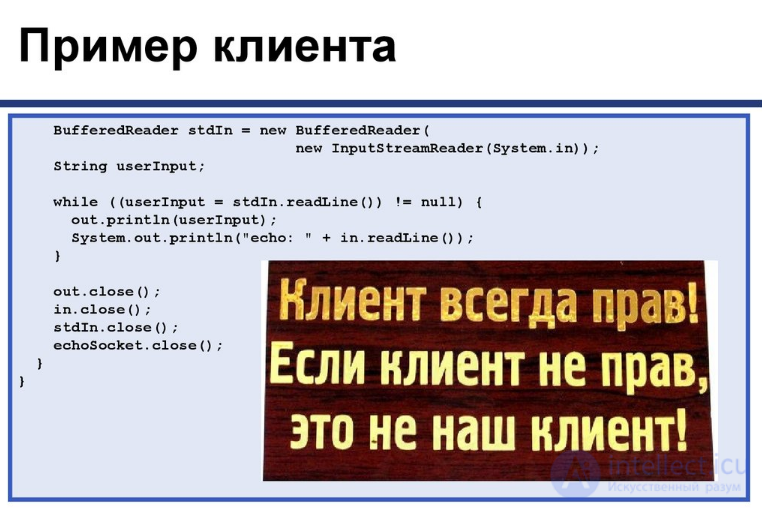
Client example BufferedReader stdIn = new BufferedReader( new InputStreamReader(System.in));
String userInput;
while ((userInput = stdIn.readLine()) != null) { out.println(userInput);
System.out.println("echo: " + in.readLine());
} out.close();
in.close();
stdIn.close();
echoSocket.close();
}}
The ServerSocket class
Implements the server socket and its functions
Constructors
Methods
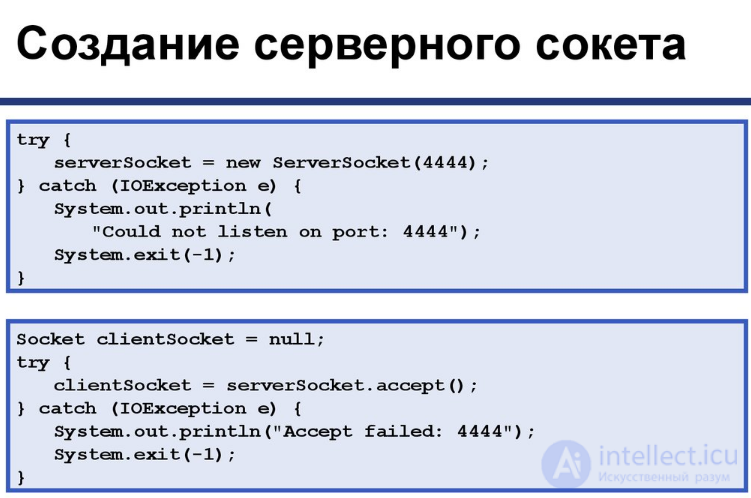
Creating a server socket
try { serverSocket = new ServerSocket(4444);
} catch (IOException e) { System.out.println( "Could not listen on port: 4444");
System.exit(-1);} Socket clientSocket = null;
try { clientSocket = serverSocket.accept();
} catch (IOException e) { System.out.println("Accept failed: 4444");
System.exit(-1);}
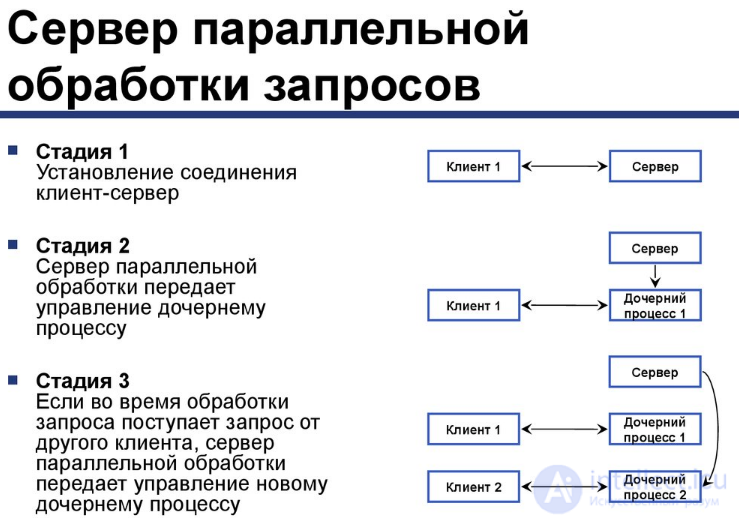
Concurrent request-processing server
Stage 1: The client-server connection is established
Stage 2: The concurrent server hands control over to a child process
Stage 3: If another client's request arrives while a request is being processed, the concurrent server hands control over to a new child process
Client 1 Server Client 1 Child process 1 Server Client 1 Child process 1 Server Client 2 Child process 2
A datagram is an independent, self-contained message sent over a network, whose delivery, arrival time (order) and content are not guaranteed. Datagrams can be used for both unicast and broadcast messaging
The DatagramPacket class. Instances of this class are prototypes of datagram messages
Constructors
Methods
The DatagramSocket class
Instances are connectionless sockets
Constructors
Methods
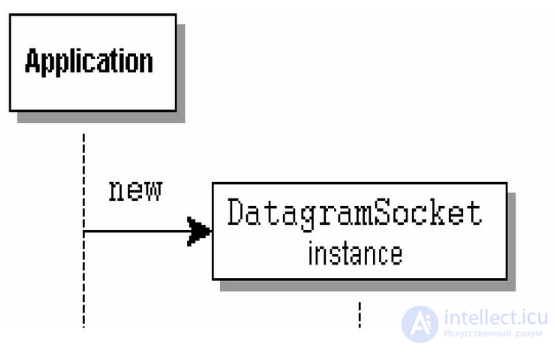
Sending datagrams
URL is the address of a resource on the Internet. Protocol name: the protocol used for communication. Host name: the name of the computer on which the resource is located. File name: the path to the file on the computer. Port number: the port number for the connection (optional). Reference: a reference to a named anchor (optional). It can be an absolute or a relative URL. gamelan = new URL("http", "www.gamelan.com", 80, "pages/Gamelan.network.html");
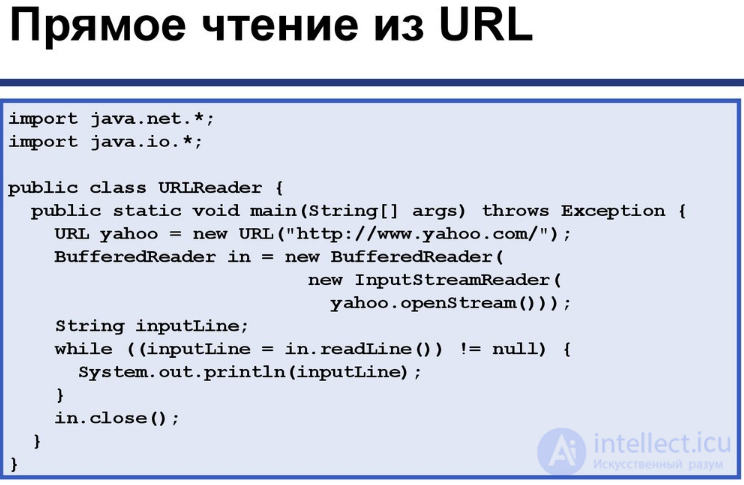
Reading directly from a URL import java.net.*;
import java.io.*;
public class URLReader { public static void main(String[] args) throws Exception { URL yahoo = new URL("http://www.yahoo.com/");
BufferedReader in = new BufferedReader( new InputStreamReader( yahoo.openStream()));
String inputLine;
while ((inputLine = in.readLine()) != null) { System.out.println(inputLine);
} in.close();
}}
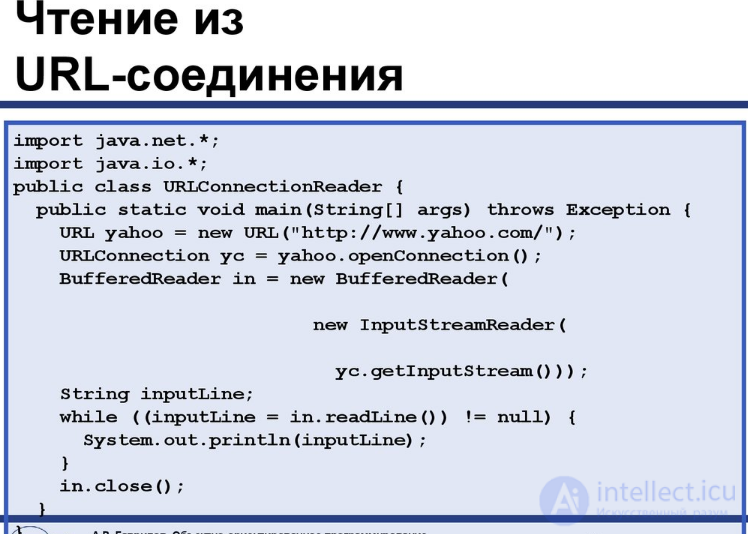
Reading from a URL connection import java.net.*;
import java.io.*;
public class URLConnectionReader { public static void main(String[] args) throws Exception { URL yahoo = new URL("http://www.yahoo.com/");
URLConnection yc = yahoo.openConnection();
BufferedReader in = new BufferedReader( new InputStreamReader( yc.getInputStream()));
String inputLine;
while ((inputLine = in.readLine()) != null) { System.out.println(inputLine);
} in.close();
}}
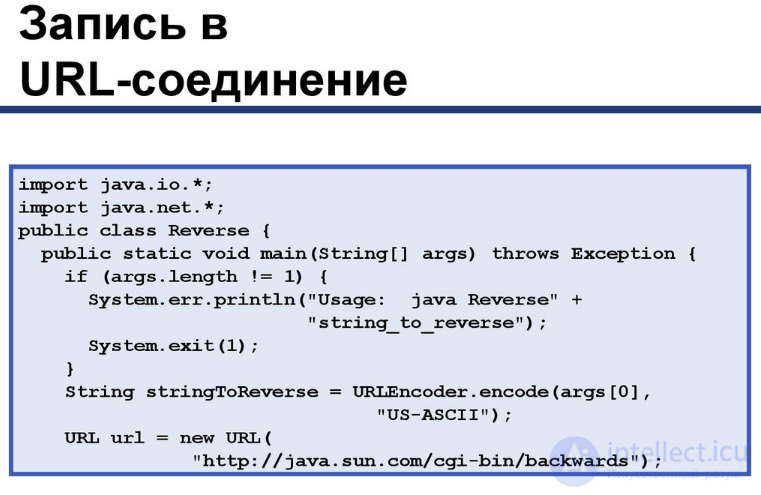
Writing to a URL connection import java.io.*;
import java.net.*;
public class Reverse { public static void main(String[] args) throws Exception { if (args.length != 1) { System.err.println("Usage: java Reverse" + "string_to_reverse");
System.exit(1);
} String stringToReverse = URLEncoder.encode(args , "US-ASCII");
URL url = new URL( "http://java.sun.com/cgi-bin/backwards");
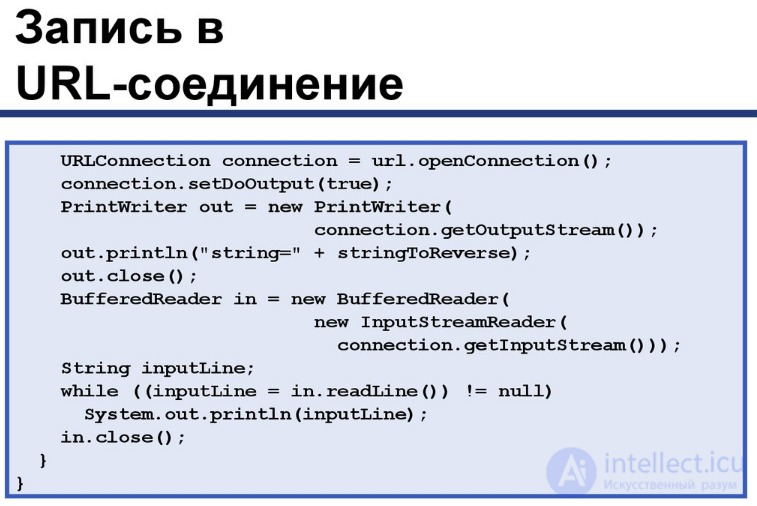
Writing to a URL connection URLConnection connection = url.openConnection();
connection.setDoOutput(true);
PrintWriter out = new PrintWriter( connection.getOutputStream());
out.println("string=" + stringToReverse);
out.close();
BufferedReader in = new BufferedReader( new InputStreamReader( connection.getInputStream()));
String inputLine;
while ((inputLine = in.readLine()) != null) System.out.println(inputLine);
in.close();
}}

Comments