Online 3D model viewer and tranform (FBX, GLB, GLTF) on Intellect

Used 520 times
Online 3D model viewer and tranform (FBX, GLB, GLTF)

Online 3D model viewer (FBX, GLB, GLTF)

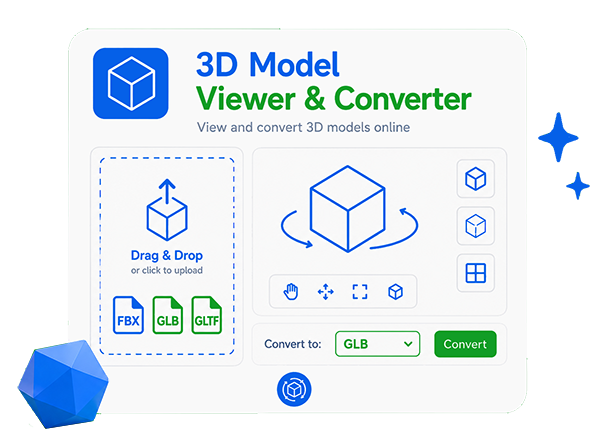
Open a 3D model file in FBX, GLB or GLTF format — it will be read and rendered right in the browser using WebGL. The file is not sent to the server and stays on your device. Rotate the model with the left mouse button, zoom with the wheel, pan with the right button.
or drag and drop a model file here FBX, GLB and GLTF formats are supported
Loading the 3D viewer library…
0%
Ready. Choose a model file or drag it into the viewport.
Download model (conversion in the browser)

File name
Format
Vertices
Triangles
Meshes
Materials
Animations
Size (W×H×D)
Tip: left mouse button — rotate, wheel — zoom, right button — pan. On a touch screen use one finger to rotate and two fingers to zoom.

Share:


Was this answer useful?
Choose a quick rating so we can improve the next answer for you.
How satisfied are you?


Your answer option for this service or noticed an error:

The online 3D model viewer and transformer opens and converting FBX, GLB and GLTF files right in the browser. The model is not sent to the server — the file is read and rendered locally with WebGL, so your data stays on your device. Rotate the model with the mouse, zoom with the wheel, pan with the right button, toggle automatic rotation, wireframe mode and the grid. In the scene settings you can move the light source with the mouse or sliders, change its color and brightness, and adjust the background color, fill light and overall render brightness. The tool shows the main characteristics: the number of vertices, triangles, meshes, materials, animations and the bounding box dimensions. The loaded model can be converted and downloaded right in the browser as GLB, glTF, OBJ, STL, PLY or DAE (Collada), choosing exactly what to keep: materials, textures, normals, bones and animations. Conversion runs locally without uploading to a server, and a progress bar is shown while libraries load and while the file is exported. FBX export in the browser is not available: free libraries (including assimp) can only import FBX, not write it, so use GLB, glTF, OBJ or DAE to move models into other software.

Comments

To leave a comment

If you have any suggestion, idea, thanks or comment, feel free to write. We really value feedback and are glad to hear your opinion.
To reply