
Cat
Draws a cat figure with ears, face, paws and tail.
Randomized on each new drawing. The Paint script creates a new variant when the stroke starts, so this option can look different each time.

The Figures page describes the exact tool available in the online Paint Classic editor on Intellect.
Use this page when you need to understand how the tool works before opening the editor, preparing a simple drawing, editing a screenshot, making pixel-art details, adding annotations, or combining several Paint tools in one workflow.

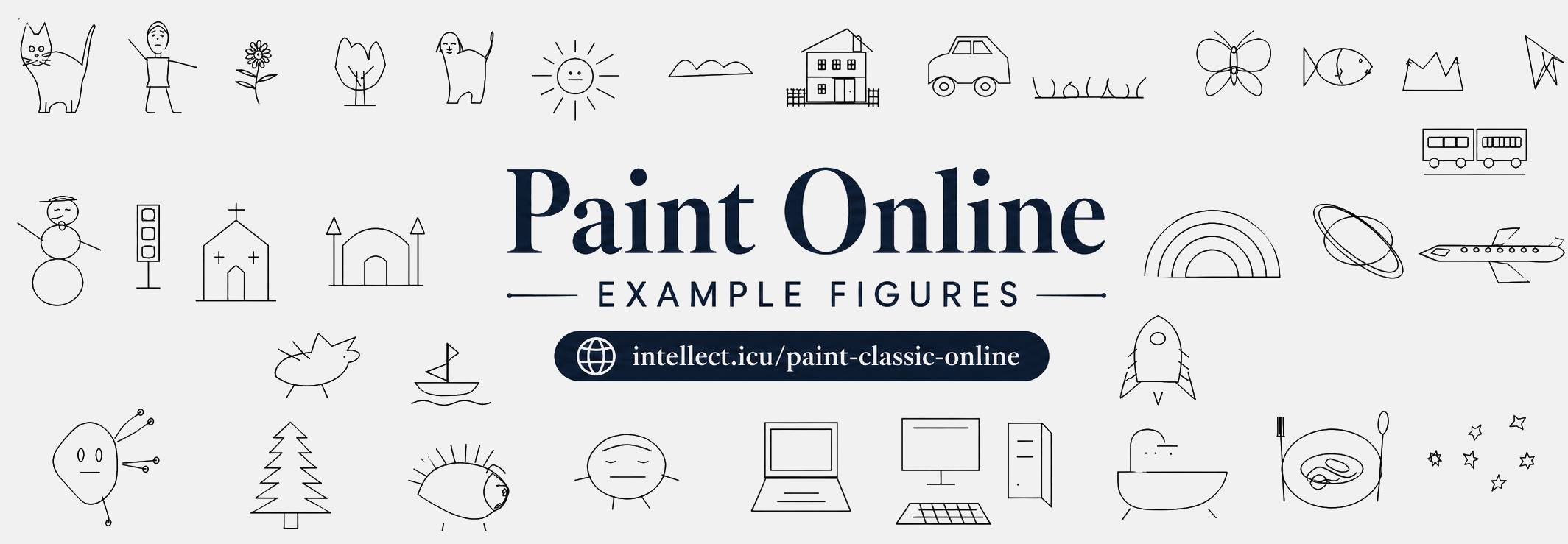
The Figures tool is a special Paint Classic drawing tool: instead of drawing a basic rectangle or ellipse, it inserts a selected ready-made outline figure. Cat, dog and many other supported figures are not always identical: every new drag can produce a slightly different silhouette, face, proportions or decorative details.
Draws a cat figure with ears, face, paws and tail.
Randomized on each new drawing. The Paint script creates a new variant when the stroke starts, so this option can look different each time.

Draws a simple human figure for sketches and story scenes.
Randomized on each new drawing. The Paint script creates a new variant when the stroke starts, so this option can look different each time.

Draws a flower with petals and a center.
Randomized on each new drawing. The Paint script creates a new variant when the stroke starts, so this option can look different each time.

Draws a stylized tree for landscapes.
Randomized on each new drawing. The Paint script creates a new variant when the stroke starts, so this option can look different each time.

Draws a dog figure with ears, face, legs and tail.
Randomized on each new drawing. The Paint script creates a new variant when the stroke starts, so this option can look different each time.

Draws a sun with rays for outdoor scenes.
Randomized on each new drawing. The Paint script creates a new variant when the stroke starts, so this option can look different each time.

Draws a cloud outline with variable humps.
Randomized on each new drawing. The Paint script creates a new variant when the stroke starts, so this option can look different each time.

Draws a house with roof, walls, door and windows.
This option is drawn as a stable preset figure; its size still changes with the area you drag on the canvas.

Draws a car with body, windows and wheels.
Randomized on each new drawing. The Paint script creates a new variant when the stroke starts, so this option can look different each time.

Draws several grass blades for ground details.
This option is drawn as a stable preset figure; its size still changes with the area you drag on the canvas.

Draws a butterfly with wings and body.
This option is drawn as a stable preset figure; its size still changes with the area you drag on the canvas.
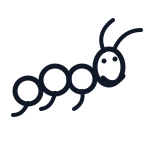
Draws an elegant caterpillar with curved body segments, varied proportions, antennae and a random facial emotion.
Randomized on each new drawing. The Paint script creates a new variant when the stroke starts, so this option can look different each time.

Draws a fish silhouette with tail and fin details.
Randomized on each new drawing. The Paint script creates a new variant when the stroke starts, so this option can look different each time.

Draws mountain peaks for landscape backgrounds.
Randomized on each new drawing. The Paint script creates a new variant when the stroke starts, so this option can look different each time.

Draws a simplified paper-airplane style shape.
Randomized on each new drawing. The Paint script creates a new variant when the stroke starts, so this option can look different each time.

Draws a train body with windows and wheels.
Randomized on each new drawing. The Paint script creates a new variant when the stroke starts, so this option can look different each time.

Draws a snowman with head, body, face and arms.
Randomized on each new drawing. The Paint script creates a new variant when the stroke starts, so this option can look different each time.

Draws a traffic light for road scenes.
This option is drawn as a stable preset figure; its size still changes with the area you drag on the canvas.

Draws a church building with a cross and arch.
This option is drawn as a stable preset figure; its size still changes with the area you drag on the canvas.

Draws a mosque with arches and minaret-like side forms.
This option is drawn as a stable preset figure; its size still changes with the area you drag on the canvas.

Draws a fantasy dragon outline.
This option is drawn as a stable preset figure; its size still changes with the area you drag on the canvas.

Draws a ship with hull, sail and waves.
Randomized on each new drawing. The Paint script creates a new variant when the stroke starts, so this option can look different each time.

Draws a rocket with body, fins and window.
Randomized on each new drawing. The Paint script creates a new variant when the stroke starts, so this option can look different each time.

Draws layered rainbow arcs.
This option is drawn as a stable preset figure; its size still changes with the area you drag on the canvas.

Draws a planet with a ring.
This option is drawn as a stable preset figure; its size still changes with the area you drag on the canvas.

Draws a more detailed airplane silhouette with wings and windows.
Randomized on each new drawing. The Paint script creates a new variant when the stroke starts, so this option can look different each time.

Draws one or more stars with varied proportions.
Randomized on each new drawing. The Paint script creates a new variant when the stroke starts, so this option can look different each time.

Draws an alien character with body, face and appendages.
Randomized on each new drawing. The Paint script creates a new variant when the stroke starts, so this option can look different each time.

Draws a fir tree with tiered branches.
Randomized on each new drawing. The Paint script creates a new variant when the stroke starts, so this option can look different each time.

Draws a hedgehog outline with spikes.
Randomized on each new drawing. The Paint script creates a new variant when the stroke starts, so this option can look different each time.

Draws a round Kolobok character with face and limbs.
Randomized on each new drawing. The Paint script creates a new variant when the stroke starts, so this option can look different each time.

Draws a laptop computer.
This option is drawn as a stable preset figure; its size still changes with the area you drag on the canvas.

Draws a desktop computer with monitor and system unit.
This option is drawn as a stable preset figure; its size still changes with the area you drag on the canvas.

Draws a bathtub with legs and faucet area.
This option is drawn as a stable preset figure; its size still changes with the area you drag on the canvas.

Draws a plate with food details.
This option is drawn as a stable preset figure; its size still changes with the area you drag on the canvas.
Paint Classic keeps the familiar desktop-paint model: choose a tool, select its options, pick foreground and background colors, then draw directly on the canvas. Figures follows that model, so its result depends on the current color box, the selected option state, the mouse button used for drawing, and the current zoom level.
For accurate work, start with the magnifier when the image contains small details. Then use Figures with a deliberate option choice: thin strokes for outlines, filled styles for solid areas, transparent selection or text modes when the background must remain visible, and larger brush or eraser sizes when speed matters more than pixel-level precision.
The online Figures tool is suitable for quick browser-based image editing without installing a separate graphics application. It can be used for educational drawings, simple diagrams, icon drafts, screenshots, annotations, retro-style paint art, and fast corrections before sharing an image. Since the editor runs in the browser, the workflow is immediate: open Paint Classic Online, choose Figures, set the necessary option, apply it on the canvas, and save or share the result.
